A prototype, at your own risk. The design follows the published standards (BIP39, BIP32 and BIP84), so it is sound in theory, and the code passes its tests in software. It has never run on the hardware it is written for, and nobody outside the project has reviewed it. If you build or use this wallet, you do so entirely at your own risk.
- Do not put real savings on a wallet made with it until this page and the repository say it has run on the hardware and passed an independent review. Building one yourself does not count.
- Never send bitcoin to a wallet made from the public test rolls, which anyone can rebuild, or to one made in the simulator, which runs on an ordinary online computer.
- If you still try it with real bitcoin, use only an amount you can afford to lose entirely, and only after you have restored your paper on another signer and spent from it (see Spending needs another signer).
- It cannot spend. To move bitcoin, you will need another signer.
A Bitcoin cold wallet from dice is one whose randomness you make yourself by rolling a die, and whose seed phrase is made on a small device that never connects to anything. This guide explains one open-source design: how it turns rolls into a recovery phrase, how a wallet app can watch the wallet without being able to spend, and what has and has not been checked. It is Knowing Bitcoin’s own project: we designed it and wrote the code, so this page explains our own work and is not an independent review.
What a dice cold wallet is, in plain words
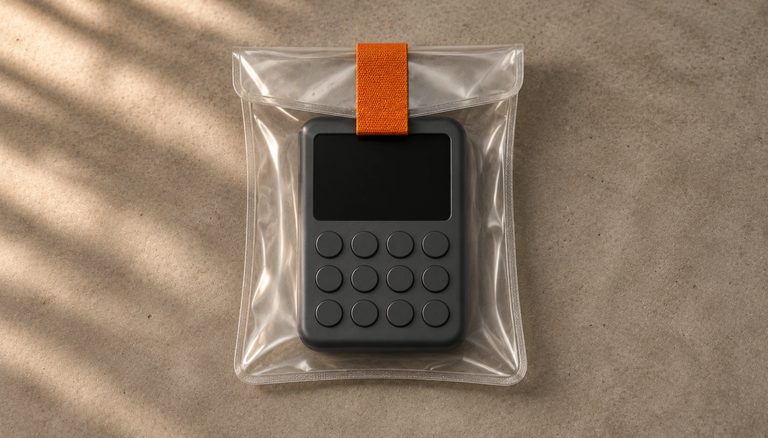
It is a do-it-yourself device made from a small single-board computer and a screen with buttons. You roll a die and enter each result. The device turns the rolls into a recovery phrase (also called a seed phrase), the list of words that backs up a wallet, and you copy the words onto paper. Then it shows a QR code that holds only the wallet’s public account key. A wallet app scans it and can watch the wallet: it sees the addresses and the balance. It cannot spend, because the words and the private key never leave the paper and the device.
Who it is for. Readers who already know what a seed phrase is and how a hardware wallet is used, who can follow technical instructions, and who want to see, and read, every step between the dice and the words. It is not for your first wallet, and in its current state it is not for your savings. If the terms are new, start with our lessons on seed phrases and the BIP39 word list and on how hardware wallets work.
Why dice instead of a random number generator
Every wallet begins with a random number, and everything else depends on it: if the number can be guessed, so can the wallet. When a device picks that number for you, you trust a random number generator you cannot watch. With dice you create the randomness yourself, in front of you, and the device only does arithmetic that anyone can check. The price is that you must roll honestly, and the paper with your rolls becomes as sensitive as the phrase. For a real case of a device’s own randomness going wrong, see our article on the Coldcard seed entropy flaw.
How dice rolls become a seed phrase, step by step
The whole design rests on one boundary. Private data, meaning the rolls, the phrase and the private key, stays on paper and inside the device. Only public data crosses, in one direction, as a QR code.

1. You roll the die and enter the results
You power the device from a power bank; if it finds a network interface, it stops. You choose 24 words or 12, then roll the die 99 times for 24 words, or 50 times for 12. You write each result on paper and enter it on the device with its joystick and buttons. Before going on, you can review the rolls and correct any typing mistake, so that each one matches your paper. Never change a number for any other reason.
The device then looks for two signs that the rolls were not really random. If one face makes up more than 30% of the rolls, or if 8 or more identical rolls come in a row, it refuses to go on and sends you back to your rolls. The screen offers to correct them, but do not change honest rolls to get past the check: numbers a person picks are easier to guess. Press KEY2 to start again and roll a completely fresh set. The 30% rule is the one in Coldcard’s firmware; the 8-in-a-row limit is this project’s own. Honest dice trip these checks now and then. In a simulation of 200,000 sets of fair rolls, described in the code and re-run by us on 16 November 2026 with the same two rules, about 0.4% of 99-roll sets and about 3.4% of 50-roll sets were rejected.
2. How many rolls you need: 99 for 24 words, 50 for 12
Each roll of a fair die carries log₂(6) bits of information, about 2.585. So 99 rolls carry about 255.9 bits, and 50 rolls about 129.2 bits.
The device does not use the rolls directly. It takes the text of the rolls and computes its SHA-256 hash, which is always 32 bytes long. For 24 words it keeps all 32 bytes (256 bits); for 12 words, the first 16 bytes (128 bits). That is why 50 rolls are enough for 12 words: they carry about 129.2 bits, more than the 128 the phrase needs. The hash cannot add randomness that the rolls do not contain, so a 24-word phrase from 99 rolls has about 255.9 bits behind it, a hair under 256. Our dice roll calculator explains why 99 rolls are still the usual target.

It is not the same as Ian Coleman’s BIP39 tool in its Dice mode or with its default settings. There, each 6 becomes a 0 before hashing, or the rolls are used as raw bits with no SHA-256, so the words come out different. If you compare results with SeedSigner or any other tool, use only the public test rolls: real rolls and words never go into an ordinary computer.
3. You copy the phrase, then prove you copied it
A screen first warns that nobody should be able to see it. Then the device shows the BIP39 phrase four words at a time, and you write the words down. Then it asks you for every word, one by one, in order: for each position you read your paper and pick the word from four choices on the screen, or press KEY3 if none of them is on your paper. The other choices are words from the same phrase, so you have to read your paper, not just recognise a word. A copying mistake shows up now, not years later when you try to restore.
After the check, the device offers one more look at the words. Once you go on to the QR code, the phrase is erased and cannot be shown again.
4. It works out the account twice
From the phrase, the device works out a standard BIP84 account: native SegWit, with addresses that begin with bc1q, on the path m/84'/0'/0'. It does this twice: once with the embit library, and once with a second, independent implementation that uses only Python’s standard library. If the two results differ, it shows nothing. A bug in one is unlikely to be repeated in the other, so agreement is a good sign that both are right.
5. It shows the public key as a QR code
Now the device shows a QR code, and the KEY1 button switches between two forms of the same public information:
- the zpub, the account’s extended public key, for BlueWallet;
- a two-branch descriptor, written
wpkh([fingerprint/84h/0h/0h]xpub…/<0;1>/*)#checksum(BIP-389), for Sparrow and Nunchuk. The<0;1>part covers both receive and change addresses, and the fingerprint is a short identifier of the wallet’s master key. Thehand the'both mark a hardened step, so84h/0h/0his the same path as m/84'/0'/0'. BIP-389 is still a draft, so older wallets may not read the<0;1>form; the zpub is there for them.
Either form lets a wallet app work out every address and follow the balance. Neither can sign a transaction.
6. You compare it with the wallet app
The device asks you to compare its first receive address, and the fingerprint if you used the descriptor, with what the wallet app shows. A match means the app read the QR code correctly.
7. You switch it off
Its last screen tells you to switch it off, because the seed is erased when the power is removed, and to keep the paper with the rolls like the phrase, or destroy it. Remove the power and wait a few seconds before you put the device away.
8. Before you send anything, you restore your paper elsewhere
The comparison in step 6 shows only that the app read the QR code correctly, not that your paper is right. Before you send anything to the wallet, restore the words from your paper on another signer and spend from it, as explained under Spending needs another signer.
What the device does not do
- It does not sign. To spend, you need another signer; see Spending needs another signer below.
- The wallet code stores nothing. No rolls, no phrase, no seed, no public key, and the seed is erased when the power goes off. On the Pi, keeping it that way also depends on how the card’s system is prepared, as the repository’s README describes, and that has not been tried on a board. Until it has, treat the microSD card as sensitive: once it has seen real rolls, never put it in a computer that goes online, and destroy it rather than reuse it.
- It has no passphrase input. The core code supports a passphrase, the so-called 25th word, but the screens never ask for one, so the account it shows is always the phrase without a passphrase. Our passphrase guide explains what that word does.
- It has no network. The wallet code imports nothing that talks to the internet. On the Raspberry Pi it checks, at start-up and after every button press, that no network interface exists other than
lo, the loopback interface that never leaves the machine. If it finds one, it stops.
What has been checked, and what has not
We say “checked in software”, not “tested”, on purpose: software checks show that the arithmetic is right, not how the built device behaves.

As of 16 November 2026, the project’s 450 automated tests pass. They include the official test vectors for BIP39, BIP32, BIP84 (with the multipath descriptor), BIP173 addresses and the descriptor checksum, and they check that the two independent implementations agree. For SeedSigner’s two published dice examples, for 24 and 12 words, the code gives the same words. For the 12-word example, the tests also check the fingerprint, the zpub and the first five receive and change addresses. SeedSigner publishes the 24-word example’s fingerprint and addresses only in screenshots; we compared the code’s fingerprint and first three receive addresses with them by hand on 16 November 2026, and they match.
What has not been checked matters more. The code has never run on a real Raspberry Pi Zero, and the display pins are not confirmed. No wallet app, on a phone or a computer, has scanned its QR code yet, so the watching steps below are expected to work, not shown to work. Nobody outside the project has reviewed it, and spending is not part of it at all. Until the hardware has been built and tested and the code reviewed, treat it as a prototype for learning and testing.
How to build the prototype
Building one is itself the first test on the hardware. You do it at your own risk; keep real bitcoin away from it until it has been tested and independently reviewed.
The parts

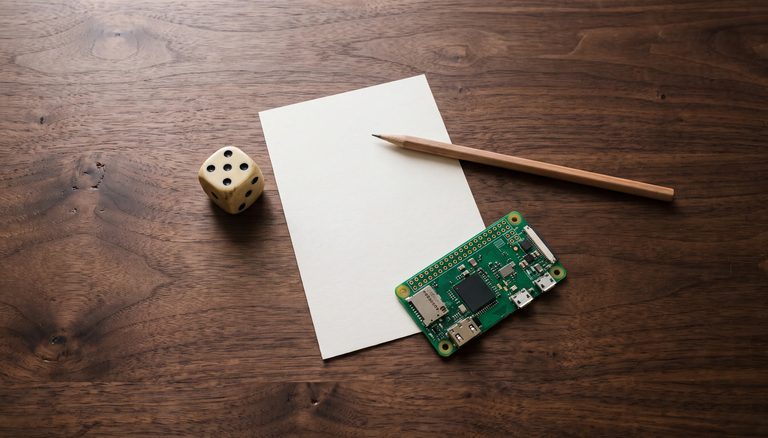
- Raspberry Pi Zero v1.3, the version without Wi-Fi or Bluetooth. The Zero W and the Zero 2 W are not suitable, because they have radios. It needs header pins, because the display plugs in on top: solder them on, or buy a board with them already fitted.
- Waveshare 1.3-inch LCD HAT: an ST7789 display of 240 × 240 pixels, a 5-way joystick and three buttons, KEY1, KEY2 and KEY3. It plugs straight onto the Pi’s header pins, so there are no wires to connect.
- A microSD card of 8 to 32 GB, and a card reader to write it from another computer. You write it once and then keep it read-only.
- A USB power bank and a micro-USB cable, plugged into the Pi’s PWR port, not the data port.
- A die. A casino die is preferred; our article on seed entropy and randomness explains why the kind of die matters.
- Paper and pencil, for the rolls and the phrase.
What is not confirmed is the pin numbers the code uses for the display and the buttons. They come from Waveshare’s documentation, are listed in coldwallet/hw.py, and have to be checked on a real board. That is why there is no pinout here.
What the warning screens say
The device’s screens can be shown in English, Spanish or Brazilian Portuguese; you choose the language when you set it up, and Spanish is the default. The recovery words are always the English BIP39 list, whatever the language. These are the screens that tell you to stop or to be careful, with their English titles:
- Network connection found: it has found a network adapter and will not go on. Disconnect the adapter, then switch the device off and on again.
- These rolls do not look random: see step 1. Fix only typing mistakes; otherwise press KEY2 and roll a fresh set.
- Let no one see the screen: the words are about to appear. Make sure no person and no camera can see it.
- The calculations do not match: the two implementations disagree. The screen says not to use this wallet or this device, not to send money, and to switch it off.
- Something went wrong: switch the device off and start again.
After setup: watching and spending
Watching the wallet from a wallet app
For BlueWallet on your phone, scan the zpub and add it as a watch-only wallet. For Nunchuk, or for Sparrow (a desktop app for Windows, macOS and Linux that reads QR codes with the computer’s camera), switch to the descriptor and import that instead: it carries the receive and change branches and the fingerprint. Then check that the first receive address, and with the descriptor the fingerprint, match the device. Do not receive anything to it yet.
No wallet app has scanned this QR code yet, so a builder will be the first to test this step. On the 1.3-inch screen the QR code is only about 21 mm across, so whether an app can read it, especially the longer descriptor, is part of what is untested. If it cannot, the device will need another way to show the key.
A match tells you that the app is watching the wallet the device made. It does not tell you that your paper is right, because the app’s copy came from the device, not from your words. Our guide on how to test your seed phrase backup explains the difference.
Spending needs another signer
This device never signs. To spend, you restore the phrase from your paper on another signer: SeedSigner, Coldcard, Jade, or Sparrow on a computer that has no network and will never be connected again. Our guide to air-gapped hardware wallets explains how a signer that never connects can still sign, and our DIY signing device guide covers SeedSigner, which is built from similar parts. Do the restore before you trust the wallet with anything: check that the other signer shows the same fingerprint and the same first receive address, with the same account type (BIP84, m/84'/0'/0') and no passphrase. Then send a small amount you can afford to lose, and spend it. Only when that works have you shown that your paper can move your coins.
Risks and good practice
- The roll paper is as sensitive as the phrase. Anyone with your rolls can rebuild the wallet. Destroy the paper, or keep it exactly as you keep the phrase. Our lesson on seed phrase storage covers where and how.
- Roll a real die, every time. The device catches lopsided or repetitive rolls, not patterns. The public test rolls below, 123456 over and over, pass both of its checks. Only real rolls make a wallet nobody else can rebuild.
- Work out of sight. Roll, write and read the screen where no person and no camera can see. Write on a single sheet on a hard surface, not on a pad, which keeps an imprint of what you wrote.
- Never photograph the phrase or the rolls, and never type them into a phone, a website or any computer that is online now or ever will be. The only exceptions are this device and the signer you restore them on. A photo can end up in a cloud backup.
- The simulator is not a cold wallet. It runs on an ordinary computer connected to the internet. Use it only with the test rolls.
- Keep the public key private. The zpub or the descriptor cannot spend, but anyone who sees it can follow every address and payment in the wallet. A wallet app also looks your addresses up on a server: unless you connect it to your own node, whoever runs that server can see the whole wallet.
- Compare only with test rolls. To check the device against SeedSigner, which should give the same words for the same rolls, use the test rolls, never your real ones.
TEST SEED — DO NOT USE. The public test rolls for 24 words (99 rolls) are "123456" * 16 + "123": the digits 123456 sixteen times, then 123. They are public, so anyone can rebuild the wallet they make. Never send bitcoin to it: anyone can take it at once. Use them only to practise, in the simulator or on the device, and to compare results with SeedSigner.
The open-source code
The design and the code are Knowing Bitcoin’s own work, and the site sells nothing related to them. They are open source under the MIT license, at github.com/knowingbitcoin/dice-cold-wallet. The license gives you the code as is, with no warranty, and the prototype warning at the top of this page applies to it. It is written in Python. Its screens can be shown in English, Spanish or Brazilian Portuguese, and the README shows them side by side. The code comments are in Spanish, and so is the full Raspberry Pi preparation, in README.es.md. Get the code only from this repository, and install its packages with the pinned hashes in requirements.txt, as the README explains.
coldwallet/: the core (dice to phrase to account, the roll checks and the word check), the screens, and the code for the Pi’s display and buttons.crosscheck/: the second, independent implementation, standard library only.tests/: the test suite, with the official BIP test vectors and SeedSigner’s examples.sim.pyandmain.py: the desktop simulator and the entry point.deploy/: the service that starts the wallet on the Pi, also untested on the board.
To run the tests on a desktop computer, from the repository folder (the simulator needs Python 3.11 with Tkinter):
python3.11 -m venv .venv
.venv/bin/pip install -r requirements-dev.txt
.venv/bin/pytest -q
To run the simulator:
.venv/bin/python main.py --sim --lang enUse --lang es or --lang pt for Spanish or Brazilian Portuguese screens. The arrow keys act as the joystick, Enter presses it, and 1, 2 and 3 are KEY1, KEY2 and KEY3. A red band at the top, SIMULATOR · TESTING ONLY · DO NOT USE WITH REAL FUNDS, reminds you it is for testing only.
Reporting problems. Reproduce any problem with the public test rolls. Never post or send real rolls, words, a zpub or descriptor, or a photo of the device’s screen. Report anything that could put bitcoin at risk privately, as the repository’s SECURITY.md explains: through the repository’s Security tab (Report a vulnerability) or by email to security@knowingbitcoin.com. Open a public issue only for ordinary bugs and questions. Reviews are welcome too: an outside review is one of the things this prototype still needs. For a mistake on this page, see our corrections page, and for how we make our pages, how Knowing Bitcoin is made.
Sources
- The standards: BIP-39 (recovery phrases), BIP-32 (key derivation), BIP-84 (native SegWit accounts), BIP-173 (bc1q addresses), BIP-380 (descriptors and their checksum) and BIP-389 (multipath descriptors, the
<0;1>part; still a draft). - SeedSigner, Verifying dice seed generation at commit 662693b8, with the 99-roll and 50-roll examples the code is checked against.
- Coldcard firmware,
shared/seed.pyat commit dc398b37: the 30% rule for dice rolls and the SHA-256 of the roll text. - Ian Coleman’s BIP39 tool,
src/js/entropy.jsat commit de71c223: how its Dice mode and its raw-entropy default read the rolls. - Sparrow Wallet, downloads: a desktop app for Windows, macOS and Linux.
Last reviewed: 16 November 2026. Test results as of 15 November 2026. The Coldcard, SeedSigner and Ian Coleman sources were re-read on 16 November 2026.