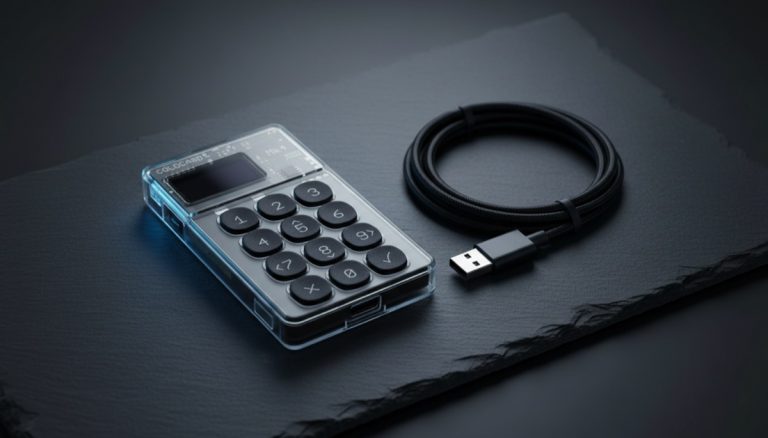
Short answer: A hot wallet is connected to the internet and is for small amounts you spend; a cold wallet is kept offline and is for savings you don't touch. You usually want both. The allocation rule that actually works: keep hot only what you'd be comfortable carrying as cash in your pocket, and put everything else in cold storage. For most people that's a small spending float — often well under 10% of their bitcoin — hot, and the rest cold. Think of it exactly like a checking account versus a savings account: a little in checking for daily use, the bulk in savings where it's harder to lose or steal.
Everyone tells you cold storage is safer. So why does anyone use a hot wallet at all? And if you're supposed to have both, how much goes in each? Those are the two questions nobody answers cleanly — and they're the only ones a normal person actually needs answered. This isn't a security architecture deep-dive (we have one of those: see cold vs hot wallet security). This is the practical "which do I need, how do I split it, and what does the screen actually do when I move my money" page — with a real starting number, a worked example, and the exact panic moments named in advance so they don't scare you.
The two-sentence version: checking account vs savings account
You already understand this, you just haven't been told it maps perfectly onto Bitcoin.
Your checking account holds the money you spend this week. It's easy to reach — tap, swipe, send — and that convenience is exactly why you don't keep your life savings in it. Your savings account holds the money you don't want to touch. It's a little slower to get at, and that friction is the point: it's harder to drain on impulse or in a moment of carelessness.
A hot wallet is your checking account: a phone or desktop app, instantly available, perfect for small payments. A cold wallet is your savings account: offline hardware, a few extra steps to spend from, built to sit untouched for years. Nobody sensible keeps their entire net worth in checking. Nobody sensible keeps their entire bitcoin stack hot. Same instinct, same reason.
What "hot" and "cold" really mean — in plain words
Strip away the jargon and the whole distinction comes down to one thing: where do the keys live, and do they ever touch the internet?
- A hot wallet keeps your private keys on a device that connects to the internet — a phone app, a desktop app, a browser extension. The keys are software, sitting on a machine that also runs your email, browser, and everything else. That connection is what makes it fast and free, and it's also the entire source of its risk: if malware gets onto that device, the keys are reachable.
- A cold wallet generates and stores your keys on a dedicated device that never exposes them to an internet-connected computer — a hardware wallet (also called a hardware signer). To spend, the device signs the transaction internally and hands back only the signed result; the secret keys never leave it. It costs money and adds a few steps, but malware on your laptop can't reach keys that were never on your laptop.
That's the real line. Not "app vs gadget" — online keys vs offline keys. Everything else about the hot/cold trade-off flows from that one fact. (If you want the deeper version of how the keys themselves split across these setups, see how your seed works in hot and cold storage.)
Why you want BOTH, not one or the other
The temptation is to pick a side. "Cold is safer, so I'll go all cold." Or "hot is easier, so I'll just use my phone." Both extremes quietly cost you something.
All cold is like keeping every dollar you own in a bank vault across town and nothing in your pocket. Maximally safe, genuinely annoying. Every time you want to pay for something small or move a little bitcoin, you're plugging in hardware, confirming on a tiny screen, and treating a coffee-sized payment like a bank transfer. People who go all-cold often end up either not transacting at all or — worse — getting sloppy and spending straight from cold storage in a hurry, which defeats the friction that made it safe.
All hot is like walking around with your entire net worth in your back pocket. Fine until the one day it isn't. A single piece of malware, a phishing app, a compromised phone, and there's no second line of defense because everything was reachable.
The two-wallet setup gives you the best of each: a small, convenient hot wallet you can spend from without ceremony, and a cold wallet holding the savings that would actually hurt to lose. You're not choosing safety or convenience — you're putting each pile where it belongs.
The allocation rule: how much hot, how much cold
Here's the question almost no guide answers with an actual number. The honest truth is there's no universal figure — but "it depends" is a useless answer, so here is a real starting point you can adjust.
The rule of thumb: keep hot only what you'd be comfortable carrying as physical cash. Everything else goes cold.
Ask yourself: how much cash would you keep in your wallet or pocket on a normal day, knowing it could be lost or stolen and you'd be annoyed but not devastated? Whatever that number is for you — that's roughly the right size for your hot bitcoin balance. For most people it lands somewhere small: a spending float, not a savings pile. As a concrete starting point, keep your hot wallet under about 10% of your total bitcoin, and often far less — then move the rest to cold storage.
How to adjust the number for your real life:
- If your total stack is small (you're just starting, it's pocket-money sized), it's fine to keep most or all of it in a free hot wallet at first while you learn the mechanics. The cost of a hardware wallet may exceed what you're protecting. Plan to add cold storage as the amount grows.
- If you actually spend bitcoin (Lightning payments, regular small transactions), keep enough hot to cover a few weeks of that spending without constantly topping up — but no more. Top up from cold when it runs low, the way you'd transfer from savings to checking.
- If it's mostly savings you rarely touch, push the hot float toward the bottom — just enough to cover an occasional payment — and put nearly everything cold.
- If the total is now "this would genuinely change my life to lose", that entire amount belongs in cold storage with a properly backed-up seed phrase, full stop. The hot wallet stays a small spending tool.
The principle underneath all four: the hot balance is sized by what you spend, not by what you own. Owning more bitcoin doesn't mean keeping more hot — it means the cold pile grows while the hot float stays roughly the same small size.
Here's the same idea as a table you can locate yourself in. The dollar figures are illustrative — not advice, not thresholds — and the point is the shape: the hot float stays roughly flat while the cold pile does all the growing.
| Your situation | Total (illustrative) | Hot float | Cold | Why |
|---|---|---|---|---|
| Just starting / learning | ~$40 | All of it | None yet | A hardware wallet costs more than the contents are worth; learn first |
| Regular spender | ~$2,000 | ~$150 (a few weeks of spending) | ~$1,850 | Float sized to spending, not to total; top up from cold |
| Mostly savings | ~$10,000 | ~$100 (occasional payments) | ~$9,900 | Nearly all of it is savings, so nearly all of it is cold |
| "Would change my life to lose" | ~$50,000 | ~$100 (same small float) | The rest, metal-backed seed | The float doesn't grow with the stack; the cold pile does |
A worked example: $5,000 in bitcoin, split sensibly
Numbers make it concrete. Say you hold the equivalent of $5,000 in bitcoin, currently all on an exchange, and you want to do this right. (Amounts are illustrative; the shape is what matters.)
You decide you'd be comfortable carrying about $200–$300 of "cash" — that's roughly what you'd want available for small spending and the odd payment without thinking about it. So:
- Hot wallet: ~$250. You set up a free phone wallet, write down its seed phrase on paper, and move about $250 there for everyday use. That's 5% of the stack. If it gets compromised tomorrow, you lose a couple hundred dollars — painful, not catastrophic.
- Cold wallet: ~$4,750. The remaining 95% goes to a hardware wallet, keys generated offline, seed phrase written down and ideally backed up on metal. This is the savings account. You touch it only to top up the hot float when it runs low, or to add to long-term holdings.
- The flow from here. When your hot wallet dips to, say, $80, you move another ~$150 from cold to hot — a deliberate, occasional "transfer from savings to checking." The cold pile does the heavy lifting of holding value; the hot pile does the light work of spending.
Notice what this buys you: the worst realistic everyday accident — a drained phone wallet — costs you the spending float, not the savings. And the savings, sitting offline, aren't exposed to the day-to-day risks that hit a connected device. That asymmetry is the entire reason to split. When you're ready to actually do the moving, our step-by-step guide on getting bitcoin off an exchange into your own wallet walks through every screen.
What you'll actually see when you send (and why nothing is lost)
This is the part guides skip and beginners panic over. You're not doing anything wrong — you just haven't been shown what the screen does, so the first time it does it, your heart drops. Let's name every step in advance.
On the receive side, you open the wallet that's getting the money, tap Receive, and a QR code appears with a long string underneath that starts with bc1 and a copy icon. That string is your address. It looks too long and too random to be right — that's normal and correct. Modern bitcoin addresses really are that long. You either scan the QR or copy the whole string and paste it into the Address field of wherever the money is coming from. Never type an address by hand — one wrong character and the money goes somewhere unrecoverable.
On the send side, you tap Send, paste the address into the field (often labeled "Address or invoice"), enter an Amount, and you'll see a network-fee line — usually a Slow / Normal / Fast choice (some wallets call it low / medium / high). Pick Normal unless you're in a hurry. Then a confirmation screen lists the destination, the amount, the fee, and the total, with a "Slide to send" or "Confirm" button. You confirm. Done.
And now the moment that frightens everyone: the transaction shows as "Unconfirmed" or "0 confirmations," and for several minutes it looks like your money has simply vanished. It has not.
Here's what's actually happening. The instant you hit send, your transaction was broadcast to the entire Bitcoin network and is now sitting in the mempool — a waiting room for transactions that haven't been written into a block yet. "Unconfirmed" doesn't mean lost; it means in transit, exactly like a bank transfer you've submitted but that hasn't posted. Miners pick transactions out of the mempool and pack them into the next block. When yours lands in a block, the status flips to "1 confirmation." A little later it climbs — 2, 3, 6 — as more blocks stack on top.
Three things to hold onto while you wait:
- Closing the app does not cancel it. The transaction lives on the network now, not just on your phone. You can close the wallet, lock the screen, walk away — it keeps confirming on its own.
- Don't re-send. If it feels slow, wait. Sending "the same" payment again does not cancel the first one — it risks creating a second, separate payment. Patience is the correct move, not action.
- Timing depends on the fee and how busy the network is. Often the first confirmation arrives within one block (roughly ten minutes on average), but a low fee or a congested mempool can stretch it longer. As long as you copied the address correctly and the transaction broadcast, it will confirm.
So when the dreaded thought arrives — "I sent it 20 minutes ago and it still says unconfirmed, did I lose my bitcoin?" — the answer is almost always no. It's in the waiting room. Wait.
Wait — why did my whole balance move? The change address, explained without panic
The other screen that makes first-timers think they've been robbed: you spend a small amount, and the transaction shows your entire balance leaving, with a big chunk going to an address you've never seen. Stop. This is normal, and the money is still yours.
Bitcoin works like cash, not like a debit card. With a debit card the bank deducts the exact amount. With cash, you can't tear a $20 bill in half — you hand over the whole bill and get change back. Bitcoin is the same. Your wallet holds bitcoin in chunks (called UTXOs), and to spend, it has to spend a whole chunk and send the leftover back to you, automatically, at a fresh "change address" that your own wallet controls.
So if you send $150 from your $4,750 cold wallet, you may see roughly $4,750 "leave" and roughly $4,600 come straight back to a new address. That returned money is 100% yours — same wallet, recoverable by the same seed phrase. It's the $16 change from paying for a $4 coffee with a $20 bill, except the wallet hands you the change automatically and to a brand-new address (which is good for your privacy).
You don't need to do anything to "get the change back." Your wallet already controls it. Once the transaction confirms, the change simply shows up in your balance like nothing happened — because nothing bad did. You'll hit this on your very first top-up from cold to hot, so now you know: an unfamiliar address receiving most of your balance, in a spend you made yourself, is your own change coming home.
The one habit that makes the transfer safe: verify on the device's own screen
If you remember one security practice from this whole page, make it this one — because it defeats the single most common attack aimed at ordinary people moving bitcoin.
There's a class of malware (sometimes called a "clipper" or clipboard hijacker) whose entire job is to wait until you copy a bitcoin address, then silently swap it for the attacker's address before you paste. What you see on the computer or phone screen is not necessarily what gets signed. You think you're sending to your own cold wallet; you're actually sending to a stranger.
The defense is built into every mainstream hardware wallet: it shows the real destination address and amount on its own small screen, and you physically confirm there. Malware on your laptop can change what the laptop displays — it cannot change what the offline device displays. So before you approve a send, read the address on the device, not on the computer. Check both the first and last few characters against where you meant to send, plus the amount. (Checking only the first few isn't enough — lookalike addresses with matching prefixes can be generated. Both ends, plus the amount.)
Mirror this on the receive side too: when you're topping up the hot float from cold, confirm the receive address on the cold device's own screen. The habit is the same in both directions — trust the screen that isn't on the internet.
Before the big move: prove the path with a test send
The test send is the cheapest insurance in all of self-custody, and it's the habit beginners skip because they're impatient. Don't skip it. Here's the ritual, and the one rule that makes it work.
- Send a tiny amount first — the smallest you'd be comfortable losing, say a few dollars' worth — from the source (exchange or hot wallet) to your cold wallet's receive address. Scan the QR or copy/paste; never type by hand.
- Verify the address on the cold device's own screen (the habit from the section above), not just on the computer.
- Wait for it to confirm, and confirm you can SEE it arrive in the cold wallet's balance. The exchange will show "Pending" and give you a transaction ID (a txid); the cold wallet will show an unconfirmed incoming amount that flips to confirmed once it's in a block — usually around ten minutes, sometimes longer when the mempool is busy.
- Only then send the bulk to the same wallet. A fresh receive address from that wallet is perfectly fine — every address it generates is controlled by the same seed.
The entire point is the stop condition: do not send the full amount until the test send lands. If the $10 test arrives, the path is proven and the $4,990 will follow it safely. If it doesn't arrive after a reasonable wait, STOP and diagnose — look up the txid in a block explorer to see whether it actually broadcast (or is still sitting in the exchange's withdrawal review), and check you used the right address and network — before risking a cent more.
Worried about "wasting" the fee on a test? The few cents or dollars it costs is the cheapest possible insurance against fat-fingering your savings into the void. Pay it gladly.
What can go wrong with each — and the remedy
The two wallets fail in opposite ways, which is exactly why holding both is resilient: the thing that threatens one rarely threatens the other.
- Hot wallet — the risk is theft. Because the keys live on an internet-connected device, the failure mode is malware, a malicious app, phishing, or a compromised phone draining the balance. The remedy is keeping the balance small. You can't fully eliminate the risk of a connected device, so you cap the damage: a stolen $250 float is a bad day, not a disaster. Keeping the amount low is the defense.
- Cold wallet — the risk is a lost backup, not theft. A hardware wallet is very hard for a remote attacker to drain. The real way people lose cold-stored bitcoin is mundane: they lose or never properly wrote down the seed phrase, the device dies or is lost, and there's no recovery. The remedy is the backup. Write the seed phrase on paper (never a photo, never the cloud), verify it, and for meaningful amounts upgrade it to metal so fire or water can't destroy it.
Read those two together and the logic of the split clicks: you keep the hot pile small because its risk is theft, and you keep the cold pile backed up because its risk is loss. Different defenses for different piles. The security trade-offs in full detail live in our cold vs hot wallet security guide.
If your hardware wallet breaks, is lost, or stolen — what actually happens
Here's the fear nobody says out loud: the device itself dies, falls in a lake, or gets stolen. Breathe. The hardware wallet is not your bitcoin, and it is not the only copy of your keys. It's a convenient signing tool. Your bitcoin lives on the blockchain; your access lives in the seed phrase.
So if the device is destroyed or lost: you buy a new hardware wallet (any compatible brand that supports the standard recovery phrase), choose "restore from recovery phrase," type in your seed, and your full balance reappears. Nothing of value was ever stored on the device that the seed can't rebuild — that's the whole design.
On theft specifically: a stolen device is protected by its PIN, which makes it very hard to drain, and most mainstream hardware wallets wipe themselves after a number of wrong PIN guesses. But don't rely on that alone. The moment you realize a device is gone, the correct move is to use your seed to restore the wallet on a fresh device and, where prudent, move the funds to a newly generated seed before worrying about the old gadget.
The reframe that dissolves the fear: losing the device is an inconvenience; losing the seed is the only true loss. The gadget is replaceable. The backup is the asset. (One caveat worth knowing: when restoring onto a different brand, the wallet may ask about the derivation path or script type — usually it just works, but if a balance looks wrong on restore, that's the setting to check, not a sign your money is gone.)
What actually happens when a hot wallet IS compromised — and why the cold pile survives
Let's make the asymmetry tangible with the bad day itself. Malware lands on the phone holding your hot float. What can the attacker do? They can sign and broadcast a transaction draining whatever that wallet's keys control — and only that wallet. The cold wallet's keys were generated on a separate device and never once touched the phone, so to the malware they simply don't exist. Unreachable. Your savings sit there untouched while the attacker walks off with the spending money.
That's the entire payoff of the split, and it's real. But there's one beginner mistake that quietly destroys it, so guard against it: never store your cold wallet's seed phrase on any connected device. Saving it in your phone's Notes "for safekeeping," or snapping a photo of it, puts the cold seed in reach of the exact malware the split was supposed to defeat — and now the attacker can drain the cold pile too.
The rules that keep the wall intact: each wallet has its own seed; the cold seed exists only on paper or metal and is never typed, photographed, or pasted onto a connected device; and a compromised phone is treated as burned — move the leftover float to a fresh wallet, never "clean it up and reuse it." Do that, and a hacked phone costs you a spending float and nothing more. For getting the backup right, the best cold storage methods guide covers durable seed backups without hype.
Scams that target people at exactly this stage (and how to neutralize each)
The moment you move off an exchange and start setting up wallets is precisely when scammers come looking, because you're new and handling real money. These are the live ones, each with a one-line kill switch:
- A "hardware wallet" that arrives with a seed already filled in. A pre-printed seed on a card, sticker, or scratch-off — sometimes sold as "convenient." It's a theft trap: the seller knows that seed. A genuine device always makes you generate a brand-new seed yourself on first setup. If one came with a seed, do not use it. Set it up only if it generates the seed in front of you.
- A fake wallet app. A convincing lookalike in an app store, or a sponsored search result at the top of the page, built to capture your seed the moment you type it. Install only from the source the device maker publishes, and never type your seed into anything that isn't your hardware device's own screen.
- "Support" or "recovery" impersonation. A DM, email, or "wallet support" line asking you to "verify" or read out your seed to fix a problem. No legitimate support ever needs your seed. It is entered only on the device — never read aloud, photographed, typed on a website, or shared with a human. Anyone asking for it is stealing from you, full stop.
- Address-swap during your first transfer. Covered above — the fix is verifying the address on the device's own screen, every time.
When you can skip cold entirely (and when that's a mistake)
Cold storage isn't a moral requirement — it's a tool sized to what you're protecting. There's a real case for staying all-hot, and a real trap.
You can reasonably skip cold storage when the total amount is genuinely small — money you'd shrug off losing, the kind of "I'm learning how this works" sum. Buying a hardware wallet to protect $40 of bitcoin is paying more for the safe than the contents are worth. A free hot wallet, with its seed phrase still written down properly, is a sensible place to start and learn the mechanics.
It becomes a mistake the moment the amount stops being trivial. The classic error is letting a hot wallet quietly grow. You started with $50 to learn, kept adding, and a year later there's $6,000 sitting on your phone because moving it felt like a chore. That's the dangerous middle: enough to seriously hurt to lose, still sitting somewhere built for pocket money. The fix is a habit, not a one-time event.
The trouble with "the moment it stops being trivial" is that nobody tells you when that moment is — so the drift just keeps happening. Here are concrete, self-checkable triggers. Notice they're mostly emotional and behavioral, not a fixed dollar figure: your body reacts before the spreadsheet does.
| Trigger — if any of these is true... | ...do this |
|---|---|
| Your hot balance has crept above your "comfortable as cash" line | Sweep the excess to cold now |
| You'd feel sick, not just annoyed, if this phone were lost or stolen | That emotional threshold is the real signal — set up cold this week |
| You're adding regularly and the balance keeps climbing | The drift is happening — schedule cold storage before the next buy |
| You've stopped checking the balance casually; it's become "savings" | Treat it as savings — move it to cold |
| You're about to receive a larger amount (a sale, gift, or paycheck in BTC) | Set up cold before it arrives, not after |
The one-line habit underneath the whole table: when in doubt, sweep down to your cash-line — never up. Top-ups go from cold to hot; excess goes from hot to cold. Never let the hot balance swell just because moving felt like effort.
How to set up the split safely
The order matters. Do it like this:
- Decide your hot float first. Pick your "comfortable as cash" number before you move anything. Without a target you'll drift into keeping too much hot.
- Set up the cold wallet and back up its seed. Get a hardware wallet, generate the keys on it (it should make you write down a brand-new seed — if it didn't, see the scams section), write the seed phrase on paper, and verify the backup. For anything beyond a small amount, plan to harden that backup onto metal. Our hardware wallet buying guide covers choosing a device, and the best cold storage methods guide compares the broader options without hype.
- Move the savings to cold first — test send before the full amount. Send a tiny test, verify it lands in the cold wallet (the single best habit in self-custody — full ritual above), then send the bulk. The exchange-to-wallet guide shows exactly how.
- Keep a spending float hot. Leave only your decided float in the hot wallet. That's your day-to-day money.
- Top up, don't drain down. When the hot wallet runs low, move a modest amount from cold to hot. Resist the reverse — don't let the hot balance swell because moving to cold felt like effort.
That's the whole system. Two wallets, one rule about sizing, one habit about topping up. It runs itself once it's set up.
Topping up Lightning from cold, without the confusion
If you want to actually spend bitcoin day to day, Lightning is the layer for it — instant, tiny fees, perfect for a coffee. But there's a step that trips people up, so let's be clear: your cold storage is on-chain bitcoin, and Lightning is a different layer. Moving savings into Lightning means crossing from one to the other.
The flow in practice: from your cold wallet you do a normal on-chain send to fund your Lightning wallet. Depending on the wallet, it either opens a payment channel automatically or runs an on-chain-to-Lightning step for you. A small one-time fee is taken when it funds (a channel-open or swap fee) — which is exactly why you top up in chunks, not per coffee. Move, say, $100 from cold, watch it land, and then your Lightning balance is ready for instant small payments — a $4 coffee settles in a blink.
Treat that Lightning balance exactly like your hot float: small, replaceable, sized to what you spend — not a place for savings. If you want to use Lightning for everyday payments, our tested comparison of Lightning wallets covers which apps handle this funding step most simply.
Where the recommendation lives
We've deliberately kept device names out of this page — the goal here is to size your piles correctly, not to sell you hardware. When you've decided how much belongs in cold and you're ready to choose how to store it well, the honest, hype-free comparison of your options is in our best Bitcoin cold storage methods guide. Read it once you know your number — it'll mean a lot more when you do.
Frequently Asked Questions
Is a cold wallet 100% safe?
No — nothing is 100% safe, and the main risk with cold storage isn't theft, it's losing your backup. A hardware wallet keeps your keys offline, so a remote attacker can't reach them, which makes it far safer than a hot wallet for savings. But if you lose or never properly recorded your seed phrase and the device fails or is lost, the bitcoin is gone with no recovery. The way to make cold storage genuinely reliable is to write the seed phrase down, verify it, and back it up durably (ideally on metal) for meaningful amounts.
My hardware wallet broke or was stolen — is my bitcoin gone?
No. The hardware wallet is just a signing tool, not your bitcoin and not the only copy of your keys — your bitcoin lives on the blockchain and your access lives in the seed phrase. If the device dies or is lost, buy a new compatible hardware wallet, choose "restore from recovery phrase," type in your seed, and your full balance reappears. If it was stolen, it's protected by its PIN (and most devices wipe after several wrong guesses), but the moment you realize it's gone, restore your seed on a fresh device and, where prudent, move the funds to a newly generated seed. Losing the device is an inconvenience; losing the seed is the only true loss.
I sent bitcoin and it still says "unconfirmed" — did I lose it?
Almost certainly not. "Unconfirmed" or "0 confirmations" means your transaction has been broadcast to the network and is waiting in the mempool for a miner to include it in a block — it's in transit, like a submitted bank transfer that hasn't posted yet, not lost. It usually gets its first confirmation within about ten minutes, but a low fee or a busy network can make it slower. Don't re-send (that risks a second payment, it won't cancel the first) and don't worry that closing the app cancels it — the transaction lives on the network now. As long as the address was correct and it broadcast, it will confirm. If it's stuck for a long time, look up the transaction ID in a block explorer to confirm it broadcast.
Can I just use one wallet for everything?
You can, but each single-wallet choice has a real cost. One hot wallet for everything means your whole stack sits on an internet-connected device, so a single compromise can drain all of it. One cold wallet for everything is safe but inconvenient — you'll be plugging in hardware and confirming on a tiny screen even for small payments, which often leads people to either stop transacting or get careless. The two-wallet split exists precisely so you don't have to trade all your safety for convenience or vice versa: a small hot float for spending, the bulk in cold for saving.
What about Lightning for spending — is that hot or cold?
Lightning is hot by nature. It's a layer built for fast, cheap, small payments, and it requires keys that are online and available to route and settle payments instantly — which is the definition of a hot wallet. That's perfect for the spending side of your split: fund a Lightning wallet from your cold savings with an on-chain send (a small one-time funding fee applies, which is why you top up in chunks rather than per purchase), then treat its balance like your hot float — small, replaceable, sized to what you spend. It's not a place for savings. If you want to use Lightning for everyday payments, see our tested comparison of Lightning wallets.
How much of my bitcoin should be in a hot wallet?
Size it by what you spend, not by what you own. A good starting rule is to keep hot only what you'd be comfortable carrying as physical cash — for most people that's a small float, often under 10% of their total bitcoin and frequently much less — and put everything else in cold storage. Owning more bitcoin shouldn't increase your hot balance; it should grow the cold pile while the hot float stays roughly the same small size. Top up the hot wallet from cold when it runs low rather than letting it accumulate.
Bitcoin Wallets & Self-Custody from the
Bitcoin Wallets & Self-Custody course.