Short answer: To move bitcoin from an exchange to your own wallet safely, do this in order: (1) set up a wallet you control and write its seed phrase on paper, offline; (2) in that wallet, tap "Receive" to generate a fresh address; (3) on the exchange, withdraw a small test amount to that address first, choosing the plain Bitcoin / on-chain network; (4) wait for it to confirm and check it actually arrived in your wallet; (5) only then withdraw the rest, choosing a reasonable network fee; (6) confirm the full amount landed. The single habit that turns this from terrifying into boring is the test send — a tiny transaction you verify before you risk the real money. Skip nothing, and a wrong address or a malware swap costs you a few cents instead of everything.
You bought bitcoin on an exchange. Everyone repeats "not your keys, not your coins" — but almost nobody hands you the exact, unglamorous steps to actually get it out without losing it. Here is all of it. This is not a custody-philosophy lecture and not a hardware-wallet shoot-out. It is the literal mechanics, written so a normal person can follow them once, with the phone in their hand, and never be scared of a transfer again.
Before you touch anything: hot wallet or cold wallet?
You only have to make one real decision before you start, and it is about where the keys live:
- A hot wallet is a phone or desktop app (BlueWallet, Sparrow, Phoenix, Electrum, and similar). The keys live on a device that touches the internet. It is free, instant to set up, and perfect for small, spendable amounts — think the cash in your pocket, not the savings under the mattress.
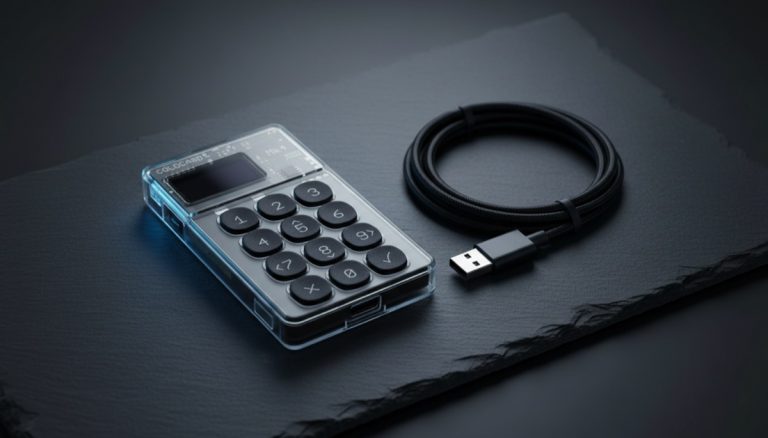
- A cold wallet is a hardware device (a dedicated signer) where the keys are generated and stay offline, never exposed to an internet-connected computer. It costs money and takes a few more minutes, but it is the right home for an amount you would be genuinely upset to lose.
Simple rule of thumb: if the amount is small enough that you would shrug off losing it, a free hot wallet is fine to start. If it is meaningful savings, get hardware. You do not have to decide forever today — you can move to a hot wallet now to learn the mechanics, then graduate to cold storage. We compare the real options in our guide to the best bitcoin cold storage methods, and if you are weighing the two most common devices, see Trezor vs Ledger. The steps below work the same either way — the destination is just "a wallet you control."
Step 1 — Set up a wallet YOU control, and write down the seed phrase offline
When you create the wallet, it shows you a list of 12 or 24 words. This is your seed phrase (also called a recovery phrase). It is the actual backup of your money. Anyone who reads those words can take your bitcoin from anywhere on earth; if you lose them and your device dies, the coins are gone with no support line to call. This is the whole reason self-custody is powerful and also the whole reason people get hurt.
Do this, exactly:
- Write the words on paper, by hand, in order. Do not screenshot them. Do not type them into Notes, a password manager, a photo, or any cloud. The phrase belongs offline. (If you want to understand why the phrase — not the device — is the thing that matters, read seed phrase vs private key.)
- Verify the backup is correct before you put a single sat on it. Many wallets make you re-enter a few words to confirm. Treat this seriously — a backup you never tested is a backup you do not have. Here is how to test your seed phrase backup.
- For anything beyond pocket money, upgrade the backup to metal so fire or water cannot erase it. Our metal seed phrase backup guide covers this — but paper is fine to get the test send working today; just plan to harden it before the amount grows.
Once the seed is written down and verified, the wallet is ready to receive.
Step 2 — Generate a fresh receive address (and what that screen actually shows you)
In your wallet, tap Receive. Most wallets show more than just the address, and the extras are exactly what trips people up. Here is the quick tour of what is on that screen and what to ignore:
- The address itself — a long string of letters and numbers. Modern wallets start it with
bc1(a native SegWit or Taproot address); older ones may start with3or1. All of them work to receive. - A QR code — this is the same data as the text address, just in a form a camera can read. Scanning it types the address for you with zero chance of a typo or a clipboard swap, which is why, when you withdraw from the exchange's phone app, holding your wallet's QR up to it is the safest method a beginner has.
- An optional amount field. Leave it blank. For receiving from an exchange you do not need to specify an amount — the exchange decides what it sends. If you do type a number, the QR silently changes to encode that amount, which can confuse the exchange's scanner. Blank is correct.
- An optional label / note. Purely for your own bookkeeping ("from Exchange, June"). It never leaves your device and does not affect the address. Skip it or fill it; it changes nothing.
- (Hardware wallets) a "verify on device" prompt. If your destination is a hardware wallet, it will ask you to confirm the receive address on the device's own screen. Do it. That little screen is the one display in the whole chain that malware on your computer cannot rewrite — more on why below.
You will notice the address changes each time you ask for a new one. That is intentional and good, and it is the source of a silent first-time fear: "if I generate a new address, did I abandon the money I sent to the old one?" No. Every address your wallet has ever shown still belongs to you forever; the wallet watches all of them and adds them into one balance. Your one seed derives a practically endless supply of addresses, and using a fresh address for each receive is the privacy default — reusing one address publicly links your payments together. Asking for a new one costs nothing and breaks nothing. (More on why this matters when you want to verify your holdings privately.)
Step 3 — On the exchange: what the Withdraw screen actually shows you
Open the exchange's Withdraw screen and the same handful of fields show up almost everywhere, with the same traps. Here is the field-by-field walkthrough so nothing surprises you:
- Asset / coin selector: pick Bitcoin (BTC). Not "BTCB," not "WBTC," not anything with another chain's name in brackets. If a search box offers ten results for "BTC," the right one is plain Bitcoin.
- Network / chain dropdown — this is the field that costs people their money. After choosing BTC, many exchanges make you pick a network. You will typically see Bitcoin (sometimes labelled "BTC," "Bitcoin network," "Native SegWit," or "On-chain"), often Lightning, and on some exchanges BEP-20 (BSC) or ERC-20 (Ethereum) wrappers. Choose Bitcoin / on-chain. The tell that you picked right: the address field below will accept an address that starts with
bc1(or3or1). If it rejects yourbc1address, you are on the wrong network — stop. - Address field with a "paste" button and usually a "scan QR" or "address book" icon. The exchange may force you to save the address as a new withdrawal address and label it, often gated behind an email or 2FA confirmation, before you can use it. That is one-time friction, not a problem.
- Amount with a "Max" button, plus a line showing the minimum withdrawal and the network fee the exchange will deduct. Read both. For the test, type an amount just above the stated minimum.
- A "You will receive" / "Amount after fee" line. This is the number that should land in your wallet — note it, because it is exactly what you will check against in the next step.
Hit submit and most exchanges throw one more gate at you: an email link, an authenticator code, or an SMS code to approve the withdrawal, and frequently a 24- to 48-hour hold the first time you withdraw from a new device or to a brand-new address. That hold is the exchange protecting you, not a malfunction. Plan the test send for a day when waiting a bit is fine.
Step 4 — Do a small test send first (the one habit that prevents disasters)
This is the most important sentence in the article: never make your first send to a brand-new address the full amount. Send a small test first — enough to clear the exchange's minimum withdrawal, no more — to the receive address from Step 2.
Why this habit is non-negotiable:
- It catches a wrong or corrupted address before it matters. Bitcoin transactions are irreversible. There is no "undo," no chargeback, no support agent who can claw it back. If something is off, you want to discover it with a few cents in flight, not your life savings.
- It defeats clipboard-hijacking malware. "Crypto clipper" malware silently watches your clipboard and, the instant you copy a bitcoin address, swaps it for the attacker's address before you paste — and these campaigns are very much alive in 2026 (Microsoft and Check Point have both documented active clipper operations this year, one carrying many thousands of attacker addresses ready to substitute). A test send forces you to confirm the coins actually arrived in your wallet, so a silent swap surfaces immediately and cheaply.
- It builds the muscle memory so the real transfer feels like nothing.
How to actually check an address before you send (the 30-second habit)
"Glance at the whole address" is good advice that nobody shows you how to do. Here is the concrete ritual. Put your wallet's Receive screen and the exchange's withdrawal field side by side and compare in three zones:
- The first 4 characters after the prefix (after
bc1). - A chunk in the middle.
- The last 4 characters.
Why three zones and not just the ends? Because clipper malware deliberately substitutes addresses chosen to share the same first-and-last characters as a decoy — so a lazy "first 4 / last 4" glance waves a poisoned address straight through. Checking a middle chunk too defeats that, because an attacker cannot cheaply produce a substitute that matches three separated zones at once.
Step 5 — Confirm the test arrived: what your eyes will actually see (and why none of it means you lost money)
This is the minute of maximum panic: you just watched real money leave the exchange and your wallet is still empty. Breathe. Here is the exact order of what you will see, and what each thing means.
- The instant you confirm, the exchange balance drops. You see the amount disappear from your exchange account immediately. This is the first jolt of fear, and it is completely normal: the exchange has "reserved" your funds to send them; they have not evaporated, they are simply no longer available to spend twice. Your wallet still shows nothing. For a few minutes the money is "nowhere visible to you." That gap is the normal state of every transfer, not a symptom that something went wrong.
- The exchange shows "Pending" / "Processing" — usually with no TXID yet. No TXID means the exchange has not yet broadcast (published) the transaction to the network. There is nothing to look up in an explorer because, literally, it does not exist on the chain yet. This can last from a few minutes to an hour depending on the exchange — and remember, many exchanges batch withdrawals and run security checks before broadcasting.
- A TXID appears. When the exchange shows a long transaction ID, it has broadcast. That is the moment your transaction is "born" on the Bitcoin network and becomes visible to everyone.
- Your wallet wakes up. It shows the incoming amount as "unconfirmed" / "pending" / "0 confirmations." This is the moment of real relief: it means your address was right and the money is heading to you. Unconfirmed is not a problem — it is the natural order of things.
An analogy that keeps it calm: broadcasting the transaction is like dropping a stamped certified letter in the mailbox. The stamp (the signature) is already on it and the letter is already on its way; "confirmations" are just the postmarks it collects en route. The letter is never lost between your mailbox and the destination — it is in transit, which is a different thing entirely.
Then come the confirmations: "1 confirmation," "2," and so on. Each one is a new block stacked on top of yours, roughly every ten minutes on average. For a normal personal transfer, 1 confirmation is plenty to know it landed; the old "wait for 6" rule is the gold standard for very large or adversarial settlement, not your routine move. The simplest check that matters most is this: did the balance show up in your own wallet? When it does, the address was correct and the path works end to end. Green light.
If you do open a block explorer, here is how to read it without panic
Pasting the TXID into a block explorer drops you in front of a wall of cryptic data right when you should be calming down. You only need three things; ignore the rest:
- Status / Confirmations: it will say "Unconfirmed" (or "Pending," "0 confirmations") and then tick up to "1," "2." Unconfirmed is normal — it means the broadcast succeeded and it is sitting in the mempool waiting for a miner.
- The output that is yours: a transaction lists one or more receiving addresses. Find the one that matches your wallet's address and the amount next to it. Seeing your address there, with the right amount, is hard proof the coins are heading to you.
- Fee rate (sat/vB): only useful if you are worried it is stuck — a higher number relative to the current "next block" rate means it confirms sooner.
What you can safely ignore: the script type, the other transactions in the block, and especially the input addresses. Those belong to the exchange's hot wallet and can look alarming — huge numbers, dozens of addresses. That is the exchange's pooled balance, not a clue that anything is wrong with your withdrawal.
Step 6 — Send the rest, choosing a sane network fee
Now repeat the withdrawal for the remaining balance to the same wallet (generate a fresh address for this second receive if you like — good privacy hygiene). The only new decision is the network fee.
The fee is what you pay miners to include your transaction. It has nothing to do with the amount you are sending — it is priced by transaction size and how busy the network is right now, measured in sats per virtual byte (sat/vB). Most exchanges set this for you, but if you get a choice, this is how to think about it:
| Fee tier you'll see | What it means | Use it when |
|---|---|---|
| Low / Economy | Pays the least; confirms only when the network quiets down. Can sit for hours or days during a busy stretch. | You genuinely do not care if it lands today. |
| Medium / Normal / "within ~1 hour" | Aims to confirm in the next several blocks. The sensible default for a non-urgent move. | Almost always. This is your pick. |
| High / Priority / "next block" | Pays for the very next block. Can overpay several times over for no benefit if the network is quiet. | Only when you truly need speed. |
If you want to sanity-check it, a public mempool fee estimator shows the going rate for "next block" versus "within an hour." Matching the "within an hour" tier is almost always the economical, sensible choice. Submit, and confirm it lands in your wallet exactly as you did with the test.
Why your wallet balance might look weird for a minute (the change explained)
Here is a genuine little scare the move can hand you, and almost nobody warns you about it. Just after you send a large amount, some wallets show the balance doing something strange — it may look like more went out than you sent, or it drops to near zero and then the rest "reappears." You did not lose anything. This is change coming home.
Under the hood, Bitcoin does not work like a bank account where a number is subtracted. It works with indivisible "bills" called UTXOs. If you hold one UTXO of 0.05 BTC and send 0.02, the network does not split that bill — it spends the whole 0.05, sends 0.02 to the destination, and returns 0.03 to you, at a fresh change address your wallet controls automatically. It is exactly like paying for a $3 coffee with a $20 note and getting $17 back. The "missing" balance you saw for a second was the change re-entering as a new output of yours. Once the transaction gets its first confirmation, the balance settles on the correct figure. You never have to find, write down, or worry about the change address — your wallet manages it. (That automatic change address is also one reason your wallet keeps using a new address each time, the same privacy habit we linked above.)
A worked example, start to finish
Numbers make this concrete. Say you have 0.05 BTC on an exchange and you want it in your own wallet. The amounts here are purely illustrative — yours will differ — but the shape is what matters:
- Test send. The exchange minimum withdrawal is, say, 0.0001 BTC. You withdraw 0.0002 BTC. The screen shows a network fee of, say, 0.00003 BTC deducted, so "You will receive 0.00017 BTC." You scan your wallet's QR, approve the email link, and the status flips to "Processing."
- The wait. For about 20 minutes, nothing. Your wallet shows the old balance, the explorer shows nothing — because the exchange has not broadcast yet. Then your wallet buzzes: +0.00017 BTC, unconfirmed. The number matches the "You will receive" line exactly. That match is the whole point: the address was right and no malware swapped it.
- The real move. You go back, hit "Max," and the field fills with your remaining ~0.0498 BTC. You pick the "within ~1 hour" fee tier. You run the three-zone glance at the full address one more time, approve, and watch your wallet.
- Landed. Twenty-five minutes later your wallet reads 0.0500 BTC across the two transactions, one confirmation each. The exchange balance reads zero. Done.
The whole thing took under an hour of mostly waiting, and the most expensive mistake you could have made — a wrong address — would have cost you 0.00017 BTC instead of 0.05. That asymmetry is the entire reason the test send exists. (Timings of ~20–25 minutes are typical, combining the exchange's processing delay with roughly ten minutes per block; they are not guaranteed.)
The honest emotional truth of a slow transfer
You will refresh your wallet five times in the first ten minutes, see nothing, and your stomach will drop. That reaction is universal and almost always wrong. A normal personal transfer broadcast at a sane fee is usually visible in your wallet as "unconfirmed" within roughly 10–30 minutes and fully confirmed within an hour. A practical rule that will save you a lot of anxiety:
- First 30–60 minutes: do nothing. If you sent at a "within an hour" fee, this is just the network doing its job. Close the app and come back.
- Still nothing on the explorer after an hour, and you sent it yourself: compare the fee rate you paid against the current mempool "next block" rate. If yours is well below, that is your answer — it is queued, not lost — and RBF or CPFP can rescue it.
- The exchange sent it and it is slow: you genuinely just wait. The exchange owns that transaction; you cannot bump its fee, and watching the explorer changes nothing.
The single best move during the wait is to stop watching. The transaction does not move faster because you are looking at it. Set the phone down and let the network do the unglamorous, reliable thing it has done roughly every ten minutes since 2009.
What it looks like when it "gets stuck" — and the fear nobody defuses for you
Sometimes a transaction is broadcast and then sits at zero confirmations for an uncomfortably long time. A worked picture: imagine you sent paying 3 sat/vB because that was the "low" rate at the time (illustrative numbers, not current market). While your transaction waited, a wave of activity arrived, and now miners are only packing blocks with transactions paying 30+ sat/vB. Yours is not invalid or broken — it is simply queued behind thousands paying more. It is an oversold boarding gate: you did not lose your ticket, but priority-fare passengers board first, and you do not get on until they clear.
Now the nuclear fear, the one almost nobody explains clearly: "if my transaction drops out of the mempool, is my bitcoin trapped forever?" No. This is the part that matters most. An unconfirmed transaction has not moved your coins yet. The coins (the UTXOs) you were going to spend still belong to the sending address until the transaction is confirmed in a block. If the transaction falls out of mempools for being old, those funds simply become spendable again from the wallet that sent them — as if the attempt never happened. There is no limbo where money is lost. A stuck transaction is, at worst, an annoying wait, never a loss.
If you sent it (the second, larger transfer from a wallet you control), you usually have tools to speed it up: bumping the fee with RBF (Replace-By-Fee) or pulling it through with a child transaction (CPFP). We walk through both, step by step, in our guide to unsticking a stuck bitcoin transaction. If the exchange sent it and it is stuck, those UTXOs are the exchange's, not yours — your claim is with the exchange, which will re-broadcast or resolve it. Patience is your tool there, not RBF/CPFP.
The scams and mistakes that actually drain beginners
The transfer itself is safe if you follow the steps. What hurts people is almost always one of these.
The network dropdown is a trap — what each option actually means
The draft advice "send on-chain, not Lightning or wrapped" only helps if you know what you will see in the menu. Here is the decode, and what each wrong pick costs:
- "Bitcoin" / "BTC" / "Native SegWit" / "On-chain" — the correct choice for sending to your
bc1/3/1address. - "Lightning" / "BTC (Lightning)" — a different set of rails. It expects a Lightning invoice (a long string starting with
lnbc), not abc1address. If you paste abc1address here it will not fit — that mismatch is your signal to stop. - "BEP-20 (BSC)" / "BTCB," "ERC-20," "wrapped BTC (WBTC)," "BTC on Tron" — these are tokens on other blockchains that merely represent bitcoin. Send "BTC" over one of these to a real Bitcoin address and the funds are very likely lost, because a Bitcoin wallet cannot see or spend a token sitting on BNB Chain, Ethereum, or Tron.
The universal tell: the address format must match the network. A real Bitcoin on-chain address starts with bc1, 3, or 1. If the network you picked expects an address starting with 0x (Ethereum / BSC), you are on the wrong network — your bc1 address will usually be rejected outright. That rejection is a strong signal, not an absolute safeguard, which is exactly why the test send exists: a wrong-network test fails or strands a few cents, not your whole stack.
Address poisoning: the lookalike in your transaction history
This one the test send only partly defends against, so it deserves its own treatment. Once you have an on-chain wallet, anyone can send tiny amounts of "dust" to your address — that alone is harmless and gives the sender no control over your coins. The trap is sharper: an attacker watches the chain, and after they see you transact, they send you a dust payment from an address generated to look almost identical to one you recently used (same leading and trailing characters). It then sits in your transaction history.
The kill shot comes weeks later. You go to send again, you copy a "previous address" from your own history to save typing, you grab the attacker's lookalike by mistake, and you send real money to them. So if a tiny weird amount appears in your wallet, do not panic — you were not hacked, you got a poisoning ping, and your coins are untouched. The defense is simple but absolute: never copy a send-to address from your transaction history. Always get a fresh address from the recipient (or from your own Receive screen). Note that a test send does not save you here — if you sourced the bad address from history, your test goes to the attacker too. Sourcing the address freshly is the real fix.
The rest of the list
- Wrong or malformed address. Solved entirely by the test send. A typo or a truncated paste means the coins go nowhere recoverable. Test first, every time.
- Clipboard-hijacking ("clipper") malware. Run the three-zone compare, prefer QR scanning over copy-paste, and treat the test send as your tripwire. On a hardware wallet, also confirm the address shown on the device's own screen matches — malware on your computer cannot forge that display, because it is driven by the device's own firmware. Without your physical button press, nothing is signed or sent. That three-second friction is exactly what turns a silent theft into a "no, thanks."
- Fake "withdrawal support." If your withdrawal is pending and you post about it anywhere, scammers impersonating exchange support will DM you offering to "unlock" or "speed up" your funds. Real support never DMs you first, never asks for your seed phrase, password, or a "verification deposit," and never asks you to move funds to a "safe address." Any of those requests is theft, full stop.
- Sending the seed phrase anywhere. No legitimate process ever needs your 12 or 24 words typed into a website, an app you did not personally install, or a chat. The seed stays on paper or metal, offline, period.
What the test send actually proved — and what it didn't
The test send is the best single habit in self-custody, but it is a backstop, not a force field. Here is the honest scoreboard of every vector and exactly how far the test send covers it:
| What can go wrong | Does the test send cover it? | What you still do |
|---|---|---|
| Wrong or typo'd address | Fully. A bad address fails validation or the test never arrives, so you stop before the big send. | Nothing extra needed. |
| Clipper malware swapping the address | As a tripwire. Swapped test coins land in the attacker's wallet and never show in yours — the missing test is the alarm. | Run the three-zone compare so you catch it before even the test is lost. |
| Wrong network (Lightning / wrapped / wrong chain) | Yes. A wrong-network test fails or strands only the small amount. | Match the address format to the network. |
| Address poisoning (lookalike from history) | Partly. If you sourced the bad address from history, the test goes to the attacker too. | Source the address fresh — never from history. |
| Fake "support" DMs | Not at all. This is social engineering, outside what a test send can touch. | Real support never DMs first and never wants your seed. |
Read that as: the test send is a detection backstop for address and network errors — it notices the coins did not arrive — not a prevention control for clipper or poisoning. The visual compare and "fresh address, never from history" are what stop the two vectors the test send only partly catches.
A 30-second gut-check before you send anything at all
This is your anchor for the exact moment of tension — finger over the button. Each row compresses a decision you already made above.
| What I check | Why (in one line) |
|---|---|
| Network = Bitcoin on-chain (BTC), not Lightning or a wrapped token | The wrong network is the one error a test send doesn't always fully catch. |
| Full address compared in three zones, not just the ends | Clippers pick lookalike ends to slip past a lazy glance. |
| (Hardware) Address confirmed on the device's own screen | That screen is immune to malware on the host. |
| It's a test send first, since the address is new | A few cents of insurance against an irreversible mistake. |
| Fee set to "medium" / "within an hour" unless I truly need speed | No stuck-from-thrift, no overpaying-from-nerves. |
| My seed is on paper/metal, offline, and nobody asked for it in this process | No legitimate step ever asks for the seed. |
With those six checks done, you have covered every real way this transfer goes wrong. Press send.
After the move: verify you truly hold it, and the next step
You now control your bitcoin. Two things finish the job. First, prove the backup works the way you think it does — power down the wallet and confirm you could restore it from the written seed alone (the drill in our test-your-backup guide). A wallet you cannot restore is not custody; it is a single point of failure with extra steps.
Second, if you started on a free hot wallet to learn the mechanics, this is the moment to graduate to real cold storage for the bulk of your stack — keys generated and kept offline, on hardware, with a metal-backed seed. Our cold storage methods guide lays out the options without hype, and it is the natural next step now that the mechanics no longer scare you. Moving off the exchange was the hard part emotionally. Hardening from here is mostly just good habits repeated.
Frequently Asked Questions
Do I really need to do a test send, or is it overkill?
Do it every time you send to a new address. Bitcoin transactions are irreversible — there is no chargeback and no support agent who can reverse one — so the test send is the only cheap way to catch a wrong address, a corrupted paste, or clipboard-hijacking malware before it costs you the full amount. It adds a few minutes and a few cents in fees. That is the best insurance in self-custody.
My withdrawal says "pending" and nothing is in my wallet yet. Did I lose my bitcoin?
Almost certainly not. The exchange balance drops the instant you confirm because your funds are reserved to be sent, and exchanges often delay and batch withdrawals for security before broadcasting — so for a while there is genuinely nothing on the network to see yet. Once broadcast, your wallet shows the amount as unconfirmed and then gains confirmations roughly every ten minutes. For a normal personal transfer, one confirmation is enough. Watch your own wallet balance rather than refreshing an explorer anxiously.
If my transaction drops out of the mempool, is my bitcoin lost forever?
No. An unconfirmed transaction has not moved your coins yet. The UTXOs you were spending still belong to the sending address until the transaction confirms in a block. If a low-fee transaction is dropped from mempools for being old, those funds simply become spendable again from the wallet that sent them, as if the attempt never happened. A stuck transaction is at worst an annoying wait, never a loss.
How much should I pay in network fees when moving my bitcoin?
The fee depends on how busy the network is, not on the amount you send, and is measured in sats per virtual byte. For a non-urgent move, the "medium" or "normal" option — roughly the "confirm within an hour" tier on a mempool fee estimator — is the sensible default. Avoid the absolute minimum, which can leave you stuck for hours, and avoid blindly choosing "fastest," which can overpay several times over when the network is quiet.
My wallet balance looked weird right after I sent. Did something break?
No — that is normal change behavior. Bitcoin spends whole "bills" called UTXOs, so when you send part of one, the wallet sends the rest back to you as change at a fresh address it controls automatically, like getting $17 back from a $20 note. For a moment some wallets show the balance dropping further than expected before the change reappears. Once the transaction gets its first confirmation, the balance settles on the correct figure. You never have to manage the change address yourself.
Someone messaged me offering to help with my stuck withdrawal. Is that safe?
No. Treat any unsolicited "support" message as a scam. Real exchange support does not DM you first, never asks for your seed phrase, password, or a "verification deposit," and never tells you to move funds to a "safe address." A stuck exchange withdrawal is resolved by waiting or by contacting support yourself through the official app — never through someone who reached out to you.
Bitcoin Wallets & Self-Custody from the
Bitcoin Wallets & Self-Custody course.