Mining at home is one of the few ways to get bitcoin with no exchange account behind it: coins earned by your own machine and paid to an address you control. That privacy is easy to lose along the way. Your power company sees the electricity a miner draws, your internet provider can see it talking to a pool, the pool sees your IP address and payout address, every on-chain payout is public, and mining straight to an exchange puts your name on every payout.
This guide sets up a home miner step by step, from a one-chip Bitaxe drawing under 20 W to a full-size machine pulling more than 3,000 W, and shows the choices that keep it private: the pool, the payout address, an encrypted connection, payouts over the Lightning Network and the move to cold storage. It ends with the mistakes that cost home miners money and privacy, including joining the largest pools without thinking about centralization.
Step-by-Step Guide
Five parties can tie a home miner to its owner, from the power company that reads your meter to an exchange that knows your name. The steps below deal with each one, from choosing the machine to storing what it earns.

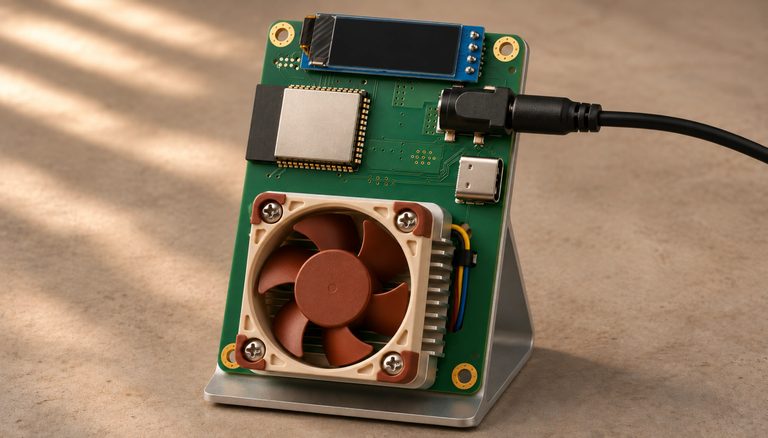
Step 1: Select appropriate mining hardware for your environment. For home mining, noise, heat, and power consumption are primary constraints. Small home miners are low-power entry points suitable for apartments or home offices: a one-chip Bitaxe draws under 20 W, about as much as a phone charger, and FutureBit’s Apollo III about 150 W in its Eco mode and 375 W in Turbo (the home mining lesson compares more models). Full-scale ASIC miners like the Antminer S19 deliver more hashrate but produce 70-80 dB of noise and consume 3,000+ watts, requiring a dedicated room or garage with adequate ventilation and a 240V electrical circuit.
Step 2: Configure your electrical setup safely. Calculate total power consumption including cooling fans. A 3,000W ASIC on a standard 120V/15A circuit draws 25 amps — exceeding the circuit’s capacity. Install a dedicated 240V circuit if running full-scale equipment, sized for the miner’s rated input current as a continuous load (usually 20A or 30A). A Kill A Watt meter suits small miners on a regular outlet, but it is rated to 125V and 15A, so measure a full-size ASIC with a meter rated for 240V and its current. Never daisy-chain power strips or extension cords with ASIC miners. Consult an electrician for any circuit modifications.
Step 3: Choose a privacy-respecting mining pool. Not all pools require the same level of identifying information. OCEAN lets you mine without an account: your Bitcoin address is your username, and the password is ignored. It pays you inside the block once your earnings pass its threshold (0.01048576 BTC as of November 2026); until then it holds them, or pays them over Lightning if you set that up. Avoid pools that require email verification or KYC, or that hold your rewards for long.
Use an encrypted connection where you can. Stratum V2, or OCEAN’s DATUM, encrypts the link between your setup and the pool server, so your internet provider can no longer read your username or your shares. It still sees that you connect to the pool’s server; a VPN or Tor hides that, and hides your IP address from the pool. A Bitaxe can speak Stratum V2 itself: its firmware added it in version 2.14.0 (June 2026). Most other home miners speak only the original Stratum (V1), so for them the encrypted link starts at a small program on your own computer that takes the miner’s connection at home and talks to the pool for it.

Step 4: Set up your payout address correctly. Use a fresh Bitcoin address from a hardware wallet or a wallet connected to your own node. Never reuse payout addresses across pools, as address reuse links your mining on those pools together and to every other transaction that pays to or spends from that address. Treat the address as public: on OCEAN, where it doubles as your username, anyone who has it can open its stats page and see your hashrate, your workers and every payout. If the pool supports it, configure Lightning payouts to receive frequent small amounts without creating on-chain UTXOs that chain analysis can trace.

Step 5: Connect to the pool and monitor hashrate. Configure your miner’s settings page (typically accessible at a local IP like 192.168.1.x) with the pool’s Stratum URL, your worker name (usually your username plus a name for the machine; on OCEAN, your payout address followed by a dot and the machine’s name), and any other settings the pool requires. After starting, verify on the pool’s dashboard that your hashrate appears within 10-15 minutes. Compare the reported hashrate with your miner’s local display to identify any connectivity or performance issues early.
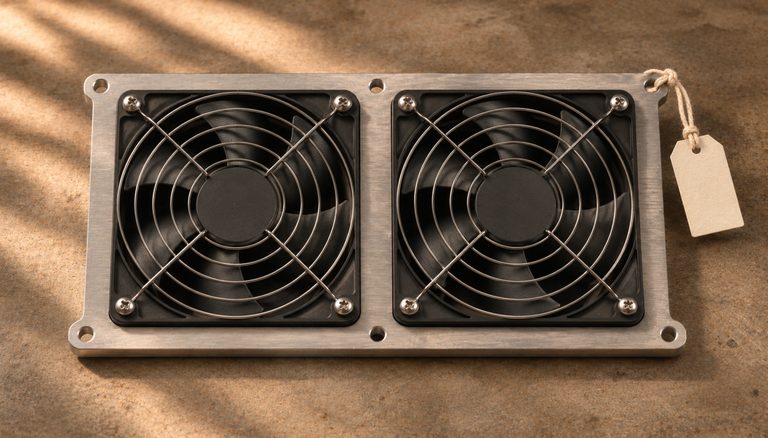
Step 6: Manage heat and noise for residential environments. Exhaust hot air directly outside using ducting, or route it through a utility area. In winter, mining heat can supplement home heating. In summer, isolate the miner from living spaces to avoid uncomfortable temperatures. For noise reduction, consider an acoustic enclosure or immersion cooling (submerging the miner in dielectric fluid), which eliminates fan noise entirely but adds setup complexity.
Step 7: Secure your mining rewards. If payouts arrive in a hot wallet (one whose keys sit on an online device, such as your node’s wallet), move them to cold storage from time to time. If you receive payouts via Lightning, use a submarine swap: a trade of Lightning sats for on-chain bitcoin that neither side can cheat. Lightning Loop does this if you run an LND node; otherwise use your wallet’s own swap, if it has one that works. Give the swap a fresh address from your cold storage wallet as its destination. With Loop that is the --addr flag or the address field in Lightning Terminal; leave it out and the coins land in your LND wallet. The swap then pays on-chain bitcoin into cold storage with no direct on-chain link between the pool and your long-term storage. This separation improves both privacy and security. Check first that your pool can pay your node. OCEAN pays Lightning only to a BOLT12 offer, which LND can’t create on its own as of November 2026; OCEAN’s Lightning page recommends Core Lightning or Eclair instead. Braiins Pool, which needs an account, pays an ordinary Lightning invoice that LND can receive, but only for a withdrawal you request by hand; its daily automatic Lightning payouts go only to a Lightning address. Boltz, a swap service that worked from any wallet, has been offline since 3 August 2026 (checked 8 November 2026).

Step 8: Track profitability and tax obligations. Record your electricity costs, hardware depreciation, and the fiat value of each mining reward at the time it is received. In most jurisdictions, mined Bitcoin is taxable as ordinary income at the fair market value on the date received, with the cost basis set at that value for future capital gains calculations. Use a spreadsheet or mining profitability tracker that does not require sharing your wallet addresses with third-party services.
Common Mistakes to Avoid
1. Underestimating electrical requirements and fire risk. ASIC miners draw enormous current. Running a 3,000W miner on an inadequate circuit can trip breakers, damage wiring, or cause electrical fires. Never bypass circuit breakers or use adapters to force a high-power device onto an undersized circuit. The cost of a licensed electrician installing a proper dedicated circuit is trivial compared to the risk of electrical failure.
2. Mining to an exchange deposit address. Receiving mining payouts directly to an exchange address creates a permanent KYC link between your mining activity and your verified identity. This defeats privacy protections and subjects all mined Bitcoin to the exchange’s surveillance and potential account freezes. Always mine to a self-custody wallet address that you control.
3. Joining the largest pool without considering centralization effects. Mining pools with dominant hashrate share (above 25-30%) pose a centralization risk to the Bitcoin network. If a single pool controls a majority of hashrate, it gains the ability to censor transactions or attempt double-spend attacks. Support smaller pools, or pools that let you build your own block templates with Stratum V2 or OCEAN’s DATUM, to contribute to healthy hashrate distribution.
4. Ignoring the noise impact on neighbors and household. ASIC miners operate at 70-80 dB — comparable to a vacuum cleaner running continuously. In apartments or townhouses, this noise level will generate complaints and potential lease violations. Evaluate your living situation honestly before purchasing a full-scale ASIC, and consider quieter alternatives like the Bitaxe or water-cooled setups for noise-sensitive environments.
5. Failing to document cost basis for mined Bitcoin. Every mining reward has a cost basis equal to the fair market value at the time of receipt. If you do not record this at the time of each payout, reconstructing it later requires correlating pool payout records with historical price data, which is tedious and error-prone. Automate this recording process from day one to avoid tax complications.
Frequently Asked Questions
Is home mining profitable in 2026?
Profitability depends on your electricity cost, hardware efficiency, and the current Bitcoin price and network difficulty. At $0.10/kWh, current machines range from a small loss to a modest profit before the cost of the machine: an Antminer S21 stops covering its electricity at about $0.08 per kWh, and the most efficient models at about $0.10 to $0.15 (November 2026). At $0.05/kWh or below, mining earns clearly more than its electricity costs, though the machine still has to pay for itself. Small devices like the Bitaxe are not profitable in pure fiat terms: at the US average of 18.2 cents per kWh, a Bitaxe uses about $28 of electricity a year and earns about $15 of bitcoin. However, many home miners value the non-KYC nature of mined Bitcoin and the sovereignty of participating in consensus, considering these intangible benefits as part of the return.
Can my ISP detect that I am mining Bitcoin?
It can. Most home miners speak plain Stratum (V1), which travels as readable text, so your ISP can recognize it with deep packet inspection and read your username and shares. Stratum V2, or OCEAN’s DATUM, encrypts that content, but your ISP still sees that you connect to a pool’s server; routing the connection through a VPN or Tor hides that too. Bandwidth gives little away, as mining sends only a few kilobytes per second. The more noticeable signal is the steady electricity draw, day and night, which a utility company or smart meter could flag as unusual.
Should I mine solo or join a pool?
With a single ASIC miner, your probability of finding a block solo is astronomically low: one Antminer S21 would find a block about once a century on average (November 2026). Pool mining aggregates your hashrate with others and provides regular, smaller payouts proportional to your contribution. Solo mining only gives a steady income with roughly 700 PH/s (700,000 terahashes per second) or more, so below that it makes sense only if you value the lottery aspect and can tolerate extended periods without any payout. For home miners, pool mining is the practical choice.
How do I handle mining rewards for tax purposes if I use Lightning payouts?
Lightning payouts from mining pools are taxed the same as on-chain payouts: as ordinary income at fair market value on the date received. The challenge is tracking individual Lightning payments, which may arrive multiple times per day in small amounts. Export your Lightning wallet’s payment history, match timestamps with historical Bitcoin prices, and aggregate by day or by payout event. The IRS and most tax authorities do not have specific guidance on Lightning-received income, but the general principle of reporting at the time of constructive receipt applies.
Related Resources
- Bitcoin Privacy: Why It Matters and How Chain Analysis Works — Privacy strategies for managing mined Bitcoin through CoinJoin, Lightning, and UTXO segregation.
- How to Run a Lightning Node at Home — Set up Lightning to receive mining pool payouts and make instant Bitcoin transfers.
- Bitcoin CoinJoin Methods Compared — How CoinJoin can break chain analysis links on mining rewards. Move each mixed coin to cold storage on its own: consolidating mixed coins tells observers they have one owner. Note: Samourai’s Whirlpool coordinator (the server that ran its rounds) was seized by US authorities in April 2024 and no longer operates, and the original JoinMarket software was archived in April 2026 and must not be used. As of November 2026, the options that still work are Wasabi with an independent coordinator, Ginger Wallet, Ashigaru and JoinMarket NG (an independent reimplementation of the JoinMarket protocol); PayJoin (BIP78) still works for ordinary payments in wallets that support it, but never send one with the original JoinMarket. Our CoinJoin lesson compares these tools and their costs.
- Best Bitcoin Cold Storage Methods: Six Options Compared — Secure long-term storage for accumulated mining rewards.