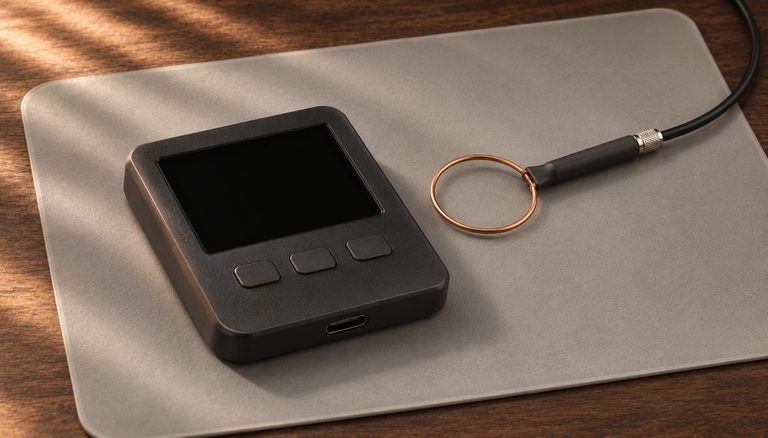
A side-channel attack doesn’t break Bitcoin’s cryptography. It watches the hardware doing the cryptography: how much power a chip draws while it signs, the faint electromagnetic (radio) noise it gives off, and how long each step takes. From those patterns an attacker can work out secret data, including the private keys behind your bitcoin.

This guide explains how these attacks work, why many of them need your device in the attacker’s hands, and which defenses matter most: a hardware wallet built to resist them, physical control of the device, firmware kept up to date and, for large savings, multisig. Step-by-step practices and common mistakes follow.
The evolution of processor architecture has introduced new attack vectors that weren’t present in earlier, simpler designs. Advanced features like speculative execution, branch prediction, and shared memory spaces - while essential for performance - create subtle information leakage channels that sophisticated attackers can exploit. This presents a particular challenge for cryptocurrency users, as private key operations must be performed on some physical hardware, even if only momentarily during transaction signing.
Modern cryptocurrency security best practices have evolved to address these hardware-level threats through a layered approach. The primary defense is the separation of key storage and transaction signing from general-purpose computing environments. Hardware security modules (HSMs) and purpose-built hardware wallets implement isolated environments where cryptographic operations can occur without exposing sensitive data to the broader system. These devices are designed with specific countermeasures against side-channel attacks, including constant-time operations and power analysis resistance.

The concept of air-gapping has taken on renewed importance in the context of hardware security threats. By maintaining physical separation between internet-connected devices and signing devices, users can significantly reduce their attack surface. This approach acknowledges that while general-purpose computing devices may have unknown vulnerabilities, they can still be used safely as part of a larger security strategy that keeps critical operations isolated.
The role of operational security (OpSec) has expanded to encompass hardware-specific considerations. Users must now think about physical access controls, electromagnetic emissions, and power analysis risks in addition to traditional digital security measures. This has led to the development of comprehensive security protocols that consider both logical and physical attack vectors.
Power Management and Secure Element Vulnerabilities
Power management in hardware security modules represents a complex balance between maintaining secure operations and ensuring consistent device functionality. When hardware wallets experience power-related issues, they are designed to fail securely - defaulting to states that prioritize asset protection over convenience. This security-first approach manifests in various ways, from forcing new authentication attempts to temporarily restricting access to certain functions.
The implementation of secure element chips in modern hardware wallets introduces additional complexity to power management considerations. These specialized microprocessors require stable power delivery to maintain their security features and cryptographic operations. When power levels fall below critical thresholds, secure elements may automatically terminate operations to prevent potential security vulnerabilities that could arise from unstable power conditions. This protective measure makes it much harder to compromise cryptographic operations with power-related attacks or glitches.

Flash memory and secure element operations require specific voltage thresholds for reliable operation, particularly during critical processes like firmware updates or transaction signing. When power levels become insufficient, devices may exhibit behaviors that appear to indicate hardware failures but are actually protective measures. Understanding these behaviors is crucial for users managing valuable digital assets.
Batteries and Power Loss
Many hardware wallets run on USB power; others carry a battery. A flat battery or a power cut is a question of reliability, not secrecy: unlike a deliberate glitch, it simply switches the device off, and the device asks for its PIN when it starts again. The moment to plan for is a firmware update. An update cut short can leave the firmware corrupted, and Trezor’s fix is to restart the device in bootloader mode (a small built-in mode for installing firmware) and run the update again. Charge a battery-powered device before you update it, and keep your recovery words safe: they restore your wallet on a new device if this one ever fails.
Risk Stratification and Defense in Depth
Risk stratification has emerged as a practical approach to balancing security needs with usability. Users can implement different levels of hardware security based on the value of assets being protected and their specific threat model. Small amounts might be reasonably secured on a modern smartphone with hardware security elements, while larger holdings warrant a dedicated hardware wallet, with air-gapped signing as an optional extra layer.

The future of cryptocurrency hardware security points toward innovative solutions that may help address current vulnerabilities. Open-source hardware initiatives, quantum-resistant cryptography implementations, and novel approaches to secure enclaves are all being developed. Advances in low-power security chips and more efficient power management systems promise to enhance both security and reliability, potentially reducing maintenance requirements while ensuring robust asset protection.
Step-by-Step Guide to Mitigating Side-Channel Attack Risks
Protecting your hardware wallet against side-channel attacks requires a layered defense strategy that addresses power analysis, electromagnetic emissions, and timing vulnerabilities. This guide provides practical steps for hardening your signing setup.
Step 1: Use a dedicated hardware wallet with side-channel countermeasures. Choose a hardware wallet whose maker documents its side-channel protections, and buy it new from the maker’s own store. Coldcard, for example, signs with libsecp256k1, the constant-time signing code Bitcoin Core uses. It stores your seed encrypted in one secure element and splits the key that unlocks it between its main chip and a second secure element from another maker. Trezor’s Safe 3 and Safe 5 check your PIN inside a secure element, and the Safe 7 inside two; the older Trezor One and Model T have none, which is how researchers pulled seeds out of them by voltage glitching in 2020.
Step 2: Operate in a controlled physical environment. Perform all transaction signing in a private room with no surveillance cameras, smart devices, or other electronic monitoring equipment nearby. Published electromagnetic attacks are close-range work: in the 2024 EUCLEAK attack, researchers opened a YubiKey security key and held a probe just above its Infineon secure element. The bigger risk in the room is a camera that can see your PIN or your recovery words.
Step 3: Consider an air-gapped signing workflow. If your device supports it, leave the USB cable out and pass transaction data by QR code or microSD card instead. The wallet app on your computer (the coordinator) prepares a PSBT (Partially Signed Bitcoin Transaction), the device signs it, and the app broadcasts it. A malicious computer or USB cable can’t talk to the device directly; the only link left is a single transaction, and a compromised app can still alter it, so check the destination, amount and fee on the device’s own screen before you approve. An air gap is an optional extra layer: USB hardware wallets have strong track records, and an air gap doesn’t stop firmware that leaks secrets inside its signatures (see the Dark Skippy question below).
Step 4: Use your device’s anti-phishing and anti-tamper checks. On a Coldcard, two anti-phishing words appear after you type the first part of your PIN: if they aren’t the words you wrote down, don’t enter the rest, because the device may have been swapped. Wait for the green light at power-up as well; if the red light stays on, don’t enter your PIN, as the firmware may have been replaced with a malicious version that could exfiltrate keys through covert side channels. Coldcard’s optional login countdown only delays access; it doesn’t detect tampering.
Step 5: Maintain firmware at the latest stable version. Side-channel vulnerabilities are discovered and patched through ongoing security research. Update your hardware wallet firmware when the manufacturer releases security patches. Always verify firmware update authenticity through the manufacturer’s signing key before installing, and maintain a seed phrase backup before any firmware update.
Step 6: Implement a multi-signature setup for high-value holdings. Multi-signature configurations (e.g., 2-of-3) need signatures from more than one independent key to move funds. Even if an attacker successfully extracts one key through a side-channel attack on one device, they cannot move funds without a second key, which could come from another device or from that key’s recovery words. Keep each key’s device and recovery words in a different place from the other keys.

Step 7: Rotate signing devices periodically. For high-security setups, consider migrating to new hardware wallet models as they become available with improved side-channel protections. Write down and test the backups of new wallets generated on updated hardware, then transfer funds to them. Once every coin has arrived, securely dispose of old devices by wiping them and physically destroying the secure element chip.
Step 8: Monitor security advisories and research publications. Follow hardware wallet manufacturers’ security bulletins and academic publications on hardware security. Subscribe to mailing lists like Bitcoin-dev and hardware wallet manufacturer blogs to stay informed about newly discovered attack vectors and recommended mitigations.
Common Mistakes to Avoid
Signing transactions on general-purpose computers. Software wallets running on laptops or desktops are highly vulnerable to side-channel attacks because general-purpose processors are not designed with cryptographic isolation. Speculative execution attacks like Spectre and Meltdown can potentially extract private keys from software wallet processes. Always use dedicated hardware signing devices for any meaningful amount of bitcoin.
Ignoring physical access security. Many side-channel attacks require physical proximity to the target device. Leaving your hardware wallet unattended in accessible locations — at work, in hotel rooms, or in checked luggage — gives an attacker the opportunity to install probes, swap the device, or perform close-range electromagnetic analysis. Treat your hardware wallet with the same physical security as a high-value key.
Disabling security features for convenience. Some users disable PIN protection, auto-lock timeouts, or firmware verification to speed up their workflow. Each of these features serves as a layer in the defense-in-depth model against side-channel and physical attacks. Disabling any single layer reduces the overall security posture of your setup.
Using untested USB cables or power sources. Modified USB cables can contain embedded microcontrollers that intercept data or inject malicious commands. Use only cables from trusted sources, or better yet, eliminate cable connections entirely by using air-gapped communication methods.
Frequently Asked Questions
Can side-channel attacks steal my seed phrase remotely?
Traditional side-channel attacks require physical proximity — usually the device in the attacker’s hands — to capture power consumption patterns or electromagnetic emissions. Remote side-channel attacks do exist (e.g., timing attacks over network connections), but hardware wallets mitigate these by operating offline or through minimal communication interfaces. Air-gapped wallets are effectively immune to remote side-channel attacks since they have no network connection.
Are secure elements immune to side-channel attacks?
Secure elements are designed with specific countermeasures against side-channel attacks, including noise injection, randomized execution, and shielded power delivery. While they are significantly more resistant than general-purpose microcontrollers, no hardware is theoretically immune. Security researchers with advanced equipment and lab facilities have demonstrated successful attacks on certain secure element models, though the cost and expertise required make this impractical for most threat models.
How does multi-signature protect against side-channel attacks?
Multi-signature requires multiple independent keys to authorize a transaction. An attacker performing a side-channel attack on one hardware wallet would only obtain one key — insufficient to move funds in a 2-of-3 or 3-of-5 configuration. The attacker would need to independently compromise multiple devices, ideally from different manufacturers with different hardware architectures, making the overall attack far more difficult.
Should I worry about the “Dark Skippy” attack?
The Dark Skippy attack exploits malicious firmware that leaks private key material through biased nonce generation during transaction signing. This is mitigated by using open-source firmware from reputable manufacturers, verifying firmware signatures, and employing anti-exfiltration signing protocols. Multi-signature setups provide additional protection because a single compromised device cannot unilaterally sign transactions.
Related Resources
- Dark Skippy Attack: Is Your Hardware Wallet Safe?
- Open Source Hardware Wallets: 2026 Analysis
- Air-Gapped Hardware Wallets: 2026 Guide
- Hardware Wallet Firmware Updates: Security Best Practices
- Hardware Wallet Multisig Setup Guide