Short answer: Yes, it is supposed to change — and your coins are completely safe. A self-custody wallet hands you a fresh receive address each time on purpose, for privacy. Every old address still works and still belongs to you, and all the funds sent to any of them live in the same wallet, controlled by your one seed phrase. You did nothing wrong. Nothing is lost. This is one of the best things your wallet does, not a glitch.
You copied your Bitcoin address yesterday, opened your wallet today, and it's completely different. Did you lose your coins? Did you send to the wrong place? No — and the reason your wallet does this is actually one of the most quietly clever things about it. Let's kill the fear first, then turn it into something useful you'll carry forever.
First, the panic: no, your old address is not "dead" and your money is fine
Here's the single sentence that should drop your shoulders: a Bitcoin address is not an account, and it is not a slot that money sits in. It's more like a mailbox you can print an unlimited number of, all of which deliver to the same house. When your wallet shows you a new address, it has not closed the old one, moved your coins, or reset anything. It has simply printed a fresh mailbox label.
Concretely:
- Money you received at yesterday's address is still fully yours and fully spendable today.
- If someone sends to that old address tomorrow, it will still arrive in your wallet.
- Your wallet quietly watches all the addresses it has ever shown you and adds them up into one balance — the number you see on the home screen.
So the address changed, but your wallet didn't, your balance didn't, and your control over the coins didn't. Take a breath.
Prove it to yourself in 30 seconds
Reassurance is fine, but seeing your own coins with your own eyes is better — and you can do it right now, without trusting your wallet app at all. Here's the antidote to the 3am fear that "maybe the app ate my money":
- Grab that old address you saved yesterday and copy it.
- Open a public block explorer in any browser — mempool.space or blockstream.info both work. No login, no account.
- Paste the address into the search box and hit enter.
You'll see, in plain text, the exact amount that was sent to that address and a transaction marked Confirmed. There it is — your coins, sitting on the public ledger. Here's the part that matters: that explorer is run by strangers, not by your wallet app. They have no idea who you are and no connection to your phone. If they can still see your coins at that address, the coins are real and they are yours, no matter what your wallet screen happens to be displaying today.
That little exercise teaches the one mental model this whole article is built on: your coins live on the blockchain, not inside the app. The app is just a window onto the chain. Windows can be swapped, broken, or reinstalled; the coins on the ledger don't move.
What you actually see on screen
The change shows up in one specific place: the Receive button. Tap it, and your wallet displays a long string of letters and numbers plus a QR code that encodes the very same address. Close the screen, open it again later (or sometimes just after a payment arrives), and the address is different.
That string isn't random gibberish, and the first few characters tell you what kind of address it is. Here's the quick decoder:
| It starts with… | What it is | Notes |
|---|---|---|
bc1q | Native SegWit (the modern default) | What most current wallets hand you; lowest fees |
bc1p | Taproot (newest) | Longer string; better privacy and scripting |
3 | Script / older SegWit | Common a few years ago; still works fine |
1 | Legacy | The original format; oldest wallets |
You don't need to memorize that — but it's handy to know your bc1q... address is just the current, efficient format, not something broken. The wallet is doing precisely what it was designed to do: it treats addresses as disposable, single-use labels and reaches for a fresh one whenever you ask to receive. Some wallets even rotate the displayed address as soon as the previous one is paid, so you may never see the same one twice.
A walkthrough: receiving 0.01 BTC, step by step
Let's go through an actual receive so the abstract becomes the literal sequence of buttons you're staring at. Say a friend is sending you 0.01 BTC (the amount is just for the example):
- You tap "Receive." The screen shows a long string starting
bc1q…, a QR code above it, a Copy icon, a Share button, and usually an optional "Request a specific amount" field. - You hand over the address. Either paste the copied string into your friend's app, or let them scan the QR code.
- They hit send. Within seconds your wallet shows the incoming payment as Pending / Unconfirmed / 0 confirmations (wallets word it differently) — often with a greyed-out or italic balance line. This is the one moment where waiting actually matters; the coins aren't final yet.
- The first block includes it. On average this takes about 10 minutes (Bitcoin's target block time), but in reality it can be a couple of minutes or, occasionally, 30–60+. The status flips to 1 confirmation and the balance line goes solid.
- You reopen "Receive." The address is now different — and there's the whole "mystery" of this article, proven with your own eyes.
One thing to internalize: nothing you do makes a payment confirm faster. Closing and reopening the app is completely safe and changes nothing. Tapping around does nothing. The network confirms on its own schedule.
It says "Pending" and isn't moving — is something wrong?
This is the next panic, and it's worth defusing in the moment. "Pending" / "Unconfirmed" simply means the payment has been broadcast and is waiting to be packed into a block. How long that takes depends on the fee the sender attached relative to how busy the network is. A healthy fee usually lands in the next block or two (minutes); a very low fee during a busy stretch can sit for hours.
The reassuring part: as the receiver, there is nothing for you to do or pay. You cannot speed up someone else's payment to you, and your wallet does not need to stay open — the network remembers the transaction, not your app. The coins are already destined for you; confirmation just makes them final. Want to check calmly? Tap the pending transaction to see its details. Once it shows 1 confirmation it's effectively done for everyday amounts (for large sums, some people wait for a few). And the worst fear, put to rest: a Pending payment is not lost and not at the wrong address — if it showed up in your wallet at all, it's coming to you.
Why wallets do this: address reuse leaks your whole financial life
The reason is privacy, and it's not paranoia — it's arithmetic. The Bitcoin blockchain is fully public. Anyone, forever, can look up any address and see every payment it has ever received and the total sitting on it. (You just did exactly that on a block explorer a minute ago.)
Now imagine you reuse one address for everything: your employer pays you there, you put it on your website's "tip me" page, you give it to a friend who owes you money. With that one address, anyone who has it can now see:
- Exactly how much bitcoin you've received in total.
- How often, and roughly when, money lands.
- That your boss, your friend, and a stranger from the internet are all paying the same person — you.
That's a financial X-ray of your life handed to anyone who looks. Using a fresh address for each payment breaks those links. An observer sees scattered, unconnected addresses instead of one fat profile with your name implicitly attached. It doesn't make you invisible, but it removes the easiest, laziest way for anyone to map your money. Your wallet defaults to this protection automatically — which is exactly why the address "keeps changing." It's privacy hygiene happening on your behalf. (If you want the deeper version, our guide to privacy and address management goes much further.)
The key insight that makes all of this safe: one seed controls every address
This is the part that turns the fear inside out. If your wallet has thousands of addresses and they keep changing, how could you ever back them all up? You don't have to — and here's why.
Your wallet is what's called a hierarchical deterministic (HD) wallet (the technical name; you'll never need to say it out loud). When you first set it up, it gave you a list of 12 or 24 words: your seed phrase. From that single seed, the wallet mathematically derives a practically endless tree of addresses — and it can regenerate every single one of them, in order, any time, from those same words. This is the BIP-32 standard that essentially every modern Bitcoin wallet uses.
The consequence is the whole point:
You don't back up addresses. You back up the seed phrase. The seed is all your addresses, present and future.
If your phone falls in the ocean, you buy a new device, type in your 12 or 24 words, and the wallet regenerates the entire tree of addresses and finds all your coins again. That's why the words matter and the addresses don't. If you've ever been fuzzy on how the words relate to the actual keys, our explainer on the difference between a seed phrase and a private key makes it click — and the full guide to seed phrase security covers protecting those words properly, because they are the one thing that genuinely matters.
The other mystery address: change addresses
There's a second "address I didn't recognize" moment beginners often hit, and it's worth defusing now because it looks scary the first time. Sometimes, after you send bitcoin, your transaction history shows money going to an address you've never seen — one you definitely didn't create. That's a change address, and it's also yours.
Bitcoin doesn't work like a bank balance where a number ticks down. It works with whole, indivisible "bills" called UTXOs. If you hold one chunk of 0.05 BTC and spend 0.02, the network can't shave a slice off the bill — it spends the whole 0.05, sends 0.02 to the recipient, and returns the remaining change to you, at a brand-new change address your wallet generates and controls automatically. It's exactly like paying for a $3 coffee with a $20 note and getting $17 back.
The math, line by line (with the part that trips people up)
Let's work a real example with illustrative numbers, including the bit beginners stumble on: the fee. You hold a single UTXO of 0.05000000 BTC. You send 0.02000000 BTC to a friend. The network fee is, say, 0.00001500 BTC (that's 1,500 satoshis — a plausible order of magnitude for a simple transaction, but fees vary, so treat it as an example, not a quote). Here's the whole ledger:
| Line | Amount (BTC) |
|---|---|
| Input (the bill you spend) | 0.05000000 |
| → to your friend | 0.02000000 |
| → to miners (the fee) | 0.00001500 |
| → back to you as change | 0.02998500 |
Now the exact thing that spooks people: you open your history, your friend got 0.02, but your balance dropped by a hair more than 0.02, and there's a weird new address holding 0.02998500. Nothing is missing. The slightly-larger-than-expected drop is the miner fee — the postage on the envelope. The new address is your own change coming home. And crucially, the inputs always equal the outputs plus the fee: 0.05000000 = 0.02000000 + 0.00001500 + 0.02998500. Every satoshi is accounted for.
If you tap the sent transaction, most wallets show you an Inputs list (here, the one 0.05 bill) and an Outputs list (the 0.02 to your friend and the 0.02998500 change). Some wallets label the change line "Change (your wallet)" or stamp it with a little badge; others show it with no friendly label at all — and that bare, unlabeled line is what scares people. It's still yours. Best of all, your home-screen balance has already netted all of this out, so the number you care about is correct without you doing anything to "reclaim" the change.
So there are really two flavors of auto-rotating address, both controlled by your one seed:
- Receive addresses — the ones you hand out to get paid (the "Receive" screen).
- Change addresses — the ones your wallet quietly uses to return your own change to yourself after you spend.
You never have to find, copy, or manage a change address. The wallet handles it, and your seed phrase backs it up along with everything else.
The dark twin of the change address: "address poisoning"
Now that you know to expect unfamiliar addresses in your own history, here's a scam that preys on exactly that comfort — and the article's own advice is the cure. It's called address poisoning (or a look-alike-address scam).
The mechanism: an attacker scans the public blockchain, sees an address you've transacted with, and sends you a tiny "dust" payment from an address engineered to look like one of your recent counterparties — same first few and last few characters, different middle. Their bet is that later, when you go to repay someone, you'll copy an address out of your own transaction history, grab the poisoned look-alike by mistake, and send real money straight to the attacker.
This is the concrete, adversarial reason behind a rule worth burning in:
- Never copy a send-to address out of your transaction history. Always get a fresh address directly from the person or source, through a channel you trust.
- Verify the full address out-of-band with the recipient when it's a meaningful amount.
- Ignore unexpected tiny incoming amounts. Receiving dust is harmless in itself — it can't move your funds. The trap is purely behavioral: acting on the poisoned entry later. (There's a minor privacy angle to dust too, but for everyday users, "don't act on it" covers you.)
The one verification step that actually matters when receiving
There is exactly one attack that a rotating address does not protect you from, and it's worth a 10-second habit. It's called clipboard hijacking: malware on your computer or phone watches your clipboard, and the instant it spots something shaped like a Bitcoin address, it silently swaps in the attacker's address before you paste. You see your address on screen, you paste, but the characters that actually travel are the attacker's. Address rotation is about privacy from observers; it does nothing against an attacker rewriting the destination.
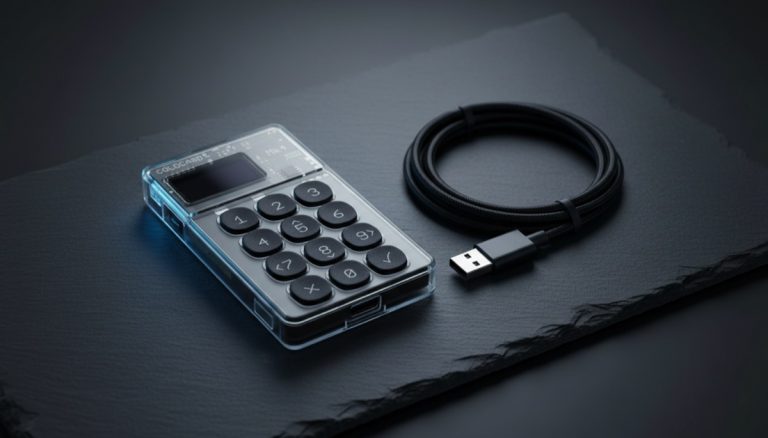
The defense, if you hold a hardware wallet, is built in. The trick is that the device derives and displays the receive address on its own little screen, independently — and malware on your computer cannot touch that screen. So:
- In the companion/desktop app, tap Receive. It shows an address, plus a button like "Show on device" / "Verify on hardware wallet" / "Display address."
- The hardware device's own screen lights up with the address.
- Compare them. Nobody reliably reads 42 characters, so the realistic habit is to check the first 4–5 AND the last 4–5 characters match (e.g.
bc1q…xz9f). Check both ends — an attacker can sometimes grind an address with a matching prefix, so a prefix-only check isn't enough. - Only once they match do you hand the address out or scan its QR.
The same first-and-last check applies when you send: confirm the recipient address shown on the hardware screen matches what the recipient gave you. The mental model is simple and powerful: treat the computer as if it might be compromised; the little device screen is your trust anchor. For small everyday amounts this matters less; for receiving meaningful savings, do it every time. It takes about five seconds. This is the "why" behind the verify-on-device habit in our self-custody checklist.
When the address does NOT change — and why that's a flag
Here's a useful contrast. If you've used an exchange (Coinbase, Kraken, and the like) you may have noticed your "Bitcoin address" there stays the same for a long time, or that they assign you one fixed deposit address. Why the difference?
Because on an exchange, that address isn't really yours. It's a deposit pointer the exchange owns, mapped in their internal database to your account. The exchange holds the keys; you hold an IOU. A static, reused deposit address is normal custodial behavior — it's how they track who sent what — but it's also a reminder of the trade-off you're making: convenience now, in exchange for not actually controlling the coins.
Your self-custody wallet rotating addresses, and an exchange keeping one fixed, are two sides of the same coin: rotating addresses are a sign you hold your own keys. That's the behavior you want. If you're still keeping savings on an exchange, the natural next step is to move your bitcoin to a wallet you control — and you'll watch this very address-rotation happen the moment you do.
The one time a changing address SHOULD make you pause
Almost every changing address is harmless. There is one scenario where it deserves a hard stop, and one common worry that turns out to be a non-issue — let's separate them.
The non-issue: you open Receive, copy the address, send it to whoever's paying you. Minutes later you reopen Receive and the displayed address is different. Did you just give them a "dead" address? No. The address you already handed out is permanently valid and will still receive. The wallet rotating the displayed one afterward does not retract labels you've already given out. Relax — the payment will land.
The genuine red flag: if you're receiving to a hardware wallet and the address shown on your computer screen ever differs from the address on the device's own screen, STOP. That is the one scenario — clipboard/UI-hijacking malware — where a changed or altered address is real danger, not routine rotation. The remedy is the same five-second ritual from the section above: re-derive and re-verify on the device screen (first-5 and last-5), and if they don't match, do not send and don't share that address. Treat the host computer as suspect until you've sorted it out.
What this means for you in practice
Three habits flow directly from understanding all this, and they're easy:
- Always copy a fresh address when receiving. Don't dig an old one out of your history to reuse. Open Receive, let the wallet give you a current address, use that. It costs nothing and keeps your privacy intact — and, as you saw above, copying out of history is exactly the behavior address-poisoning scams exploit.
- Never reuse an address across different people or purposes. If you've already given an address to someone, generate a new one for the next person. Your wallet makes this the default; just don't fight it.
- On a hardware wallet, verify the receive address on the device's own screen. First-5 and last-5 characters, both ends. That screen is the one surface malware on your computer cannot rewrite.
And the habit that underpins all of them: protect the seed phrase, not the addresses. The words on paper (or, better, stamped into metal) are your real backup. Lose a device, no problem. Lose the words, and no rotating address can save you.
Quick reference: which "address" am I looking at?
Stuck staring at something odd? Find your situation, get a verdict and an action. Notice the pattern: five of these six are perfectly normal, and the one real alarm is the device-vs-app mismatch.
| What you're seeing | Is it normal? | What to do |
|---|---|---|
| Receive screen shows a new address each visit | Normal — by design | Use the fresh one; ignore the old |
| Someone paid an OLD address of yours | Normal — it still arrives | Nothing; it's already in your balance |
| Unknown address in your SENT transaction | Normal — it's your change | Nothing; already in your balance |
| Same fixed deposit address on an exchange | Normal — for a custodian | Fine to deposit; remember they hold the keys |
| Tiny unexpected incoming amount from a near-identical address | Likely address-poisoning dust | Do not copy it; ignore it |
| Your app and your hardware device show DIFFERENT addresses | NOT normal — stop | Don't use it; possible malware. Re-verify, re-check the device |
The address hierarchy at a glance: what to guard, what to ignore
If you take one screenshot from this article, make it this one. It's the whole inverted hierarchy of worry: the things that constantly change are the things you don't protect, and the one thing that never changes is the only thing you guard with your life.
| Receive address | Change address | Seed phrase | |
|---|---|---|---|
| What it is | A single-use label you give out to get paid | Your own address where spent-transaction change returns | The master key to every address you'll ever have |
| Does it change? | Yes — rotates by design | Yes — fresh one each spend | No — fixed forever |
| Share it? | Yes, freely | You never handle it | NEVER |
| Back it up? | No | No | Yes — this is THE backup |
| If it leaks / is lost | Leak = a little privacy cost, never your coins | Handled automatically; nothing to lose | Leak = total loss. Lose it = total loss |
Read across the bottom row and the lesson is impossible to miss. Sharing a receive address can't cost you a single satoshi — a public address is just a mailbox label, not a spending key. Sharing your seed phrase can cost you everything, because it controls the funds. Same grid, opposite ends: addresses are disposable, the seed is sacred.
"I restored my wallet and the balance shows zero" — wait before you panic
One honest caveat to the "type your 12 words and it finds everything" promise: regeneration isn't always instant, and the moment it looks like it failed is exactly when people do something rash. So if you restore from your seed onto a new device and the balance reads zero or looks incomplete, breathe first — your coins are on the blockchain regardless. Here's what's usually happening and how to fix it:
- It's still scanning. After a restore, the wallet has to re-walk the chain to rediscover your used addresses. Until that scan finishes, the balance can briefly read zero. Just let it complete.
- Wrong address type / derivation path. The same seed restored under a different script type derives a different tree of addresses — a legacy "
1…" wallet and a SegWit "bc1…" wallet built from identical words will look in different places. A "missing" balance is very often this: the software is looking in the wrong drawer. Restore with the matching address type and your funds reappear. - The gap limit. Wallets stop scanning after a run of (commonly) around 20 consecutive unused addresses — the "gap limit." If you generated lots of addresses without receiving to them, later funds can hide beyond that gap until you raise the gap limit or force a full rescan.
The anchor to come back to: you're never fixing whether the money exists — it's on the chain, and the seed is the master key to it. You're only fixing where the software is looking.
How this connects to safe self-custody
Notice what just happened. A moment of pure panic — "my address changed, did I lose everything?" — turned out to be the doorway to the single most important mental model in self-custody:
The coins don't live in an address. They live in the blockchain, and your one seed phrase is the master key to all of them.
Once that lands, a lot of Bitcoin stops being scary. Addresses are disposable. Devices are replaceable. The seed is sacred. That's the entire hierarchy of what to worry about. It's also why the people who take custody seriously obsess over keeping the seed offline and well backed up, while shrugging at addresses entirely. If you're ready to decide where to actually keep your keys for the long haul — the device, the format, the trade-offs — start with our walkthrough of the best Bitcoin cold storage methods. And if you only need to weigh everyday spending against long-term savings, our comparison of a cold versus hot wallet lays out the security trade-offs plainly.
Frequently Asked Questions
Is my old Bitcoin address dead now that a new one appeared?
No. Every address your wallet has ever shown you still works and still belongs to you. Coins already sent there are fully yours and spendable, and if someone sends to that old address in the future, it will still arrive in your wallet. Your wallet watches all of its past addresses and combines them into one balance. The new address is simply the wallet's privacy default, not a replacement.
Did I lose my coins because the receive address changed?
No. The address changing does not move, hide, or delete any funds. All the bitcoin sent to any of your addresses lives in the same wallet, controlled by your single seed phrase. The balance on your home screen already includes everything across every address. A changing address is a sign your wallet is working correctly and protecting your privacy, not a sign that anything went wrong.
Can two different people accidentally get the same Bitcoin address?
For practical purposes, no. Addresses are derived from enormous random numbers — the space of possible Bitcoin addresses is so vast that the chance of two wallets ever generating the same one is effectively zero. You can safely treat every address your wallet produces as unique to you. This is also why you should never worry that a fresh address might belong to someone else.
Why does my exchange Bitcoin address stay the same when my wallet's changes?
Because an exchange deposit address is not truly yours — the exchange owns the keys and maps a fixed address to your account in their database. Reusing one static address is normal custodial behavior. A self-custody wallet that you control rotates addresses by default for privacy. The difference is a useful tell: rotating addresses generally mean you hold your own keys, while a permanent fixed deposit address signals a custodian holds them for you.
Do I need to back up every address my wallet creates?
No, and this is the most important thing to understand. Your wallet derives every address, past and future, from your one seed phrase (the 12 or 24 words). Back up only those words, offline, and you can regenerate every address and recover all your coins on any device. You never back up individual addresses; the seed phrase is the complete backup of your entire wallet.
What is that unfamiliar address in my history after I sent bitcoin?
That is almost certainly a change address, and it is yours. Bitcoin spends whole bills called UTXOs, so when you send part of one, the wallet returns the remainder to you as change at a new address it controls automatically — like getting 17 dollars back from a 20 dollar note. You never have to find or manage that address; your wallet handles it and your seed phrase backs it up along with everything else. Note: the amounts always balance to the input minus the miner fee, so a drop slightly larger than what you sent is just the fee, not a loss.
I already gave someone an old address. Can I still use it, or must I send the new one?
Yes, the old one still works and the payment will arrive. Handing out an address is just publishing a mailbox label; the wallet rotating its displayed address does not retract labels you already gave out. The only downside of reusing an old address is the privacy linkage explained above — it ties that payment to your other activity at the same address — never lost or misdirected funds. For privacy, prefer a fresh address per payment when you can, but you do not need to chase someone down to hand them a new one.
Bitcoin Wallets & Self-Custody from the
Bitcoin Wallets & Self-Custody course.