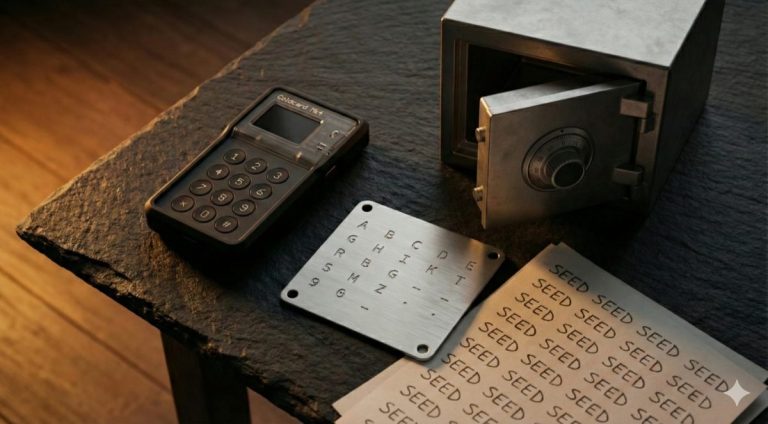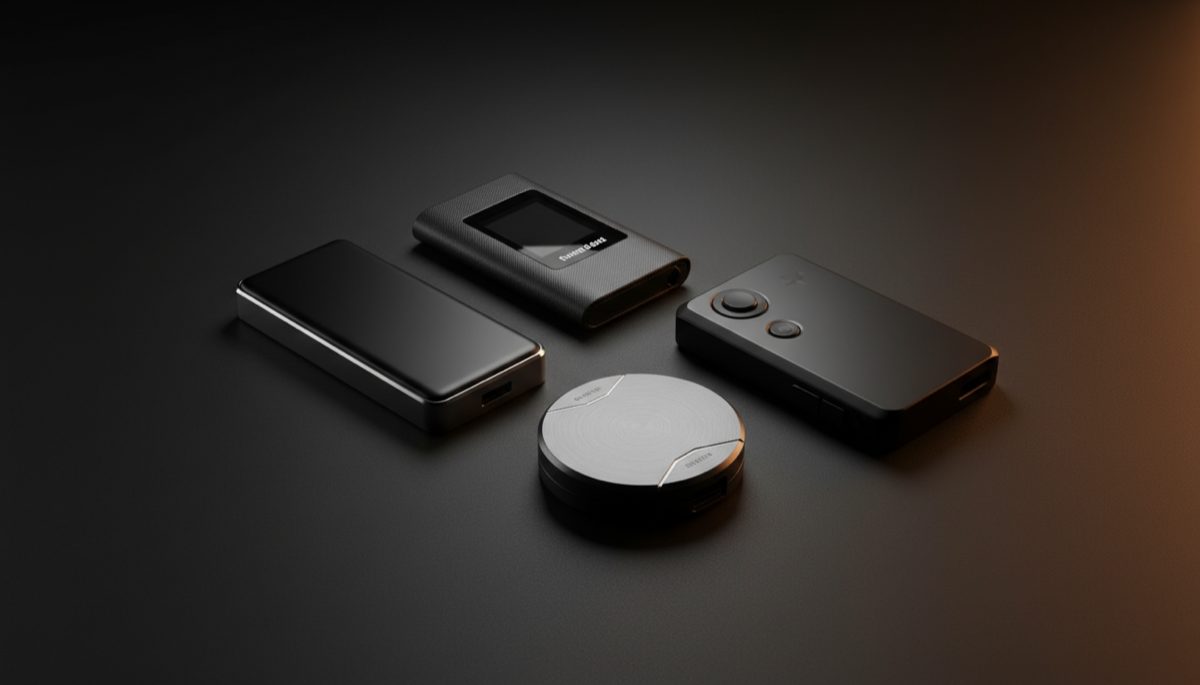
If you hold Bitcoin on an exchange, you don’t actually own it. The exchange does. A hardware wallet fixes that by letting you hold your own private keys on a dedicated device that never exposes them to the internet. But with dozens of hardware wallets on the market — ranging from $65 to $300 — choosing the right one is overwhelming.
This guide compares every major hardware wallet available in 2026, with honest assessments of their strengths and weaknesses. We focus on Bitcoin-specific features because that’s what matters if you’re here for long-term security, not trading altcoins.
Why You Need a Hardware Wallet
Your Bitcoin private keys are the only thing standing between your funds and a thief. If those keys exist on a phone, computer, or any internet-connected device, they’re vulnerable to malware, phishing attacks, operating system vulnerabilities, and remote access exploits.
A hardware wallet is a single-purpose device designed to:
- Generate private keys in a secure environment using a certified secure element chip — the same type of chip used in passports and credit cards.
- Store keys offline permanently. Your private keys never leave the device. They can’t be extracted even if the device is connected to a compromised computer.
- Sign transactions internally. When you want to send Bitcoin, the transaction details are sent to the hardware wallet, you verify the amount and address on the device’s screen, and the device signs the transaction internally. Only the signed transaction (not the private key) is sent back to your computer.
The risk calculation is simple: if you hold more Bitcoin than you’re comfortable losing, you need a hardware wallet. For most people, that threshold is somewhere around $500–$1,000 worth of Bitcoin. The cost of a hardware wallet ($79–$199 for most options) is a small price to pay for actual security.
For a deeper look at why cold storage architecture matters, including how to balance hot and cold wallets, see our dedicated guide.
How Hardware Wallets Work
Understanding the internals helps you make a better buying decision. Every hardware wallet has three key components:
1. Secure element
The secure element is a specialized chip designed to resist physical tampering. It stores your private keys and performs cryptographic operations. Even if someone disassembles your hardware wallet and puts the chip under an electron microscope, they shouldn’t be able to extract your keys.
Look for wallets with EAL5+ or EAL6+ certified secure elements. Wallets without a secure element (like older Trezor models) rely on the general-purpose microcontroller, which is more vulnerable to physical attacks. Some wallets, like the Coldcard MK4, use dual secure elements from different manufacturers — so a vulnerability in one chip vendor doesn’t compromise the device.
Be aware that side-channel attacks remain a theoretical concern for all hardware wallets. These attacks attempt to extract key information by analyzing power consumption, electromagnetic emissions, or timing variations during cryptographic operations.
2. Display and input
The screen on your hardware wallet is your most important security feature after the secure element. It allows you to verify transaction details (receiving address and amount) on the device itself, independent of your potentially compromised computer. A hardware wallet without a screen (or with a screen you can’t easily read) undermines the entire security model.
Input methods vary: physical buttons, touchscreen, or touch-sensitive strips. Touchscreens are more convenient; physical buttons are harder to hack remotely (not that this is a practical attack vector for most threat models).
3. Connectivity
This is where hardware wallets differ the most — and the trend toward air-gapped solutions has accelerated significantly:
- USB-C: Direct connection to your computer. Simple but means the device is physically connected to a potentially compromised machine. The secure element prevents key extraction, but the connection surface exists.
- Air-gapped (QR codes): Transaction data is exchanged by scanning QR codes between the hardware wallet’s camera and your computer screen. No physical or wireless connection ever exists. This is the highest security tier for connectivity.
- Air-gapped (MicroSD): Transaction data is transferred via a MicroSD card. Similar security to QR codes but requires physically moving a card between devices.
- Bluetooth: Wireless connection to your phone. Convenient for mobile use but introduces a wireless attack surface. Ledger uses encrypted Bluetooth, but purists avoid it.
- NFC: Short-range wireless, used by Coldcard for tap-to-sign with compatible phones. Limited range makes interception difficult.
Hardware Wallet Comparison Table 2026
Here’s a comprehensive comparison of every major hardware wallet worth considering in 2026:
| Wallet | Price | Screen | Air-Gapped | Open Source | Coin Support | Best For |
|---|---|---|---|---|---|---|
| Coldcard MK4 | $160 | OLED (small) | Yes (MicroSD + NFC) | Firmware: Yes | Bitcoin only | Security maximalists |
| Trezor Safe 3 | $79 | Monochrome OLED | No (USB-C) | Fully open source | 8,000+ coins | Budget + open source |
| Trezor Safe 5 | $169 | 1.54″ color touchscreen | No (USB-C) | Fully open source | 8,000+ coins | Premium touchscreen |
| Ledger Nano S Plus | $79 | Small OLED | No (USB-C) | No (closed source firmware) | 5,500+ coins | Budget multicoin |
| Ledger Nano X | $149 | Small OLED | No (USB-C + Bluetooth) | No (closed source firmware) | 5,500+ coins | Mobile users |
| Foundation Passport Core | $199 | Large color IPS | Yes (QR + MicroSD) | Fully open source | Bitcoin only | Premium Bitcoin UX |
| Blockstream Jade Plus | $149 | Color screen + camera | Yes (QR codes) | Fully open source | Bitcoin + Liquid | Open source air-gapped |
| Keystone 3 Pro | $149 | 4″ color touchscreen | Yes (QR codes) | Open source firmware | 5,500+ coins | Touchscreen air-gapped |
| BitBox02 | $172 | Touch sensors (no display text) | No (USB-C) | Fully open source | Bitcoin-only edition available | Minimalist Swiss design |
Prices listed are manufacturer MSRP as of early 2026 and may vary by retailer. Always buy directly from the manufacturer or an authorized reseller — never from third-party marketplace sellers, as devices may have been tampered with. For an interactive side-by-side breakdown, see our hardware wallet comparison chart.
Best Bitcoin-Only Hardware Wallets
If you’re stacking sats and don’t care about altcoins, a Bitcoin-only hardware wallet is the smart choice. A smaller codebase means a smaller attack surface. Every line of altcoin support code is a line that could contain a vulnerability affecting your Bitcoin.
Coldcard MK4 — The paranoid Bitcoiner’s choice
The Coldcard has been the reference standard for Bitcoin-only security since its first release. The MK4 builds on that reputation with dual secure elements (from two different manufacturers), fully air-gapped operation via MicroSD, optional NFC for mobile signing, and a deep menu of power-user features: trick PINs, brick PINs (that physically destroy the device), BIP85 derived wallets, multisig support, and countdown login timers.
The trade-off is UX. The Coldcard’s small OLED screen and button-based navigation feel dated compared to touchscreen competitors. The learning curve is steep. But if maximum security is your priority and you’re willing to read the documentation, nothing else comes close.
Who it’s for: Experienced Bitcoiners with significant holdings who prioritize security over convenience. Users who run their own node and use PSBT workflows. Multisig participants who need a reliable signing device. For a complete walkthrough, see our Coldcard MK4 setup guide.
Foundation Passport Core — Security meets design
The Passport Core proves that a Bitcoin-only wallet doesn’t have to look like it was built in a garage. It features a large color IPS display, intuitive guided onboarding, full air-gapped operation (QR codes and MicroSD — no USB data connection), and completely open-source hardware and firmware.
Foundation’s approach is “trust, but verify.” Because both the hardware schematics and firmware code are public, anyone can audit the entire device. The Passport Core also has a removable battery (increasingly rare in electronics), which means no built-in obsolescence from a degrading battery.
Who it’s for: Bitcoiners who want Coldcard-level security with a modern UX. People new to hardware wallets who want guided setup. Users who value open-source as a principle. Read our full Foundation Passport wallet review for a detailed assessment.
BitBox02 Bitcoin-only — Swiss minimalism
The BitBox02 takes a different design philosophy. There’s no traditional screen — you interact through touch-sensitive strips on the device and verify information on the companion BitBoxApp. A microSD slot provides backup of your seed (encrypted), and the entire device is USB-C only (no wireless, no air gap).
Its strongest feature is the fully open-source stack (firmware, hardware design, and companion app) backed by a Swiss company with a strong privacy reputation. The Bitcoin-only edition physically cannot support altcoins — it’s not a software switch but a different firmware build.
Who it’s for: Users who want a simple, no-nonsense Bitcoin signing device. People who appreciate minimal design. Those who prefer USB-C simplicity over air-gapped complexity.
Best Budget Hardware Wallets
You don’t need to spend $200 to secure your Bitcoin. These wallets offer genuine security at entry-level prices.
Trezor Safe 3 — $79
The Safe 3 is the best value proposition in hardware wallets right now. For $79, you get an EAL6+ secure element, fully open-source firmware and hardware, a functional (if basic) monochrome screen, and compatibility with the Trezor Suite software. It supports Shamir Backup (SLIP39), which lets you split your seed into multiple shares for distributed storage.
The main limitation is the single-button interface, which makes entering your PIN and confirming transactions slower than touchscreen alternatives. But at this price, it’s hard to complain.
Blockstream Jade Plus — $149
The Jade Plus punches above its price class. For $149, you get a color screen with camera for QR code scanning (full air-gap support), open-source firmware, and Blockstream’s “virtual secure element” model (which uses a blind oracle to split key material between the device and Blockstream’s server — or you can disable this and use it as a standard signing device).
The Jade supports Bitcoin and Liquid Network. It’s one of the few budget-friendly options that offers genuine air-gapped operation. The companion Blockstream Green app is clean and functional. See our detailed Jade hardware wallet review for a full assessment.
Ledger Nano S Plus — $79
The Nano S Plus is Ledger’s entry-level device. It has a certified secure element and supports thousands of cryptocurrencies through the Ledger Live app. Build quality is solid for the price.
The significant caveat: Ledger’s firmware is closed source. You’re trusting Ledger’s security without being able to independently verify it. For a thorough examination, read our complete Ledger security analysis. Ledger also introduced a controversial “Recover” feature that enables cloud-based seed phrase backup — while optional, its mere existence in the firmware concerns many Bitcoiners. For Bitcoin-only users who value transparency, the Trezor Safe 3 or Jade Plus are better choices at similar prices.
Best Air-Gapped Hardware Wallets
Air-gapped wallets never connect to a computer or phone via USB, Bluetooth, or any wired/wireless protocol. Transaction data is exchanged via QR codes (scanned by the wallet’s built-in camera) or via MicroSD card. This eliminates an entire category of potential attack vectors.
Top air-gapped picks
| Wallet | Air-Gap Method | Camera | Price | Notes |
|---|---|---|---|---|
| Foundation Passport Core | QR + MicroSD | Yes | $199 | Best overall air-gapped experience |
| Coldcard MK4 | MicroSD + NFC | No | $160 | MicroSD-based (no QR); NFC optional |
| Keystone 3 Pro | QR codes | Yes | $149 | Largest screen; multicoin support |
| Blockstream Jade Plus | QR codes | Yes | $149 | Most affordable QR air-gap option |
QR-based air gaps are generally preferred over MicroSD because they’re faster (scan instead of physically swapping a card) and there’s zero risk of file-based exploits via the storage medium. The Passport Core and Jade Plus both handle QR-based PSBTs (Partially Signed Bitcoin Transactions) smoothly.
If air-gapped operation is your priority, skip any wallet that requires USB or Bluetooth as the primary connection method. For advanced setups, see our guide on implementing multisig with hardware wallets.
Open Source vs Closed Source: Why It Matters for Bitcoin
This is the most important factor that most comparison guides ignore. Here’s why it matters for your Bitcoin security:
Open source wallets (Trezor, Coldcard, Passport, Jade, BitBox02)
- Anyone can audit the code that runs on your device.
- Security researchers can (and do) find and report vulnerabilities before attackers exploit them.
- You can verify that the firmware on your device matches the published source code (reproducible builds).
- The manufacturer can’t hide backdoors, tracking, or data exfiltration in the firmware.
- If the company goes out of business, the community can maintain and update the firmware.
Closed source wallets (Ledger)
- You’re trusting the manufacturer’s security claims without independent verification.
- The manufacturer could theoretically include code that phones home, logs activity, or even exfiltrates keys — and you’d have no way to know.
- Ledger has a strong track record, and their secure element does provide genuine protection. But “trust us” is a weak security model in a field built on the principle of “don’t trust, verify.”
- Ledger’s customer database was famously hacked in 2020, exposing names, emails, phone numbers, and physical addresses of hundreds of thousands of customers. The hardware wasn’t compromised, but the data breach led to targeted phishing campaigns against Ledger users.
Our recommendation: For Bitcoin self-custody, open source is not optional — it’s essential. The entire point of Bitcoin is removing the need to trust third parties. Using a closed-source hardware wallet reintroduces exactly the kind of trust that Bitcoin was designed to eliminate. Choose an open-source wallet. For an in-depth exploration of this topic, read why open-source hardware wallets matter.
How to Set Up Your Hardware Wallet: Step by Step
Regardless of which wallet you buy, the setup process follows the same general steps:
- Verify the package is sealed and untampered. Check holographic seals, shrink wrap, and any tamper-evident packaging. If anything looks off, contact the manufacturer and request a replacement. Never use a hardware wallet that arrived with a pre-filled seed phrase or recovery card — this is a common scam.
- Download the companion software directly from the manufacturer’s website. Trezor Suite, Ledger Live, BitBoxApp, Blockstream Green, Envoy (for Passport), or Sparrow Wallet (works with most hardware wallets). Verify the download hash if you know how.
- Connect the device and run the firmware update. Most hardware wallets ship with older firmware. Update to the latest version before generating your seed. This ensures you have the latest security patches. See our guide on hardware wallet firmware update best practices.
- Generate a new seed phrase on the device. The hardware wallet will generate a 12 or 24-word seed phrase using its internal random number generator. Choose 24 words for maximum security. Write down every word on paper, numbered 1 through 24. Do not skip this step. Do not take a photo. Do not type the words into your computer.
- Verify the seed phrase. Your device will ask you to confirm several words by selecting them from a list. Pay close attention — this is your chance to catch any transcription errors.
- Set a strong PIN. Choose a PIN that you’ll remember but that isn’t obvious (not 1234, not your birthday). Some wallets support alphanumeric PINs. Use the longest PIN your wallet supports.
- Test a receive address. Generate a receiving address on the hardware wallet and verify it matches what the companion software shows. Send a small test amount of Bitcoin to this address.
- Test full recovery. This step is critical and most people skip it. Reset your hardware wallet to factory settings, then recover it using only your written seed phrase. Verify that the same receive address appears and that the test Bitcoin is visible. Now you know your backup works.
- Transfer your seed to a metal backup. Once you’ve verified the seed phrase works, transfer it to a metal seed storage solution and store it securely. Destroy the paper copy.
- Consider setting up a passphrase. For additional security, enable a passphrase (25th word) that creates a hidden wallet behind your standard wallet. Store the passphrase separately from your seed phrase backup.
If you are migrating from an existing hardware wallet, be aware that script types and derivation paths can vary between devices. Understanding these differences is essential for a smooth migration without losing access to funds.
Hardware Wallet Security: What to Look For
When evaluating a hardware wallet, these security features separate the serious devices from the toys:
Must-have features
- Certified secure element: EAL5+ minimum, EAL6+ preferred. Without a secure element, your private keys are stored on a general-purpose chip that’s vulnerable to fault injection and glitching attacks.
- On-device verification screen: You must be able to verify transaction details (address and amount) on the hardware wallet’s own screen. If you can only see this information on your computer, a compromised computer could show you one address while sending to another.
- Open-source firmware: As discussed above, this allows independent verification that the device does what the manufacturer claims.
- Active development: Check the manufacturer’s GitHub for recent commits. A wallet that hasn’t been updated in a year may have unpatched vulnerabilities.
Nice-to-have features
- Air-gapped operation: Eliminates the USB/Bluetooth attack surface entirely.
- Multisig support: Essential if you’re building a multisignature setup for higher-value storage.
- Passphrase support: Creates hidden wallets and adds plausible deniability.
- Duress features: Trick PINs (Coldcard) that show a decoy wallet, or brick PINs that destroy the device.
- BIP85 support: Derive child seeds from your master seed, useful for managing multiple wallets without multiple seed backups.
- Coin control: Ability to select specific UTXOs when building transactions, important for privacy-conscious Bitcoin usage.
Red flags
- No secure element: Your keys deserve better than a general-purpose microcontroller.
- Closed-source firmware: You can’t verify what’s running on the device.
- Required accounts or cloud services: A hardware wallet should work without creating an account or connecting to the manufacturer’s servers.
- Pre-installed seed phrases: If your wallet arrived with a seed phrase already written on a card, it’s a scam. Generate your own, always.
- No independent verification of addresses: If you can’t verify addresses on the device screen, the security model is fundamentally broken.
For an analysis of advanced hardware security threats including the Dark Skippy attack, see our deep dive on hardware wallet security vulnerabilities.
Common Mistakes When Buying a Hardware Wallet
1. Buying from unauthorized sellers
Only buy hardware wallets directly from the manufacturer’s website or from authorized resellers listed on the manufacturer’s website. Never buy from Amazon third-party sellers, eBay, or Craigslist. Tampered devices are a real threat — attackers have been caught selling hardware wallets with pre-generated seed phrases, allowing them to drain funds as soon as victims deposit Bitcoin.
2. Choosing based on coin support instead of security
If you’re buying a hardware wallet primarily for Bitcoin, you don’t need support for 8,000 altcoins. In fact, broader coin support means a larger codebase and a larger attack surface. Bitcoin-only devices have leaner firmware with fewer potential vulnerabilities.
3. Ignoring the software ecosystem
A hardware wallet is only as good as the software you use with it. Check compatibility with your preferred wallet software before buying. Most Bitcoin-focused hardware wallets work with Sparrow Wallet, which is the gold standard for desktop Bitcoin wallet management. Sparrow supports all major hardware wallets, provides coin control, and is fully open source.
4. Waiting for the “perfect” wallet
Keeping your Bitcoin on an exchange while you research hardware wallets for months is worse than buying any reputable hardware wallet today. Don’t let perfect be the enemy of good. Pick one from our comparison table, buy it, and move your coins off the exchange.
5. Not updating firmware
Hardware wallets receive security updates just like any other device. Check for firmware updates regularly and install them promptly. Outdated firmware may contain known vulnerabilities.
6. Buying only one device for a multisig setup
If you’re building a multisig wallet, use hardware wallets from different manufacturers. A vulnerability in one vendor’s secure element doesn’t compromise your entire setup if you’re using devices from two or three different makers.
Hardware Wallets Explained from the
Bitcoin Wallets & Self-Custody course.
Frequently Asked Questions
Can a hardware wallet be hacked?
No hardware wallet is 100% unhackable, but the attack surface is extremely small. Successful attacks against hardware wallets typically require physical access to the device, specialized equipment, and significant expertise. Remote attacks against hardware wallets with secure elements are essentially unknown. The far more common risk is social engineering — tricking users into entering their seed phrase on a phishing site, not breaking the hardware itself. Using an air-gapped wallet further reduces the attack surface by eliminating all digital connectivity.
What happens if my hardware wallet manufacturer goes out of business?
Your Bitcoin is safe. Your seed phrase (the 24 words you wrote down during setup) is all you need to recover your funds. You can enter that seed phrase into any other wallet that supports BIP39 (which is virtually all of them). Open-source wallets have an advantage here: even if the company disappears, the firmware source code remains publicly available and the community can continue maintaining it. This is one of several reasons to prefer open-source hardware wallets.
Do I need a hardware wallet if I only have a small amount of Bitcoin?
A hardware wallet is worth it if you hold more Bitcoin than you’d be comfortable losing. For small amounts (under $100), a reputable mobile wallet like Blockstream Green or Blue Wallet provides reasonable security. But remember: Bitcoin’s price can increase significantly over time. The $100 in Bitcoin you hold today could be worth $1,000 or more in a few years. Getting a hardware wallet early — even a budget option like the Trezor Safe 3 at $79 — establishes good security habits from the start.
Should I buy a Bitcoin-only hardware wallet or one that supports multiple cryptocurrencies?
If you only hold Bitcoin, buy a Bitcoin-only wallet. The firmware is simpler, which means fewer potential bugs and a smaller attack surface. Every additional cryptocurrency supported adds code that could introduce vulnerabilities affecting your Bitcoin. Bitcoin-only devices from Coldcard, Foundation, and BitBox02 are purpose-built for one thing: securing your Bitcoin. If you also hold other cryptocurrencies, you can use a multicoin wallet for those while keeping your Bitcoin on a dedicated Bitcoin-only device.
Is Ledger safe to use despite the data breach?
Ledger’s hardware was not compromised in their 2020 data breach — the breach exposed customer personal data (names, addresses, phone numbers) from their e-commerce database. Ledger devices themselves still provide genuine security through their certified secure element. However, the data breach remains concerning because it demonstrates how the company handles sensitive customer data, and the closed-source nature of their firmware means you can’t independently verify their security claims. If you already own a Ledger, your Bitcoin is safe. If you’re buying new, consider an open-source alternative like Trezor, Coldcard, or Passport that aligns better with Bitcoin’s “don’t trust, verify” ethos.
Our Top Picks: Which Hardware Wallet Should You Buy?
After testing and reviewing all the wallets above, here are our specific recommendations based on different user profiles:
Best overall for most Bitcoiners: Foundation Passport Core ($199)
The Passport Core strikes the best balance between security, usability, and principles. You get full air-gap support, completely open-source hardware and firmware, a beautiful display, and guided onboarding that makes the setup process approachable. It’s Bitcoin-only by design. The $199 price is fair for what you get — this is a premium device that doesn’t cut corners on security or transparency. If you’re buying one hardware wallet and want to get it right the first time, this is the one.
Best for security maximalists: Coldcard MK4 ($160)
If you run your own Bitcoin node, understand PSBTs, and want every possible security feature crammed into a device, the Coldcard is still the king. Dual secure elements, trick PINs, brick PINs, BIP85 child seeds, countdown timers, and deep multisig support. The UX is functional but not pretty — you’re buying this for what it does, not how it looks.
Best budget option: Trezor Safe 3 ($79)
At $79, the Safe 3 is the cheapest way to get a hardware wallet with an EAL6+ secure element and fully open-source firmware. It’s a legitimate security device at an entry-level price. If your budget is tight, this is where to start. You can always upgrade later — your seed phrase works on any BIP39-compatible device.
Best for mobile users: Blockstream Jade Plus ($149)
If you want to manage your Bitcoin primarily from your phone, the Jade Plus works seamlessly with Blockstream Green on both iOS and Android. The QR-based air gap means you never need to plug in a USB cable. The camera and color screen make QR signing smooth. And at $149 with full open-source firmware, it’s a strong value proposition.
What we don’t recommend
We don’t recommend Ledger for new purchases specifically because of the closed-source firmware. The hardware is fine, the secure element is genuine, and millions of people use Ledger devices without issues. But in a field where the entire philosophy is “don’t trust, verify,” using a wallet you can’t verify is a contradiction. When open-source alternatives exist at every price point, there’s no reason to compromise on this principle.
Related Resources
Continue learning about hardware wallet security and Bitcoin self-custody:
- Hardware Wallets and Bitcoin Security: Cold Storage Best Practices
- Dark Skippy Attack: Is Your Hardware Wallet Safe?
- Hardware Wallet Multisig Setup Guide
- Bitcoin Storage: Paper Wallets to Hardware Cards
- Secure Bitcoin Seed Phrase Storage
- Hardware Wallet Seed Phrase Migration: Step by Step
- Transitioning from Single Signature to Multisig
- Hardware Wallets and Self-Custody: Bitcoin Security and Accessibility
- DIY Bitcoin Signing Devices: Secure Hardware Choices
- Best Bitcoin Cold Storage Methods 2027
2027 Updates
The hardware wallet market continued to evolve heading into 2027. Here’s what changed since our original guide was published, including new device releases, price adjustments, and notable firmware updates across the industry.
New Device: Trezor Safe 7
Trezor shipped the Safe 7 in late 2025, and it became widely available in early 2026. This is the first hardware wallet to implement post-quantum cryptographic protections, using the open-source TROPIC01 secure element alongside a second EAL6+ certified chip. The dual-element architecture mirrors the approach Coldcard pioneered with the MK4, but adds quantum-resistant algorithms for firmware verification, device authentication, and secure boot.
Other notable features include encrypted Bluetooth (open-source implementation, unlike Ledger’s proprietary stack) and Qi2 wireless charging. The Safe 7 retains Trezor’s fully open-source firmware philosophy, meaning the entire codebase — including the quantum-resistant components — is publicly auditable.
Price: $169 at launch.
Best for: Users who want a future-proof device with post-quantum protections and Trezor’s open-source pedigree. A strong upgrade path for existing Trezor Safe 3 or Safe 5 owners.
New Device: Coldcard Q
Coinkite expanded the Coldcard lineup with the Coldcard Q, featuring a full QWERTY keyboard and a significantly larger display than the MK4. The Q retains everything that made the Coldcard the reference device for Bitcoin security: dual secure elements (from different manufacturers), fully air-gapped operation via MicroSD, NFC tap-to-sign, trick PINs, brick PINs, BIP85 derived wallets, and deep multisig support.
The QWERTY keyboard is the headline improvement. Entering long passphrases and complex PINs on the MK4’s small button pad was tedious. The Q makes passphrase entry practical for daily use, which may encourage more users to adopt the 25th word passphrase as part of their security setup.
Price: $239.
Best for: Coldcard users who want a premium input experience. Power users who rely heavily on passphrases and need a practical keyboard for entry. Anyone upgrading from a Coldcard MK3 or earlier.
Updated Comparison Table: 2027 Edition
| Wallet | Price (2027) | Key Update | Recommendation Change |
|---|---|---|---|
| Trezor Safe 7 | $169 | Post-quantum crypto, TROPIC01 chip | New top pick for future-proof security |
| Coldcard Q | $239 | QWERTY keyboard, large display | New top pick for power users |
| Coldcard MK4 | $160 (unchanged) | Continued firmware updates | Still excellent; Q is the upgrade path |
| Trezor Safe 5 | $169 (unchanged) | Regular firmware updates | Safe 7 is the upgrade path |
| Trezor Safe 3 | $79 (unchanged) | Firmware updates, still best budget option | No change — still the best entry-level pick |
| Foundation Passport Core | $199 (unchanged) | Miniscript support, improved QR workflow | Still best overall for most Bitcoiners |
| Blockstream Jade Plus | $149 (unchanged) | Improved virtual secure element | Still best budget air-gapped option |
| BitBox02 | $172 (unchanged) | Taproot + Miniscript support added | Growing capability for advanced users |
| Keystone 3 Pro | $149 (unchanged) | Firmware updates | No major change |
| Ledger Nano S Plus | $79 (unchanged) | Firmware updates (still closed-source) | Still not recommended for new purchases |
| Ledger Nano X | $149 (unchanged) | Firmware updates (still closed-source) | Still not recommended for new purchases |
Firmware Updates Worth Noting
- Foundation Passport: Added Miniscript support, enabling complex spending policies including timelocks for inheritance setups using Liana wallet. QR-based PSBT workflow improvements reduced the number of scans needed for multisig transactions.
- BitBox02: Full Taproot support and Miniscript capabilities landed in 2026 firmware updates. The Bitcoin-only edition now supports timelock descriptors, making it compatible with Liana for inheritance planning.
- Blockstream Jade Plus: Improvements to the virtual secure element model, including options for fully self-sovereign operation without relying on Blockstream’s oracle server. Better Tor support in the companion Blockstream Green app.
- Coldcard MK4: Continued firmware updates with expanded NFC capabilities and improved Miniscript descriptor support. The MK4 remains fully supported alongside the newer Coldcard Q.
Industry Trends Heading into 2027
Several trends are shaping the hardware wallet market as we head into 2027:
- Post-quantum preparedness: Trezor’s Safe 7 is the first, but other manufacturers are expected to follow with quantum-resistant boot and firmware verification in their next-generation devices.
- Miniscript adoption: More hardware wallets now support Miniscript descriptors, enabling complex spending policies (timelocks, degrading multisig, inheritance) that were previously limited to specialized software. This is a significant step toward making Bitcoin inheritance planning practical for mainstream users.
- Air-gapped as default: QR-based air-gapped operation, once a premium differentiator, is becoming standard across mid-range devices. USB-only wallets are increasingly seen as the budget option rather than the default.
- Open-source consolidation: The open-source vs closed-source debate is effectively over for Bitcoin-focused wallets. Every major Bitcoin-focused hardware wallet manufacturer now ships open-source firmware. Ledger remains the notable exception, and our recommendation against Ledger for new purchases remains unchanged.
Updated Recommendations for 2027
Best overall: Foundation Passport Core ($199) remains our top pick for most Bitcoiners. The combination of air-gapped operation, fully open-source hardware and firmware, excellent UX, and now Miniscript support makes it the most complete package.
Best for security maximalists: Coldcard Q ($239) takes the crown from the MK4. Same security architecture, dramatically better input experience. If you can justify the premium over the MK4, the Q is worth it.
Best for future-proofing: Trezor Safe 7 ($169). Post-quantum protections and a dual secure element architecture at a reasonable price. A compelling choice if you’re buying fresh and want a device built for the next decade.
Best budget: Trezor Safe 3 ($79) is still the best entry point. EAL6+ secure element, fully open-source, and solid enough security for most holdings. Start here and upgrade later when your needs evolve.
Best mobile/air-gapped on a budget: Blockstream Jade Plus ($149). QR-based air gap, open-source firmware, and the best mobile companion app (Blockstream Green) in the category.
For the full breakdown of each device, read the detailed reviews above. For a complete guide to setting up self-custody, see our Bitcoin Self-Custody Checklist 2027.
{“@context”: “https://schema.org”, “@type”: “FAQPage”, “mainEntity”: [{“@type”: “Question”, “name”: “Can a hardware wallet be hacked?”, “acceptedAnswer”: {“@type”: “Answer”, “text”: “No hardware wallet is 100% unhackable, but the attack surface is extremely small. Successful attacks against hardware wallets typically require physical access to the device, specialized equipment, and significant expertise. Remote attacks against hardware wallets with secure elements are essentially unknown. The far more common risk is social engineering — tricking users into entering their seed phrase on a phishing site, not breaking the hardware itself. Using an air-gapped wallet further r…”}}, {“@type”: “Question”, “name”: “What happens if my hardware wallet manufacturer goes out of business?”, “acceptedAnswer”: {“@type”: “Answer”, “text”: “Your Bitcoin is safe. Your seed phrase (the 24 words you wrote down during setup) is all you need to recover your funds. You can enter that seed phrase into any other wallet that supports BIP39 (which is virtually all of them). Open-source wallets have an advantage here: even if the company disappears, the firmware source code remains publicly available and the community can continue maintaining it. This is one of several reasons to prefer open-source hardware wallets.”}}, {“@type”: “Question”, “name”: “Do I need a hardware wallet if I only have a small amount of Bitcoin?”, “acceptedAnswer”: {“@type”: “Answer”, “text”: “A hardware wallet is worth it if you hold more Bitcoin than you’d be comfortable losing. For small amounts (under $100), a reputable mobile wallet like Blockstream Green or Blue Wallet provides reasonable security. But remember: Bitcoin’s price can increase significantly over time. The $100 in Bitcoin you hold today could be worth $1,000 or more in a few years. Getting a hardware wallet early — even a budget option like the Trezor Safe 3 at $79 — establishes good security habits from the start.”}}, {“@type”: “Question”, “name”: “Should I buy a Bitcoin-only hardware wallet or one that supports multiple cryptocurrencies?”, “acceptedAnswer”: {“@type”: “Answer”, “text”: “If you only hold Bitcoin, buy a Bitcoin-only wallet. The firmware is simpler, which means fewer potential bugs and a smaller attack surface. Every additional cryptocurrency supported adds code that could introduce vulnerabilities affecting your Bitcoin. Bitcoin-only devices from Coldcard, Foundation, and BitBox02 are purpose-built for one thing: securing your Bitcoin. If you also hold other cryptocurrencies, you can use a multicoin wallet for those while keeping your Bitcoin on a dedicated Bi…”}}, {“@type”: “Question”, “name”: “Is Ledger safe to use despite the data breach?”, “acceptedAnswer”: {“@type”: “Answer”, “text”: “Ledger’s hardware was not compromised in their 2020 data breach — the breach exposed customer personal data (names, addresses, phone numbers) from their e-commerce database. Ledger devices themselves still provide genuine security through their certified secure element. However, the data breach remains concerning because it demonstrates how the company handles sensitive customer data, and the closed-source nature of their firmware means you can’t independently verify their security claims. If…”}}]}