
The Two-Envelope Plan · Edition 2026.11
The Two-Envelope Plan, online
The whole kit, chapter by chapter, with the same text as the PDF. The templates appear here as previews. You print them from the PDF and fill them in by hand.
About this kit
How this kit was made
Knowing Bitcoin is edited by Max Hale, a pen name. AI agents research, write and check each page against the primary sources listed at the back, following the editor’s rules, and the editor decides when each edition is released. Corrections are listed with their dates at knowingbitcoin.com/corrections/.
The two-envelope approach builds on work by Pamela Morgan, Jameson Lopp, SmartCustody and Glacier Protocol.
Every step is checked against the primary sources listed at the back.
Every page is yours to print, copy and hand to your lawyer. Licensed CC BY-SA 4.0 (details in “Sources and credits”, at the back).
Three readers
| Reader | Chapters |
|---|---|
| You, the holder, whose bitcoin it is and who makes the plan | “The two-envelope rule”, “The 20-minute plan”, “Your workbook”, the templates (“The letter”, “The access sheet”, “Envelope covers”, “Seed card and passphrase card”), “Questions for your provider”, “The annual review” and “Revision log” |
| The heirs, who will receive the bitcoin | “Read this first”, and the runbook for the holder’s setup: “Recovering one hardware wallet” or “Recovering one hardware wallet with a passphrase” |
| The executor, who deals with the estate after a death, the lawyer and the keeper of Envelope B | “For the executor and the lawyer” |
| Everyone | “Safety rules”, “Check this file” and “Sources and credits” |
What goes where
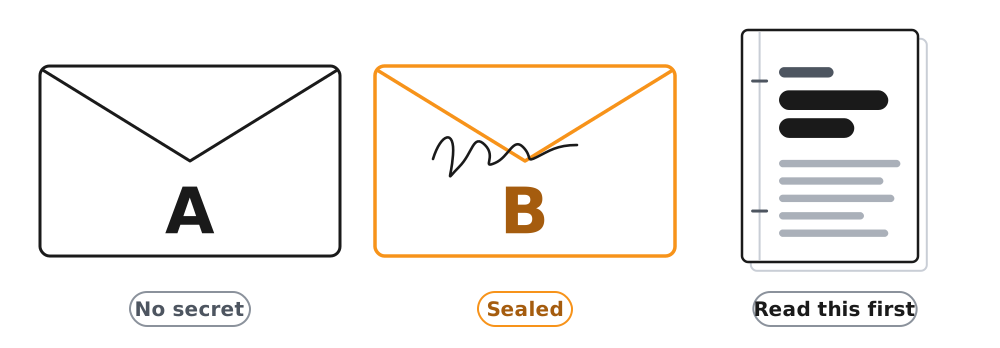
- Envelope A holds the letter with printed copies of “Safety rules”, “Read this first” and the runbook for your setup, and any notes the letter says are enclosed. It holds no secret.
- Envelope B holds the access sheet, written by hand, and nothing else. It stays sealed.
- The backups, the copies of your seed words on paper or metal, stay where they are. A filled-in seed card is one of them. The passphrase copy, if you have one, is kept apart from them.
- “For the executor and the lawyer” goes to the executor, to your lawyer and to the keeper of Envelope B.
No person and no place keeps Envelope A, Envelope B and the backups together. “The two-envelope rule” explains why.
If you are the holder, start with “The two-envelope rule”, then “The 20-minute plan”. If you have found this kit after someone’s death or illness, start with “Read this first”.
Page 2 of the A4 PDF · Contents
Read before anything else
Safety rules
Write by hand whatever opens your coins: seed words, PINs and passphrase. Everything else you can type.
Every page is meant to be printed, and every link is printed as plain text you type yourself. A copy with a QR code or an on-screen form has been altered. Download the kit from knowingbitcoin.com and check it.
Seed words are a list of usually 12, 20 or 24 words that can rebuild a bitcoin wallet. Anyone who has them can take the bitcoin. The backups are the copies of the seed words, on paper or metal. A hardware wallet is a small device that keeps the keys to the bitcoin, the secret codes that allow it to be spent, and approves each payment on its own screen. Its PIN is the number that opens it. A passphrase is an optional extra word or phrase added to the seed words, and it opens a separate wallet. Envelope A explains the plan and holds no secret. Envelope B is sealed and says where everything is kept.
The rules
- Seed words, PINs and the passphrase are written by hand. Never photograph them, scan them or type them into a notes app, a document, a password manager or an email.
- Nothing in this kit is filled in on a screen. You print the pages and write on them.
- Every real page of this kit has plain-text addresses and no QR code. Type each address by hand. Never scan a QR code or follow a link from a letter, email or message about a wallet. A copy without a QR code can be altered too, and “Check this file” shows how to tell.
- The seed words never go in Envelope A, Envelope B, a will or a letter.
- Nobody keeps Envelope A, Envelope B and the backups together, and Envelope B is never kept with a device.
- The seed words are typed only on a hardware wallet, to restore it or to run its built-in backup check, which erases nothing. Never on a computer, a phone or a website.
- No genuine person or company will ever ask for the seed words. Real support never contacts you first. You start every contact yourself, from the maker’s website, with the address typed by hand.
- Never guess a PIN. A few wrong tries erase the device, or lock it for good.
- A small test transfer always goes first. Before every approval, read the address, the amount and the fee on the device’s own screen, and check that it shows no other payment address.
- Questions about the will, tax or who may act go to a lawyer or notary in your country.
Any message about your plan that claims to come from Knowing Bitcoin is a scam. Knowing Bitcoin’s part ends with this printed kit, and it never writes to anyone about their plan. Read any news by typing knowingbitcoin.com/advisories/ yourself, never from a link in a message.
Page 3 of the A4 PDF · Contents
For the holder
The two-envelope rule
You split what your family will need into three parts: Envelope A, Envelope B and your backups. You keep the three in different places, and no person and no place keeps all three together.
In this kit, the two envelopes are Envelope A and Envelope B. “The 20-minute plan” and “Your workbook” put the method into practice.

Words used in your part of the kit
| Word | What it means |
|---|---|
| bitcoin | Digital money that no bank holds. Whoever controls its keys controls it. |
| keys | The secret codes that allow the bitcoin to be spent. The device keeps them, and the seed words can rebuild them. |
| self-custodied | Kept by you, not by a company, so nobody can reset it or pay it out for you. |
| hardware wallet | A small device that keeps the keys and approves each payment on its own screen. After this, “the device”. |
| wallet app | The program on a computer or phone that shows the balance and prepares payments, which the device approves. |
| seed words | A list of usually 12, 20 or 24 words that can rebuild the wallet. Also called recovery words or a seed phrase, and by some makers a wallet backup or secret recovery phrase. Anyone who has them can take the bitcoin. |
| the backups | The copies of the seed words, on paper or metal. |
| PIN | The number that opens the device. It is not the backup, and a few wrong tries erase or lock the device. |
| passphrase | An optional extra word or phrase added to the seed words. It opens a separate wallet. Its written copy is “the passphrase copy”. |
The three parts
| Part | What it holds | Where it is kept |
|---|---|---|
| Envelope A | The letter, which says what exists, whom to call first and where Envelope B is. With it go printed copies of “Safety rules”, “Read this first” and the runbook for your setup. It holds no secret. | With a person you trust to act first, or where your lawyer advises. |
| Envelope B | The access sheet, written by hand. It says where each backup and each device is and where the passphrase copy is, and it holds the device PINs. It is sealed. | With someone who keeps none of your backups and none of your devices, for example your lawyer. |
| The backups | The seed words, on paper or metal, in two or three complete copies. | Where they are now, each in a different place. The passphrase copy, if you have one, is kept apart from them. |
The rule, in full
- No person and no place keeps Envelope A, Envelope B and the backups together.
- Envelope B is never kept with a device or a backup. It holds the PINs and says where everything is.
- The passphrase copy is never kept with a backup. Envelope B says where it is.
- The seed words never go in Envelope A, Envelope B, a will or a letter. If a backup needs a container, use a sealed, tamper-evident bag.
- Nothing is labelled “bitcoin”: not a safe, a box, a backup or an envelope.
Why it works
Someone who reads only Envelope A learns that you hold bitcoin and whom to call, but cannot reach the coins.
Envelope B is the map. It says where things are kept and holds the device PINs, so together with your device it is enough to reach the coins. That is why Envelope B is never kept with a device or a backup, and why its keeper keeps none of them.
The backups are different again. A single backup is enough to take the bitcoin, from anywhere. That is why the backups stay out of sight where they are. If you use a passphrase, it adds a second lock. Someone who finds a backup without the passphrase reaches only the ordinary wallet. That is why the passphrase copy is kept apart from the backups.
Recovery day
Recovery day is the day the heirs and the helper move the coins. The helper is the person named in the letter who knows how to use a hardware wallet and has agreed to help. Envelope A, Envelope B and your devices come together in one room, with the passphrase copy if you have one. A backup comes to the room only if your device cannot be used, and the others stay where they are. The executor decides who is in that room. The heirs move the coins to hardware wallets of their own, as the executor decides, a small test transfer first.
Three situations your plan covers
- While you are alive and able to act. Only you spend, and both envelopes stay closed.
- If you cannot act. If illness or an accident stops you acting, a power of attorney can let a person you choose act for you. In England and Wales it is a lasting power of attorney for property and financial affairs, and in some US states a durable power of attorney. That authority ends at death, and then the executor takes over. Decide in advance whether that person gets Envelope B or only Envelope A. Ask a lawyer whether yours covers digital assets.
- After your death. The law that applies to your estate decides who may deal with what you owned. The executor (the person who deals with the estate) carries out your will and, advised by the lawyer, says who may move the coins, and when. In some countries there is no executor, and the heirs deal with the estate together, often before a notary. Then the heirs and the helper follow Envelope A.
Pages 4 to 6 of the A4 PDF · Contents
The boxes and lines in this chapter are for the printed PDF.
For the holder
The 20-minute plan
This is the shortest version of the plan. You fill in two templates, seal both envelopes and hand them to two people.
Before you start
This plan is for you if your backups already exist and have passed your device’s built-in backup check. Many hardware wallets have that check. You type the words from your backup on the device, and it says whether they match. Nothing is erased.
If you use a passphrase, check it on the device itself. Type it from your passphrase card and see the passphrase wallet open with the balance you know. If the device cannot type one of its characters, your heirs could not type it either, so move the coins to a passphrase the device can type.
If your backups have not passed that check, run it first, as “The annual review” describes. If you have not set up a hardware wallet yet, start with the lesson at knowingbitcoin.com/lesson/how-to-set-up-hardware-wallet/.
The plan covers bitcoin on your hardware wallet. If you also keep bitcoin in a wallet app on a phone or a computer, move it to the hardware wallet first, because recovering that app would mean typing its seed words into a phone or a computer. Bitcoin that an exchange or another company holds for you is reached through that company. Name it in the letter, for the executor.
Have these ready:
- printed copies of “The letter”, “The access sheet”, “Envelope covers”, “Safety rules”, “Read this first”, “For the executor and the lawyer” and the runbook for your setup (“Recovering one hardware wallet”, or “Recovering one hardware wallet with a passphrase” if you use one)
- two envelopes you cannot read through, scissors and tape
- a ballpoint pen
Print the templates on one side of the paper only. In the PDF they are:
- “The letter”, on pages 15 to 17 (A4) or 17 to 20 (US Letter)
- “The access sheet”, on pages 18 to 20 (A4) or 21 to 24 (US Letter)
- “Envelope covers”, on pages 21 to 23 (A4) or 25 to 27 (US Letter)
- “Seed card and passphrase card”, on pages 25 to 29 (A4) or 29 to 33 (US Letter)
Each page that will carry a secret already sits alone on its sheet, with a blank page behind it when needed, so a printer that prints on both sides still keeps it apart.
The six steps
- Choose your helper and ask them. The helper knows how to use a hardware wallet and agrees to help your heirs on recovery day. Ask first, and write their name only once they have agreed.
- Fill in the letter. In “The letter”, fill in at least “What exists”, “Whom to call first”, “Where Envelope B is”, “How to recover” and the date and signature. The letter holds no secret, so you may type your own with the same headings. If you type it, write the phone numbers and the websites by hand, and sign the foot of every page.
- Fill in the access sheet, by hand. In “The access sheet”, write where each backup and each device is, the device PINs and, if you use a passphrase, where its copy is. Before you seal it, unlock your device once, reading the PIN from the sheet. Fold the sheet and put it in Envelope B, seal it, sign across the flap and date it. Tape the Envelope B cover on the front.
- Fill Envelope A. Put in the letter with the printed “Safety rules”, “Read this first” and your runbook. Seal it and sign across its flap, so your heirs can see that nobody has changed its pages. Tape the Envelope A cover on the front.
- Give each envelope to its keeper. Envelope B goes to someone who keeps none of your backups and none of your devices, for example your lawyer, with a printed copy of “For the executor and the lawyer”. Give the executor a copy of that chapter too. Envelope A goes to the person you trust to act first. Ask your lawyer where Envelope A should be kept so it stays private, and never fasten it to your will. Tell at least one person where Envelope A is.
- Write the date in the revision log. In “Revision log”, write today’s date and “first plan”.
Check before you finish
- Nobody keeps Envelope A, Envelope B and the backups together.
- Envelope B is kept with no device and no backup.
- If you use a passphrase, its copy is kept with no backup.
- The seed words are in no envelope, no will and no letter.
- At least one person knows where Envelope A is.
Your workbook covers the rest when you have more time.
Pages 7 to 8 of the A4 PDF · Contents
The boxes and lines in this chapter are for the printed PDF.
For the holder
Your workbook
The full plan, in six steps. You work out what you have, whom you choose, where each thing is kept, what happens if you cannot act, any other setup and when you review it.
Steps 1, 2, 4, 5 and 6 hold no secret. Write in them by hand, or type your answers on your own paper. Step 3 shows where your backups are, so you fill it in by hand and shred it when the check passes.
The will and the power of attorney are your lawyer’s job in your country. This kit covers the technical part a lawyer cannot write.
Step 1 · What you have
Write what you use, without any secret. Leave out where the backups are. That goes only on the access sheet.
Number of seed words. 12 20 24 Another number
If the words came from a recent Trezor, there may be 20 of them. That is a different kind of word list, called SLIP-39. It restores on a Trezor Safe or a Trezor Model T, or on a wallet whose maker lists SLIP-39 support, but not on a Trezor Model One and not on every hardware wallet. The letter says which device made the words.
Standard. BIP39 (the usual standard, 12 or 24 words) SLIP-39 Not sure (ask the maker)
Backup split into several shares. No Yes. Some Trezor wallets split the backup into several shares, separate cards of which only some are needed. The access sheet then lists where each share is and how many are needed.
Keep two or three complete copies of the seed words in different places, written in ballpoint pen in block capitals, each word with its number. For the long term, a copy on steel or titanium survives fire and water far better than paper.
Passphrase. No Yes. A passphrase is an optional extra word or phrase added to the seed words. With it, the same words open a separate wallet. Without it, they open the ordinary wallet, which is often nearly empty.
Another setup. No Yes: multisig, a time-locked wallet or a company that shares a key with you. See step 5.
Other places that hold bitcoin for you. None A wallet app on a phone or a computer An account with an exchange or another company
Move bitcoin from a phone or computer wallet into your hardware wallet before you make the plan, because recovering that app would mean typing its seed words into a phone or a computer. Bitcoin that a company holds for you is reached through that company. Write its name in the letter, for the executor, and never a password.
Step 2 · Who is in your plan
Ask the helper, the executor and the keepers of the envelopes before you write their names. Design the plan for the least technical person who might have to use it.
- The heirs are the people who will receive the bitcoin.
- The helper knows how to use a hardware wallet and has agreed to help your heirs.
- The executor is the person who deals with the estate after a death.
- The person acting for you holds your power of attorney if you are alive but cannot act (step 4).
| Role | Their full name | How to reach them | Has agreed |
|---|---|---|---|
| Heir | |||
| Heir | |||
| Heir | |||
| Helper | |||
| Second helper (optional) | |||
| Executor | |||
| Lawyer | |||
| Person acting for you | |||
| Keeper of Envelope A | |||
| Keeper of Envelope B |
Why you chose them.
Step 3 · Check that nobody keeps everything
This page shows where your backups are. Print it on a sheet of its own, one side only. Fill it in by hand, with labels only you will recognise, and shred it when every test passes. It never goes in Envelope A.
Write one row for each person or place that keeps any part of the plan, including your own home. Then tick what each one keeps.
| Person or place | Envelope A | Envelope B | A backup | A device | Passphrase copy |
|---|---|---|---|---|---|
The tests. Tick each one that passes.
- No row ticks Envelope A, Envelope B and a backup together.
- No row ticks Envelope B together with a backup or a device.
- No row ticks the passphrase copy together with a backup.
- Each backup is in a different place.
If a test fails, move something to another person or place, and fill in the table again on a fresh copy of this page. When every test passes, shred this page.
Step 4 · If you cannot act
If illness or an accident stops you acting, a power of attorney can let a person you choose act for you. In England and Wales it is a lasting power of attorney for property and financial affairs, and in some US states a durable power of attorney. That authority ends at death, and then the executor takes over. Ask a lawyer whether yours covers digital assets.
Decide in advance whether the person acting for you gets Envelope B or only Envelope A. Write the same answer in the letter, under “If I cannot act but am alive”.
It covers digital assets. Yes, checked with my lawyer To ask my lawyer
This person receives. Envelope A only Envelope A and Envelope B
If this person receives Envelope B, they keep no backup and no device, like any keeper of Envelope B.
Step 5 · Other setups
This edition has runbooks for one hardware wallet, with or without a passphrase. If you use one of the setups below, answer the questions in “Questions for your provider” and write the answers here.
- Multisig is a wallet that needs several keys to approve a payment, for example any two of three.
- A time-locked wallet has a second way to spend that opens only after a delay, unless you reset it in time.
- Collaborative custody is a service in which a company holds one key of a multisig wallet and helps with recovery.
A multisig or time-locked wallet needs more than keys. It needs the wallet file (also called the descriptor or wallet configuration file), which tells a wallet app how the keys fit together. Without it, the keys alone may not find the coins. The wallet file cannot spend, but whoever reads it can see the whole balance and history. It is kept like a backup, never in Envelope A, and the access sheet says where each copy is.
My answers to the questions.
Step 6 · When you review
Review the plan once a year, and after any change: a new device, a new wallet app, a move, a passphrase added or a new helper. “The annual review” has the checklist and takes about half an hour.
When you have finished
Shred the page with step 3. Keep the other pages with your own papers, or shred them too. The letter and the access sheet carry everything your family will need.
Pages 9 to 14 of the A4 PDF · Contents
Print to use. This is a preview of the template. Print it from the PDF and fill it in by hand, or type your own letter with the same headings.
Template · Envelope A
The letter
How to use this template. This letter explains how to reach your bitcoin. Your will and the law decide who receives it, so ask your lawyer to read the letter with your will. It goes in Envelope A and holds no secret. Never write the seed words, a PIN, the passphrase or where the backups are in it.
Fill it in by hand, or type your own with the same headings. If you type it, write the phone numbers and websites by hand, sign the foot of every page, print it and delete the file. Never fasten it to the will or name its contents there. When anything changes, write a new letter and shred this one.
What exists
I own bitcoin, digital money that no bank holds. I keep it myself, so no bank or company can reset it or pay it out to you. It is held with a hardware wallet, a small device that keeps the keys to the bitcoin (the secret codes that allow it to be spent) and approves each payment on its own screen.
The wallet can be rebuilt from its seed words, a list of usually 12, 20 or 24 words. Anyone who has them can take the bitcoin. They are not in this letter. Envelope B says where the copies are.
Number of seed words. 12 20 24 Another number
Anyone who reads Envelope A will learn this figure. Leave it blank if you prefer.
Take your time
Take all the time you need with the bitcoin. Being pushed to hurry is a warning sign.
- No genuine person or company will ever ask you for the seed words.
- Never type the seed words into a website, an app, a computer or a phone. They go only into a hardware wallet.
- Anyone who offers to recover bitcoin for a fee or a share, paid before or after, is a scam. Never hand them Envelope B, a backup or a device.
- Real support never contacts you first. Start every contact yourself, from the maker’s website, with the address typed by hand.
- Keep the bitcoin to yourselves. The fewer people who know, the safer everyone is. The executor and the lawyer decide who else must be told.
Whom to call first
The helper below knows how to use a hardware wallet and has agreed to help you. Call on the number written here, not on one a caller gives you.
| Their full name | Phone | Email or address | |
|---|---|---|---|
| Helper | |||
| Second helper (optional) |
The executor and the lawyer
The executor (or the person a court appoints to deal with my estate) says, with the lawyer’s advice, who may move the bitcoin, when and to whom. Wait for them before anything moves. Where there is no executor, it is whoever the lawyer or notary says may act.
| Their full name | Phone | Firm or address | |
|---|---|---|---|
| Executor | |||
| Lawyer |
Where Envelope B is
Envelope B is sealed. It holds the access sheet, written by hand. It says where the backups and the devices are and where the passphrase copy is, if I use one, and it holds the device PINs.
Open Envelope B only when the executor agrees, with the helper there. If its seal is broken, the signature across the flap has been disturbed, or a device or a backup is missing, tell the executor that same day. Someone may know where everything is. With the executor’s agreement, the helper and the heirs then move the coins to a new wallet early, with the same checks.
What you will need
I have ticked what applies to my setup.
- Envelope B.
- My hardware wallet or wallets. Envelope B says where they are.
- The backups. They stay where they are. One comes to the room only if the runbook’s way B needs it.
- A new hardware wallet for each person the executor says will receive bitcoin, set up with new seed words of their own. Buy it new from the maker’s own shop. Only if that shop does not deliver to you, use a reseller the maker lists on its own website, after checking knowingbitcoin.com/advisories/ for that reseller. The bitcoin will move there when the executor says.
- The passphrase copy. Envelope B says where it is.
- The wallet file of my multisig or time-locked wallet. Envelope B says where each copy is.
- My notes on the company that shares a key with me, enclosed with this letter. Envelope B says how to reach it and the name or number of the account.
How to recover
With the helper, follow the runbook in this envelope.
- “Recovering one hardware wallet”
- “Recovering one hardware wallet with a passphrase”
- Another setup. My answers to “Questions for your provider” are enclosed.
- Install the wallet app only from its official website, typed by hand. If an address here differs by even one character from one the runbooks print, use the printed one.
- Take each receiving address from your own new wallet.
- Send a small test transfer first. Move the rest only when it has arrived and is confirmed in your new wallet.
- Before you approve any payment, read the address, the amount and the fee on the device’s own screen, and check that it shows no other payment address.
- If a PIN does not work, stop. Never guess a PIN. The runbook says what to do next.
- A bitcoin payment cannot be reversed. Nobody can cancel it or send it back for you.
If I cannot act but am alive
If illness or an accident stops me acting, the person below can act for me under my power of attorney. That authority ends at my death, and then the executor takes over.
This person receives. Envelope A only Envelope A and Envelope B
Date and signature
This letter replaces any earlier letter about my bitcoin. Who receives my bitcoin is set by my will and the law.
Pages 15 to 17 of the A4 PDF · Contents
Print to use. Here you see how to fill in the sheet and what it asks for. The sheet itself is in the PDF: print it and fill it in by hand only, with a ballpoint pen, on paper.
Template · Envelope B
The access sheet
The access sheet holds the device PINs and says where everything else is. It never holds the seed words or the passphrase itself. It goes in Envelope B, alone.
Write by hand Print the sheet on its own paper, one side only. In the PDF it is on pages 19 to 20 (A4) or 23 to 24 (US Letter). Write all of it by hand, in ballpoint pen. Never type it, photograph it or scan it.
The maker of your device may advise you to memorise the PIN. Your heirs need it too, so it is written on the sheet, which is never kept with the device.
The PINs
- Some devices can be set with extra PINs that open a decoy wallet (a second wallet set up to mislead a thief) or even erase the device. Never write such a PIN on the sheet. Write only that it exists and what it does, so nobody types it by mistake.
- If your device limits how much it will spend, write the PIN that lifts the limit, or your heirs cannot move the rest. On a Coldcard it is the Policy Unlock PIN, typed before the main PIN.
- If your Ledger links the passphrase to a second PIN, do not write that PIN on the sheet. Your heirs will open the device with the main PIN and type the passphrase on the device itself, from the passphrase copy.
The passphrase wallet’s fingerprint
The fingerprint is 8 letters and numbers that name a wallet without opening it. Sparrow shows it as “Master fingerprint” in the wallet’s Settings. If you write it on the sheet, your heirs can see that they have opened the right wallet.
How to seal it
- Before you seal it, unlock your device once, reading the PIN from the sheet.
- Fold the sheet and put it in Envelope B. Put nothing else in.
- Seal the envelope and sign across the flap, so the signature runs over both the flap and the envelope.
- Fill in the Envelope B cover by hand, with the date, and tape it on the front.
- Give Envelope B to its keeper, with a printed copy of “For the executor and the lawyer”. Never keep it with a device or a backup.
- When anything changes, such as a PIN, a place or a device, write a new sheet, seal it in a new Envelope B and shred the old one.
On paper, the sheet has a line for each of these: where Envelope A is kept; where each copy or share of the backup is, and how many shares are needed; for each device, its model, where it is kept, its main PIN, any PIN that lifts a spending limit and what any other PINs do; whether a passphrase is used, where its copy is and the wallet’s fingerprint; where each copy of a wallet file is; and the name, contact and account of a company that shares a key. It ends with a signature and a date.
Envelope B
Access sheet
For the heirs and the helper. Use only the PINs written here, each for what its line says. Never guess a PIN. A few wrong tries erase the device, or lock it for good. If the main PIN does not work, stop and use the backups instead, as the runbook explains.
Envelope A
The backups
The devices
The passphrase
A passphrase is used. No Yes
Multisig or time-locked wallet only
A company that shares a key, if any
Pages 18 to 20 of the A4 PDF · Contents
Print to use. This is a preview of the covers. Print them from the PDF, where they come out at their true size for cutting.
Template
Envelope covers
This chapter has a cover for each envelope, both on one page. Each fits on the front of a DL, C5 or US No. 10 envelope.
- Print the page with the covers on a sheet of its own, one side only, on plain paper. In the PDF it is page 23 (A4) or 27 (US Letter).
- Cut along the dashed lines.
- Fill in each cover by hand.
- Seal the letter and the heirs’ pages in one envelope, sign across its flap and tape the Envelope A cover to its front.
- Seal the access sheet in the other envelope, sign across the flap and tape the Envelope B cover to its front.
Use envelopes you cannot read through. The covers carry neutral words only, and nothing is labelled “bitcoin”, so a stranger who sees an envelope cannot tell what it is about.
| Envelope | What goes in |
|---|---|
| Envelope A | The letter, with printed copies of “Safety rules”, “Read this first” and the runbook for your setup, and any notes the letter says are enclosed. It holds no secret. |
| Envelope B | The access sheet, written by hand, and nothing else. It is sealed. |
Cut along the dashed line and tape this cover to the front of Envelope A.
A
Envelope A · Open first
Cut along the dashed line and tape this cover to the front of Envelope B.
B
Envelope B · Sealed. Open only as Envelope A explains.
Hand it only to the executor, in person.
Sign here as you signed across the flap, so the two signatures can be compared.
Pages 21 to 23 of the A4 PDF · Contents
Print to use. Here you see how to use the two cards. The cards themselves are in the PDF: print them and write on them by hand only, on paper.
Template · Backup
Seed card and passphrase card
This chapter has two cards to fill in by hand: one for the seed words and one for the passphrase, if you use one. Each prints alone on its sheet, with only its lines and boxes, so a filled-in card says nothing about what it is for.
Print them on one side of the paper only. In the PDF the seed card is on page 27 (A4) or 31 (US Letter), and the passphrase card on page 29 (A4) or 33 (US Letter).
The seed card
Write by hand Use a ballpoint pen and block capitals. Write each word on its numbered line, in the order the device shows it. Check each word against the device’s screen, then check the whole card with the device’s built-in backup check. Cross out any lines you do not use.
- The order matters. The same words in a different order make a different wallet.
- The card is one of the backups. Anyone who has it can take the bitcoin. Write where it is kept on the access sheet, and nowhere else.
- Never photograph it, scan it or type the words into anything but a hardware wallet. It never goes in Envelope A, Envelope B, a will or a letter.
- For the long term, copy the words onto steel or titanium, which survives fire and water far better than paper.
The passphrase card
Write by hand Use it only if you use a passphrase. Write one character in each box, in order, from box 1. Every character counts, including capitals, spaces and punctuation.
- Write capital letters as capitals. For a space, draw a short line along the bottom of an empty box. Draw a slash through every zero, so it cannot be read as the letter O. Give the small letter l a hook at its foot, so it cannot be read as a capital I or the number 1.
- Write how many characters it has. Cross out the boxes you do not use.
- Check the card by typing the passphrase on the device itself, reading from the card, and seeing the passphrase wallet open with the balance you know. If the device cannot type one of its characters, change to a passphrase it can type.
- The card is the passphrase copy. Keep it apart from every backup, and write where it is on the access sheet.
On paper, the seed card has 24 numbered lines and a short table, and the passphrase card has 120 numbered boxes. Print them from the PDF and fill them in by hand only.
| Made by (device) | Standard | BIP39 SLIP-39 | |
|---|---|---|---|
| Number of words | 12 20 24 Other | Written on | |
| Copy number | Out of |
One character per box, from box 1. Capitals as capitals. Space: a short line along the bottom of the box. Zero with a slash. Small l with a hook.
| Number of characters | Written on | ||
|---|---|---|---|
| Checked on the device on | Copy number |
Pages 25 to 29 of the A4 PDF · Contents
For the heirs
Read this first
This booklet is for you if someone close to you has died, or can no longer manage their own affairs, and has made a plan so that you can reach their bitcoin. It is written for someone who has never used Bitcoin. Read it through once, slowly, before you do anything else.
If you are reading this
In this booklet, the person whose bitcoin it is, and who made the plan, is called the holder. The holder kept their bitcoin themselves, not with a bank or a company. While they could, they wrote a letter for you and put it in an envelope called Envelope A, together with this booklet.
The letter is in the holder’s own words. It says what exists, whom to call first and how recovery works for their setup. This booklet explains the rest. It covers what bitcoin is, what the two envelopes are, what to do in the first week, how to recognise a scam and how the coins reach you safely. It comes from The Two-Envelope Plan, a printed kit published by Knowing Bitcoin, and it is the same for everyone who uses the kit.
You can read this booklet on its own. Every term is explained where it first appears, and the booklet ends with a short list of the words you will meet.
Three things for this week
- Take your time. This booklet sets you no deadline.
- Keep it to yourself. Tell no one about the bitcoin except the people the letter names, the executor (the person who deals with the estate) and the lawyer. They decide who else is told.
- Keep the envelopes apart. Envelope A, the sealed Envelope B and the backups (the written copies of the seed words) stay in different places.
And one rule for always. The seed words, a list of words that can rebuild the holder’s wallet, go into a hardware wallet (the small device that keeps the bitcoin) and nowhere else. No genuine person or company will ever ask you for them. Each of these is explained in the pages that follow.
Bitcoin in two paragraphs
Bitcoin is digital money that no bank holds. Whoever controls its keys controls it. The keys are secret codes that allow the bitcoin to be spent. The holder kept the keys themselves, which is why their bitcoin is called self-custodied. There is no account manager, no branch and no customer service that can look it up, reset it or pay it out to you. A bitcoin payment cannot be reversed. Nobody can cancel it or send it back for you.
The holder kept the keys in a hardware wallet, a small device that keeps the keys to the bitcoin and approves each payment on its own screen. The same keys can be rebuilt from the seed words, a list of usually 12, 20 or 24 words written on paper or metal. Anyone who has the seed words can take the bitcoin, from anywhere. That is why the holder kept them out of sight, and why this whole plan is about who sees what, and when.
The two envelopes
The holder split what you will need into three parts and kept them in different places.
- Envelope A is the envelope this booklet came in. It holds the letter, this booklet, a page called “Safety rules” and a guide with numbered steps for the holder’s setup, called a runbook. It holds no secret. Someone who reads only Envelope A learns that the holder had bitcoin and whom to call, but cannot reach the coins.
- Envelope B is sealed, and someone else keeps it. The letter says who. Inside is the access sheet, written by hand. It says where the backups are, where each device is, the PINs that open the devices, and whether there is a passphrase (an extra word or phrase, explained below) and where its copy is. Envelope B is opened only as the letter explains.
- The backups are the copies of the seed words, on paper or metal. They stay where they are, in places that only the access sheet names.
Envelope A alone cannot reach the bitcoin. A single backup can, and so can Envelope B together with the holder’s device. That is why no person and no place keeps them together, and why Envelope B is never kept with a device or a backup. On recovery day, the day the coins move, what is needed comes together in one room, with the people the executor has approved. There is more about the executor below.
In this kit the two envelopes are always called Envelope A and Envelope B. The words on their covers are plain on purpose. Nothing in the plan is labelled “bitcoin”, whether a safe, a box, a backup or an envelope.
Your first week
The first days after a death are full of calls, forms and decisions. Put the bitcoin at the bottom of the list. The holder made this plan so that you can act calmly, at your own pace.
Go at your own pace
Take your time with the bitcoin. Being pushed to hurry is a warning sign. This booklet sets no deadline. If the estate as a whole has deadlines, the executor and the lawyer will tell you.
In the first week, these are the only things to do:
- Read the letter and this booklet.
- Call the helper named in the letter, on the number in the letter, and say that you have Envelope A.
- Tell the executor, or the lawyer, that you have Envelope A.
- Put Envelope A away somewhere private.
And these are the things to leave alone:
- Do not open Envelope B.
- Do not fetch the backups or look at the seed words.
- Do not switch on the holder’s devices or try a PIN.
- Do not install any wallet app, and do not search online for the holder’s wallet.
- Do not answer any message about bitcoin from anyone except the helper, the executor or the lawyer.
Keep it to yourself
Some thieves use threats or force to make someone open a wallet and send the coins. They choose people they believe hold bitcoin. The fewer people who know, the safer everyone is.
So tell no one about the bitcoin except the people the letter names, the executor and the lawyer. This is about safety. The executor and the lawyer must know, and they decide who else is told, such as other heirs or the tax office. Leave the bitcoin out of messages, social media and anything said at the funeral. Friends who offer to help with the estate do not need to know about it. Never write the word “bitcoin” on anything you keep.
If anyone ever threatens you, hand over what they ask for. Your safety comes first.
Keep the envelopes apart
Keep Envelope A somewhere private, away from Envelope B and away from the backups. If someone hands you Envelope B as well, do not open it. Keep it in a different place from Envelope A, the backups and the devices, and tell the executor that you have it.
Never photograph or copy the access sheet or a backup. If you find a backup or a device the letter did not mention, leave it where it is and tell the executor.
Who helps you
Three people will help you, and the letter names them. The helper takes care of the technical side.
- The helper is the person named in the letter who knows how to use a hardware wallet and has agreed to help. On recovery day the helper works the wallet app with you. Your part is to read the device screens yourself and to approve each payment yourself.
- The executor (or the person a court appoints to deal with the estate) deals with everything the holder owned and carries out the will. The executor says, with the lawyer’s advice, who may move the coins, when and to whom. In some countries there is no executor, and the heirs deal with the estate together, often before a notary. Then “the executor” in this booklet means whoever the lawyer or notary says may act.
- The lawyer is the holder’s lawyer, or the executor’s. In some countries a notary does this work. Questions of law and tax go to them.
If the letter names a company that holds part of the setup, contact it only through its official website, typed by hand from the letter. Envelope B says how to reach it and the name or number of the account.
If a call or a message claims to come from one of these people and you are not sure, end it and call back on a number you already know is real, such as the one in the letter.
Knowing Bitcoin’s part ends with this printed kit. The people who help you on recovery day are the ones the holder named in the letter.
If the holder is alive but cannot act
If illness or an accident stops the holder acting, a power of attorney can let a person they chose act for them. In England and Wales this is a lasting power of attorney for property and financial affairs. In some US states it is a durable power of attorney. While the holder is alive the bitcoin is still theirs, and that person acts for them. That authority ends at death, and then the executor takes over.
The holder decided in advance whether the person acting for them gets Envelope B or only Envelope A. The letter says which. Ask a lawyer whether the power of attorney covers digital assets.
The one rule
The seed words are typed only on a hardware wallet. Never on a computer, a phone or a website.
They go into a hardware wallet only to restore it. Never type, photograph, say or send them. No genuine person or company will ever ask you for them, whoever they say they are.
If the holder’s device opens with its PIN, you will not need the backups at all. On recovery day they stay where they are. One is brought to the room only if the holder’s device is missing, broken or erased, or its PIN fails. Then the runbook explains how the helper restores the wallet onto a new hardware wallet, with the words typed on that new device only.
How scams in this area work
The scams that target inherited bitcoin work on people, not on Bitcoin’s technology. Each one wants something from you. It can be the seed words, a PIN or the passphrase. It can be your approval of a payment to the wrong address, or money paid in advance. Most of them work by making you afraid or rushed. Once you know their shapes, you will recognise them.
Anyone who contacts you first
Treat anyone who contacts you first about the bitcoin as a scammer, unless they are the helper, the executor or the lawyer. Even then, call them back on a number you already know is real before you discuss anything. This includes people who say they are from a wallet maker, a support team, a recovery service or Knowing Bitcoin. Real support never contacts you first and never asks for the words. You start every contact yourself, from the maker’s website, with the address typed by hand.
If a message looks official, such as a letter from a court, a tax office or the police, reply to nothing yourself and give it to the executor or the lawyer the same day. They check it on a number they find themselves.
Any message about this plan that claims to come from Knowing Bitcoin is a scam. Knowing Bitcoin never writes to anyone about their plan.
Fake support
Scammers pose as a wallet maker’s support team. They write privately on social media or in chat apps, send texts and emails, phone, or post letters. They send a link or a form, or offer to take control of your computer so they can “help”. Real support never contacts you first, and never asks for the words, a PIN or the passphrase. Never let anyone take control of your computer remotely.
Fake recovery services
After a death or a loss, people appear offering to “recover” or “unlock” bitcoin for a fee or a share. Some say they can find a lost passphrase or open a locked device. Anyone who offers to recover coins for a fee or a share, paid before or after, is a scam. Never hand Envelope B, the backups or a device to a recovery service. In this kit, recovery means your family moving the coins themselves, with the helper the holder named. Nobody recovers coins for you.
Pages and apps that ask for the words
A website or app that asks you to “verify”, “validate”, “sync” or “unlock” the wallet by typing the words is a scam, however real it looks and whoever sent it. These pages arrive by email, by message and through search adverts. Install a wallet app only from its maker’s website, with the address typed by hand. Never from a link in an email, a message, a letter or a search advert.
Letters with QR codes
Letters on paper, with logos and signatures, have been posted to owners of hardware wallets. They ask the reader to scan a QR code, which leads to a page that asks for the words. Never scan a code or follow a link from a letter, email or message about the wallet.
Every real page in this kit is printed with plain-text addresses and no QR code. A copy with a QR code or an on-screen form has been altered. A copy without one can be altered too, as the next section explains.
How to tell these pages are genuine
The pages in Envelope A that come from this kit print no phone number and no email address. The only websites they print are knowingbitcoin.com and the makers’ websites listed in the runbooks. Every number you will call is in the holder’s handwriting, in the letter or on the access sheet. Every page sends the seed words to a hardware wallet and nowhere else.
If a page in Envelope A differs from that, it was changed after it was printed. Stop and tell the executor. The helper can also compare these pages with knowingbitcoin.com/two-envelope-plan/read/, typed by hand. The text is the same.
Impostors at a time of grief
People who have just lost someone are approached by impostors who push them to pay or act quickly. Some pretend to be from the funeral home. Whoever they say they are, call back on a number you already know is real, never on one from their text, email or call.

What an heir always does
- Takes their time.
- Waits for the executor to say who may act before any coins move.
- Types the seed words on a hardware wallet only.
- Sends a small test transfer first, and never moves everything at once.
- Reads the address, the amount and the fee on the device’s own screen before approving, and approves a payment only when the one payment address shown is the one from their own new wallet.
What an heir never does
- Never types the seed words, the passphrase or a PIN into a computer, a phone, a website or an app.
- Never photographs, scans or copies the words into anything digital.
- Never reads out or gives the words, the passphrase or a PIN to anyone who asks, by phone, message, letter or in person, including someone who says they are support.
- Never hands Envelope B, the backups or a device to a “recovery service”, and never pays anyone who offers to recover coins.
- Never scans a QR code or follows a link from a letter, email or message about the wallet.
- Never lets anyone take control of their computer remotely.
- Never guesses a PIN.
- Never copies an address from a transaction history, an email or a note.
What you will do, in order
When the executor is ready, the recovery itself is a short list. The runbook in Envelope A gives every step. Here is the order, so that nothing surprises you on the day.
- The executor says who may act. After a death, the law that applies to the estate decides who may deal with what the person owned. A lawyer will tell you which law that is, for example when the person lived in another country. In England and Wales that right comes with probate, the court process that gives someone the legal right to deal with the estate. Until the executor or the lawyer says who may move the coins, when and to whom, nothing moves.
- You agree a day with the helper and the executor. Choose a quiet day with time to spare, in a private room. On recovery day Envelope A, Envelope B and the holder’s devices come together in that room, with the passphrase copy if there is one, and with the people the executor has approved. One backup comes too only if the holder’s device cannot be used. The others stay where they are.
- You get a new hardware wallet of your own. Buy it new, from the maker’s own shop. Only if that shop does not deliver to you, use a reseller the maker lists on its own website, after checking knowingbitcoin.com/advisories/ for that reseller. Never second-hand. With the helper, set it up with new seed words of your own. While the device shows your new words, only you look at its screen and your card, and the helper looks away. Write them on paper, by hand, keep them out of sight and never photograph them. The coins will move there.
- You install the wallet app. A wallet app is the program on a computer or phone that shows the balance and prepares payments. The hardware wallet approves them. Install the app only from its maker’s official website, typed by hand. The runbooks print the websites of the common makers.
- You open the holder’s device with its PIN. The PIN is the number that opens the device. Use only the PIN that Envelope B marks as the main PIN.
- You send a small test transfer, checked on the device’s own screen.
- You wait for the confirmation in your own new wallet.
- You send the rest, or the amount the executor has said goes to you, checked the same way.
- You write down for the executor what moved and when.
About new devices. A genuine device never arrives with words already written down, a PIN supplied or a wallet set up. If one does, do not use it. Never plug in a device that arrives without anyone ordering it, even as a “replacement”.
About PINs. A few wrong PIN tries erase the device, or lock it for good. On some devices three wrong tries are enough. Some devices can also be set with extra PINs that open a decoy wallet (a second wallet set up to mislead a thief) or even erase the device. That is why you use only the PIN marked as main. Never guess a PIN. If the PIN from Envelope B does not work, stop. The backups can restore the wallet onto a new device instead.
Who receives the bitcoin is set by the will and the law. The executor carries it out, and the executor and a lawyer or tax adviser deal with selling and tax.
The letter may say that the holder used multisig (a wallet that needs several keys to approve a payment), a time-locked wallet or a company that holds one of the keys. Then the steps come from that setup and its provider, and the letter says whom to contact. These setups also need the wallet file, which tells a wallet app how the keys fit together. The same rules hold for every setup. The words go into nothing but a hardware wallet, a small test comes first, and the address is checked on the device’s own screen.
Why a small test transfer comes first
A test transfer is a small payment sent first, to prove the route before the rest moves. It takes a little longer, and it protects everything else, because a bitcoin payment cannot be reversed.
With a small amount, the test shows three things. The address is the one your own new wallet gave you. The payment leaves the holder’s wallet as you expect. And it arrives in yours. Only when it has arrived and is confirmed in your own new wallet do you move the rest, checked the same way.
The helper chooses the amount with you. Keep it small, and never move everything at once.

How to check the address on the device’s screen
A receiving address is a string of letters and numbers that a wallet shows so bitcoin can be sent to it. A Bitcoin address starts with “bc1”, “1” or “3”, and most start with “bc1”. If an address starts with anything else, stop. Every payment goes to an address, and a payment to the wrong address cannot be brought back.
Malware (harmful software) on a computer or phone can change what you see on their screens. It cannot change what a hardware wallet’s own screen shows. So the device’s own screen is the one you trust, and you read the address, the amount and the fee there before you approve anything. The network fee is a small charge that every Bitcoin payment pays.
The device shows what it is about to approve. It cannot tell whether an address someone gave you is the right one. That is why you get the receiving address yourself, from your own new wallet.
- Open the Receive screen of your new wallet in the wallet app, and get a new receiving address there. Never copy one from a transaction history, an email or a note.
- Show that address on your new hardware wallet’s own screen. Compare it with the app, every character. If they differ, stop.
- The helper prepares the payment from the holder’s wallet to that address, for a small amount.
- Before you approve, the holder’s device shows on its own screen the address, the amount and the network fee.
- Read every character yourself, four at a time, from start to end. Read a group on your new device, then the same group on the holder’s device. The helper may read along, never instead of you.
- Read the amount and the fee too. The holder’s device must show one payment address only, the one from your new device. Some devices also show the change, an amount going back to the holder’s own wallet, marked as change. If the device shows any other address, a second payment, or a fee that is more than a small part of the amount, do not approve.
- If every group matches, approve on the holder’s device yourself. If a single character differs, do not approve. Stop, and leave the next step to the helper. Nothing moves until the two screens agree.
Matching first and last characters prove nothing. Look-alike addresses copy the ends, and the difference hides in the middle. Compare all of it.

Waiting for the confirmation
A confirmation is the moment a payment is written into a block, one of the batches of payments that the Bitcoin network adds to its shared record. A payment counts as arrived once your new wallet shows it as confirmed. That can take minutes or longer. Waiting is normal.
While you wait, anyone who contacts you offering to “speed up” or “release” the payment is a scammer.
If Envelope B says a passphrase is used
A passphrase is an optional extra word or phrase added to the seed words. It opens a separate wallet. A wrong or missing passphrase gives no error message. The device opens a different wallet, usually empty, and every character counts, including capitals, spaces and punctuation.
So if a wallet shows an empty balance, it means “check the passphrase with the helper”. It never means “type the words somewhere else”. The runbook “Recovering one hardware wallet with a passphrase” takes you through it. On a Ledger, the holder may have linked the passphrase to a second PIN. The kit asks holders to leave that PIN off the access sheet, so you open the device with the main PIN and type the passphrase on the device itself, as the runbook explains.
The passphrase is stored only where the holder wrote it down. No maker, company or helper can recover it. If its copy cannot be found, tell the executor, and ignore anyone who offers to find it for a fee.
When to call the executor or the lawyer
Call the executor or the lawyer in these moments:
- Before any coins move, to hear who may act, when and to whom.
- Before Envelope B is opened.
- When anyone contacts you about the bitcoin, whoever they say they are. Pass the message on and reply to nothing.
- When something does not match the letter, for example a setup that is not what the letter describes.
- When the holder’s device does not open with the main PIN.
- When the passphrase copy cannot be found.
- When the letter names a company that holds part of the setup.
- For anything about tax, selling or how the bitcoin is shared between heirs.
- After each payment, with a note of what moved and when.
If an envelope has been opened, a seal is broken, or a device or a backup is missing, tell the executor that same day. Someone may know where everything is. With the executor’s agreement, the helper and the heirs then move the coins to a new wallet early, with the same checks.
Tax and the law differ from country to country. A lawyer or tax adviser in your country will say how the bitcoin is valued, who reports it, and when. Who receives it is set by the will and the law.
How to get help safely
- Start every contact yourself. Use the names, numbers and addresses in the letter.
- To reach a wallet maker, type by hand its official website, as the runbooks print it or as the holder wrote it in the letter, and use the support page there.
- Real support never asks for the words, a PIN or the passphrase. If anyone asks, end the contact.
- Anyone who offers to recover coins for a fee or a share, paid before or after, is a scam.
- Never let anyone take control of your computer remotely.
- If the helper named in the letter cannot help, the executor chooses another helper with you. Choose someone you already know and trust, who uses a hardware wallet themselves. Never someone who found you.
- To read the latest edition of this kit, type knowingbitcoin.com/two-envelope-plan/ yourself.
If something goes wrong
- Stop. Approve nothing, and call the helper.
- If a payment went to the wrong address, tell the executor. A bitcoin payment cannot be reversed, and nobody can cancel it or send it back for you. Anyone who offers to get it back for a fee is a scammer.
- If the seed words were typed, photographed or shown to anyone, tell the helper and the executor that same day. Anyone who has the words can take the coins, from anywhere. The helper and the executor then decide how to move the coins to a new wallet with new seed words.
- If a wallet shows an empty balance, stop and check the passphrase with the helper. Never type the words anywhere else.
- If the PIN fails, do not try another PIN. The backups can restore the wallet onto a new hardware wallet, as the runbook explains.
- If the app asks to update the holder’s device, decline. An update can erase a device. If the app cannot work with the device without it, stop. The helper decides between restoring from a backup onto a new device and an update with one checked backup in the room. Start an update only from the official app you installed, never from a message, an email or a pop-up.
- If anyone threatens you, hand over what they ask for. Your safety comes first.
A record for the executor
Write down every call, message, letter or visit about the bitcoin from anyone other than the helper, the executor or the lawyer. Reply to none of them. Give this page to the executor.
| Date | Who they said they were | How it came (call, message, letter, visit) | What they asked for | Told the executor |
|---|---|---|---|---|
What to keep from this booklet
- Take your time. The holder made this plan so that you can act calmly, at your own pace.
- Keep it to yourself, and keep Envelope A, Envelope B and the backups apart.
- The seed words go into a hardware wallet and nowhere else. No genuine person or company will ever ask you for them.
- Treat anyone who contacts you first about the bitcoin as a scammer, unless they are the helper, the executor or the lawyer.
- Nothing moves until the executor says who may act.
- A small test transfer comes first, and every address is checked on the device’s own screen, four characters at a time.
Words you will meet
| Word | What it means |
|---|---|
| the holder | The person whose bitcoin it is and who made the plan. |
| Envelope A | The envelope with the letter, this booklet and the runbook. It holds no secret. |
| Envelope B | The sealed envelope with the access sheet. It is opened only as the letter explains. |
| the access sheet | The sheet in Envelope B, written by hand. It says where the backups and the devices are, gives the PINs and says where the passphrase copy is. |
| the helper | The person named in the letter who knows how to use a hardware wallet and has agreed to help. |
| runbook | A guide with numbered steps for one kind of setup. |
| recovery day | The day the heirs and the helper move the coins. In this kit, recovery means your family moving the coins themselves. Nobody recovers coins for you. |
| bitcoin | Digital money that no bank holds. Whoever controls its keys controls it. With a capital B, Bitcoin is the network. |
| keys | Secret codes that allow the bitcoin to be spent. The hardware wallet keeps them, and the seed words can rebuild them. |
| self-custodied | Kept by the holder, not by a company. Nobody can reset it or pay it out for you. |
| hardware wallet | A small device that keeps the keys to the bitcoin and approves each payment on its own screen. |
| the device’s screen | The small screen on the hardware wallet. It shows what the device is about to approve, and malware on a computer cannot change it. |
| wallet app | The program on a computer or phone that shows the balance and prepares payments. The hardware wallet approves them. |
| account | A separate set of addresses inside the same wallet. A wallet can have more than one. |
| seed words | A list of usually 12, 20 or 24 words that can rebuild the wallet. Also called recovery words, a seed phrase or, by some makers, a wallet backup or secret recovery phrase. Anyone who has them can take the bitcoin. |
| the backups | The copies of the seed words, on paper or metal. |
| PIN | The number that opens the device. It is not the backup. A few wrong tries erase or lock the device. |
| decoy wallet | A second wallet some holders set up to mislead a thief. An extra PIN opens it. |
| passphrase | An optional extra word or phrase added to the seed words. It opens a separate wallet. A wrong one opens a different, usually empty, wallet without any error. Sometimes called the “25th word”. |
| receiving address | A string of letters and numbers that a wallet shows so bitcoin can be sent to it. It starts with “bc1”, “1” or “3”. |
| network fee | A small charge that every Bitcoin payment pays. The device shows it before you approve. |
| test transfer | A small payment sent first, to prove the route before the rest moves. |
| block | One of the batches of payments that the Bitcoin network adds to its shared record. |
| confirmation | The moment a payment is written into a block. From the first confirmation, the bitcoin has arrived. |
| malware | Harmful software. It can change what a computer or phone shows, but not what the hardware wallet’s screen shows. |
| multisig | A wallet that needs several keys to approve a payment, for example any two of three. |
| time-locked wallet | A wallet in which a second key, often meant for an heir, can spend only after a set delay. The holder restarts the delay by using the wallet. |
| collaborative custody | A service in which a company holds one key of a multisig wallet and helps with recovery. |
| wallet file | For multisig and time-locked wallets, a file that tells a wallet app how the keys fit together. It cannot spend, but it shows the balance. |
| estate | Everything the holder owned, which the executor deals with after a death. |
| executor | The person who deals with the estate after a death. In some countries there is no executor, and the heirs deal with the estate together, often before a notary. Then “the executor” means whoever the lawyer or notary says may act. |
| probate | The court process that gives someone the legal right to deal with the estate. That is its name in England and Wales. Other places use other names. |
| power of attorney | A legal document that lets a person the holder chose act for them while they are alive. It ends at death. |
Pages 31 to 44 of the A4 PDF · Contents
For the heirs · Runbook
Recovering one hardware wallet
Every step is checked against the primary sources listed at the back.
With this runbook you move the bitcoin from the holder’s wallet into a hardware wallet of your own, as the executor decides. A small amount goes first, then the rest. Follow it with the helper the letter names, at your own pace.
It fits when the holder kept the bitcoin on one hardware wallet, the seed words are on paper or metal, and Envelope B says that no passphrase is used. If Envelope B says a passphrase is used, follow the runbook “Recovering one hardware wallet with a passphrase” instead. If the letter describes a multisig wallet (one that needs several keys to approve a payment), a built-in delay or a company that holds a key, call the helper and the company or person the letter names.
Each step says what you do, what you should see, and what to do if you do not see it. The words used here are explained in the chapter “Read this first”. Read the whole runbook once with the helper before recovery day.
Before you start
- The executor (or the person a court appoints to deal with the estate) has said that you may move the coins, when, to whose wallet and how much.
- The helper named in the letter has agreed to sit with you.
- You have Envelope A, Envelope B opened as Envelope A explains, and the holder’s device if it has been found. The backups stay where they are. One comes to the room only if the holder’s device cannot be used (way B, below).
- You have a computer with its updates installed, and a quiet time with no deadline.
- Only the people the executor has approved know what you are doing.
Stop and call the helper if:
- a device arrived already set up, or nobody ordered it
- the holder’s device refuses the main PIN once
- anyone asks for the seed words, a PIN or Envelope B, by phone, message, letter or in person
- a website, an app or a message asks you to type the seed words, or to “verify” or “unlock” the wallet
- the balance is zero or lower than you expected
- an address on a device’s screen differs from the one you wrote, or does not start with “bc1”, “1” or “3”
- the holder’s device shows a second payment address, or a fee that is more than a small part of the amount
- a payment does not arrive, or anyone pushes you to hurry
A bitcoin payment cannot be reversed. Nobody can cancel it or send it back for you. That is why every check in this runbook comes before you approve.

Official websites, checked on 8 November 2026. Type them by hand. If the letter gives one of these makers with an address that differs by even one character, use the one printed here. For any other make, use the address the holder wrote in the letter.
| Maker or app | Official website |
|---|---|
| Coldcard | coldcard.com |
| Ledger and its app, Ledger Wallet | ledger.com |
| Sparrow, a wallet app | sparrowwallet.com |
| Trezor and its app, Trezor Suite | trezor.io |
The helper checks each download as the lesson at knowingbitcoin.com/lesson/verify-bitcoin-software-downloads/ shows.
Part 1 · Before recovery day, a wallet of your own
The coins move into a hardware wallet of your own, with new seed words that only you hold. The lesson at knowingbitcoin.com/lesson/how-to-set-up-hardware-wallet/ shows the same steps in more detail.
-
Buy a new hardware wallet from the maker’s own shop, and check it before you plug it in. Only if that shop does not deliver to you, use a reseller the maker lists on its own website, after checking knowingbitcoin.com/advisories/ for that reseller. Never buy one second-hand.
You should see sealed packaging, as the maker’s website describes it, and a device with no words written down, no PIN supplied and no wallet set up. If any of that differs, or the device arrived without anyone ordering it, even as a “replacement”, do not plug it in. Call the helper.
-
Install the maker’s own app, if it has one, from the maker’s official website, and create a new wallet. Some devices, such as Coldcard, are set up on the device alone. Follow the maker’s guide. Never install an app from a link in an email, a message, a letter or an advert. The device shows its new seed words on its own screen. While it does, only you look at its screen and at your paper, and the helper looks away. Write the words by hand on paper, each on its own numbered line, with a ballpoint pen, in block capitals. A printable seed card is in the full kit at knowingbitcoin.com/two-envelope-plan/. Then choose a PIN you will remember. On a Ledger, then install the Bitcoin app on the device from Ledger’s own app.
If the words appear on the computer’s screen instead of the device’s, stop and call the helper. Never photograph your paper, and never type the words into a computer or a phone.
-
Run the device’s built-in backup check, reading the words from your paper. You type them on the device and it says whether they match. Nothing is erased. If the device has no such check, the helper checks your copy with the maker’s own method.
If the device says the words do not match, your copy has a mistake. Use this wallet only once the check passes.
Your paper is now the backup of your own wallet. Keep it as carefully as the holder kept theirs, and set no passphrase on this new wallet.
Part 2 · On recovery day, open the holder’s wallet
-
Install the wallet app the letter names, from the address the holder wrote there, typed by hand. If the letter names no app, the helper chooses one. Sparrow is one desktop wallet app that works with Coldcard, Ledger, Trezor and several other makes, and can open the holder’s wallet and yours at the same time. This runbook gives its button names as an example.
In Sparrow. On its first start, Sparrow asks how to connect to the Bitcoin network. A public server is the simplest choice. Whoever runs that server can see the wallet’s balance and history, but cannot move the coins.
Use way A when the holder’s device is there and Envelope B gives its main PIN. Use way B when the device is missing, broken or erased, when the main PIN is refused, or when the helper prefers a fresh device.
Way A · The holder’s device and its main PIN
-
Close every other wallet app, including the maker’s own, plug the holder’s device into the computer and type the main PIN from Envelope B on the device. Only one app can talk to a device at a time. Use only the PINs Envelope B gives, each for what it says. If it gives a PIN that lifts a spending limit, type that one first, then the main PIN. Some devices have other PINs that open a decoy wallet or erase the device. Check each digit before you confirm.
On a Trezor Model One, the computer shows a blank grid and the device shows where each digit is. Click the squares on the computer, reading their places from the device.
You should see the device unlocked. On a Ledger, then open the Bitcoin app on the device. Sparrow finds a Ledger only while that app is open and Ledger’s own app is closed. If the device says the PIN is wrong, do not type it again. A few wrong tries erase the device or lock it for good, and on some devices three are enough. Unplug it, keep it as it is, and use way B.
-
If the app asks to update the holder’s device, decline. An update can erase a device. If the app cannot work with the device without one, stop. The helper decides between way B and an update with one backup in the room, already checked as legible. Never start an update from a message, an email or a window you did not expect.
Then go to step 10.
Way B · The holder’s backup on a new hardware wallet
Steps 7 to 9 replace steps 5 and 6. You need a second new hardware wallet, bought and checked as in step 1. The simplest choice is the same make as the holder’s device, as the letter names it. A 20-word backup from a Trezor uses a different kind of word list, called SLIP-39. It needs a Trezor Safe or a Trezor Model T, or a device whose maker lists SLIP-39 support. A Trezor Model One cannot restore it.
-
Take out one of the backups that Envelope B lists, with the people the executor has approved in the room.
You should see every word legible, each with its number. If a word is unclear, use another copy that Envelope B lists. If the backup is split into several shares (separate cards, of which only some are needed), Envelope B says where each one is and how many are needed, and the maker’s own recovery guide explains shares.
-
In the maker’s own app, installed as in step 2, connect the second new device and choose to recover (or restore) a wallet from a backup. Then type the words on the device itself, one at a time, in the order of their numbers. Never type them on the computer’s keyboard or into the app on its screen.
You should see the device accept the last word, say that the wallet is recovered, and ask you to choose a PIN for it. If the device says a word or the list is not valid, compare each word and its number with the backup, slowly, and start the recovery again. If the app asks for the words on the computer, stop and call the helper. On a Ledger, then install the Bitcoin app on the device from Ledger’s own app, and open it.
-
Close the backup and keep it apart from the devices and from Envelope B. Keep the holder’s original device as it is. Do not reset it.
Part 3 · See the balance
-
In the wallet app, open the holder’s wallet, with the device connected and unlocked. In way B, that is the second new device. On a Ledger, its Bitcoin app is open.
In Sparrow. Close the maker’s own app first. Choose “File”, then “Import Wallet…”, then “Scan for Connected Devices”. When the device appears, open the small menu beside “Import Keystore” and choose “Discover Wallet…”. Sparrow searches the usual kinds of wallet and account for coins, which needs its server connection. If it asks how many accounts to search, keep the number it suggests. It may ask you to choose a password for its file on this computer.
You should see a balance and a history of past payments. Write the balance here. If the balance is zero or lower than you expected, stop and call the helper. The coins may sit in another account (a separate set of addresses inside the same wallet) or a kind of wallet the app is not showing. Never type the seed words anywhere to look for them. If the app finds more than one account with coins, move each one with steps 11 to 18.
Balance the app shows
Part 4 · A small test transfer
Connect one device at a time: your own device for step 11, and the holder’s device (in way B, the second new device) for the steps that approve a payment.
-
Get a new receiving address from your own new wallet, check it on your own device’s screen, and copy it by hand onto the line below, four characters at a time. Open your own wallet in the app, go to its Receive screen and ask the app to show the address on the device. Get it fresh from the Receive screen, never from a payment history, an email or a note.
In Sparrow. Create your wallet with “File”, then “New Wallet”, a name, “Connected Hardware Wallet”, “Scan…”, “Import Keystore” and “Apply”. Then open “Receive” and press “Display Address”.
You should see the same address in the app and on your device’s own screen, starting with “bc1”, “1” or “3”. If they differ, do not use that address. Stop and call the helper.
Address for the test transfer -
In the holder’s wallet, prepare a payment of a small amount to that address. In the app, copy the address from your own wallet’s Receive screen and paste it into the payment. Your handwritten copy is for the check in the next step.
In Sparrow. In the holder’s wallet, open “Send”. Paste the address into “Pay to” and type the small amount in “Amount”. Press “Create Transaction”, then “Finalize Transaction for Signing”, then “Sign”, and “Sign” again beside the device in the window that opens. If Sparrow says the amount is too low, choose a slightly larger one.
You should see the holder’s device show the address, the amount and the network fee on its own screen. The network fee is a small charge that every Bitcoin payment pays. For this test it is paid on top of the amount.
-
Read the holder’s device screen yourself. Compare its address with the one you wrote, four characters at a time, from the first character to the last, and check the amount and the fee. The helper may read along, never instead of you. Matching first and last characters prove nothing.
The holder’s device must show one payment address only, the one you wrote. Some devices also show the change, an amount going back to the holder’s own wallet, marked as change. If it shows any other address, a second payment, or a fee that is more than a small part of the amount, do not approve. Stop and call the helper. If everything matches, approve the payment on the device yourself.
-
Send the payment from the app, then wait until your own wallet shows it as confirmed. That can take minutes or longer. Waiting is normal.
In Sparrow. Press “Broadcast Transaction”.
You should see the payment in both wallets, marked as unconfirmed at first, then confirmed. If it does not appear in your own wallet, or stays unconfirmed longer than the helper expects, stop and call the helper. Do not send it again. Once it is confirmed, write the balance the holder’s wallet shows now.
Balance after the test
Part 5 · Move the rest
-
Get another new receiving address from your own wallet, exactly as in step 11, and write it here.
Address for the rest -
In the holder’s wallet, prepare a payment to that address of the amount the executor has said goes to this wallet. Press “Max” only if the executor has said the whole balance goes here. With “Max”, the network fee comes out of the balance, so the amount on the device is the balance less the fee.
In Sparrow. In “Send”, paste the address into “Pay to”, then type the amount or press “Max” in the “Amount” row. Then “Create Transaction”, “Finalize Transaction for Signing” and “Sign”, and “Sign” again beside the device.
-
Check the holder’s device screen as in step 13. It must show one payment address only, the one you wrote, with the amount and the fee. With “Max”, the amount plus the fee must equal the balance you wrote after the test. Approve only if everything matches.
-
Send it and wait for the confirmation, as in step 14.
You should see the payment in your own wallet. With “Max”, it is the balance less the network fee, and nothing is left in the holder’s wallet.
Part 6 · Afterwards
-
Write down for the executor what moved and when. The app shows a transaction ID for each payment, a long code that identifies it. Sparrow labels it “Txid”.
Date Amount Received by (heir) Transaction ID -
Return the holder’s device, any second device from way B and any backup that came to the room to separate places, as the executor directs. Keep Envelope B apart from all of them. Reset or throw away nothing until the executor says so. With the executor’s agreement, the helper then removes the holder’s wallet from the app on this computer, because its file shows the balance and history.
-
Keep your own seed words safe. Your coins now depend on them. If the coins are shared between several heirs, each heir receives into a wallet of their own, the same way, as the executor decides.
Pages 45 to 51 of the A4 PDF · Contents
For the heirs · Runbook
Recovering one hardware wallet with a passphrase
Every step is checked against the primary sources listed at the back.
With this runbook you move the bitcoin from the holder’s passphrase wallet into a hardware wallet of your own, as the executor decides. A small amount goes first, then the rest. Follow it with the helper the letter names, at your own pace.
It fits when the holder kept the bitcoin on one hardware wallet, the seed words are on paper or metal, and Envelope B says that a passphrase is used and where the passphrase copy is. If Envelope B says no passphrase is used, follow the runbook “Recovering one hardware wallet” instead. If the letter describes a multisig wallet (one that needs several keys to approve a payment), a built-in delay or a company that holds a key, call the helper and the company or person the letter names.
Each step says what you do, what you should see, and what to do if you do not see it. The words used here are explained in the chapter “Read this first”. Read the whole runbook once with the helper before recovery day.
How a passphrase works
A passphrase is an extra word or phrase the holder added to the seed words. The same words open one wallet without it and a separate wallet with it. The holder’s coins are usually in the passphrase wallet. The wallet without it, which this runbook calls the ordinary wallet, is often nearly empty. The passphrase copy is the holder’s written copy of it, kept apart from the backups.
A wrong or missing passphrase gives no error message. The device opens a different wallet, usually empty. Every character counts: capitals, spaces and punctuation. An empty balance therefore means “check the passphrase”, never “type the words somewhere else”. The passphrase exists only where the holder wrote it down. No maker, company or helper can recover it.

Before you start
- The executor (or the person a court appoints to deal with the estate) has said that you may move the coins, when, to whose wallet and how much.
- The helper named in the letter has agreed to sit with you.
- You have Envelope A, Envelope B opened as Envelope A explains, and the holder’s device if it has been found. The passphrase copy is in the room, closed until a step needs it. The backups stay where they are. One comes to the room only if the holder’s device cannot be used (way B, below).
- You have a computer with its updates installed, and a quiet time with no deadline.
- Only the people the executor has approved know what you are doing.
Stop and call the helper if:
- a device arrived already set up, or nobody ordered it
- the holder’s device refuses a PIN once
- anyone asks for the seed words, the passphrase, a PIN or Envelope B, by phone, message, letter or in person
- a website, an app or a message asks for the seed words or the passphrase, or asks you to “verify” or “unlock” the wallet
- the passphrase wallet stays empty after careful tries
- an address on a device’s screen differs from the one you wrote, or does not start with “bc1”, “1” or “3”
- the holder’s device shows a second payment address, or a fee that is more than a small part of the amount
- a payment does not arrive, or anyone pushes you to hurry
A bitcoin payment cannot be reversed. Nobody can cancel it or send it back for you. That is why every check in this runbook comes before you approve.
Official websites, checked on 8 November 2026. Type them by hand. If the letter gives one of these makers with an address that differs by even one character, use the one printed here. For any other make, use the address the holder wrote in the letter.
| Maker or app | Official website |
|---|---|
| Coldcard | coldcard.com |
| Ledger and its app, Ledger Wallet | ledger.com |
| Sparrow, a wallet app | sparrowwallet.com |
| Trezor and its app, Trezor Suite | trezor.io |
The helper checks each download as the lesson at knowingbitcoin.com/lesson/verify-bitcoin-software-downloads/ shows.
Part 1 · Before recovery day, a wallet of your own
The coins move into a hardware wallet of your own, with new seed words that only you hold. The lesson at knowingbitcoin.com/lesson/how-to-set-up-hardware-wallet/ shows the same steps in more detail.
-
Buy a new hardware wallet from the maker’s own shop, and check it before you plug it in. Only if that shop does not deliver to you, use a reseller the maker lists on its own website, after checking knowingbitcoin.com/advisories/ for that reseller. Never buy one second-hand.
You should see sealed packaging, as the maker’s website describes it, and a device with no words written down, no PIN supplied and no wallet set up. If any of that differs, or the device arrived without anyone ordering it, even as a “replacement”, do not plug it in. Call the helper.
-
Install the maker’s own app, if it has one, from the maker’s official website, and create a new wallet. Some devices, such as Coldcard, are set up on the device alone. Follow the maker’s guide. Never install an app from a link in an email, a message, a letter or an advert. The device shows its new seed words on its own screen. While it does, only you look at its screen and at your paper, and the helper looks away. Write the words by hand on paper, each on its own numbered line, with a ballpoint pen, in block capitals. A printable seed card is in the full kit at knowingbitcoin.com/two-envelope-plan/. Then choose a PIN you will remember. On a Ledger, then install the Bitcoin app on the device from Ledger’s own app.
If the words appear on the computer’s screen instead of the device’s, stop and call the helper. Never photograph your paper, and never type the words into a computer or a phone.
-
Run the device’s built-in backup check, reading the words from your paper. You type them on the device and it says whether they match. Nothing is erased. If the device has no such check, the helper checks your copy with the maker’s own method.
If the device says the words do not match, your copy has a mistake. Use this wallet only once the check passes.
Your paper is now the backup of your own wallet. Keep it as carefully as the holder kept theirs, and set no passphrase on this new wallet.
Part 2 · On recovery day, open the holder’s passphrase wallet
Type the passphrase on the device itself, never on the computer. If an app shows a box for the passphrase on the computer’s screen, do not use it. In Sparrow that box opens from the button “Set Passphrase”. Use a device that takes the passphrase on its own screen.
-
Install the wallet app the letter names, from the address the holder wrote there, typed by hand. If the letter names no app, the helper chooses one. Sparrow is one desktop wallet app that works with Coldcard, Ledger, Trezor and several other makes. This runbook gives its button names as an example.
In Sparrow. On its first start, Sparrow asks how to connect to the Bitcoin network. A public server is the simplest choice. Whoever runs that server can see the wallet’s balance and history, but cannot move the coins.
Use way A when the holder’s device is there, Envelope B gives its PIN, and the device takes the passphrase on its own screen. Use way B when the device is missing, broken or erased, when a PIN is refused, when the device cannot take the passphrase on its own screen (a Trezor Model One cannot), or when the helper prefers a fresh device.
Way A · The holder’s device, its PIN and the passphrase
-
Close every other wallet app, including the maker’s own, plug the holder’s device into the computer and type the main PIN from Envelope B on the device. Only one app can talk to a device at a time. Use only the PINs Envelope B gives, each for what it says. If it gives a PIN that lifts a spending limit, type that one first, then the main PIN. On a Ledger, the holder may have linked the passphrase to a second PIN. The kit asks holders to leave that PIN off the access sheet, so you use the main PIN and type the passphrase in step 7. Some devices have other PINs that open a decoy wallet or erase the device. Check each digit before you confirm.
You should see the device unlocked. If the device says the PIN is wrong, do not type it again. A few wrong tries erase the device or lock it for good, and on some devices three are enough. Unplug it, keep it as it is, and use way B.
-
If the app asks to update the holder’s device, decline. An update can erase a device. If the app cannot work with the device without one, stop. The helper decides between way B and an update with one backup in the room, already checked as legible. Never start an update from a message, an email or a window you did not expect.
-
Open the passphrase wallet by typing the passphrase on the device, reading it from the passphrase copy one character at a time. How you open it depends on the device.
A Trezor Safe 3, Safe 5, Safe 7 or Model T, with Sparrow. Close Trezor Suite. Each time Sparrow connects to the device (when you scan for it, when it discovers the wallet and when you sign), the device asks for the passphrase on its own screen. Each time, type it there from the passphrase copy. Never confirm an empty passphrase, because that opens the ordinary wallet without any warning.
A Ledger. Set the passphrase on the device as a temporary passphrase, following Ledger’s own guide, then open the Bitcoin app. The passphrase stays active until the device is switched off.
A Coldcard. Enter the passphrase on the device after each start, as Coldcard’s own guide shows.
Trezor Suite on its own. Trezor Suite opens the passphrase wallet from the wallet menu at the top left, with “+ Passphrase wallet”, and the passphrase is entered on the device. That wallet stays inside Suite. If the helper prefers to do parts 3 to 5 in Suite, follow Trezor’s own guide for sending, with every check in this runbook.
You should see the device accept the passphrase and the app open a wallet. If the device cannot take the passphrase on its own screen, stop and use way B with a device that can.
Then go to step 11.
Way B · The holder’s backup and passphrase on a new hardware wallet
Steps 8 to 10 replace steps 5 to 7. Restoring the passphrase wallet needs both the seed words and the passphrase. You need a second new hardware wallet, bought and checked as in step 1, that takes the passphrase on its own screen. The simplest choice is the same make as the holder’s device, as the letter names it. A 20-word backup from a Trezor uses a different kind of word list, called SLIP-39. It needs a Trezor Safe or a Trezor Model T, or a device whose maker lists SLIP-39 support.
-
Take out one of the backups that Envelope B lists, with the people the executor has approved in the room.
You should see every word legible, each with its number. If a word is unclear, use another copy that Envelope B lists. If the backup is split into several shares (separate cards, of which only some are needed), Envelope B says where each one is and how many are needed, and the maker’s own recovery guide explains shares.
-
In the maker’s own app, installed as in step 2, connect the second new device and choose to recover (or restore) a wallet from a backup. Then type the words on the device itself, one at a time, in the order of their numbers. Never type them on the computer’s keyboard or into the app on its screen.
You should see the device accept the last word, say that the wallet is recovered, and ask you to choose a PIN for it. If the device says a word or the list is not valid, compare each word and its number with the backup, slowly, and start the recovery again. If the app asks for the words on the computer, stop and call the helper.
-
Turn on the passphrase on the new device, then open the passphrase wallet as in step 7. Then close the backup and keep it apart from the devices, the passphrase copy and Envelope B.
On a Trezor. The passphrase is off on a recovered wallet. Turn it on in Trezor Suite, in “Settings”, then “Device”, then “Passphrase”. Then close Trezor Suite before you open Sparrow.
On a Ledger. Install the Bitcoin app on the device from Ledger’s own app, then set a temporary passphrase as in step 7.
You should see the device accept the passphrase and the app open a wallet. Keep the holder’s original device as it is. Do not reset it.
Part 3 · See the balance
Each time a device is unplugged or switched off, its passphrase wallet closes. With Sparrow, a Trezor asks for the passphrase again each time Sparrow connects to it, and a Ledger needs its temporary passphrase again after it is switched on. Keep the passphrase copy at hand for this, closed between uses and never next to a backup.
-
In the wallet app, open the holder’s passphrase wallet, with the device connected and unlocked. In way B, that is the second new device. On a Ledger, its Bitcoin app is open.
In Sparrow. Choose “File”, then “Import Wallet…”, then “Scan for Connected Devices”. When the device appears, open the small menu beside “Import Keystore” and choose “Discover Wallet…”. Sparrow searches the usual kinds of wallet and account for coins, which needs its server connection. If it asks how many accounts to search, keep the number it suggests. The wallet’s “Settings” show its “Master fingerprint”.
You should see a balance and a history of past payments. If Envelope B gives a fingerprint for the passphrase wallet, the one the app shows must match it. Write the balance here. If the wallet is empty, or the fingerprint differs, check the passphrase copy character by character, with its capitals, spaces and punctuation, then open the passphrase wallet again and type it once more on the device. A wrong passphrase opens a different wallet, and the coins stay in the right one. Never type the seed words or the passphrase anywhere else. If the wallet stays empty after careful tries, stop and call the helper and the executor. Anyone who offers to recover a passphrase for a fee or a share is a scam.
Balance the app shows -
Check the ordinary wallet too, the wallet without the passphrase. On a Trezor, confirm an empty passphrase when the device asks, for this check only. On a Ledger, switch the device off and on, open it with the main PIN and set no temporary passphrase.
You should see a small balance, or none. If it holds coins, move them after the passphrase wallet, with the same steps 13 to 20. If the app finds more than one account (a separate set of addresses inside the same wallet) with coins in either wallet, move each one the same way.
Part 4 · A small test transfer
Connect one device at a time: your own device for step 13, and the holder’s device (in way B, the second new device) for the steps that approve a payment. Open the passphrase wallet again on it each time, as in step 7.
-
Get a new receiving address from your own new wallet, check it on your own device’s screen, and copy it by hand onto the line below, four characters at a time. Open your own wallet in the app, go to its Receive screen and ask the app to show the address on the device. Get it fresh from the Receive screen, never from a payment history, an email or a note.
In Sparrow. Create your wallet with “File”, then “New Wallet”, a name, “Connected Hardware Wallet”, “Scan…”, “Import Keystore” and “Apply”. Then open “Receive” and press “Display Address”.
You should see the same address in the app and on your device’s own screen, starting with “bc1”, “1” or “3”. If they differ, do not use that address. Stop and call the helper.
Address for the test transfer -
In the holder’s passphrase wallet, prepare a payment of a small amount to that address. In the app, copy the address from your own wallet’s Receive screen and paste it into the payment. Your handwritten copy is for the check in the next step.
In Sparrow. In the holder’s wallet, open “Send”. Paste the address into “Pay to” and type the small amount in “Amount”. Press “Create Transaction”, then “Finalize Transaction for Signing”, then “Sign”, and “Sign” again beside the device in the window that opens. If Sparrow says the amount is too low, choose a slightly larger one.
You should see the holder’s device show the address, the amount and the network fee on its own screen. The network fee is a small charge that every Bitcoin payment pays. For this test it is paid on top of the amount.
-
Read the holder’s device screen yourself. Compare its address with the one you wrote, four characters at a time, from the first character to the last, and check the amount and the fee. The helper may read along, never instead of you. Matching first and last characters prove nothing.
The holder’s device must show one payment address only, the one you wrote. Some devices also show the change, an amount going back to the holder’s own wallet, marked as change. If it shows any other address, a second payment, or a fee that is more than a small part of the amount, do not approve. Stop and call the helper. If everything matches, approve the payment on the device yourself.
-
Send the payment from the app, then wait until your own wallet shows it as confirmed. That can take minutes or longer. Waiting is normal.
In Sparrow. Press “Broadcast Transaction”.
You should see the payment in both wallets, marked as unconfirmed at first, then confirmed. If it does not appear in your own wallet, or stays unconfirmed longer than the helper expects, stop and call the helper. Do not send it again. Once it is confirmed, write the balance the holder’s passphrase wallet shows now.
Balance after the test
Part 5 · Move the rest
-
Get another new receiving address from your own wallet, exactly as in step 13, and write it here.
Address for the rest -
In the holder’s passphrase wallet, prepare a payment to that address of the amount the executor has said goes to this wallet. Press “Max” only if the executor has said the whole balance goes here. With “Max”, the network fee comes out of the balance, so the amount on the device is the balance less the fee.
In Sparrow. In “Send”, paste the address into “Pay to”, then type the amount or press “Max” in the “Amount” row. Then “Create Transaction”, “Finalize Transaction for Signing” and “Sign”, and “Sign” again beside the device.
-
Check the holder’s device screen as in step 15. It must show one payment address only, the one you wrote, with the amount and the fee. With “Max”, the amount plus the fee must equal the balance you wrote after the test. Approve only if everything matches.
-
Send it and wait for the confirmation, as in step 16.
You should see the payment in your own wallet. With “Max”, it is the balance less the network fee, and nothing is left in the holder’s passphrase wallet.
Part 6 · Afterwards
-
Write down for the executor what moved and when. The app shows a transaction ID for each payment, a long code that identifies it. Sparrow labels it “Txid”.
Date From the passphrase wallet or the ordinary wallet Amount Received by (heir) Transaction ID -
Return the holder’s device, any second device from way B, any backup that came to the room and the passphrase copy to separate places, as the executor directs. Keep the passphrase copy apart from the backups, and Envelope B apart from all of them. Reset or throw away nothing until the executor says so. With the executor’s agreement, the helper then removes the holder’s wallets from the app on this computer, because their files show the balance and history.
-
Keep your own seed words safe. Your coins now depend on them. If the coins are shared between several heirs, each heir receives into a wallet of their own, the same way, as the executor decides.
Pages 52 to 59 of the A4 PDF · Contents
The boxes and lines in this chapter are for the printed PDF.
Other setups
Questions for your provider
Every step is checked against the primary sources listed at the back.
This edition has runbooks for one hardware wallet, with or without a passphrase. For the setups below, ask these questions and write the answers in your workbook, or in the table at the end of this chapter.
The setups this chapter covers
- A time-locked wallet has a second way to spend that opens only after a delay, unless you reset it in time. Liana works this way, and so does Nunchuk’s time-lock option.
- Collaborative custody is a service in which a company holds one key of a multisig wallet and helps with recovery. Casa, Nunchuk’s paid plans and Unchained offer it.
- A multisig wallet you run yourself needs several keys to approve a payment, for example any two of three, and no company takes part.
The companies and projects named here are the ones the site’s lessons describe. They appear in alphabetical order.
The wallet file
A multisig or time-locked wallet needs more than keys. It also needs the wallet file (also called the descriptor or wallet configuration file), which tells a wallet app how the keys fit together. Without it, the keys alone may not find the coins.
The wallet file cannot spend, but whoever reads it can see the whole balance and history. Keep it like a backup, never in Envelope A. Envelope B says where each copy is.
The kit’s rule for every provider. Whatever a provider’s process allows, keep the inheritance key, the key your heirs will use, on a hardware wallet the whole time. Tell your heirs to use it there. Set up your plan so that nobody ever has to type seed words into an app, a computer or a phone.
If a provider’s own materials seal seed words in an envelope or a bag, treat that package as one of the backups. Envelope B says where it is, and it is never kept with Envelope A or Envelope B.
Questions to ask any provider
- What exactly will my heirs need, and where should each thing be kept?
- How does a claim start, and who can start it?
- How long does it take, and who is told?
- What documents will you ask for?
- Can the inheritance key stay on a hardware wallet the whole time?
- Does any step ask my heirs to type seed words into an app or a website? If it does, what is the other way?
- Should my heirs have a copy of the wallet file, and where should it be kept?
- What happens if your company is unavailable?
- For a time-locked wallet, when must I refresh it, and how will I be reminded?
- How do my heirs reach you, starting from your website with its address typed by hand?
What each provider’s pages said
Casa
On 7 November 2026, Casa’s help pages said that an inheritance recipient starts a claim in the Casa app, in the Inheritance tab, with “Start Vault Claim”. A 6-month verification period then begins, during which the vault owner can reject the claim. The page said that no death certificate or proof of death is needed.
The same pages described “Sovereign Recovery”, which lets the coins be moved with software anyone can inspect, without the Casa app. The recovery email contains no keys and cannot by itself send the funds. It can be requested again from the app’s Settings.
Ask Casa which claim path applies to your plan, and which documents it will ask for.
https://support.casa.io/knowledge/inheritance-recipient-how-to-request-access
https://support.casa.io/knowledge/sovereign-recovery-sending-funds-outside-of-casa
Checked on 7 November 2026. Ask again before you rely on it.
Liana
Liana is a time-locked wallet. A recovery key can spend a coin only after a delay, counted from the day that coin arrived. A coin’s countdown starts again only when the coin is spent, so to keep the recovery key waiting you refresh every coin in time. Liana shows the countdown for each coin and offers a refresh. If a coin’s countdown runs out, the recovery key can spend it while you are still alive.
On 8 November 2026, Liana’s recovery guide said that recovery needs “your wallet descriptor backup (the text file exported at setup, or access to your Liana Connect account if the wallet was linked there)” and the hardware wallets. Once the delay has passed, the recovery key is used from the app’s “Recovery” menu.
Ask the project, or your helper, when you must refresh, and write the date in your workbook.
https://lianawallet.com/resources/guides/recovering-your-wallet/
https://github.com/wizardsardine/liana/blob/master/doc/USAGE.md
Checked on 7 and 8 November 2026. Ask again before you rely on it.
Nunchuk
On 7 November 2026, Nunchuk’s claim page said that a beneficiary claims with the plan’s “Magic Phrase” and the inheritance key. The page says the key can be proved “using a hardware signer”.
Set up your plan so the inheritance key stays on a hardware wallet, and tell your heirs to use only the route that uses a hardware wallet. Ask Nunchuk where your heirs should find the Magic Phrase and who should know it. Until you have the answer, treat it like a PIN. Write it by hand on the access sheet, never in Envelope A.
https://nunchuk.io/howtoclaim
Checked on 7 November 2026. Ask again before you rely on it.
Unchained
On 7 November 2026, Unchained’s help pages said that it publishes inheritance materials for its clients. They also said: “Unchained does not recommend that most clients download and store the wallet configuration file.” The same page says advanced users may use the file to recover in Caravan or Sparrow, and that anyone with it can see the balance. A separate page describes recovery without Unchained.
Ask Unchained: “Should my heirs have a copy of the wallet configuration file, and where should it be kept?”
https://help.unchained.com/unchained-inheritance-materials
https://help.unchained.com/download-unchained-bitcoin-multisig-configuration-file
https://help.unchained.com/how-to-vault-external-recovery-caravan
Checked on 7 November 2026. Ask again before you rely on it.
A multisig wallet you run yourself
Here you are the provider. Answer these in your workbook:
- Which wallet app runs the wallet. The letter names it, with its official address written by hand.
- Where each device and each backup is. Envelope B says, never Envelope A.
- Where each copy of the wallet file is. Envelope B says.
- Which helper knows how to recover a multisig wallet, and has agreed to help.
This edition has no runbook for it. The helper follows the wallet app’s own recovery guide, with the wallet file and the keys.
Your answers
| Provider or setup | Question | Answer | Date asked |
|---|---|---|---|
Write account numbers and anything that opens the coins on the access sheet in Envelope B, never here.
Pages 60 to 62 of the A4 PDF · Contents
For the executor and the lawyer
For the executor and the lawyer
This sheet is for the executor (or the person a court appoints to deal with the estate), for the holder’s lawyer and for whoever keeps Envelope B. It says what the holder left, what you may be holding, and how the family reaches the bitcoin under your authority.
The will and the power of attorney are your lawyer’s job in your country. This kit covers the technical part a lawyer cannot write.
What the holder left
The holder kept bitcoin, digital money that no bank holds. It was self-custodied, which means kept by the holder, not by a company. Nobody can reset it or pay it out for the family. The keys, the secret codes that allow the bitcoin to be spent, sit on a hardware wallet, a small device that approves each payment on its own screen. A PIN opens the device. The seed words, a list of usually 12, 20 or 24 words, can rebuild the wallet, and anyone who has them can take the bitcoin. Some holders add a passphrase, an extra word or phrase that opens a separate wallet.
The holder used this kit to split what the family needs into three things, kept in different places:
- Envelope A holds the letter and the pages for the heirs. It explains what exists, whom to call and how recovery works. It holds no secret.
- Envelope B is sealed. It holds the access sheet, written by hand: where the backups and the devices are, the PINs, and, if a passphrase is used, where the passphrase copy is (the written copy of the passphrase, kept apart from the backups).
- The backups are the copies of the seed words, on paper or metal. They stay where they are.
If you keep Envelope B
- Keep it sealed, and apart from any device or backup.
- Hand it only to the executor, in person. Never post it, open it or read it out.
- If anyone else asks for it, even an heir, send them to the executor. Anyone who says they act for the executor proves it to the executor, not to you.
Never:
- open Envelope B, except as Envelope A explains
- keep Envelope B with a device or a backup
- hand Envelope B, a backup or a device to a “recovery service”, or pay anyone who offers to recover the coins, before or after
- put seed words, PINs or the passphrase in a will
- type the seed words into a computer, a phone or a website, or let anyone else do it
- photograph the access sheet or a backup
The legal context
- Who may act. After a death, the law that applies to the estate decides who may deal with what the person owned. A lawyer will tell you which law that is, for example when the person lived in another country. In England and Wales that right comes with probate, the court process that gives someone the legal right to deal with the estate. You, advised by the lawyer, say who may move the coins, and when. In some countries there is no executor, and the heirs deal with the estate together, often before a notary. Then this sheet is for whoever the lawyer or notary says may act. Ask a lawyer or notary in your country.
- A will can become public. In England and Wales, anyone can order a copy of a will once probate has been granted. In New York, a will admitted to probate becomes a public document. In California, the original will is filed with the court of the county where the person lived. That is one reason the seed words, PINs and passphrase never go in a will. Ask a lawyer in your country what becomes public where you live.
- If the holder is alive but cannot act. A power of attorney can let a person the holder chose act for them (a lasting power of attorney for property and financial affairs in England and Wales, a durable power of attorney in some US states). That authority ends at death, and then the executor takes over. Ask a lawyer whether the holder’s power of attorney covers digital assets.
- Tax. In the United Kingdom, HM Revenue & Customs (HMRC), the UK tax authority, treats cryptoassets as assets of the estate, like bank accounts or shares, and asks for their value at the date of death when an Inheritance Tax return is made. Other countries have their own rules. A lawyer or tax adviser in your country will say how the bitcoin is valued, who reports it, and when.
- Where Envelope A is kept. Decide with the lawyer where Envelope A is kept so it stays private. Never fasten it to the will or name its contents in the will.
- A safe-deposit box. If a backup or Envelope B is in one, ask the bank and your lawyer who can open the box after a death, and how long that takes.
Recovery day
- Before anything moves, decide with the lawyer where the coins go: a wallet the estate controls, or each heir’s own wallet once the estate can be shared out, and how much goes to each. The will and the law say who receives the coins. You and the lawyer decide how they are shared out or sold to carry that out.
- You decide when the heirs may act. The heirs and the helper named in the letter bring Envelope A, Envelope B and the holder’s devices together, in one room, with the people you approve. One backup comes too only if the holder’s device cannot be used. They follow the runbook in Envelope A. Each heir first sets up a new hardware wallet of their own. A small test transfer goes first, with the address read on the device’s own screen, then the rest.
- A bitcoin payment cannot be reversed. Nobody can cancel it or send it back. That is why the checks come before each payment.
- If Envelope B’s seal is broken, or a device or a backup is missing, someone may know where everything is. Have the heirs and the helper move the coins early to a new wallet, with the same checks.
What to write down afterwards
- The date, and who was present.
- Each payment, as the heirs record it in their runbook: its date, the amount, its transaction ID and whose wallet received it.
- Where the holder’s devices, the backups and Envelope B are now. Decide with the lawyer what happens to them. Everything stays as it is until you decide.
Contacts and scams
Real support from a wallet maker never contacts you first and never asks for the seed words. Anyone who offers to recover coins for a fee or a share, paid before or after, is a scam. Start every contact yourself, from the maker’s website, with the address typed by hand. People who have just lost someone are approached by impostors who push them to pay or act quickly. Call back on a number you already know is real.
Any message about this plan that claims to come from Knowing Bitcoin is a scam. Knowing Bitcoin’s part ends with this printed kit, and it never writes to anyone about their plan.
Pages 63 to 65 of the A4 PDF · Contents
The boxes and lines in this chapter are for the printed PDF.
For the holder
The annual review
Once a year, and after any change, spend about half an hour checking that your plan still works. Tick each box by hand as you go.
When to review
Choose a date you will remember and review on it every year. Review again after any change:
- a new device, or a new wallet app
- a passphrase added or removed
- a move of home, or a backup moved to another place
- a new helper, executor or lawyer
- a change in your family
The checklist
You will bring a device and a backup together for some of these checks. Put each thing back in its own place when you finish.
- The backups. Each one is where Envelope B says, and every word on it is legible, with its number.
- The built-in backup check. Run it on the device for each copy, reading the words from the backup itself, not from memory. Many hardware wallets have this check. You type the words on the device and it says whether they match. Nothing is erased. Never test a backup by typing the words into a computer or a phone.
- The passphrase, if you use one. Check it by opening the passphrase wallet from your passphrase card, typed on the device itself. If the device cannot type one of its characters, change to a passphrase it can type. If the access sheet gives a fingerprint for the passphrase wallet, check that it still matches. The built-in backup check does not always cover the passphrase. On a Ledger, Recovery Check cannot check it.
- Envelope B. It is still sealed, the signature across the flap is unbroken, and it is where Envelope A says.
- The people. The helper and the executor still agree to their roles, and their names and contact details in the letter are current.
- Envelope A. The letter still names the right device, wallet app and official addresses, and the enclosed runbook still matches your setup.
- Warnings. Your device and wallet app appear in no warning at knowingbitcoin.com/advisories/.
- Updates. If the wallet app asks to update your device, do it only after the backup check has passed and with a backup at hand, from the app you installed. An update can erase a device.
- The edition. The edition at knowingbitcoin.com/two-envelope-plan/ is still the one you printed. If a newer edition exists, read its revision log, and print the new edition if it changes anything in your envelopes.
- Ten minutes with one heir. One heir finds Envelope A where you said it is, and reads its first page.
- A rehearsal, once. When you first make the plan, and after a big change, follow the runbook for your setup with one heir and the helper, moving a small amount into the heir’s own new wallet. You type your own PIN, Envelope B stays sealed and the backups stay where they are. Apart from the PIN, let them work from the pages alone, so you see whether the steps work without you.
- The record. The date of this review is written in “Your reviews”, in the chapter “Revision log”.
If something has changed
- Update the letter in Envelope A, by hand or by typing it again with the same headings.
- If anything on the access sheet has changed, write a new access sheet by hand. Seal it in a new Envelope B, sign across the flap and write the date. Shred the old sheet.
- Tell the keepers of Envelope A and Envelope B that the envelopes have changed, and give each the new one.
- Check once more that no person and no place keeps Envelope A, Envelope B and the backups together.
- Write the date and what changed in “Your reviews”.
Pages 66 to 67 of the A4 PDF · Contents
Checks
Check this file
Before you print the kit or pass it on, you can check that your file is exactly the one Knowing Bitcoin published. There are three checks, each a short command in a terminal, the window where you type commands.
Words on this page
- A checksum is a short fingerprint calculated from every byte of a file. If one byte of the file changes, the checksum changes.
- A signature is proof, made with Knowing Bitcoin’s release key (the key it signs each edition with), that the list of checksums is the one Knowing Bitcoin published.
- The key fingerprint is the 40-character identifier of the release key.
- A timestamp is proof that the list existed before a particular Bitcoin block, one of the batches of payments that Bitcoin adds to its shared record.

1 · Put the four files in one folder
Download them from the kit’s page, knowingbitcoin.com/two-envelope-plan/, with the address typed by hand. Each file’s own address starts with knowingbitcoin.com/two-envelope-plan/files/. The four files are:
- your PDF,
the-two-envelope-plan-2026.11-a4.pdforthe-two-envelope-plan-2026.11-letter.pdf SHA256SUMS, the list of checksumsSHA256SUMS.asc, the signatureSHA256SUMS.ots, the timestamp
Then open a terminal in that folder: Terminal on macOS, PowerShell on Windows, or your usual terminal on Linux. The lesson at knowingbitcoin.com/lesson/verify-bitcoin-software-downloads/ shows each step with figures, and how to install GnuPG for step 3.
2 · Check the file
On macOS:
shasum -a 256 --ignore-missing -c SHA256SUMS
On Linux:
sha256sum --ignore-missing -c SHA256SUMS
On Windows, in PowerShell, with the name of your PDF, typed as one line:
Select-String -Path SHA256SUMS -Pattern (Get-FileHash the-two-envelope-plan-2026.11-a4.pdf).Hash
You should see one line that names your PDF and ends in OK. On Windows, PowerShell prints the line of SHA256SUMS that holds your file’s checksum, ending in its name. If it prints nothing at all, your file does not match the list.
The option --ignore-missing skips the files on the list that are not in the folder, without any warning. A renamed or misplaced PDF is skipped the same way. Only a line that names your file counts.
This check alone proves little, because a forged copy can come with a list of its own. Step 3 shows that the list is ours, and the two together prove that your file is.
3 · Check the signature
Download the release key from knowingbitcoin.com/keys/knowing-bitcoin-release.asc into the same folder, then run:
gpg --import knowing-bitcoin-release.asc
gpg --verify SHA256SUMS.asc SHA256SUMS
You should see three things:
- a line with
Good signature from "Knowing Bitcoin Releases <hello@knowingbitcoin.com>". Anyone can give a key that name, so this line alone proves nothing. - a line with
WARNINGthat says the key is not certified with a trusted signature. This is normal. It means you have not vouched for the key inside GnuPG. - a line starting with
Primary key fingerprint. This is the result that counts.
Compare that fingerprint, character for character, with a copy this file did not give you: the one on knowingbitcoin.com/two-envelope-plan/, reached by typing the address yourself, or the one in a copy of the kit you checked before. A forger would change the fingerprint printed in this file too. This copy prints it as:
9BDC 88B1 23B4 7303 5B0F 2F30 BFF1 16F1 8103 1D9C
GnuPG may print it with a double space in the middle, or as one unbroken string. The characters are what count.
If GnuPG reports a bad signature, or the fingerprint differs from the one on the kit’s page, the file is not the one we published. Do not use it.
4 · Check the timestamp
This step uses the OpenTimestamps client. Its address is in the chapter “Sources and credits”, and its guide says to install it with pip3 install opentimestamps-client. If you have a Bitcoin node on your computer (a program that keeps its own copy of Bitcoin’s record, even one that keeps only recent blocks), run:
ots verify SHA256SUMS.ots
You should see a line that starts with Success! Bitcoin block, gives a block number and says the block “attests existence as of” a date. It means the list existed before that block. The date is the block’s own date, not the moment we published. It should come soon after the dates on this edition’s cover. A block from long after them means the list was made later than the edition it claims to be.
Without a node, run:
ots --no-bitcoin verify SHA256SUMS.ots
It names the block and a value called the merkle root, a short summary of the block’s contents. Compare that value with the same block on any block explorer, a website that shows Bitcoin’s blocks.
The kit’s web page, knowingbitcoin.com/two-envelope-plan/, gives the block number.
If you have only paper
The pages of this kit that go in Envelope A print no phone number and no email address. The only websites they print are knowingbitcoin.com and the makers’ websites listed in the runbooks. Every number to call is in the holder’s handwriting, and every page sends the seed words to a hardware wallet and nowhere else. A printed page that breaks one of these was changed. The text of every chapter is also at knowingbitcoin.com/two-envelope-plan/read/, typed by hand, for comparison.
What the checks prove
The checks prove that your file is the one Knowing Bitcoin published, unchanged. To check what the kit says, read the sources in the chapter “Sources and credits” and the corrections listed with their dates at knowingbitcoin.com/corrections/.
Anyone may adapt this kit under its licence, and an adapted copy must say that it was changed. Only a copy whose checksum is on our signed list is the Knowing Bitcoin edition. Our name on a cover proves nothing by itself.
If a copy fails any check, or carries a QR code or an on-screen form, it has been altered. Download the kit again from knowingbitcoin.com/two-envelope-plan/ and check it.
Pages 68 to 71 of the A4 PDF · Contents
At the back
Sources and credits
Every step in this kit is checked against the primary sources below: the makers, the projects, the standards and the government pages. Each source carries the date we read it.
Type each address by hand. Pages change. Where a step depends on one, read the page again before you rely on it.
Seed words, the passphrase and the PIN
- Bitcoin Improvement Proposal 39 (BIP39), the standard for seed words. https://github.com/bitcoin/bips/blob/master/bip-0039.mediawiki Read on 7 November 2026.
- Trezor, single-share backup, including the models that use it. https://trezor.io/guides/backups-recovery/general-standards/single-share-backup-on-trezor Read on 7 and 8 November 2026.
- Trezor, “What is Shamir backup?”. https://trezor.io/learn/advanced/standards-proposals/what-is-shamir-backup Read on 8 November 2026.
- Trezor, “What is a passphrase?”, including the Trezor Suite menus for passphrase wallets. https://trezor.io/guides/backups-recovery/advanced-wallets/what-is-a-passphrase Read on 7 and 8 November 2026.
- Ledger, “Passphrase: Ledger’s Advanced Security Feature”, updated 5 August 2026. https://www.ledger.com/academy/passphrase-an-advanced-security-feature Read on 7 and 8 November 2026.
- Ledger, the PIN code, updated 1 December 2025. https://www.ledger.com/academy/topics/ledgersolutions/ledger-pin-code-what-you-need-to-know Read on 7 November 2026.
- Trezor, PIN protection on Trezor devices, including the Model One’s blind grid. https://trezor.io/guides/trezor-devices/trezor-fundamentals/pin-protection-on-trezor-devices Read on 7 and 8 November 2026.
- Coldcard, PINs and trick PINs. https://coldcard.com/docs/pins/ Read on 7 and 8 November 2026.
- Coldcard, Single Signer Spending Policy and its Policy Unlock PIN. https://coldcard.com/docs/sssp/ Read on 8 November 2026.
- Coldcard, Quickstart (set-up on the device, the passphrase and its fingerprint). https://coldcard.com/docs/quick/ Read on 8 November 2026.
- Trezor, “Check wallet backup on Trezor Safe 5”. https://trezor.io/guides/backups-recovery/general-standards/check-backup-on-trezor-safe-5 Read on 8 November 2026.
- Ledger, Recovery Check, updated 17 July 2026: the app cannot check a passphrase. https://support.ledger.com/article/360007223753-zd Read on 8 November 2026.
Devices, addresses and payments
- Ledger, best practices to buy a Ledger signer securely, updated 18 September 2026. https://www.ledger.com/academy/topics/ledgersolutions/best-practices-to-securely-buy-ledger-signer Read on 7 November 2026.
- Trezor, “What is a Trusted Display?”. https://trezor.io/guides/trezor-devices/trezor-fundamentals/trezor-s-trusted-display-verify-every-address-on-your-device Read on 7 and 8 November 2026.
- Ledger, “Send, Receive & Spend Crypto” with Ledger Wallet. https://www.ledger.com/academy/topics/ledger-wallet/how-to-send-receive-spend-crypto-with-ledger-wallet Read on 8 November 2026.
- Trezor, “Send crypto in Trezor Suite”. https://trezor.io/guides/sending-receiving-staking-funds/sending-receiving/send-crypto-in-trezor-suite Read on 8 November 2026.
- Trezor, “Moving to Trezor from another wallet”. https://trezor.io/guides/trezor-devices/trezor-fundamentals/moving-to-trezor-from-another-wallet Read on 7 and 8 November 2026.
- Trezor, “Using Trezor after a long time”. https://trezor.io/support/troubleshooting/device-issues/using-trezor-after-a-long-time Read on 7 and 8 November 2026.
- US Federal Trade Commission, what to know about cryptocurrency and scams, May 2022. https://consumer.ftc.gov/articles/what-know-about-cryptocurrency-scams Read on 7 November 2026.
Wallet apps
- Sparrow Wallet, download page and its advice to verify each release. https://sparrowwallet.com/download/ Read on 7 and 8 November 2026.
- Sparrow Wallet, “Setup a connected hardware wallet”. https://sparrowwallet.com/docs/connected-wallet.html Read on 8 November 2026.
- Sparrow Wallet, “Quick Start Guide”. https://sparrowwallet.com/docs/quick-start.html Read on 8 November 2026.
- Sparrow Wallet, “Frequently Asked Questions”. https://sparrowwallet.com/docs/faq.html Read on 8 November 2026.
- Sparrow Wallet source code, release 2.5.6 of 29 October 2026, for the exact button names, the second “Sign” and the “Master fingerprint”. https://github.com/sparrowwallet/sparrow Read on 8 November 2026.
- Sparrow Wallet, issue 1875, a Trezor Safe 5 asking for its passphrase on its own screen when Sparrow connects. https://github.com/sparrowwallet/sparrow/issues/1875 Read on 8 November 2026.
- HWI, the hardware wallet interface, Trezor support (the passphrase entered on the device). https://github.com/bitcoin-core/HWI Read on 8 November 2026.
- The official websites printed in the runbooks: coldcard.com, ledger.com, sparrowwallet.com and trezor.io. Read on 8 November 2026.
How the scams work
- Ledger, “Ongoing phishing campaigns”. https://www.ledger.com/phishing-campaigns-status Read on 7 November 2026.
- Trezor, scams and phishing. https://trezor.io/learn/security-privacy/personal-security-standards/scams-and-phishing Read on 7 November 2026.
- US Federal Trade Commission, consumer alert on people offering to recover money lost in crypto, 16 November 2022. https://consumer.ftc.gov/consumer-alerts/2022/11/worried-about-crypto-exchange-losses-dont-pay-money-help-recovering-money Read on 7 November 2026.
- US Federal Trade Commission, refund and recovery scams, December 2023. https://consumer.ftc.gov/articles/refund-and-recovery-scams Read on 7 November 2026.
- US Federal Trade Commission, consumer alert on impostors who approach families preparing a funeral, 15 June 2023. https://consumer.ftc.gov/consumer-alerts/2023/06/imposters-prey-families-preparing-funeral-loved-one Read on 7 November 2026.
- BleepingComputer, letters by post that target Trezor and Ledger users, 14 February 2026. https://bleepingcomputer.com/news/security/snail-mail-letters-target-trezor-and-ledger-users-in-crypto-theft-attacks Read on 7 November 2026.
- Jameson Lopp, a list of known physical attacks on bitcoin owners. https://github.com/jlopp/physical-bitcoin-attacks Read on 7 November 2026.
- Albuquerque Police Department, robbery prevention and awareness. https://www.cabq.gov/police/documents/robbery-prevention-and-awareness-accessible.pdf Read on 7 November 2026.
Other setups
- Casa, “How to request access to a vault as an Inheritance Recipient”, dated 2 April 2026. https://support.casa.io/knowledge/inheritance-recipient-how-to-request-access Read on 7 and 8 November 2026.
- Casa, “Sovereign Recovery (sending funds outside of Casa)”, dated 14 May 2026. https://support.casa.io/knowledge/sovereign-recovery-sending-funds-outside-of-casa Read on 7 and 8 November 2026.
- Liana, “How to recover your Liana wallet”. https://lianawallet.com/resources/guides/recovering-your-wallet/ Read on 7 and 8 November 2026.
- Liana, the project’s repository, and its usage guide on refreshing coins. https://github.com/wizardsardine/liana/blob/master/doc/USAGE.md Read on 8 November 2026.
- Nunchuk, “A guide to claiming your Bitcoin inheritance”. https://nunchuk.io/howtoclaim Read on 7 and 8 November 2026.
- Unchained, “What is the Unchained Inheritance Protocol?”. https://help.unchained.com/unchained-inheritance-materials Read on 7 and 8 November 2026.
- Unchained, “What is my multisig wallet configuration file and how do I download it?”. https://help.unchained.com/download-unchained-bitcoin-multisig-configuration-file Read on 7 and 8 November 2026.
- Unchained, “How can I recover my Unchained vault funds using Caravan?”. https://help.unchained.com/how-to-vault-external-recovery-caravan Read on 8 November 2026.
- Unchained, “What is a multisig wallet configuration file and what is it for?”. https://www.unchained.com/blog/what-is-a-multisig-wallet-configuration-file Read on 8 November 2026.
The legal context
These pages explain why a point goes to a lawyer.
- GOV.UK, search probate records for documents, including wills. https://www.gov.uk/search-will-probate Read on 7 November 2026.
- New York State Courts, Ask a Law Librarian, updated 4 May 2026. https://askalawlibrarian.nycourts.gov/legalresearch/faq/319602 Read on 7 November 2026.
- Superior Court of California, County of Santa Clara, probate questions. https://santaclara.courts.ca.gov/self-help/self-help-topics/self-help-probate/probate-faqs Read on 7 November 2026.
- HMRC, Cryptoassets Manual, CRYPTO25000, updated 28 November 2025. https://www.gov.uk/hmrc-internal-manuals/cryptoassets-manual/crypto25000 Read on 7 and 8 November 2026.
- GOV.UK, lasting power of attorney. https://www.gov.uk/power-of-attorney Read on 7 November 2026.
- GOV.UK, when a lasting power of attorney ends. https://www.gov.uk/manage-lasting-power-attorney/end Read on 7 November 2026.
- US Consumer Financial Protection Bureau, “Managing Someone Else’s Money: Help for agents under a power of attorney”, February 2022. https://files.consumerfinance.gov/f/documents/cfpb_msem_national_agents_guide.pdf Read on 7 November 2026.
Checking this file
- Bitcoin Core, download page and its verification commands. https://bitcoincore.org/en/download/ Read on 7 November 2026.
- GnuPG manual, operational commands. https://www.gnupg.org/documentation/manuals/gnupg/Operational-GPG-Commands.html Read on 7 November 2026.
- OpenTimestamps, what a timestamp proves. https://opentimestamps.org/ Read on 7 November 2026.
- OpenTimestamps client, the program for step 4, with its guide. https://github.com/opentimestamps/opentimestamps-client Read on 7 and 8 November 2026.
- Microsoft, Get-FileHash. https://learn.microsoft.com/en-us/powershell/module/microsoft.powershell.utility/get-filehash Read on 8 November 2026.
- Microsoft, Select-String. https://learn.microsoft.com/en-us/powershell/module/microsoft.powershell.utility/select-string Read on 8 November 2026.
Lessons on knowingbitcoin.com that this kit agrees with
Each was checked against its own sources on 6 November 2026.
- Bitcoin Inheritance Planning: Protecting Your Legacy. knowingbitcoin.com/lesson/bitcoin-inheritance-planning/
- Seed Phrase Storage: Metal Backups, Passphrases and Best Practices. knowingbitcoin.com/lesson/seed-phrase-storage-best-practices/
- Seed Phrases Explained: The BIP39 Word List and Recovery. knowingbitcoin.com/lesson/seed-phrases-explained-bip39/
- How to Set Up a Hardware Wallet: Your First Cold Storage Step by Step. knowingbitcoin.com/lesson/how-to-set-up-hardware-wallet/
- The Scams That Empty Self-Custody Wallets. knowingbitcoin.com/lesson/self-custody-scams-threat-model/
- Your First Withdrawal: From an Exchange to Your Own Wallet. knowingbitcoin.com/lesson/first-withdrawal-exchange-to-your-wallet/
- Multisig in Practice: Sparrow, Nunchuk, Casa and Unchained. knowingbitcoin.com/lesson/multisig-in-practice/
- Physical Security, Coercion and Keeping Quiet. knowingbitcoin.com/lesson/physical-security-and-coercion/
- How to Verify Bitcoin Software Before You Install It. knowingbitcoin.com/lesson/verify-bitcoin-software-downloads/
The security advisories the runbooks ask you to check before buying from a reseller are at knowingbitcoin.com/advisories/.
Credits
The two-envelope approach builds on work by Pamela Morgan, Jameson Lopp, SmartCustody and Glacier Protocol.
- Pamela Morgan, Cryptoasset Inheritance Planning. https://aantonop.com/product/cryptoasset-inheritance-planning-a-simple-guide-for-owners/ Read on 7 November 2026.
- Jameson Lopp, bitcoin security resources. https://www.lopp.net/bitcoin-information/security.html Read on 7 November 2026.
- SmartCustody. https://www.smartcustody.com/ and https://github.com/BlockchainCommons/SmartCustodyBook Read on 7 November 2026.
- Glacier Protocol. https://glacierprotocol.org/ Read on 7 November 2026.
Licence
This kit is licensed under Creative Commons Attribution-ShareAlike 4.0 International (CC BY-SA 4.0). https://creativecommons.org/licenses/by-sa/4.0/
You may copy and share it in any medium or format, and adapt it, for any purpose, including commercial use. Credit it, say if you changed it, and share any version you make under the same licence. To credit it, write:
The Two-Envelope Plan, Edition 2026.11, Knowing Bitcoin, knowingbitcoin.com/two-envelope-plan/, CC BY-SA 4.0, creativecommons.org/licenses/by-sa/4.0/
Section 5 of the licence, on warranties and liability, applies to this kit. Quotations in quotation marks, with their source, belong to their publishers. Product names belong to their owners. Knowing Bitcoin is independent of every company this kit names.
Anyone may adapt this kit, and an adapted copy must say that it was changed. Only a copy whose checksum is on the list signed with the release key is the Knowing Bitcoin edition, as “Check this file” shows.
The kit is set in Atkinson Hyperlegible Next and Atkinson Hyperlegible Mono, designed for the Braille Institute by Elliott Scott, Megan Eiswerth, Linus Boman and Theodore Petrosky with Letters from Sweden, and licensed under the SIL Open Font License 1.1. https://github.com/googlefonts/atkinson-hyperlegible-next and https://github.com/googlefonts/atkinson-hyperlegible-next-mono
How this kit was made
Knowing Bitcoin is edited by Max Hale, a pen name. AI agents research, write and check each page against the primary sources listed at the back, following the editor’s rules, and the editor decides when each edition is released. Corrections are listed with their dates at knowingbitcoin.com/corrections/.
Pages 72 to 76 of the A4 PDF · Contents
The boxes and lines in this chapter are for the printed PDF.
At the back
Revision log
Write a line here after every review and every change to your plan, so the people you name can see at a glance which version of each envelope is current.
Your reviews
| Date | What changed | Envelope A updated | Envelope B rewritten and resealed | Signature |
|---|---|---|---|---|
This edition
| Edition | Checked against primary sources on | What changed |
|---|---|---|
| 2026.11 | 7 and 8 November 2026 | The first edition. |
Corrections are listed with their dates at knowingbitcoin.com/corrections/. The current edition is always at knowingbitcoin.com/two-envelope-plan/, with its own revision log.
When a new edition comes out, or an advisory names a wallet in these runbooks, our newsletter says so. Read the news by typing knowingbitcoin.com/advisories/ yourself, never from a link in a message. knowingbitcoin.com/newsletter/
Page 77 of the A4 PDF · Contents