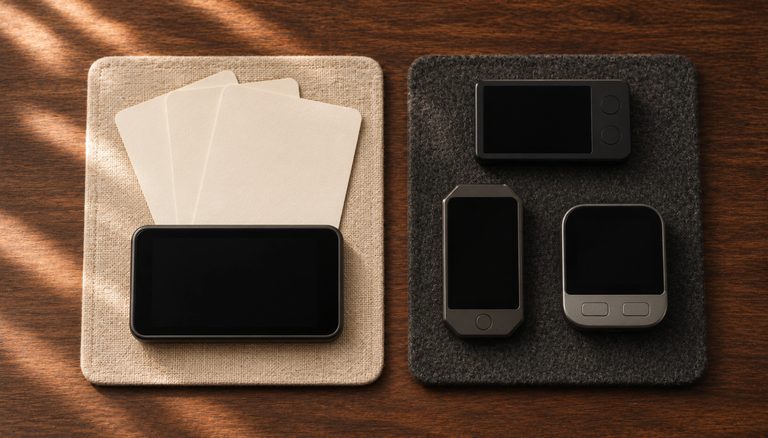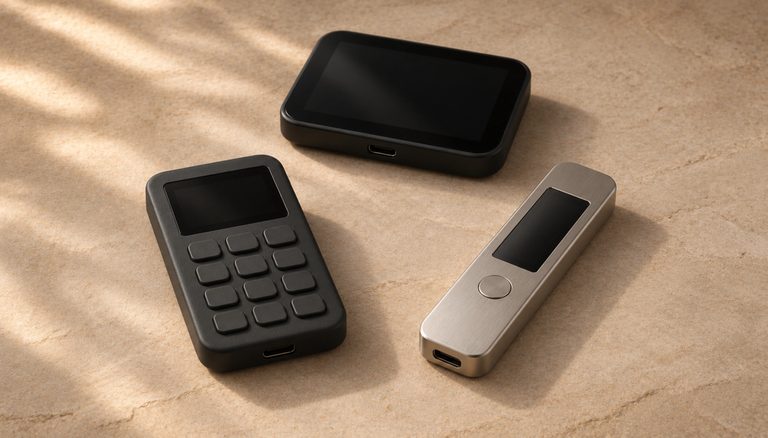
This guide shows you how to design cold storage that fits what you hold and the risks you face. You will choose between a single-signature hardware wallet and a multisig, set up signing that never touches an internet-connected device, decide where each backup lives, and test the whole system before you trust it with savings.
The foundation of any Bitcoin security architecture begins with understanding one’s specific threat model. Different users face varying risks based on their public profile, geographic location, and technical capabilities. A public Bitcoin advocate faces different security challenges compared to a private individual, necessitating careful consideration of the trade-offs between security features and operational complexity.
Single-signature wallets using hardware devices like Coldcard or Jade represent the simplest and most straightforward approach to cold storage. When properly implemented with a secure seed phrase and optional passphrase (sometimes called a ‘25th word’), these solutions can provide excellent security for most users. The key advantage lies in their operational simplicity, reducing the risk of user error while maintaining strong security properties.
However, the cryptocurrency landscape has evolved to embrace more sophisticated solutions, particularly multi-signature (multisig) arrangements. Multisig setups distribute trust across multiple devices and locations, creating additional security layers that can protect against various attack vectors including theft, coercion, and hardware failure. This approach has become increasingly popular among high-net-worth individuals and institutional holders.
The technical implementation of multisig solutions requires careful consideration of key management protocols, backup procedures, and inheritance planning. You can learn more about this in our lesson on Bitcoin inheritance planning. Users must balance the number of signature devices against practical considerations like geographic distribution and backup redundancy. A common approach involves using a 2-of-3 or 3-of-5 signature scheme, allowing for both security and operational flexibility.
When implementing cold storage solutions, the question of geographic distribution becomes paramount. Physical security often involves storing backup devices and seed phrases in multiple locations, potentially across different jurisdictions. This approach must account for various scenarios including border crossings, natural disasters, and potential government intervention.
The role of sovereign computing in Bitcoin security cannot be overstated. Hardware wallets keep the keys on a dedicated device, and many can sign air-gapped or protect the keys with a secure element. The choice between different hardware devices often comes down to specific security features, ease of use, and the manufacturer’s track record in the space.
International mobility presents unique challenges for Bitcoin holders. The ability to reconstruct wallet access across borders without carrying sensitive materials requires careful planning. The safe options keep the recovery words physical: complete backups on paper or metal kept in more than one place, restored onto a new hardware wallet when needed, or a multisig with keys held by trusted parties in different jurisdictions. Two shortcuts are not among them: an encrypted digital copy of the words can still be stolen remotely, and a seed kept only in memory can be forgotten (see Seed Phrase Storage). A multisig wallet’s descriptor, which can’t spend, is the one piece you may carry as an encrypted digital copy.
The emergence of specialized software solutions has made complex security arrangements more accessible to average users. Modern wallet coordination software can manage multisig setups while providing intuitive interfaces for transaction signing and key management. These tools have dramatically reduced the technical barriers to implementing sophisticated security architectures.
Education and practice remain crucial elements in any security implementation. Users must develop competency with their chosen tools through careful testing and regular practice of recovery procedures. This includes maintaining detailed documentation of setup procedures while being mindful of operational security considerations.
The future of Bitcoin security architecture continues to evolve with technological advances. Developments in areas like threshold signatures, secure enclaves, and post-quantum cryptography may influence best practices in coming years. Users must stay informed about emerging security threats and adaptation strategies.
Looking ahead, the integration of Bitcoin security solutions with broader financial sovereignty goals suggests an increasing focus on jurisdictional diversity and resilient backup strategies. The balance between security and accessibility will remain a central consideration as the ecosystem continues to mature and expand.
Step-by-Step Guide
Designing a Bitcoin cold storage architecture tailored to your specific needs requires evaluating your threat model, selecting appropriate hardware, and establishing operational procedures. This guide walks through the complete process from initial planning to verified operational readiness.
Step 1: Define Your Threat Model and Security Requirements. Before selecting any hardware or software, document the specific risks you need to protect against. Consider physical threats (theft, fire, flooding), digital threats (malware, remote attacks, supply chain compromises), personal threats (coercion, loss of capacity), and inheritance scenarios. Your threat model determines whether a single-signature setup is sufficient or whether multisig is required, and informs decisions about geographic distribution and backup strategies.
Step 2: Choose Your Signing Architecture. For holdings below approximately $50,000, a single-signature hardware wallet with a strong passphrase (25th word) provides adequate security with minimal operational complexity. For larger holdings or shared custody requirements, implement a 2-of-3 multisig setup using hardware wallets from at least two different manufacturers, and ideally a different manufacturer for each key, so one maker’s flaw reaches only one key. With only two makers, one of them made two of your keys, which in a 2-of-3 is enough to spend. Institutional holders or those with holdings exceeding $500,000 should consider 3-of-5 multisig with geographically distributed keys and professional-grade backup procedures. Treat these amounts as rough guides: the threshold is personal, and multisig is worth its extra work once losing your bitcoin would seriously hurt you.

Step 3: Procure Hardware Wallets Securely. Buy hardware wallets new, from the manufacturer’s own store; if it doesn’t deliver to you, use a reseller listed on the manufacturer’s website and check our security advisories for that reseller first. Never buy second-hand or from marketplaces, where devices may have been tampered with. Upon receipt, verify the device’s anti-tamper seals or packaging security features. A Coldcard, for example, ships in a numbered tamper-evident bag and asks you to confirm that number on screen when you first turn it on. Set up each device in a private space without cameras, following its maker’s guide (the hardware wallet setup lesson walks through each brand, including the firmware update to do first).
Step 4: Generate and Secure Seed Phrase Backups. During device initialization, each hardware wallet creates a seed phrase (24 words on most devices; a Trezor Safe’s default is a 20-word SLIP-39 backup). Write it on the backup card as the device shows it, then copy it onto a steel or titanium backup plate, because paper degrades over time and is vulnerable to fire and water damage. Stamp or engrave each word carefully, numbered, then test the plate with the device’s built-in backup check, typing the words from the plate on the device. Store the metal backup in a fire-resistant safe at a location separate from the hardware wallet itself. If you use a passphrase, write it down too and keep that copy in another place, apart from the words. In a multisig, each key’s backup goes to its own place with a copy of the wallet descriptor (the line of text that records the whole wallet: its keys and how many must sign), because two seeds can’t rebuild the wallet without it (see Multisig Wallets Explained). The words never go into a computer or phone (see Seed Phrase Storage).
Step 5: Configure Air-Gapped Transaction Signing. Set up your hardware wallet to sign transactions without ever connecting to an internet-enabled computer. Coldcard supports fully air-gapped workflows using microSD cards to transfer unsigned and signed transactions. Keystone, the Jade Classic and the Jade Plus use QR codes for the same purpose (the Jade Core has no camera). This air gap ensures that even if your coordinator computer is compromised with malware, the private keys on the signing device remain isolated from any network-connected system.

Step 6: Establish Your Coordinator Software. Install Sparrow Wallet or a similar coordinator application on a dedicated computer that connects to your own Bitcoin full node. The coordinator handles address generation, UTXO management, transaction construction, and broadcast. Connect it through Tor for network privacy. Import your hardware wallet’s xpub (or the multisig wallet descriptor) so the coordinator can generate receive addresses and construct unsigned transactions for the hardware wallet to sign.
Step 7: Verify the Complete System with a Test Transaction. Send a small amount of Bitcoin to your cold storage address. Then create a withdrawal transaction, sign it with your hardware wallet(s), broadcast it, and confirm it settles on-chain. For multisig setups, test with each possible combination of signing devices to ensure all keys work correctly. Document the entire procedure as a written standard operating procedure (SOP) for future reference and inheritance planning.

Common Mistakes to Avoid
1. Over-Engineering Security at the Expense of Usability. A 5-of-7 multisig with keys distributed across four continents may sound maximally secure, but if you cannot practically access your funds when needed or if the complexity leads to errors, the system fails. Choose the simplest architecture that adequately addresses your threat model. For most individuals, 2-of-3 multisig or a single-sig wallet with a passphrase provides the right balance.
2. Generating Seed Phrases on Internet-Connected Devices. Creating seed phrases using a computer, phone, or web application—even momentarily connected to the internet—exposes the seed to potential malware interception. Always generate seeds on a hardware wallet. A device’s generator can still be flawed, as the July 2026 Coldcard flaw showed (see the Coldcard advisory): current Coldcard firmware now makes you add your own randomness (dice, coin flips or key presses), and on other devices adding dice is optional. If you use dice, follow our dice rolls guide, because careless rolls can make a seed weaker. For larger amounts, a multisig with each key from a different manufacturer keeps one vendor’s flaw from reaching enough keys to spend.
3. Storing Seed Backups Without Environmental Protection. Paper seed backups degrade from humidity, are destroyed by fire, and can be accidentally discarded. Even laminated paper offers limited durability over decades. Paper is the right place to start, but long-term storage needs metal: stainless steel melts at roughly 1,400–1,500°C and titanium at 1,668°C, well above a house fire, and the design matters as much as the metal, since some products lose or shift their parts in heat or under crushing in Jameson Lopp’s independent tests. The cost of a metal backup is trivial relative to the value it protects.
4. Failing to Plan for Incapacity and Inheritance. If you are hit by a bus tomorrow, can your family access your Bitcoin? Cold storage that only you can operate creates a ticking clock for permanent fund loss. Document your setup in two parts, as the inheritance planning lesson teaches: a letter of clear, non-technical instructions that holds no secrets (what exists, whom to call, how recovery works), which can sit with your will or your lawyer; and a sealed access sheet, stored somewhere else, that says where each backup and device is and holds the PINs. Never keep the instructions with the key backups, and never write seed words in either document. A dead man’s switch service can deliver the letter if you become unresponsive, but never the secrets.

Frequently Asked Questions
How long can a hardware wallet sit unused before it becomes unreliable?
Modern hardware wallets use flash memory and secure elements that retain data for decades without power. However, batteries in devices like Coldcard Q may deplete over several years of storage. The hardware wallet is not the critical backup—your seed phrase is. As long as your metal seed backup is intact, you can restore its key on any compatible device, even if the original hardware fails. To get your wallet back you also need the exact passphrase if you use one, and in a multisig the wallet descriptor kept with each backup. Test your hardware wallets at least annually to detect issues early.
Should I use a passphrase (25th word) in addition to multisig?
For most users, multisig and passphrases address different threats and combining them adds significant complexity. Multisig protects against single key compromise; a passphrase protects against physical seed discovery. In a well-distributed 2-of-3 multisig, even if an attacker finds one seed backup, they cannot spend funds. Adding passphrases to each key creates additional failure points—if you forget any passphrase, that key becomes unusable. Use one approach or the other based on your primary threat, not both simultaneously unless you have a specific, documented reason.
Is there a minimum amount of Bitcoin that justifies cold storage?
There is no universal minimum, but the general principle is: if losing the Bitcoin would cause meaningful financial pain, it belongs in cold storage. A basic hardware wallet costs $50-150, making it cost-effective for holdings above a few hundred dollars. The threshold for multisig is higher—typically when holdings exceed what you could afford to lose—because the added complexity requires more time and discipline to manage safely.
Can I use the same cold storage setup for Bitcoin and other cryptocurrencies?
Most hardware wallets support multiple cryptocurrencies, but mixing Bitcoin and altcoin operations on the same device introduces unnecessary risk. Altcoin firmware updates, untested signing code, and different address formats increase the attack surface. Dedicated Bitcoiners typically use a Bitcoin-only device or firmware edition, which leaves out all non-Bitcoin code and so reduces the potential for firmware vulnerabilities: every Coldcard is Bitcoin-only, and the Trezor Safe 3 and Safe 5, the BitBox02 and the Keystone 3 Pro offer Bitcoin-only firmware. If you hold altcoins, use a separate device.
Related Resources
- Hardware Wallet Buying Guide 2026 – Compare air-gapped signing devices for your cold storage architecture.
- Cryptosteel vs Billfodl: Best Metal Seed Backup – Choose the right steel backup solution for long-term seed phrase storage.
- The Complete Guide to Bitcoin Seed Phrase Security – Master seed phrase generation, storage, and recovery across all cold storage configurations.
- Seed Phrase Inheritance: Dead Man’s Switch Options – Ensure your heirs can access cold storage funds if you become incapacitated.
- Coldcard MK4 Setup Guide 2026 – Step-by-step setup for owners of this air-gapped signing device.