Best Bitcoin Cold Storage Methods 2027: A Complete Comparison
Cold storage is the practice of keeping Bitcoin private keys on devices or media that never connect to the internet. It is the foundation of Bitcoin security for anyone holding more than pocket change. The concept is simple — keys that never touch the internet cannot be stolen remotely — but the implementation spans a wide range of methods, costs, and complexity levels.
This guide covers six distinct cold storage methods, from single-signature hardware wallets to steel plate backups. Each has different security properties, costs, and operational requirements. By the end, you will know which method matches your holdings, technical comfort level, and threat model.
Why Cold Storage Matters
Every bitcoin theft you have heard about falls into one of two categories: the private keys were on an internet-connected device, or the owner was tricked into signing a malicious transaction. Cold storage eliminates the first category entirely. When your keys exist only on an offline device — or stamped into a metal plate locked in a safe — no malware, phishing attack, or exchange hack can reach them.
The trade-off is convenience. You cannot spend from cold storage as quickly as from a phone wallet. Accessing funds requires physical interaction with the storage medium: plugging in a hardware wallet, scanning QR codes, or retrieving a metal plate from a vault. This friction is a feature, not a bug. It forces deliberation before spending and creates physical barriers that remote attackers cannot cross.
For a foundational understanding of how cold and hot wallets work together, read Bitcoin Security Architecture: Cold Storage, Hot Wallets, and Risk Management.
Method 1: Single-Signature Hardware Wallet
How It Works
A hardware wallet is a dedicated device that generates and stores your private keys in a secure chip, signs transactions on the device itself, and never exposes the raw key material to your computer or phone. You connect it via USB, QR code, or NFC when you want to send bitcoin, approve the transaction on the device’s screen, and disconnect.
Security Profile
A single-sig hardware wallet protects against all remote attacks. The keys never exist on a networked device. The main vulnerabilities are physical: if someone steals both your hardware wallet and your PIN, or if someone obtains your seed phrase backup, they can access your funds.
This is the most common cold storage method and the right starting point for most people. It provides a large security improvement over phone or desktop wallets with minimal complexity.
Cost
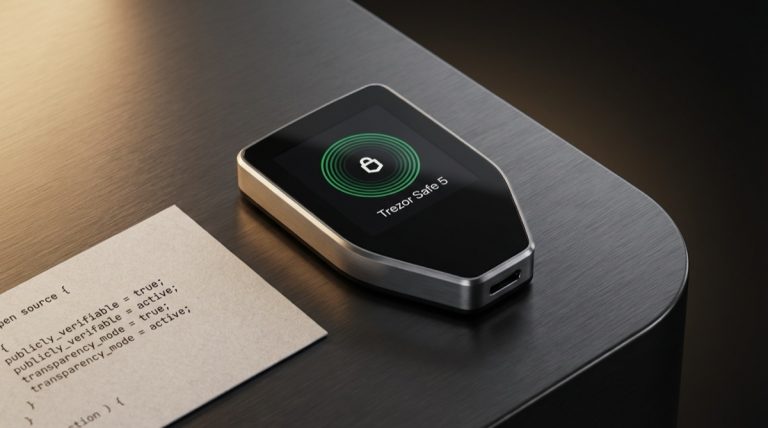
$65 to $299 depending on the device. The Blockstream Jade is the most affordable at ~$65; the Foundation Passport is the most expensive at ~$299. Most popular options (Coldcard MK4, Trezor Safe 5, BitBox02) cluster around $149-169. See the full Hardware Wallet Buying Guide for detailed comparisons.
Best For
Individuals holding $1,000 to $50,000 in bitcoin who want strong security without significant operational complexity. Also appropriate as the day-to-day signing device in a tiered setup where larger holdings are in multisig.
Method 2: Multi-Signature Hardware Wallet Setup
How It Works
Multisig requires multiple independent private keys to authorize a transaction. A 2-of-3 setup, for example, uses three hardware wallets from (ideally) three different manufacturers. Any two of the three must sign before a transaction is valid. The three devices are stored in three separate physical locations — your home, a bank safe deposit box, a trusted family member’s safe, etc.
Security Profile
Multisig is the gold standard for individual cold storage security. An attacker must compromise two separate locations and two separate devices to steal funds. A single device failure, theft, or destruction does not result in loss — you can always recover with the remaining two keys. This eliminates the single point of failure that defines single-sig setups.
The flip side is operational complexity. You must maintain three devices, three seed phrase backups, and the wallet configuration file (the descriptor or BSMS file that defines the quorum). Losing the configuration file alongside one key can make recovery difficult. Proper documentation and backup of the wallet descriptor is critical.
Cost
$200 to $600+ depending on device selection. A budget 2-of-3 might use three Blockstream Jades (~$195 total). A premium setup using Coldcard MK4 + Foundation Passport + BitBox02 runs about $596. You also need metal backups for each seed phrase and the wallet descriptor, adding another $50-150.
Best For
Individuals holding $50,000+ in bitcoin, or anyone for whom the loss of their bitcoin would be financially devastating regardless of amount. Also critical for inheritance planning — multisig is the cleanest way to distribute key custody among heirs and executors. Read Bitcoin Inheritance Planning for guidance on structuring multisig for succession.
For a complete walkthrough of migration from single-sig to multisig, see Transitioning from Single-Sig to Multisig.
Method 3: Air-Gapped Signing Devices
How It Works
An air-gapped signing device is a hardware wallet that can operate without any wired or wireless connection to a computer or phone. Transaction data is exchanged exclusively through QR codes (scanned by a built-in camera) or microSD cards. The device is never plugged into a USB port on a networked machine and never connects via Bluetooth or Wi-Fi.
The workflow for spending: your coordinator software (Sparrow, Electrum, Nunchuk, etc.) prepares the transaction on your computer and displays it as a QR code. You scan the QR with the air-gapped device, verify the transaction details on the device’s screen, sign it, and display the signed transaction as a QR code back to your computer. The computer broadcasts the signed transaction to the Bitcoin network. At no point is there a direct data connection between the signing device and any networked machine.
Devices That Support Full Air-Gap
- Coldcard MK4 / Q: Air-gapped via microSD and NFC. No camera, so QR codes are not supported. The Coldcard can run on a USB battery pack for fully cordless operation.
- Blockstream Jade / Jade Plus: Air-gapped via built-in camera for QR-code scanning. Can also use USB and Bluetooth, but the camera-based QR workflow avoids all electronic connections.
- Foundation Passport: Air-gapped via camera (QR) and microSD. No USB data connection (USB is for charging only). This is one of the strictest air-gap implementations available.
- Keystone 3 Pro: Fully air-gapped. Has no USB data port at all — communication is exclusively through QR codes via the built-in camera. This is the most extreme air-gap design on the market.
Security Profile
Air-gapping eliminates the USB attack surface entirely. Malware on your computer cannot send malicious commands to the device over USB because there is no USB connection. The remaining attack vectors are limited to: physical theft of the device, compromised firmware (loaded via microSD or QR), and social engineering (tricking you into signing a malicious transaction). For a technical analysis of firmware-level threats to air-gapped devices, see Dark Skippy and Beyond.
Cost
Same as buying the hardware wallet itself: $65 (Jade) to $299 (Passport). Air-gapped operation does not cost extra — it is a capability of the device. You may want a dedicated USB battery pack (~$15) for devices that need external power.
Best For
Security-conscious users who want the strongest isolation between their signing device and any networked computer. Particularly valuable for cold storage that is accessed infrequently (monthly or less). The slight workflow friction of scanning QR codes or swapping microSD cards is negligible when you only access funds a few times per year.
Method 4: Metal Seed Backups
How It Works
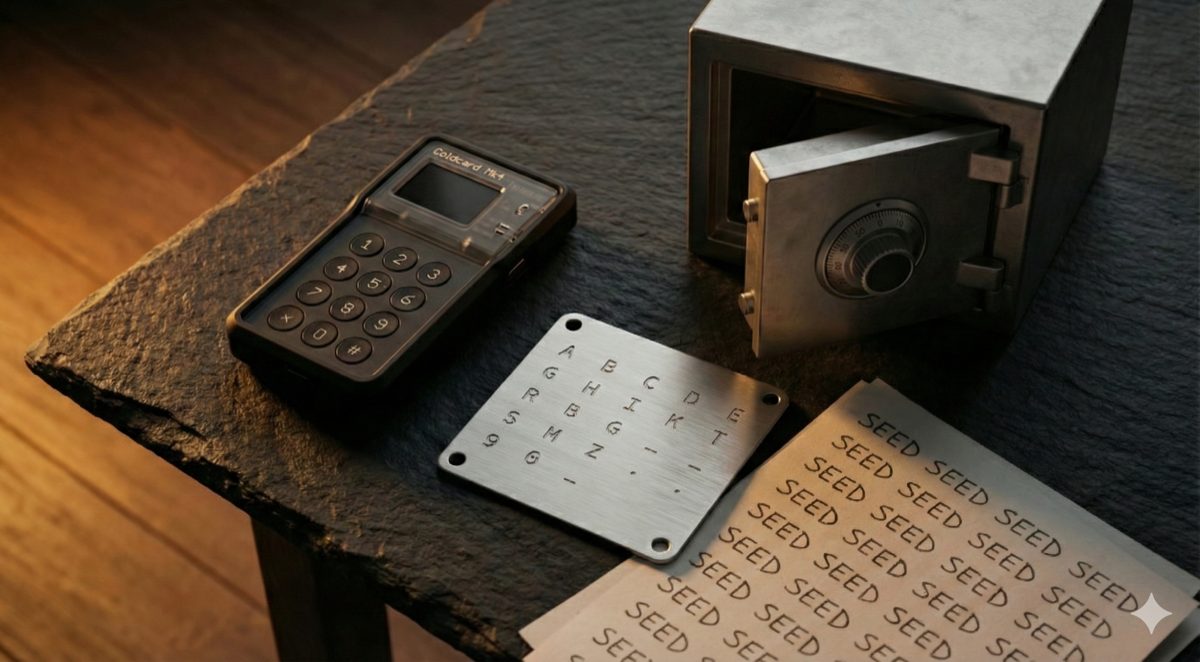
A metal seed backup is your 12 or 24-word seed phrase physically stamped, etched, or engraved into a steel or titanium plate. This serves as a disaster-resistant backup of your wallet. Unlike paper, metal plates survive house fires (steel melts at ~1,370 C / 2,500 F, far above typical house fire temperatures of 600-800 C), floods, and decades of storage without degradation.
Popular Products
- Cryptosteel Capsule Solo (~$89): Stainless steel cylinder containing individual letter tiles. You slide the first four letters of each seed word onto a core rod. The capsule is sealed and waterproof.
- Billfodl (~$99): Similar concept to Cryptosteel — letter tiles in a stainless steel case. The tiles slot into tracks for each word position.
- Blockplate (~$69): A thick stainless steel plate where you use a center punch to mark the first four letters of each word in a grid. No moving parts, nothing to disassemble.
- Seedplate by Coinkite (~$35): A simpler steel plate for center-punch marking. The most affordable metal backup option from a reputable manufacturer.
- Hodlr Swiss (~$49): Swiss-made stainless steel plate with a letter stamping system.
Security Profile
Metal backups protect against environmental destruction — fire, flood, corrosion. They do not protect against theft. If someone finds your metal plate, they have your seed phrase and therefore your funds (unless you also use a BIP39 passphrase, which should be stored separately). Metal backups should be stored in a secure location: a home safe, a bank safe deposit box, or both. Read Seed Phrase Storage Best Practices for a complete storage strategy.
Cost
$35 to $99 per plate. For a multisig setup requiring three seed phrase backups, budget $105-297 for metal backups alone.
Best For
Everyone who uses a hardware wallet. A metal seed backup is not an alternative to a hardware wallet — it is a complement. The hardware wallet is your active signing device; the metal backup is your disaster recovery. If your hardware wallet is lost, stolen, or destroyed, the seed phrase on your metal plate lets you restore your wallet on any compatible device.
Method 5: Paper Wallets (Legacy Method — Not Recommended)
How It Works
A paper wallet is a printed document containing a Bitcoin private key and its corresponding public address, typically as both text and QR codes. The concept peaked in popularity around 2013-2016, before hardware wallets became widely available.
Why Paper Wallets Are Problematic
Paper wallets have significant security and usability problems that make them unsuitable for modern Bitcoin storage:
- Key generation risk: Generating a paper wallet requires a secure, offline computer with trusted software. Most users who create paper wallets do so on their everyday computer, which may be compromised by malware that captures the private key during generation.
- Address reuse: Paper wallets encourage address reuse (receiving multiple payments to the same address), which degrades privacy.
- Partial spending danger: Bitcoin transactions must spend the entire UTXO (unspent transaction output). If you have 1 BTC on a paper wallet and want to send 0.1 BTC, the remaining 0.9 BTC is sent to a change address. If the wallet software is not configured correctly, the change goes to a new address that you may not have backed up — resulting in loss. Many people have lost significant amounts this way.
- Physical fragility: Paper degrades. Ink fades. Water destroys it. Fire destroys it. Paper wallets stored for years can become partially or fully illegible.
- No transaction verification: Unlike a hardware wallet, a paper wallet cannot display transaction details for you to verify before signing. You are trusting your computer entirely.
If you encounter old guides recommending paper wallets, understand that the hardware wallet ecosystem has made them obsolete. A $65 Blockstream Jade provides vastly better security than any paper wallet.
Best For
Nothing, in 2027. This method is documented here only for completeness and to steer new users away from outdated advice.
Method 6: Steel Plates and DIY Solutions
How It Works
Beyond commercial metal backup products, some users create their own seed phrase backups using raw steel plates from hardware stores, metal stamping kits, or even angle grinder etching. This approach appeals to those who want to avoid commercial supply chains entirely or who need custom form factors.
DIY Options
- Steel plate + letter stamp set (~$25-40 total): Buy a thick (3mm+) stainless steel plate from a metal supplier and a letter/number stamp set from a hardware store. Stamp each word or the first four letters of each word. Requires a hammer, a hard surface, and patience.
- Steel washer method (~$10-15): Use standard stainless steel washers and stamp one word on each washer. Thread the washers onto a bolt in order and secure with a nut. Cheap, compact, and highly durable.
- Engraving tool (~$30-50 for tool): A rotary engraving tool (Dremel-style) can etch words into any metal surface. Less precise than stamping but easier for some users.
Security Considerations
DIY solutions are as durable as the metal and stamping quality allow. Stainless steel (grade 304 or 316) provides excellent corrosion resistance and fire survivability. The security risk is the same as any metal backup: physical discovery equals compromise. Store accordingly.
One advantage of DIY: it leaves no commercial paper trail. Ordering a Cryptosteel online creates a record that you likely own cryptocurrency. Buying a steel plate and stamp set from a local hardware store does not.
Cost
$10 to $50 depending on method and materials. The cheapest option in this entire guide.
Best For
Users who want maximum privacy in their backup creation process, those on tight budgets, or users who need multiple backups and want to keep costs down. Also useful for multisig setups where you need three or more seed phrase backups — buying three commercial products at $89 each ($267) versus three DIY steel plates at $15 each ($45) is a meaningful cost difference.
Comparison Table
| Method | Security Level | Cost Range | Setup Complexity | Recovery Difficulty | Best For |
|---|---|---|---|---|---|
| Single-sig hardware wallet | High | $65 – $299 | Low | Low (restore from seed) | Most users, $1K-$50K |
| Multisig hardware wallets | Very High | $200 – $600+ | High | Medium (need 2-of-3 keys + descriptor) | $50K+, inheritance |
| Air-gapped signing device | Very High | $65 – $299 | Medium | Low (restore from seed) | Security-focused users |
| Metal seed backup | High (disaster recovery) | $35 – $99 | Low | N/A (is the recovery method) | Everyone (complement to HW wallet) |
| Paper wallet | Low | ~$0 | Medium (if done securely) | High (partial spend risk) | Not recommended |
| Steel plates / DIY | High (disaster recovery) | $10 – $50 | Low-Medium | N/A (is the recovery method) | Budget-conscious, privacy-focused |
Cost Analysis by Security Tier
Tier 1: Basic Cold Storage (~$100)
- Blockstream Jade (~$65)
- Seedplate by Coinkite for metal backup (~$35)
- Total: ~$100
This setup gives you a fully functional air-gapped signing device with QR-code support and an open-source firmware, plus a metal seed phrase backup that survives fire and flood. It is a dramatic security upgrade over any software wallet and costs less than a nice dinner for two. For users holding $1,000-$10,000 in bitcoin, this is the sweet spot.
Tier 2: Enhanced Cold Storage (~$300)
- Coldcard MK4 (~$148) or BitBox02 (~$149)
- Billfodl or Cryptosteel metal backup (~$89-99)
- BIP39 passphrase enabled (no additional cost)
- Dedicated coordinator software (Sparrow Wallet, free)
- Total: ~$250-300
This tier adds a premium signing device with proven security architecture, a commercial-grade metal backup, and a passphrase for plausible deniability. The passphrase means an attacker who finds your metal backup still cannot access your main holdings without the passphrase. See Wallet Security and Passphrases for passphrase implementation details. Appropriate for $10,000-$100,000 in holdings.
Tier 3: Multi-Signature Cold Storage (~$600+)
- Three hardware wallets from different manufacturers (~$360-500)
- Three metal seed backups (~$105-297)
- Multisig coordinator software (Sparrow, Nunchuk, or Electrum — free)
- Three secure storage locations (home safe, bank deposit box, trusted third party)
- Total: ~$465-800 in hardware, plus ongoing safe deposit box costs
This is the configuration used by security-conscious holders with significant bitcoin positions. No single device compromise, no single location theft, and no single seed phrase exposure can result in loss. This setup also integrates naturally with inheritance plans — you can distribute keys among trusted parties who individually cannot access funds but collectively can. Read Multisig Recovery Protocols before committing, so you understand the recovery process.
How to Choose Based on Amount Stored
Rules of thumb are imperfect, but they provide a starting framework:
- Under $1,000: A reputable mobile wallet (BlueWallet, Muun, Green) with the seed phrase written down and stored securely may suffice. Hardware wallet is optional but still beneficial.
- $1,000 – $10,000: Single-sig hardware wallet + metal seed backup. This is the minimum for responsible custody at this level.
- $10,000 – $50,000: Single-sig hardware wallet + metal seed backup + BIP39 passphrase. Consider air-gapped operation.
- $50,000 – $250,000: Multisig 2-of-3 with multi-vendor hardware wallets. Metal backups for all seeds. Documented recovery process.
- $250,000+: Multisig 2-of-3 or 3-of-5 with geographically distributed keys, formal inheritance plan, and possibly a collaborative custody provider (Unchained, Casa) as one key holder. See Evolution of Bitcoin Custody for an analysis of collaborative custody models.
These thresholds are subjective. A person whose net worth is $100,000 holding $20,000 in bitcoin might want multisig. A person worth $10 million holding $50,000 in bitcoin might be fine with single-sig. The question is always: what would losing this bitcoin mean to you?
Cold Storage Best Practices Checklist
- Generate your seed phrase on the hardware wallet itself. Never type a seed phrase into a computer or phone. Never use a website to generate a seed phrase. The hardware wallet’s random number generator is the trusted source.
- Verify your seed phrase backup immediately. Most hardware wallets have a “verify backup” feature. Use it before depositing any funds. Confirm every word matches what you wrote down or stamped.
- Use metal for seed phrase storage. Paper is a temporary solution. Metal is a permanent one. Budget $35-99 per seed phrase.
- Store seed phrase backups separately from hardware wallets. The hardware wallet is a signing device. The metal backup is disaster recovery. They should never be in the same location.
- Test recovery before depositing significant funds. Reset the hardware wallet, restore from your seed phrase backup, and verify that the same addresses appear. This proves your backup works. Do this once and never worry about it again.
- Keep firmware updated. Hardware wallet manufacturers release firmware updates to fix security vulnerabilities and add features. Update regularly, but verify the update source. See Firmware Updates Best Practices for safe update procedures.
- Use a passphrase if you use single-sig. The passphrase adds meaningful protection against physical theft of your seed phrase backup, with the trade-off of requiring an additional backup item.
- Document your setup. Write down which hardware wallet model you use, which coordinator software, which derivation path, and where backups are stored. This documentation is critical for inheritance and for your own reference years later. Store this documentation separately from the seed phrases themselves.
- Verify receive addresses on the hardware wallet screen. Before giving anyone a receive address, always confirm it matches what your hardware wallet displays. Clipboard-hijacking malware can substitute attacker addresses on your computer screen.
- Practice operational security. Do not discuss your bitcoin holdings publicly. Do not photograph your seed phrases. Do not store seed phrases digitally (no photos, no cloud storage, no password managers as the sole backup). Physical security fundamentals matter as much as cryptographic security.
For a deeper analysis of custody evolution and how these practices have developed over the years, read The Evolution of Bitcoin Self-Custody.
Frequently Asked Questions
How long can bitcoin stay in cold storage safely?
Indefinitely, from a cryptographic standpoint. Bitcoin’s elliptic curve cryptography (secp256k1) is not at risk from any known computing technology, including near-term quantum computing developments. The practical limits are physical: your seed phrase backup must remain readable and accessible. Metal backups stored in stable environments will last decades or longer. Review your setup annually — not because the cryptography weakens, but because you might forget details of your own system, your physical locations might change, or your estate plan might need updating.
What happens if my hardware wallet breaks or the manufacturer goes out of business?
Your bitcoin is not stored on the hardware wallet. The hardware wallet stores your private keys and signs transactions. If the device breaks, buy any other hardware wallet (from any manufacturer) that supports BIP39 seed phrases (virtually all of them), restore from your seed phrase backup, and your bitcoin is accessible again. Your funds exist on the Bitcoin blockchain, not on any device. The seed phrase is the ultimate key. Manufacturer bankruptcy is inconvenient (no more firmware updates, no more customer support) but not catastrophic if you have your seed phrase. For more on wallet architecture and interoperability, see Bitcoin Wallet Architecture.
Is a safe deposit box a good location for a seed phrase backup?
A bank safe deposit box provides physical security that exceeds what most home safes offer: fire suppression, flood protection, restricted access, and insurance in some cases. The downsides: bank access is limited to business hours (in most cases), you are trusting the bank’s physical security, and contents of safe deposit boxes can be legally seized in some jurisdictions. For a multisig setup, a safe deposit box is an excellent choice for one of the three key locations — but not all three. Geographic and institutional diversity matters. One key at home, one at a bank, and one at a trusted relative’s location is a robust distribution.
Can I use cold storage and still earn yield on my bitcoin?
Not without giving up custody. True cold storage means you hold the keys and no one else can move your bitcoin. Yield products (lending, staking proxies) require you to deposit bitcoin with a third party, which means giving them custody. These are fundamentally incompatible with cold storage. Some users maintain a split: the majority of holdings in cold storage, and a smaller allocation deposited with a yield provider. Understand that the deposited portion is no longer cold-stored and carries counterparty risk. The collapse of multiple lending platforms in 2022-2023 demonstrated this risk in painful detail.
How do I set up cold storage for inheritance without giving heirs immediate access?
Multisig is the cleanest solution. In a 2-of-3 setup, you can hold two keys and give one key to an heir, a lawyer, or a trusted executor. During your lifetime, only you can spend (because you hold two keys). Upon your death, the heir needs to locate only one of your two remaining keys to reach the 2-of-3 threshold. Document the key locations and recovery process in your estate plan — stored with your attorney, not with the keys themselves. Some users use collaborative custody services like Unchained or Casa, where the company holds one key and assists heirs through a verified recovery process. Read Bitcoin Inheritance Planning for a comprehensive treatment of this topic.
For a broader perspective, explore our Bitcoin seed phrase security guide.