What Is a Bitcoin Multisig Wallet?
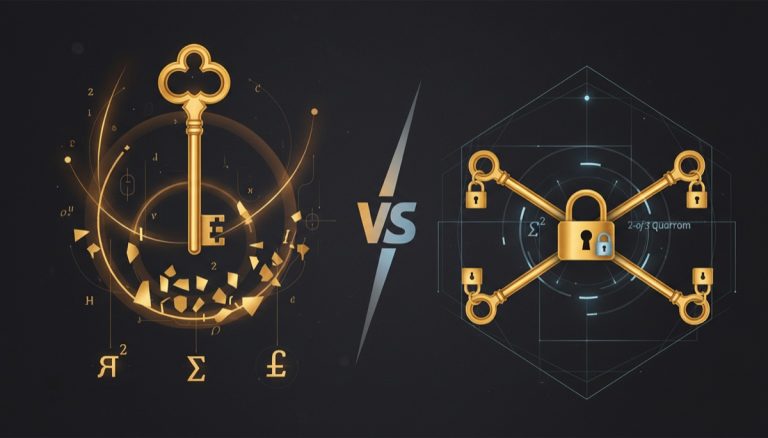
A bitcoin multisig wallet requires multiple private keys to authorize a transaction instead of just one. The concept is straightforward: rather than a single key controlling your bitcoin, you distribute that control across two, three, or more keys — and you define how many of those keys must sign before funds can move.
Think of it like a bank safety deposit box that needs two separate keys turned simultaneously. Neither key holder can open the box alone. Bitcoin multisig works the same way, except the “box” is a Bitcoin address and the “keys” are cryptographic private keys stored on different devices or held by different people.
Bitcoin has supported multisig natively since 2012 through the OP_CHECKMULTISIG opcode. This isn’t a third-party add-on or a layer built on top of Bitcoin — it’s a core protocol feature. Every full node on the network validates multisig transactions using the same consensus rules that validate single-signature transactions.
Why Multisig Exists
Single-signature wallets have one critical weakness: a single point of failure. If someone gains access to your one private key — through theft, coercion, or a compromised device — they control your entire bitcoin balance. Multisig eliminates this risk by requiring multiple independent keys to sign.
The tradeoff between security and usability is the central design challenge in bitcoin custody. Multisig shifts that balance heavily toward security while maintaining self-custody — you still hold your own keys, but an attacker now needs to compromise multiple independent devices or locations to steal your funds. For a broader look at securing bitcoin in offline storage, see our advanced cold storage security guide.
Multisig also provides redundancy. In a properly configured setup, you can lose one key entirely and still access your bitcoin. That combination — stronger security and better redundancy — is why multisig has become the standard recommendation for anyone holding significant bitcoin long-term.
Understanding 2-of-3 Multisig
The notation “m-of-n” describes any multisig configuration, where n is the total number of keys and m is the number required to sign. A 2-of-3 bitcoin multisig wallet holds three private keys and requires any two of them to authorize a spending transaction.
This is the most popular multisig configuration for individual users, and for good reason. It balances three critical properties:
- Security: An attacker must compromise two separate keys, stored on different devices in different locations, to steal your funds.
- Redundancy: You can permanently lose one key and still spend your bitcoin with the remaining two.
- Practicality: Three keys are manageable. You can realistically store them in three distinct geographic locations without the operational burden of managing five or seven keys.
How the Three Keys Work Together
Each key in a 2-of-3 setup is generated independently, typically on three separate hardware wallets. During wallet creation, each device produces an extended public key (xpub). These three xpubs are combined in a multisig coordinator application to create the wallet — a process where verifying each xpub correctly is critical to security — a set of bitcoin addresses that can only be spent from when two of the three corresponding private keys sign.
The private keys themselves never leave their respective hardware devices. When you want to send bitcoin, you create a transaction in the coordinator, sign it with one hardware wallet, then sign it with a second hardware wallet. Two valid signatures complete the transaction, and the coordinator broadcasts it to the Bitcoin network.
The three possible signing combinations in a 2-of-3 setup are:
- Key A + Key B
- Key A + Key C
- Key B + Key C
Any combination works. This flexibility is what gives you redundancy — if Key B is destroyed in a fire, Keys A and C can still move the funds.
Script Types and Address Formats
Modern multisig wallets typically use one of two script types:
- P2WSH (Pay-to-Witness-Script-Hash): Native SegWit multisig, producing addresses starting with
bc1q. Lower fees than legacy multisig but still larger transactions than single-sig. - P2TR (Pay-to-Taproot): Taproot-based multisig using MuSig2 or FROST protocols. Produces
bc1paddresses. On-chain, spending transactions look identical to single-sig, improving privacy and reducing fees. Taproot multisig support is still maturing across wallet software.
For a full walkthrough of setting up this configuration, see our 2-of-3 multisig bitcoin setup guide.
Multisig Coordinators Compared
A multisig coordinator is the software application that combines your public keys into a multisig wallet, generates receiving addresses, constructs unsigned transactions, and collects signatures. The coordinator never holds private keys — it manages the workflow of creating and signing multisig transactions.
Three desktop coordinators dominate the self-custody multisig space: Sparrow Wallet, Nunchuk, and Specter Desktop. Each takes a different approach to the user experience.
| Feature | Sparrow Wallet | Nunchuk | Specter Desktop |
|---|---|---|---|
| Platform | Windows, macOS, Linux | Windows, macOS, Linux, iOS, Android | Windows, macOS, Linux |
| Node Connection | Public server, Bitcoin Core, or Electrum server | Electrum server or NunchukX relay | Requires Bitcoin Core |
| HW Wallet Support | Coldcard, Trezor, Ledger, BitBox02, Keystone, Jade, Passport, SeedSigner | Coldcard, Trezor, Ledger, BitBox02, Keystone, Jade | Coldcard, Trezor, Ledger, BitBox02, Keystone, Jade, Specter DIY |
| PSBT Handling | File, USB, QR code (animated), clipboard | File, NFC, QR code, cloud relay | File, USB, QR code |
| Coin Control | Full UTXO management with labels | Basic coin selection | Basic coin selection |
| Script Types | P2SH, P2SH-P2WSH, P2WSH, P2TR (experimental) | P2SH-P2WSH, P2WSH | P2SH, P2SH-P2WSH, P2WSH |
| Open Source | Yes (Apache 2.0) | Yes (GPL v3) | Yes (MIT) |
| Best For | Power users who want full control and advanced features | Users who want mobile access and collaborative signing | Users already running Bitcoin Core who want tight integration |
Sparrow Wallet is the most feature-rich coordinator for desktop multisig. Its transaction graph, UTXO labeling, and fee analysis tools give you visibility into every aspect of your wallet. For a detailed walkthrough, see our Sparrow Wallet multisig tutorial.
Nunchuk stands out for its mobile-first approach and collaborative signing features. Multiple people can participate in a multisig from their own devices without exchanging files — the Nunchuk relay handles communication between co-signers. Read our full Nunchuk wallet review for details on its mobile multisig workflow.
Specter Desktop connects directly to your own Bitcoin Core node, giving you maximum sovereignty. The tradeoff is that you must run a fully synced node, which requires disk space and technical setup. Specter’s interface is clean and straightforward, though it offers fewer advanced features than Sparrow.
Step-by-Step: Setting Up 2-of-3 Multisig with Sparrow Wallet
This walkthrough creates a 2-of-3 multisig wallet using Sparrow as the coordinator and three hardware wallets as key sources. You’ll need three hardware devices, a computer with Sparrow Wallet installed, and USB cables or SD card readers depending on your hardware.
Step 1: Prepare Your Hardware Wallets
- Initialize each hardware wallet separately if you haven’t already. Each device generates its own unique seed phrase during setup.
- Write down each 12- or 24-word seed phrase on paper or metal. Store these backups in separate secure locations.
- Update firmware on all three devices to the latest stable version before proceeding.
- Label each device clearly — “Key A,” “Key B,” “Key C” — so you can track which key is which throughout the process.
Step 2: Configure Sparrow’s Server Connection
- Open Sparrow Wallet and go to File → Preferences → Server.
- Choose your connection type: public Electrum server (quickest to start), your own Electrum server, or a Bitcoin Core node (best privacy).
- Click Test Connection and wait for the green checkmark confirming Sparrow can reach the server.
- Close Preferences.
Step 3: Create a New Multisig Wallet
- Go to File → New Wallet. Name the wallet something descriptive (e.g., “Cold Storage 2of3”).
- Under Policy Type, select Multi Signature.
- Set the cosigners to 2 of 3 using the slider controls. The “M” value (signatures required) should be 2. The “N” value (total keys) should be 3.
- For Script Type, select Native Segwit (P2WSH). This gives you the best fee efficiency for current multisig transactions.
Step 4: Import the First Keystore
- You’ll see three keystore tabs: Keystore 1, Keystore 2, Keystore 3. Click Keystore 1.
- Select Connected Hardware Wallet (if using USB) or Airgapped Hardware Wallet (if using QR codes or SD card).
- Connect your first hardware wallet (Key A). Sparrow will detect it and display the device type.
- Click Import. Sparrow fetches the device’s xpub and derivation path. You’ll see the xpub populate in the keystore field.
- Verify the derivation path shows
m/48'/0'/0'/2'— this is the standard BIP-48 path for P2WSH multisig.
Step 5: Import the Second and Third Keystores
- Click Keystore 2 and repeat the import process with your second hardware wallet (Key B).
- Click Keystore 3 and repeat with your third hardware wallet (Key C).
- After all three keystores are populated, Sparrow displays a summary of all three xpubs.
Step 6: Apply and Verify
- Click Apply. Sparrow generates the multisig wallet and derives the first set of receiving addresses.
- Go to the Receive tab and verify the first address on at least two of your hardware wallets. The address displayed on each hardware wallet screen should match exactly. This confirms all devices agree on the wallet configuration.
- Send a small test transaction (a few thousand sats) to the first receiving address.
- After the transaction confirms, practice signing a transaction with two of your three devices to verify the full spending flow works before depositing larger amounts.
Step 7: Export the Wallet Configuration
- Go to File → Export Wallet.
- Export in multiple formats: Sparrow’s native format, and the generic “Wallet Descriptor” format for compatibility with other coordinators.
- Save these files to at least two separate USB drives. Store them alongside your seed phrase backups (but in different physical locations from each other if possible).
This wallet descriptor file is essential for recovery. Without it, having your seed phrases alone is not enough to reconstruct the multisig wallet. We cover this in detail in the backup section below.
Hardware Wallet Selection for Multisig
Not all hardware wallets handle multisig equally well. The device needs to support multisig address verification on-screen, PSBT (Partially Signed Bitcoin Transactions) signing, and ideally xpub export through multiple channels (USB, SD card, QR code). See our hardware wallet buying guide for full reviews of each device.
Top Picks for Multisig
Coldcard Mk4 / Q1: Purpose-built for multisig. For a complete walkthrough of initial device configuration, see our Coldcard Mk4 setup guide. Supports multisig wallet registration, on-device address verification, and SD card-based PSBT signing for fully airgapped operation. The Q1 adds a QR code scanner. Coldcard stores the multisig configuration on-device, so it can independently verify receiving addresses without connecting to a coordinator. This is the gold standard for multisig hardware.
Keystone 3 Pro: QR-code-only communication eliminates USB attack surface entirely. Supports animated QR codes for larger PSBTs. Multisig-aware firmware displays co-signer information during signing. The large touchscreen makes address verification straightforward.
Foundation Passport: Open-source firmware with SD card and QR code communication. Clean interface that handles multisig registration and address verification well. Passport stores multisig configurations and cross-checks addresses against the registered wallet.
Trezor Model T / Safe 3: Supports multisig through USB connection with Sparrow or Specter. The web-based Trezor Suite does not natively support multisig coordination, so you must use a third-party coordinator. Address verification works on-device for registered multisig wallets.
BitBox02 (Bitcoin-only edition): Compact device with solid multisig support through USB. Works well with Sparrow and Specter. The Bitcoin-only firmware reduces attack surface by removing altcoin code.
SeedSigner: DIY, stateless signing device built on a Raspberry Pi Zero. Generates keys from dice rolls, communicates via QR codes only, and costs under $50 in parts. Because it’s stateless (no persistent storage), you must provide the seed each time you sign. Ideal as a secondary or tertiary key in a multisig setup.
Compatibility Considerations
When selecting hardware wallets for a 2-of-3 setup, using three devices from different manufacturers provides the strongest resilience. If a firmware vulnerability is found in one brand, only one of your three keys is affected. The other two remain secure, and your 2-of-3 threshold still holds.
A common configuration: Coldcard (Key A, stored at home) + Keystone (Key B, stored at a secondary location) + SeedSigner or Passport (Key C, stored in a safe deposit box or with a trusted family member).
Verify that all three devices support the same script type. If you’re using P2WSH (which you should for current setups), confirm each hardware wallet can derive keys at the m/48'/0'/0'/2' path and verify multisig addresses on-screen.
Backing Up Your Multisig Configuration
This is where most people get multisig wrong. Backing up seed phrases is not enough. A bitcoin multisig wallet requires additional data beyond the seed phrases to reconstruct — as explained in our overview of multisignature security architecture, the wallet descriptor (also called the “wallet configuration file” or “wallet output descriptor”).
What You Must Back Up
- Each seed phrase: The 12 or 24 words for each of the three keys. These are backed up separately, each stored in a different physical location.
- The wallet descriptor: A text string or file that contains all three xpubs, the script type, the derivation paths, and the quorum requirement (2-of-3). Without this, wallet software cannot derive the correct multisig addresses even if you have all three seeds.
- Derivation paths: Usually encoded in the wallet descriptor, but worth recording explicitly. The standard is
m/48'/0'/0'/2'for P2WSH multisig.
For detailed strategies on protecting your backup data, see our guide on multisig backup maps and key management.
Backup Strategy for 2-of-3
A robust backup approach distributes information so that any location with enough data to spend also has the physical security to prevent theft:
- Location 1 (Home): Key A device + wallet descriptor copy
- Location 2 (Office/Secondary): Key B device + wallet descriptor copy
- Location 3 (Safe deposit/Trusted person): Key C device + wallet descriptor copy
- Location 4 (Separate from all keys): Seed phrase backup for Key A
- Location 5 (Separate from all keys): Seed phrase backup for Key B
- Location 6 (Separate from all keys): Seed phrase backup for Key C
The wallet descriptor is not a secret the way seed phrases are. It contains public keys only. If someone finds your wallet descriptor, they can see your addresses and balances, but they cannot spend anything. You can therefore be more liberal with descriptor backups — store copies in multiple locations, even digitally, without the same security concerns that apply to seed phrases.
However, treat the descriptor as privacy-sensitive information. Anyone with it can monitor your bitcoin holdings. For additional strategies on maintaining privacy with your multisig setup, see our practical guide to Bitcoin privacy techniques.
Metal Backups
Seed phrases should be stamped or engraved on stainless steel or titanium plates. Paper degrades, burns, and can be destroyed by water. Metal withstands house fires (up to 1,500°C for titanium), floods, and decades of storage. Budget $30-80 per plate. For three keys, that’s $90-240 — cheap insurance for protecting any meaningful bitcoin position.
Inheritance Planning with Multisig
Multisig is uniquely suited for inheritance because it naturally separates knowledge and access across multiple parties. The challenge is structuring your setup so that your heirs can access the bitcoin after your death without exposing it to theft during your lifetime.
The Letter of Instructions
Write a plain-language document — stored with your will or given to your estate executor — that explains:
- That you own bitcoin in a 2-of-3 multisig wallet
- Where each of the three keys is located (without revealing the actual seed phrases in the letter)
- Where the wallet descriptor file is stored
- What software to use to access the wallet (e.g., “Download Sparrow Wallet from sparrowwallet.com”)
- Names and contact information for any technical advisors who can help your heirs through the recovery process
You can also explore our dedicated multisig inheritance planning guide for more detailed strategies including timelock-based and collaborative custody approaches.
Key Distribution for Inheritance
One approach that works well with 2-of-3:
- Key A: You control this key at home. Your spouse or heir knows where to find it.
- Key B: Held by a trusted family member or stored in a bank safe deposit box named in your will.
- Key C: Held by a bitcoin-knowledgeable advisor, attorney, or collaborative custody provider.
During your lifetime, you use Keys A and B for routine transactions. Key C is your “emergency spare.” After your death, your heir retrieves Key A from your home and coordinates with the Key B holder (or Key C holder) to move the funds. No single party other than you has routine access to two keys.
Testing the Inheritance Plan
An inheritance plan that has never been tested is an inheritance plan that will fail. At least once a year:
- Verify all three hardware wallets power on and function.
- Check that the wallet descriptor files are still readable and match the current wallet.
- Confirm you can successfully sign a transaction with each possible 2-of-3 combination.
- Make sure your written instructions are still accurate and up to date.
Common Multisig Mistakes
Understanding where people go wrong with multisig helps you avoid the same traps. These are the errors that lead to lost funds or compromised security, drawn from real cases and known multisig security challenges. For a deeper analysis of the common pitfalls and recovery strategies, review our companion article.
1. Not Backing Up the Wallet Descriptor
The most frequent multisig failure. A user sets up a 2-of-3 wallet, carefully backs up all three seed phrases on metal, but never exports or backs up the wallet descriptor. When their computer dies, they have three seeds but no way to reconstruct the wallet addresses. Recovery becomes a technical ordeal of guessing script types, derivation paths, and xpub ordering.
Fix: Export your wallet descriptor immediately after wallet creation. Store copies in multiple locations.
2. Storing Two Keys in the Same Location
The entire point of multisig is geographic distribution of keys. Keeping two hardware wallets in the same safe, same room, or same building defeats the purpose. A single burglary, fire, or natural disaster can compromise both keys.
Fix: Each key should be in a separate physical location, ideally different buildings or different cities.
3. Using the Same Hardware Wallet Brand for All Keys
Three Coldcards (or three Trezors, or three of any single brand) means a firmware vulnerability in that brand compromises all three keys simultaneously. Vendor diversity is a core principle of robust multisig.
Fix: Use hardware wallets from at least two, preferably three, different manufacturers.
4. Not Verifying Addresses on Hardware Devices
If you only verify receiving addresses on your computer screen, malware that has compromised your coordinator software could display a different address — one controlled by the attacker. You deposit bitcoin, and it goes straight to the attacker.
Fix: Always verify receiving addresses on the screen of at least one hardware wallet before sending bitcoin to that address.
5. Skipping the Test Transaction
Setting up a multisig wallet and immediately depositing a large amount without testing the full spend flow. If there’s a configuration error, you discover it only when you need to move funds — potentially under time pressure.
Fix: Always send a small amount first. Then practice a full spend (create transaction, sign with two devices, broadcast) before depositing significant funds.
6. Losing Track of Which Key Is Which
With three devices stored in different locations, it’s easy to forget which device corresponds to which keystore in your coordinator. This becomes a problem during signing when you need specific key combinations.
Fix: Label each device clearly (Key A, B, C). Record which device corresponds to which keystore in your coordinator software. Include this mapping in your wallet documentation.
7. Neglecting Firmware Updates
Hardware wallets receive firmware updates that patch security vulnerabilities. A device sitting in a safe deposit box for two years may have known vulnerabilities. But updating firmware carelessly also carries risk — a bad update could wipe the device.
Fix: Check for firmware updates every 6-12 months. Always verify your seed phrase backup is intact before updating any device’s firmware. Update one device at a time, never all three simultaneously.
8. Overcomplicating the Setup
Some users jump to 3-of-5 or even 5-of-7 configurations when 2-of-3 would serve them perfectly. More keys means more complexity, more locations to manage, more devices to maintain, and more ways to make operational errors.
Fix: Start with 2-of-3. It covers the vast majority of personal custody needs. Only increase complexity if you have a specific, well-defined reason that 2-of-3 cannot address. For those migrating from a single-signature wallet, 2-of-3 is the natural next step.
Multisig Wallets Explained from the
Advanced Bitcoin Security & Privacy course.
Frequently Asked Questions
How much does it cost to set up a bitcoin multisig wallet?
The primary cost is three hardware wallets, ranging from $50 to $250 each depending on the brand and model. Budget $200-600 total for devices. Coordinator software (Sparrow, Nunchuk, Specter) is free and open source. Metal backup plates for seed phrases cost $30-80 each. All in, expect $300-900 for a complete 2-of-3 setup — a reasonable investment for securing any serious bitcoin position.
Are multisig transactions more expensive than single-sig?
Yes. A 2-of-3 P2WSH multisig spending transaction is roughly 2-3x larger in bytes than an equivalent single-signature SegWit transaction, because it must include two signatures and the redeem script. This means you pay 2-3x higher mining fees. At typical fee rates, the difference might be $1-5 per transaction. For long-term cold storage where you transact infrequently, this overhead is negligible.
Can I use multisig with a mobile wallet?
Nunchuk offers the most complete mobile multisig experience, with apps for both iOS and Android that can coordinate multisig signing across multiple devices. BlueWallet also supports multisig vault creation on mobile. However, for the highest security, the actual key-holding devices should be dedicated hardware wallets, with the mobile app serving only as the coordinator — never as a keyholder for long-term storage.
What happens if one of my hardware wallets breaks?
Nothing changes about your ability to spend. In a 2-of-3 setup, you only need two working keys. Replace the broken device with a new one: initialize it with the backed-up seed phrase for that key, re-import it into your coordinator, and verify it generates the same xpub. You’re back to full 3-key redundancy. For the complete recovery process, follow established protocols to ensure a smooth restoration.
Is multisig overkill for small amounts of bitcoin?
For small amounts — say, under $10,000 worth — a well-secured single-signature hardware wallet with a proper seed phrase backup is typically sufficient. Multisig adds operational complexity that may not justify the security improvement at lower amounts. The exact threshold is personal: if losing the bitcoin would cause meaningful financial harm, multisig is worth the effort. Many users start with single-sig on a hardware wallet and transition to multisig as their holdings grow.
Related Resources
- The Complete Guide to Bitcoin Seed Phrase Security — Protect the foundation of all your bitcoin keys
- Hardware Wallet Buying Guide 2026 — In-depth reviews and comparisons for choosing the right devices
- Sparrow Wallet Multisig Tutorial — Detailed guide to Sparrow’s multisig features
- 2-of-3 Multisig Bitcoin Setup Guide — Focused walkthrough of the most popular configuration
- Nunchuk Wallet Review: Mobile Multisig — Full review of Nunchuk’s collaborative signing workflow
- Multisig Inheritance Planning Guide — Detailed strategies for passing bitcoin to your heirs
- Multisig Backup Maps: Protect Keys and Privacy — Advanced backup strategies for multisig setups
- Singlesig to Multisig Migration — How to move from a single-key wallet to multisig safely
- Coldcard Mk4 Setup Guide 2026 — Step-by-step hardware wallet initialization for multisig
- Bitcoin Cold Storage Security — Advanced privacy strategies for long-term storage
- Bitcoin Privacy Techniques — Practical guide to maintaining privacy alongside your multisig setup
- Multisig Security Analysis — Comprehensive look at advanced multisig wallet technology
{“@context”: “https://schema.org”, “@type”: “FAQPage”, “mainEntity”: [{“@type”: “Question”, “name”: “How much does it cost to set up a bitcoin multisig wallet?”, “acceptedAnswer”: {“@type”: “Answer”, “text”: “The primary cost is three hardware wallets, ranging from $50 to $250 each depending on the brand and model. Budget $200-600 total for devices. Coordinator software (Sparrow, Nunchuk, Specter) is free and open source. Metal backup plates for seed phrases cost $30-80 each. All in, expect $300-900 for a complete 2-of-3 setup — a reasonable investment for securing any serious bitcoin position.”}}, {“@type”: “Question”, “name”: “Are multisig transactions more expensive than single-sig?”, “acceptedAnswer”: {“@type”: “Answer”, “text”: “Yes. A 2-of-3 P2WSH multisig spending transaction is roughly 2-3x larger in bytes than an equivalent single-signature SegWit transaction, because it must include two signatures and the redeem script. This means you pay 2-3x higher mining fees. At typical fee rates, the difference might be $1-5 per transaction. For long-term cold storage where you transact infrequently, this overhead is negligible.”}}, {“@type”: “Question”, “name”: “Can I use multisig with a mobile wallet?”, “acceptedAnswer”: {“@type”: “Answer”, “text”: “Nunchuk offers the most complete mobile multisig experience, with apps for both iOS and Android that can coordinate multisig signing across multiple devices. BlueWallet also supports multisig vault creation on mobile. However, for the highest security, the actual key-holding devices should be dedicated hardware wallets, with the mobile app serving only as the coordinator — never as a keyholder for long-term storage.”}}, {“@type”: “Question”, “name”: “What happens if one of my hardware wallets breaks?”, “acceptedAnswer”: {“@type”: “Answer”, “text”: “Nothing changes about your ability to spend. In a 2-of-3 setup, you only need two working keys. Replace the broken device with a new one: initialize it with the backed-up seed phrase for that key, re-import it into your coordinator, and verify it generates the same xpub. You’re back to full 3-key redundancy. For the complete recovery process, follow established protocols to ensure a smooth restoration.”}}, {“@type”: “Question”, “name”: “Is multisig overkill for small amounts of bitcoin?”, “acceptedAnswer”: {“@type”: “Answer”, “text”: “For small amounts — say, under $10,000 worth — a well-secured single-signature hardware wallet with a proper seed phrase backup is typically sufficient. Multisig adds operational complexity that may not justify the security improvement at lower amounts. The exact threshold is personal: if losing the bitcoin would cause meaningful financial harm, multisig is worth the effort. Many users start with single-sig on a hardware wallet and transition to multisig as their holdings grow.”}}]}