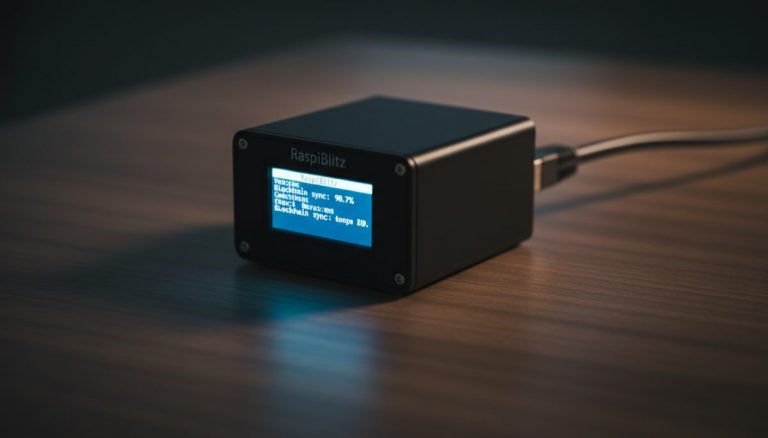
Every Bitcoin transaction you make passes through someone else’s node before it reaches the network. If you don’t run your own bitcoin full node, you’re trusting a third party to tell you what’s happening on the blockchain. That third party knows your IP address, your wallet addresses, and your transaction history. Running your own node eliminates that dependency entirely.
This guide covers everything you need to set up and run a bitcoin full node at home: the real reasons it matters, what hardware you need, which software to choose, and a step-by-step walkthrough to get running in under an hour. Whether you’re a privacy-conscious Bitcoiner or simply want to verify your own transactions, this is the definitive resource for 2026.
Why Your Own Bitcoin Full Node Matters
The Bitcoin whitepaper describes a peer-to-peer electronic cash system. Peer-to-peer means you interact directly with the network — no intermediaries. But most Bitcoin users today rely on someone else’s infrastructure to broadcast transactions and check balances. That defeats the core design of the protocol.
Running a bitcoin full node restores three properties that Bitcoin was designed to provide. As modern node solutions have made this increasingly accessible, there is less reason than ever to rely on third-party infrastructure:
Financial sovereignty
When you run your own node, you enforce Bitcoin’s consensus rules independently. Your node validates every block and every transaction against the protocol rules. No one can feed you a fake blockchain with altered rules, inflated supply, or reversed transactions. If miners or a majority of other nodes tried to change the rules (increase the 21 million coin cap, for instance), your node would reject those blocks automatically.
This isn’t theoretical. During the 2017 Blocksize Wars, node operators who ran their own software rejected the SegWit2x fork attempt. Individual node operators — not exchanges, not miners — ultimately decided which chain was Bitcoin. If you weren’t running a node, you had no say.
Independent verification
Without a bitcoin full node, your wallet asks someone else’s server whether a transaction is confirmed. That server could lie. It could tell you a payment was confirmed when it wasn’t. It could show you a wrong balance. It could omit transactions entirely. The probability of this happening is low with reputable wallet providers, but the possibility exists — and in Bitcoin, the entire point is eliminating the need to trust.
“Don’t trust, verify” is not just a slogan. It’s a description of how Bitcoin actually works when you run the software yourself.
Network-level privacy
Every time your wallet connects to a third-party node to check a balance or broadcast a transaction, that node learns your IP address paired with your wallet addresses. Over time, this creates a detailed profile of your financial activity. Public Electrum servers, blockchain API providers, and light wallet backends all collect this metadata, whether intentionally or not.
A bitcoin full node on your home network keeps that information local. Your wallet connects to your own node, and the only thing the broader network sees is that a node at your IP address is relaying blocks and transactions — just like hundreds of thousands of other nodes.
Don’t Trust, Verify: What a Bitcoin Full Node Actually Does
A bitcoin full node downloads and validates the entire Bitcoin blockchain from the genesis block (January 3, 2009) to the present. As of 2026, that’s approximately 600 GB of raw blockchain data. Here’s what your node does with it:
- Downloads every block from the Bitcoin network, going back to block 0. Your node doesn’t trust any single peer — it downloads from multiple peers and cross-checks the data.
- Validates every transaction in every block. This means checking digital signatures, confirming inputs haven’t been double-spent, verifying the correct mining reward, and ensuring all consensus rules are followed.
- Maintains the UTXO set — the current database of all unspent transaction outputs. This is the definitive record of who owns what, and your node builds it independently from the raw blockchain data.
- Relays new transactions and blocks to other nodes on the network. When you broadcast a transaction, your node sends it directly to its peers rather than to a centralized server.
- Rejects invalid data automatically. If a peer sends your node a block that violates any consensus rule, your node drops it and may disconnect from that peer.
The initial sync (called Initial Block Download, or IBD) takes anywhere from several hours to a few days depending on your hardware and internet speed. After that, your node stays synchronized by processing new blocks every ~10 minutes — using minimal resources. For a comprehensive guide covering the full process from start to finish, see our guide to running a Bitcoin node for self-sovereignty.
For a deeper look at full node implementation details and best practices, including pruning options and performance tuning, see our technical guide.
Privacy Benefits of Running a Bitcoin Full Node
Privacy is one of the most underrated reasons to run a bitcoin full node. Most Bitcoin wallets leak significant information to third-party servers. Understanding exactly what they leak — and how your own node fixes it — makes the case compelling.
What light wallets reveal
If your wallet uses SPV (Simplified Payment Verification) or connects to a remote Electrum server, the following information is exposed to the server operator:
- Your IP address — linked to your physical location and internet provider.
- All your wallet addresses — the server needs to know which addresses belong to you in order to show your balance.
- Your transaction history — every send and receive, with timestamps.
- Your balance — derived from the addresses you query.
- Your spending patterns — when you transact, how much, and to whom.
This data is a goldmine for chain analysis companies and surveillance entities. Even if the server operator is trustworthy, their logs could be subpoenaed, hacked, or sold.
How your own node protects you
When your wallet connects to your own bitcoin full node, it queries your local copy of the blockchain. No external server ever learns which addresses belong to you. Your wallet’s queries stay on your own hardware, on your own network.
Combined with proper UTXO management and coin control, running your own node is the foundation of a private Bitcoin setup. Without it, every other privacy measure is partially undermined by the metadata you leak when checking balances or broadcasting transactions.
For those seeking maximum financial privacy, pairing your node with advanced UTXO management techniques creates a defense-in-depth approach that’s difficult to penetrate with surveillance tools.
Hardware Requirements for a Bitcoin Full Node
Running a bitcoin full node doesn’t require expensive or specialized hardware. A basic setup costs under $300 and uses less electricity than a light bulb. Here are the specifications:
| Component | Minimum | Recommended |
|---|---|---|
| CPU | Quad-core ARM (RPi 4) | Quad-core x86 (Intel N100 or better) |
| RAM | 4 GB | 8 GB |
| Storage | 1 TB SSD | 2 TB NVMe SSD |
| Internet | 25 Mbps download, unmetered | 100+ Mbps, unmetered |
| Power | 5–15 W (Raspberry Pi) | 15–35 W (mini PC) |
| Operating system | Linux (64-bit) | Linux (64-bit) or node OS |
Storage is the critical component. The Bitcoin blockchain is approximately 600 GB and grows by roughly 50–70 GB per year. A 1 TB drive gives you headroom for about 5 years. A 2 TB drive gives you room for the blockchain plus additional software like a Lightning node, Electrum server, and block explorer — which many node operating systems install automatically.
Use an SSD, not a hard drive. The initial blockchain sync involves billions of random read/write operations. On a spinning hard drive, this can take weeks and may never complete reliably. On an SSD, it takes hours to a couple of days. NVMe is faster than SATA, but either works.
The Raspberry Pi 4 works but has limitations. Its 4 GB or 8 GB of RAM and SD card interface create bottlenecks during initial sync. The Intel N100 mini PCs (available for $150–$200 with 16 GB RAM and NVMe slot) have largely replaced the Raspberry Pi as the recommended platform for home nodes. For a deeper look at the evolution and challenges of DIY Bitcoin nodes, see our technical analysis.
Software Options for Running a Bitcoin Full Node
You have two categories of choice: run Bitcoin Core directly on Linux, or use a node operating system that provides a graphical interface and app ecosystem. Both approaches result in a validated bitcoin full node. The difference is user experience. The evolution of self-sovereign infrastructure options has made running a node more approachable than ever.
Bitcoin Core (command line)
Bitcoin Core is the reference implementation of the Bitcoin protocol. It’s the most battle-tested, most peer-reviewed, and most widely deployed node software. Running Bitcoin Core directly on a Linux machine gives you maximum control, minimum overhead, and no dependencies on third-party software stacks.
The tradeoff: you manage everything through the command line and configuration files. There’s no graphical dashboard, no app store, and no one-click Lightning setup. For users comfortable with Linux administration, this is the gold standard. For a detailed walkthrough of verifying and installing Bitcoin Core, including signature verification, see our dedicated guide.
Umbrel
Umbrel is the most popular node operating system, and for good reason. It provides a clean web-based dashboard, a built-in app store with 100+ self-hosted applications, and a straightforward setup process that takes under 30 minutes. Behind the interface, it runs Bitcoin Core inside Docker containers.
Umbrel works on Raspberry Pi 4/5, any x86 machine, and various mini PCs. Its app ecosystem includes Lightning (LND), Electrum server, block explorer, BTCPay Server, and dozens of non-Bitcoin applications. The downside: Docker adds overhead and complexity. If something breaks inside a container, debugging requires Docker knowledge.
Start9
Start9 runs its own operating system called StartOS, designed from the ground up for self-hosting. Unlike Umbrel, it doesn’t use Docker — applications run as native services with a custom dependency management system. This gives it better performance and more granular control at the expense of a smaller app ecosystem.
Start9 also sells pre-built hardware (the Start9 Server) with StartOS pre-installed. For a direct comparison of both platforms, see our Umbrel vs Start9 guide.
RaspiBlitz
RaspiBlitz is an open-source node project focused on Lightning Network functionality. It runs on Raspberry Pi hardware and provides a terminal-based menu system for managing Bitcoin Core, LND or Core Lightning, and various Lightning tools. RaspiBlitz is ideal for users who want deep Lightning Network integration without the overhead of a full app ecosystem.
The setup process is more hands-on than Umbrel or Start9, with a character-based menu interface rather than a web GUI. This appeals to technically inclined users who prefer transparency over polish. For a complete walkthrough, see our RaspiBlitz setup tutorial.
myNode
myNode sits between Umbrel and RaspiBlitz in terms of user experience. It offers a web-based interface that’s functional but less polished than Umbrel’s. It includes a free community edition with core Bitcoin and Lightning functionality, plus a paid premium version with additional features and one-click updates.
The premium license costs a one-time fee for lifetime updates. If you want a web interface without committing to Umbrel’s ecosystem or Start9’s hardware, myNode is a pragmatic choice.
Step-by-Step Setup with Umbrel
This walkthrough uses Umbrel because it has the lowest barrier to entry while still running a fully validating bitcoin full node. The process applies to a Raspberry Pi 4/5 or any x86 mini PC.
Step 1: Gather your hardware. You need a computer (Raspberry Pi 4 with 8 GB RAM, or an Intel N100 mini PC), a 1 TB or 2 TB SSD (NVMe or USB 3.0), an Ethernet cable (Wi-Fi works but wired is more reliable), and a power supply appropriate for your device.
Step 2: Download and flash Umbrel OS. Go to the official Umbrel website and download the image file for your hardware. For Raspberry Pi, use Balena Etcher to flash the image onto a microSD card. For x86 machines, flash the image onto a USB drive and boot from it to install Umbrel onto the internal drive.
Step 3: Connect and boot. Insert the microSD card (or boot the freshly installed machine), connect the SSD, plug in Ethernet, and power on. Umbrel boots automatically and starts its initial setup process.
Step 4: Access the web interface. From any device on the same network, open a browser and navigate to umbrel.local. If that doesn’t resolve, find your node’s IP address in your router’s admin panel and go to http://[IP-address].
Step 5: Create your account. Set a strong password. This protects access to your node’s web interface. Umbrel will also display a recovery seed for your Lightning wallet if you install one later — write this down on paper and store it securely.
Step 6: Wait for Initial Block Download. Umbrel starts downloading and validating the entire Bitcoin blockchain. This takes 3–7 days on a Raspberry Pi 4, or 12–48 hours on an x86 machine with NVMe storage. You can monitor progress from the dashboard. Your node is not fully operational until IBD is complete.
Step 7: Install an Electrum server. Once IBD finishes, go to the Umbrel App Store and install Electrs (Electrum server in Rust). This application indexes the blockchain so your personal wallets can query your own node instead of public servers. Electrs needs to build its own index, which takes an additional 12–24 hours.
Step 8: Connect your wallets. Configure your Bitcoin wallets to use your node. In Sparrow Wallet, go to Preferences → Server → Private Electrum Server and enter your node’s local IP address with port 50001. In BlueWallet, go to Settings → Network → Electrum Server and enter the same details. Each wallet handles the connection differently, but the concept is the same: point the wallet at your node’s Electrum server.
Step 9: Verify the connection. Send a small transaction and confirm it appears in your wallet via your own node. Check the Umbrel dashboard to verify your node is fully synced and connected to multiple peers (typically 8–125 outbound connections).
Step 10: Set up automatic updates. Umbrel notifies you when updates are available through the web interface. Apply Bitcoin Core updates promptly, as they may contain security fixes. Umbrel system updates can be applied with a single click from the dashboard.
Running Your Bitcoin Full Node Over Tor
Connecting your bitcoin full node through the Tor network adds a significant privacy layer. Without Tor, your ISP can see that you’re running a Bitcoin node, and the nodes you connect to can see your home IP address. With Tor, your node’s traffic is routed through encrypted relays, hiding your IP from both peers and your ISP.
Why Tor matters for node operators
Your home IP address is tied to your physical location and real identity through your ISP. When your node connects to other nodes, those peers see your IP address. If any of those peers are run by chain analysis firms, state actors, or malicious entities, they can correlate your node’s IP with the transactions it broadcasts.
Tor eliminates this correlation by routing all connections through the Tor network. Your node gets a .onion address — a cryptographic identifier that reveals nothing about your location or identity.
Setting up Tor
If you’re using Umbrel, Start9, or RaspiBlitz, Tor is pre-configured and usually enabled by default. Your node automatically creates a .onion address and routes Bitcoin traffic through the Tor network. You can find your node’s .onion address in the settings panel.
For Bitcoin Core running on bare Linux, you need to install Tor separately, then add these lines to your bitcoin.conf file:
proxy=127.0.0.1:9050
listen=1
bind=127.0.0.1
onlynet=onion
The onlynet=onion setting routes all connections exclusively through Tor. If you want your node to connect via both clearnet and Tor (hybrid mode), remove that line and add onion=127.0.0.1:9050 instead.
Tor tradeoffs
Running over Tor increases latency. Block propagation takes a few extra seconds, and initial sync over Tor is significantly slower (potentially adding days to IBD). Most operators run IBD over clearnet for speed, then switch to Tor-only once the node is fully synced. Tor connections also have lower bandwidth, which means your node may relay fewer transactions — but this has no impact on validation or your personal use.
For the privacy-conscious, the latency tradeoff is well worth it. Combined with proper home node configuration, Tor makes it extremely difficult for outside observers to link your Bitcoin activity to your physical identity.
Real Costs: Hardware, Electricity, and Bandwidth
Running a bitcoin full node is one of the cheapest sovereignty tools available. Here’s an honest breakdown of what it costs in 2026:
Hardware costs
| Setup | Cost | Notes |
|---|---|---|
| Budget (RPi 4 + SSD) | $120–$170 | Raspberry Pi 4 (8 GB) + 1 TB USB SSD + case + power supply |
| Recommended (mini PC) | $200–$300 | Intel N100 mini PC + 2 TB NVMe SSD |
| Pre-built (Start9 Server) | $600–$900 | Plug-and-play with StartOS pre-installed and configured |
| Repurposed hardware | $0–$50 | Old laptop or desktop + new SSD. Free if you already have the hardware. |
Electricity costs
A Raspberry Pi 4 draws about 5–7 watts. An Intel N100 mini PC draws 15–25 watts under typical load. At the U.S. average electricity rate of $0.16/kWh:
- Raspberry Pi 4: ~$8–$10 per year
- Intel N100 mini PC: ~$21–$35 per year
- Repurposed desktop: ~$50–$100 per year (higher idle power draw)
For context, that’s less than a single monthly coffee shop visit. Running a bitcoin full node 24/7 for an entire year costs less than a Netflix subscription.
Bandwidth costs
A bitcoin full node uses approximately 200–500 MB per day in normal operation (downloading new blocks, relaying transactions). If you allow inbound connections (which helps the network), bandwidth can increase to 5–20 GB per day depending on how many peers connect to you.
For most home internet plans with unlimited data, this is negligible. If you have a metered connection, configure maxuploadtarget in your Bitcoin Core settings to cap outbound bandwidth.
Total annual cost
For a typical recommended setup: $200–$300 one-time hardware cost, plus $25–$35 per year in electricity. That’s the total cost of financial sovereignty and privacy. No subscriptions, no recurring fees, no dependence on third-party services.
Common Mistakes When Running a Bitcoin Full Node
After helping hundreds of Bitcoiners set up their first node, these are the errors that come up repeatedly:
- Using an HDD instead of an SSD. The single most common reason for failed initial syncs. Hard drives cannot handle the random I/O patterns of blockchain validation. Your sync will stall, corrupt, or take weeks. Use an SSD — no exceptions.
- Running on Wi-Fi during initial sync. Wi-Fi introduces packet loss and variable latency. During IBD, your node downloads hundreds of gigabytes. A dropped connection can corrupt the sync state. Use Ethernet for initial sync; Wi-Fi is acceptable after your node is fully synced.
- Not connecting wallets to the node. Setting up a bitcoin full node but continuing to use public Electrum servers or your wallet’s default backend defeats the purpose. Install an Electrum server (Electrs or Fulcrum) and configure every wallet to connect through your node.
- Ignoring updates. Bitcoin Core releases contain bug fixes, performance improvements, and occasionally critical security patches. Running outdated node software doesn’t just put you at risk — it can cause compatibility issues with newer network features.
- Exposing the RPC interface. If you open Bitcoin Core’s RPC port to the internet without proper authentication, anyone can interact with your node. Keep RPC access restricted to localhost or your local network, and always set strong RPC credentials.
- Undersized storage. Buying a 512 GB drive to save $20 means you’ll be replacing it within a year or two as the blockchain grows. Invest in 1 TB minimum, 2 TB for comfort.
- Forgetting about UPS. Power outages during blockchain writes can corrupt the database. A basic UPS ($40–$60) protects your node and prevents hours of reindexing. This is especially important for Raspberry Pi setups with external SSDs.
- Running pruned mode and expecting full functionality. Pruned nodes validate everything but discard old block data to save disk space. This works for personal verification, but pruned nodes can’t serve historical blocks to other nodes and some software (like certain Electrum server implementations) requires the full blockchain. Know the tradeoffs before enabling pruning.
Why Run a Bitcoin Node? from the
Lightning Network & Bitcoin Nodes course.
Frequently Asked Questions
Does running a bitcoin full node make me money?
No. A bitcoin full node validates and relays transactions but does not earn block rewards or transaction fees — that’s mining. Running a node is about sovereignty and privacy, not profit. However, if you add a Lightning node on top of your Bitcoin node, you can earn small routing fees by facilitating Lightning payments. The amounts are typically modest — a few hundred to a few thousand sats per month — but it’s a way to contribute to the network while earning passively.
Can I run a bitcoin full node on a Raspberry Pi in 2026?
Yes, but with caveats. The Raspberry Pi 4 (8 GB) works for a basic Bitcoin node. The initial sync takes 4–7 days, and you need a quality USB 3.0 SSD (not a microSD card) for the blockchain data. For a better experience — faster sync, room for Lightning and Electrum server, and fewer stability issues — consider an Intel N100 mini PC. The price difference is $50–$100 and the performance improvement is substantial. If you already own a Raspberry Pi, it’s a perfectly valid starting point.
How long does initial blockchain sync take?
Sync time depends primarily on your CPU and storage speed. On an Intel N100 with NVMe SSD and a solid internet connection: 12–24 hours. On a Raspberry Pi 4 with USB SSD: 3–7 days. On older hardware with a SATA SSD: 1–3 days. Over Tor only: add 50–100% to these estimates. The sync is a one-time process. After completion, your node stays current by processing new blocks every ~10 minutes, which uses minimal resources.
Does running a node use a lot of internet bandwidth?
In normal operation, a bitcoin full node uses 200–500 MB per day. During initial sync, it downloads the entire blockchain (~600 GB). After sync, if you allow inbound connections (listening on port 8333), your upload usage increases as you serve data to other nodes — typically 5–20 GB per day. You can limit this with the maxuploadtarget setting. On an unlimited home internet plan, bandwidth is not a concern. On a metered connection, configure upload limits and consider running without inbound connections.
What’s the difference between a full node and a pruned node?
A full archival node keeps the entire blockchain history on disk (~600 GB). A pruned node validates the complete blockchain during sync but discards old block data afterward, keeping only the most recent blocks (configurable, minimum ~550 MB). Both validate every transaction identically — pruning does not reduce security. The difference is that a pruned node can’t serve historical blocks to new nodes joining the network, and some software like Electrs requires a full archival node. If you have the storage space (1 TB+), run an archival node to support the network. If storage is constrained, pruned mode gives you full verification in a fraction of the disk space.
Related Resources
- Bitcoin Full Node Setup: Best Practices — technical deep dive into node implementation, performance tuning, and pruning configuration.
- Bitcoin Core Node: Software Verification — how to verify Bitcoin Core downloads and understand the software’s security model.
- Umbrel vs Start9: Which Node Software? — detailed comparison of the two most popular node operating systems.
- Home Bitcoin Node: Privacy and Setup Guide — practical considerations for running a node at home, including network configuration and privacy.
- Lightning Node Setup: Personal Operation Guide — how to add Lightning Network functionality on top of your Bitcoin node.
- Self-Hosted Bitcoin Server: Complete Guide — broader perspective on self-hosting Bitcoin infrastructure.
- Bitcoin Chain Analysis: How Tracking Works — understand what chain analysis firms can see and why running your own node matters for privacy.
- Bitcoin Full Nodes: Practical Implementation Guide — technical analysis of full node implementation and practical deployment.
- Democratizing Node Operation: Self-Sovereign Bitcoin Infrastructure — how node operation has become accessible to everyone.
- Bitcoin Node Operation: Self-Sovereignty and Network Guide — comprehensive resource for node operators at all levels.
- Running Bitcoin Nodes: Network Participation Guide — how running a node contributes to network decentralization.
{“@context”: “https://schema.org”, “@type”: “FAQPage”, “mainEntity”: [{“@type”: “Question”, “name”: “Does running a bitcoin full node make me money?”, “acceptedAnswer”: {“@type”: “Answer”, “text”: “No. A bitcoin full node validates and relays transactions but does not earn block rewards or transaction fees — that’s mining. Running a node is about sovereignty and privacy, not profit. However, if you add a Lightning node on top of your Bitcoin node, you can earn small routing fees by facilitating Lightning payments. The amounts are typically modest — a few hundred to a few thousand sats per month — but it’s a way to contribute to the network while earning passively.”}}, {“@type”: “Question”, “name”: “Can I run a bitcoin full node on a Raspberry Pi in 2026?”, “acceptedAnswer”: {“@type”: “Answer”, “text”: “Yes, but with caveats. The Raspberry Pi 4 (8 GB) works for a basic Bitcoin node. The initial sync takes 4–7 days, and you need a quality USB 3.0 SSD (not a microSD card) for the blockchain data. For a better experience — faster sync, room for Lightning and Electrum server, and fewer stability issues — consider an Intel N100 mini PC. The price difference is $50–$100 and the performance improvement is substantial. If you already own a Raspberry Pi, it’s a perfectly valid starting point.”}}, {“@type”: “Question”, “name”: “How long does initial blockchain sync take?”, “acceptedAnswer”: {“@type”: “Answer”, “text”: “Sync time depends primarily on your CPU and storage speed. On an Intel N100 with NVMe SSD and a solid internet connection: 12–24 hours. On a Raspberry Pi 4 with USB SSD: 3–7 days. On older hardware with a SATA SSD: 1–3 days. Over Tor only: add 50–100% to these estimates. The sync is a one-time process. After completion, your node stays current by processing new blocks every ~10 minutes, which uses minimal resources.”}}, {“@type”: “Question”, “name”: “Does running a node use a lot of internet bandwidth?”, “acceptedAnswer”: {“@type”: “Answer”, “text”: “In normal operation, a bitcoin full node uses 200–500 MB per day. During initial sync, it downloads the entire blockchain (~600 GB). After sync, if you allow inbound connections (listening on port 8333), your upload usage increases as you serve data to other nodes — typically 5–20 GB per day. You can limit this with the maxuploadtarget setting. On an unlimited home internet plan, bandwidth is not a concern. On a metered connection, configure upload limits and consider running without inbound …”}}, {“@type”: “Question”, “name”: “What’s the difference between a full node and a pruned node?”, “acceptedAnswer”: {“@type”: “Answer”, “text”: “A full archival node keeps the entire blockchain history on disk (~600 GB). A pruned node validates the complete blockchain during sync but discards old block data afterward, keeping only the most recent blocks (configurable, minimum ~550 MB). Both validate every transaction identically — pruning does not reduce security. The difference is that a pruned node can’t serve historical blocks to new nodes joining the network, and some software like Electrs requires a full archival node. If you hav…”}}]}