Self-custody means you — not an exchange, not a bank, not a company — hold the keys to your Bitcoin. It’s the entire point of the protocol. But self-custody done poorly is worse than leaving coins on a reputable exchange. One mistake with your seed phrase, one overlooked security practice, and your Bitcoin could be gone permanently.
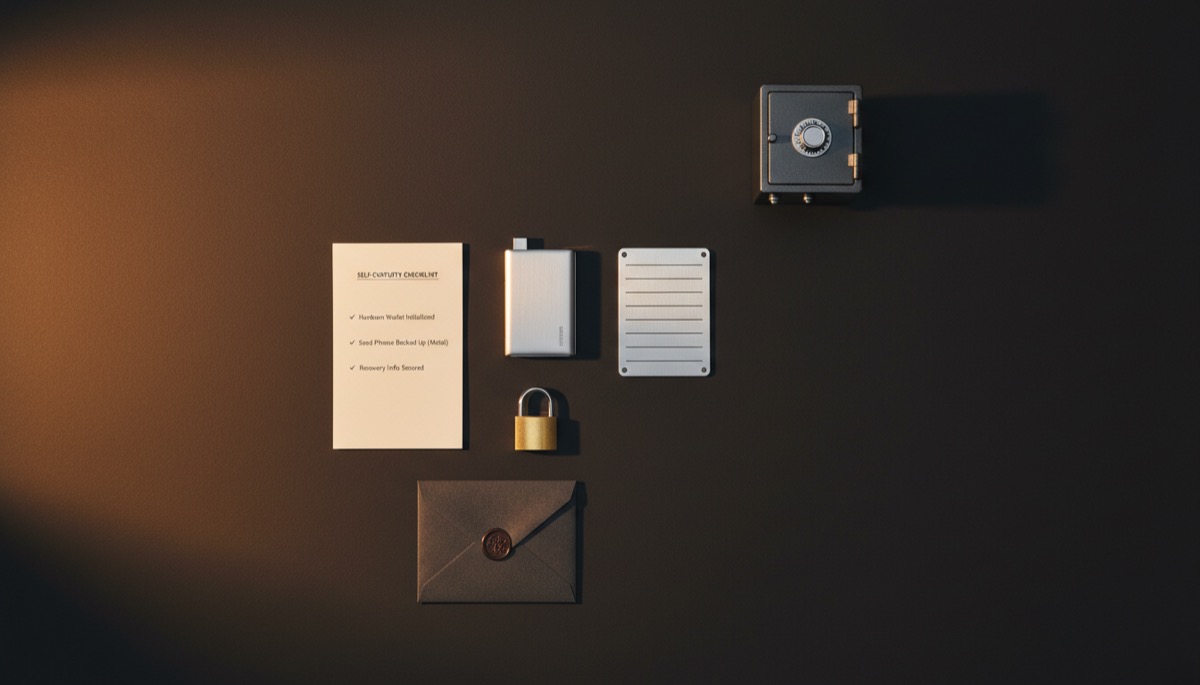
This checklist covers everything you need to secure your Bitcoin in 2027. It’s organized into six categories: wallet setup, seed backup, security hygiene, privacy practices, inheritance planning, and ongoing maintenance. Work through each item in order. Check them off as you complete them. Revisit this list annually.
Category 1: Wallet Setup
- Choose a reputable hardware wallet. Your hardware wallet is the foundation of your self-custody setup. Pick a device with an EAL5+ secure element, open-source firmware, and an on-device display for transaction verification. See our Hardware Wallet Buying Guide for detailed comparisons of every major device on the market.
- Buy directly from the manufacturer. Never purchase hardware wallets from third-party sellers on Amazon, eBay, or any marketplace. Tampered devices with pre-generated seed phrases are a documented attack vector. Only buy from the manufacturer’s official website or authorized resellers listed on that website.
- Verify package integrity on arrival. Check holographic seals, shrink wrap, and tamper-evident packaging. If anything looks opened or resealed, contact the manufacturer for a replacement. Never use a device that arrived with a seed phrase card already filled in.
- Update firmware before generating your seed. Hardware wallets ship with older firmware. Connect the device, run the manufacturer’s companion software, and install the latest firmware update before creating your wallet. This ensures you have current security patches.
- Generate a 24-word seed phrase on the device. Let the hardware wallet generate your seed using its internal random number generator. Choose 24 words (not 12) for maximum entropy. Write down every word on paper during setup — you’ll transfer to a permanent backup in the next section.
- Set a strong PIN. Use the longest PIN your device supports. Avoid obvious patterns (1234, birth dates, repeated digits). The PIN protects against physical access to your device.
- Consider adding a passphrase (25th word). A passphrase creates a completely separate hidden wallet behind your standard wallet. This provides plausible deniability and an additional security layer. If you use one, understand that the passphrase must be backed up separately from the seed phrase — losing either one means losing access to the funds in the passphrase-protected wallet.
- Test a receive-and-verify cycle. Generate a receive address on the hardware wallet. Verify it matches the address shown in your companion software. Send a small test amount. Confirm the transaction appears on your device and in your wallet software.
- Consider a multisig setup for significant holdings. If you hold more than you’re comfortable securing with a single key, a multisig configuration (such as 2-of-3) eliminates single points of failure. Each key in the multisig should use a hardware wallet from a different manufacturer to protect against vendor-specific vulnerabilities.
Category 2: Seed Phrase Backup
- Transfer your seed phrase to a metal backup. Paper degrades, burns, and dissolves in water. Metal seed storage plates (stamped or engraved stainless steel or titanium) survive house fires, floods, and decades of storage. See our seed phrase storage guide for product comparisons and recommendations.
- Store the metal backup in a secure, fireproof location. A home safe (fire-rated for at least 1 hour), a bank safe deposit box, or a dedicated secure storage facility. The location should protect against fire, flood, theft, and unauthorized access.
- Create a geographically distributed backup. Don’t store all copies of your seed in one building. If your home burns down, you need a backup elsewhere. Consider a second metal plate in a bank safe deposit box, a relative’s safe in another city, or a secure storage facility.
- Destroy the paper seed phrase. Once your metal backup(s) are confirmed and tested, destroy the paper copy from the initial setup. Paper is a liability — it’s the weakest form of seed storage and the most likely to be found by someone who shouldn’t have it.
- Test full recovery from your backup. This is the step most people skip, and it’s the most important. Reset your hardware wallet to factory settings, then recover using only your metal backup seed phrase. Verify that the same addresses and balance appear. If recovery works, your backup is valid. If it doesn’t, you have a problem that needs fixing immediately — while you still have access to your funds.
- If using a passphrase, back it up separately. Your passphrase must be stored in a different location than your seed phrase. Anyone who has both your seed and passphrase can access your hidden wallet. Store the passphrase in a second safe, a sealed envelope with your attorney, or a separate secure location.
- Document the derivation path. Most modern wallets use standard derivation paths (m/84’/0’/0′ for native SegWit), but non-standard paths exist. Write down the derivation path alongside your seed backup so that future recovery isn’t complicated by guessing which path your wallet used.
Category 3: Security Hygiene
- Never enter your seed phrase on a computer or phone. Your seed phrase should only ever exist on your hardware wallet and on your physical backup. Never type it into a website, app, email, text message, cloud document, password manager, or any digital device. Any software that asks for your seed phrase is either your hardware wallet’s recovery process or a scam.
- Never photograph or screenshot your seed phrase. Photos sync to cloud services (iCloud, Google Photos) automatically. Screenshots are stored in predictable locations. Both are accessible to malware, hackers, and anyone with access to your account. Keep your seed phrase strictly offline and physical.
- Use a dedicated computer for Bitcoin transactions (or at minimum, a clean browser profile). The ideal setup is an air-gapped computer running a minimal operating system, used only for Bitcoin wallet software. If that’s not practical, use a dedicated browser profile with no extensions, no saved passwords, and no other browsing activity. Malware on your general-use computer is the most common attack vector for software wallets.
- Verify addresses on the hardware wallet screen before sending. Always confirm the receiving address on your hardware wallet’s physical display before approving a transaction. A compromised computer can display one address while substituting another in the actual transaction. The hardware wallet screen is your ground truth — if the address on the device doesn’t match what you expect, reject the transaction.
- Enable 2FA on all exchange accounts used for buying. If you use an exchange to purchase Bitcoin before withdrawing to your hardware wallet, secure that exchange account with hardware-based 2FA (YubiKey or similar). SMS-based 2FA is vulnerable to SIM swap attacks. Authenticator apps are acceptable but not ideal.
- Keep your hardware wallet firmware updated. Check for firmware updates quarterly. Install them promptly. Outdated firmware may contain known vulnerabilities. Always download updates from the manufacturer’s official source.
- Be skeptical of unsolicited messages about your Bitcoin. Phishing attacks targeting Bitcoin holders are increasingly sophisticated, including AI-generated emails and messages that impersonate wallet manufacturers, exchanges, and support teams. No legitimate company will ever ask for your seed phrase. No “support agent” needs your recovery words. Read our guide on preventing social engineering attacks.
- Physically secure your hardware wallet. Treat your hardware wallet like cash. Don’t leave it in plain sight. When traveling, use a discreet carrying case. Consider a duress PIN (available on Coldcard) that shows a decoy wallet with a small balance if you’re coerced into unlocking the device.
Category 4: Privacy Practices
- Never reuse Bitcoin addresses. Each time you receive Bitcoin, generate a new address. Address reuse links transactions together on the blockchain, making it trivial for chain analysis firms to track your holdings and spending patterns. Modern hardware wallets generate new addresses automatically — use them.
- Run your own Bitcoin node. When you use someone else’s node (including your wallet provider’s default node), you’re broadcasting your addresses and transaction history to that third party. Running your own node keeps your financial activity private. Connect your wallet software (Sparrow, Electrum, or your hardware wallet’s companion app) to your own node instead of a public server.
- Connect your wallet through Tor. Even with your own node, your ISP can see that you’re running Bitcoin software. Routing your Bitcoin connections through Tor hides this metadata. Most node implementations (Umbrel, Start9, RaspiBlitz) support Tor by default.
- Practice UTXO management. Understand which UTXOs (unspent transaction outputs) in your wallet have different privacy levels. KYC-purchased Bitcoin is linked to your identity. Non-KYC Bitcoin is not. Mixing these in a single transaction (consolidation) links them permanently. Use coin control features in Sparrow Wallet or similar software to manage UTXOs consciously.
- Consider CoinJoin for privacy-critical transactions. CoinJoin breaks the transaction graph by combining your transaction with others, making it difficult for chain analysis to determine who paid whom. Privacy techniques like Whirlpool (Samourai/Sparrow) and JoinMarket provide varying levels of transaction privacy.
- Don’t publicly disclose your Bitcoin holdings. Announcing how much Bitcoin you own — on social media, in person, or in online forums — makes you a target for physical attacks ($5 wrench attacks), phishing campaigns, and social engineering. Practice operational security. Don’t talk about specific amounts.
Category 5: Inheritance Planning
- Create a written inheritance plan. Document how your heirs should access your Bitcoin after your death. Include the location(s) of your seed backup(s), the wallet software to use, and step-by-step recovery instructions. Store this document separately from the seed phrase itself. See our complete guide to seed phrase inheritance and dead man’s switch options for detailed methods.
- Inform your executor that Bitcoin exists. Your estate executor (or a trusted family member) needs to know three things: that you own Bitcoin, that a recovery plan exists, and where to find the recovery instructions. They don’t need the seed phrase — just enough information to locate your plan.
- Consider a dead man’s switch for trustless inheritance. Tools like Liana wallet use Bitcoin timelocks to activate a recovery path after a period of inactivity. If you stop moving your coins (because you died or became incapacitated), your designated heir’s recovery key automatically becomes usable. No third party involved. See our multisig inheritance planning guide for advanced setups.
- Test your inheritance plan. Have someone unfamiliar with your setup attempt to follow your written instructions and recover a small test wallet. If they can’t do it, your plan has gaps that need to be fixed while you’re alive.
- Review and update annually. Your inheritance plan needs updates when you add new wallets, change your storage setup, move locations, or when family circumstances change (marriage, divorce, new children). Set an annual calendar reminder.
Category 6: Ongoing Maintenance
- Check firmware updates quarterly. Set a recurring reminder to check for hardware wallet firmware updates every three months. Security patches are released periodically, and running outdated firmware is a preventable risk.
- Verify your seed backup annually. Once a year, physically inspect your metal seed backup for corrosion, damage, or readability issues. If you can’t read every word clearly, create a new backup while you still have access to the wallet.
- Review your UTXO set periodically. As you accumulate Bitcoin over time, your wallet may contain many small UTXOs that are expensive to spend individually. During periods of low network fees, consider consolidating small UTXOs — but be mindful of the privacy implications of consolidation (it links UTXOs together on-chain).
- Monitor your wallet software for updates. Keep Sparrow Wallet, Electrum, or whatever companion software you use up to date. Software updates often include security fixes, new hardware wallet support, and improved privacy features.
- Stay informed about security threats. Follow reputable sources like Bitcoin Optech, hardware wallet manufacturer blogs, and Bitcoin-focused security researchers. New attack vectors are discovered periodically (like the Dark Skippy exfiltration method), and staying informed helps you evaluate whether your setup needs changes.
- Test a full recovery annually. Once a year, wipe a spare hardware wallet and recover it from your seed backup. Confirm that the addresses and balance match. This catches backup errors, hardware degradation, and firmware compatibility issues before they become critical.
- Refresh timelocks if using a dead man’s switch. If you use Liana wallet or any timelock-based inheritance solution, refreshing the timelock is a required maintenance task. Set reminders well before the timelock expires. Missing a refresh deadline means your recovery path activates prematurely.
- Re-evaluate your security model as your holdings grow. The security appropriate for $1,000 in Bitcoin is not the same as what’s appropriate for $100,000 or $1,000,000. As your holdings grow, consider upgrading from singlesig to multisig, adding geographic distribution, or using collaborative custody services for professional key management.
- Maintain a relationship with the Bitcoin community. Self-custody means you’re your own bank, but it doesn’t mean you’re alone. Local Bitcoin meetups, online communities, and educational resources provide valuable support. Security practices evolve, and staying connected helps you keep up.
The Complete Checklist Summary
| Category | Items | Priority |
|---|---|---|
| Wallet Setup | Items 1-9 | Do first — this is your foundation |
| Seed Backup | Items 10-16 | Do immediately after wallet setup |
| Security Hygiene | Items 17-24 | Ongoing habits to establish |
| Privacy Practices | Items 25-30 | Implement as you become comfortable |
| Inheritance Planning | Items 31-35 | Complete within 30 days of setup |
| Ongoing Maintenance | Items 36-44 | Quarterly and annual tasks |
Bitcoin Sovereignty Plan from the
Advanced Bitcoin Security & Privacy course.
Frequently Asked Questions
What is the most important step in Bitcoin self-custody?
Testing your seed phrase backup recovery. Everything else in your self-custody setup depends on your ability to recover from your backup. If you haven’t verified that your metal seed backup produces the correct wallet with the correct balance, you’re operating on faith. Test it. Reset a hardware wallet, recover from the backup, and confirm everything matches. Do this before transferring significant funds and repeat annually.
Do I need a hardware wallet for small amounts of Bitcoin?
A hardware wallet is recommended if you hold more Bitcoin than you’d be comfortable losing. For most people, that threshold is $500-$1,000. A budget hardware wallet like the Trezor Safe 3 ($79) provides genuine security at a low cost. More importantly, starting with a hardware wallet establishes good security habits from the beginning. Bitcoin’s price appreciation means today’s small amount could be worth significantly more in the future.
How often should I update my hardware wallet firmware?
Check for updates quarterly (every three months). Install security-critical updates immediately when announced by the manufacturer. Routine updates can be installed during your next scheduled maintenance session. Always download firmware updates from the manufacturer’s official website or through their official companion app. Never install firmware from third-party sources.
Should I use singlesig or multisig for self-custody?
Singlesig (one key controls the wallet) is simpler and appropriate for most users with moderate holdings. Multisig (multiple keys required, such as 2-of-3) eliminates single points of failure and is recommended for larger holdings or users who need protection against a single device being compromised, lost, or stolen. The trade-off is complexity: multisig requires managing multiple hardware wallets, multiple seed backups, and more detailed recovery instructions. Start with singlesig, and consider upgrading to multisig as your holdings and technical comfort grow.
What should I do if I think my seed phrase has been compromised?
Move your Bitcoin immediately. Generate a new wallet on a freshly initialized hardware wallet, create new seed phrase backups, and transfer all funds from the potentially compromised wallet to the new one. Do not wait to “see if anything happens.” If your seed phrase has been seen by an unauthorized person, photographed, entered into any software, or stored digitally in any form, treat it as compromised and migrate to a new seed. The cost of an unnecessary migration (transaction fees) is trivial compared to the cost of losing your Bitcoin.
{“@context”: “https://schema.org”, “@type”: “FAQPage”, “mainEntity”: [{“@type”: “Question”, “name”: “What is the most important step in Bitcoin self-custody?”, “acceptedAnswer”: {“@type”: “Answer”, “text”: “Testing your seed phrase backup recovery. Everything else in your self-custody setup depends on your ability to recover from your backup. If you haven’t verified that your metal seed backup produces the correct wallet with the correct balance, you’re operating on faith. Test it. Reset a hardware wallet, recover from the backup, and confirm everything matches. Do this before transferring significant funds and repeat annually.”}}, {“@type”: “Question”, “name”: “Do I need a hardware wallet for small amounts of Bitcoin?”, “acceptedAnswer”: {“@type”: “Answer”, “text”: “A hardware wallet is recommended if you hold more Bitcoin than you’d be comfortable losing. For most people, that threshold is $500-$1,000. A budget hardware wallet like the Trezor Safe 3 ($79) provides genuine security at a low cost. More importantly, starting with a hardware wallet establishes good security habits from the beginning. Bitcoin’s price appreciation means today’s small amount could be worth significantly more in the future.”}}, {“@type”: “Question”, “name”: “How often should I update my hardware wallet firmware?”, “acceptedAnswer”: {“@type”: “Answer”, “text”: “Check for updates quarterly (every three months). Install security-critical updates immediately when announced by the manufacturer. Routine updates can be installed during your next scheduled maintenance session. Always download firmware updates from the manufacturer’s official website or through their official companion app. Never install firmware from third-party sources.”}}, {“@type”: “Question”, “name”: “Should I use singlesig or multisig for self-custody?”, “acceptedAnswer”: {“@type”: “Answer”, “text”: “Singlesig (one key controls the wallet) is simpler and appropriate for most users with moderate holdings. Multisig (multiple keys required, such as 2-of-3) eliminates single points of failure and is recommended for larger holdings or users who need protection against a single device being compromised, lost, or stolen. The trade-off is complexity: multisig requires managing multiple hardware wallets, multiple seed backups, and more detailed recovery instructions. Start with singlesig, and cons…”}}, {“@type”: “Question”, “name”: “What should I do if I think my seed phrase has been compromised?”, “acceptedAnswer”: {“@type”: “Answer”, “text”: “Move your Bitcoin immediately. Generate a new wallet on a freshly initialized hardware wallet, create new seed phrase backups, and transfer all funds from the potentially compromised wallet to the new one. Do not wait to “see if anything happens.” If your seed phrase has been seen by an unauthorized person, photographed, entered into any software, or stored digitally in any form, treat it as compromised and migrate to a new seed. The cost of an unnecessary migration (transaction fees) is triv…”}}]}