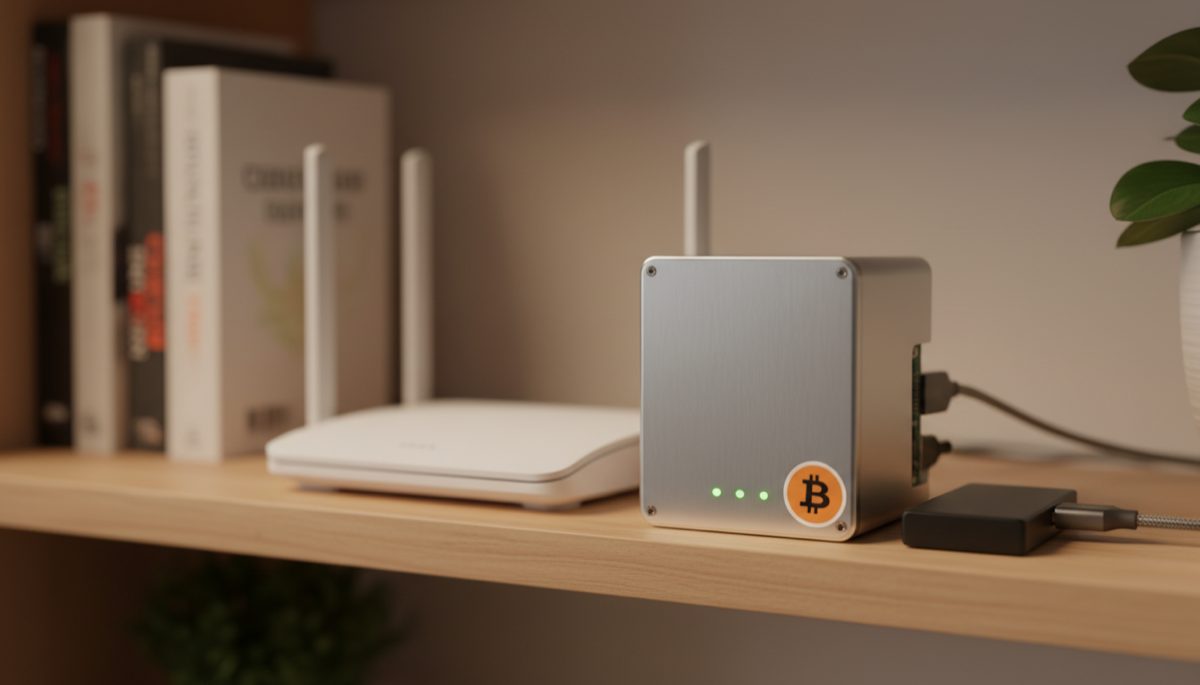
The democratization of Bitcoin infrastructure represents one of the most significant developments in the cryptocurrency ecosystem’s march toward true decentralization. As the Bitcoin network continues to mature, the ability for individuals to run their own nodes has become increasingly crucial for maintaining the network’s censorship resistance and trustless nature. Our comprehensive guide on running your own Bitcoin node covers this further. This analysis explores the technical and social implications of accessible self-hosted Bitcoin infrastructure, examining how innovations in this space are reshaping individual sovereignty in the digital age.
The foundation of Bitcoin’s decentralized nature rests upon individuals’ ability to independently verify transactions and maintain copies of the blockchain. While the network can function with relatively few nodes, the real power of Bitcoin’s peer-to-peer design emerges when participation is widespread and diverse. Traditional barriers to running a node, including technical complexity and hardware costs, have historically limited broader participation. We explore this in detail in our article on running a Bitcoin full node. However, recent developments in plug-and-play solutions and more affordable hardware options are dramatically lowering these barriers to entry.
The emergence of pre-configured node solutions marks a significant milestone in Bitcoin’s evolution. For a deeper look at this topic, see our guide on Bitcoin node setup solutions. These systems typically combine carefully selected hardware with user-friendly software interfaces, allowing individuals with minimal technical expertise to participate in the network’s infrastructure. This development has profound implications for network resilience, as it enables a more diverse and geographically distributed node network while reducing reliance on trusted third parties.
When examining the technical architecture of modern Bitcoin nodes, several key components emerge as critical to their function. Storage requirements for the full blockchain, processing capabilities for transaction verification, and reliable network connectivity form the foundation of any node implementation. This topic is explored further in our post on hardware wallet node connectivity. The optimization of these elements, particularly in terms of cost and efficiency, represents a crucial area of innovation in the space.
The economic considerations of node operation play a vital role in adoption patterns. While dedicated hardware solutions offer convenience and reliability, their cost can be prohibitive for many potential operators. The development of alternative implementations using commodity hardware presents an important counterpoint, potentially enabling broader participation at the expense of some convenience features. This trade-off between cost and ease of use represents a crucial consideration in the ecosystem’s development.
Security considerations in node operation extend beyond mere software implementation. Physical security, network isolation, and protection against various attack vectors must be carefully balanced against usability and cost. The emergence of standardized security practices and hardened configurations has helped address these concerns, though ongoing vigilance remains essential as threats evolve.
The social implications of democratized node operation extend far beyond technical considerations. As more individuals gain the ability to independently verify transactions and maintain their own copy of the blockchain, the network’s resistance to censorship and manipulation increases. This strengthening of Bitcoin’s fundamental value proposition has far-reaching implications for financial sovereignty and individual liberty in the digital age.
The development of user-friendly interfaces for node management represents another crucial evolution in this space. Modern implementations typically provide intuitive dashboards for monitoring node status, managing connections, and analyzing network metrics. This accessibility helps bridge the gap between technical capability and practical usability, enabling broader participation in network infrastructure.
Looking toward the future, several trends suggest continued evolution in this space. The integration of Lightning Network capabilities, enhanced privacy features, and improved interoperability with other Bitcoin-related services points toward increasingly sophisticated node implementations. You can learn more about this in our resource on Lightning Network architecture. However, maintaining accessibility and affordability remains crucial for supporting continued decentralization.
The role of education and community support cannot be understated in this context. As node operation becomes more accessible from a technical standpoint, the need for clear documentation, troubleshooting resources, and community-driven support becomes increasingly important. This ecosystem of knowledge and assistance plays a crucial role in sustaining long-term adoption and participation.
In conclusion, the democratization of Bitcoin node operation represents a crucial development in the cryptocurrency’s evolution toward true decentralization. By lowering barriers to entry while maintaining security and reliability, modern node solutions are enabling broader participation in Bitcoin’s infrastructure. This trend, combined with ongoing innovations in hardware and software implementations, suggests a promising future for individual sovereignty in the Bitcoin network. The continued evolution of this space will likely play a crucial role in shaping Bitcoin’s long-term success as a truly decentralized monetary system.
Full sovereignty starts with your own node — explore Bitcoin Node Security and Decentralization.
Verifying transactions yourself requires a node — see Bitcoin Node Sync: Solve Technical Challenges.
Full sovereignty starts with your own node — explore Bitcoin Node Operation: Health and Updates.
Verifying transactions yourself requires a node — see Bitcoin Node Privacy and Accessibility.
For a broader perspective, explore our hardware wallet buying guide guide.
Step-by-Step Guide
Building a self-sovereign Bitcoin node from hardware selection through full operational status requires attention to detail at every stage. This guide provides a complete walkthrough for setting up a node that you fully control.
Step 1: Evaluate Your Goals and Budget. Define what services your node needs to support: Bitcoin Core only, Bitcoin Core plus Electrum server, Lightning Network, or the full stack. A basic Bitcoin-only node runs well on a Raspberry Pi 4 with 4GB RAM ($75-100 with case and power supply). A full-stack node with Electrum, Lightning, and monitoring benefits from a mini-PC with 8-16GB RAM ($200-350). Determine whether you want a plug-and-play experience (Umbrel, Start9) or a bare-metal Linux setup (more learning, more control).
Step 2: Prepare Storage and Network Infrastructure. Purchase a 2TB SSD — the most critical component for node performance. For Raspberry Pi, an external USB 3.0 SSD enclosure works reliably; for mini-PCs, internal NVMe or SATA connections are preferred. Connect your node hardware to your router via Ethernet cable (not WiFi) for reliability. If your router supports it, assign a static local IP or DHCP reservation to your node so it always gets the same address on your network.
Step 3: Install the Operating System. For plug-and-play: download Umbrel OS or Start9’s StartOS, flash to a microSD card using balenaEtcher, insert into your Pi or mini-PC, and boot. The web interface guides you through the rest. For bare-metal: install Ubuntu Server 22.04 or Debian 12 from a USB installer. Configure SSH access, create a non-root user, enable automatic security updates, and set your timezone. Both paths lead to a functional base system within 30-60 minutes.
Step 4: Install and Start Bitcoin Core. On plug-and-play systems, install Bitcoin Core from the built-in app store with one click. On bare-metal, download from bitcoincore.org, verify the GPG signature, and install. Configure bitcoin.conf with appropriate settings: server=1, txindex=1, dbcache=2048 (during initial sync, reduce after), and maxmempool=300. Start the daemon and begin initial block download. IBD takes 3-7 days on consumer hardware with an SSD. Monitor progress through the log file or bitcoin-cli getblockchaininfo.
Step 5: Add an Electrum Server for Wallet Integration. After Bitcoin Core fully syncs, install Fulcrum (faster, more RAM) or Electrs (lighter, slower indexing) to serve wallet queries. Configure it to connect to Bitcoin Core’s RPC interface. Initial indexing takes 12-48 hours depending on your hardware and implementation choice. Once complete, point your wallets (Sparrow, Electrum desktop, BlueWallet) at your node’s Electrum server address. Verify connectivity by checking that your wallet shows the correct block height and balance.
Step 6: Configure Remote Access via Tor. Install Tor and configure hidden services for both Bitcoin Core (port 8333), your Electrum server (port 50001), and any future Lightning implementation. This allows you to access your node from mobile wallets and remote locations without opening ports on your router or exposing your home IP. Note the .onion addresses generated in /var/lib/tor/ for each service. Test remote connectivity by connecting your mobile wallet to the .onion address over Tor.
Step 7: Implement Backup and Recovery Procedures. Create a documented recovery plan for your node. For plug-and-play systems, back up the system configuration periodically. For bare-metal, document every configuration file change and installed package. The Bitcoin blockchain itself does not need backup — it can always be re-synced. Back up your Lightning channel database and static channel backup (SCB) file if running Lightning. Store the recovery documentation alongside your seed phrase backup in a secure location.
Common Mistakes to Avoid
1. Using a MicroSD Card for Blockchain Storage. MicroSD cards have limited write endurance and slow random I/O performance. Bitcoin Core performs millions of small random reads and writes during sync and operation, which degrades SD cards rapidly. Storing the blockchain on a microSD card can lead to data corruption, failed syncs, and card failure within months. Always use an SSD — even the operating system should ideally run from SSD rather than microSD for production reliability.
2. Setting Up Bitcoin Core Without Verifying the Download. Running unverified software on a system that handles your financial data is a critical security failure. Always verify the SHA256 checksum and GPG signature of Bitcoin Core against the signing keys published by the release maintainers. For plug-and-play solutions, verify that the OS image checksum matches the published value before flashing. This single verification step protects against supply-chain attacks that could compromise your entire node.
3. Exposing RPC Credentials or Macaroons. Bitcoin Core’s RPC interface and Lightning’s macaroon-based authentication provide administrative access to your node. Exposing these credentials (through misconfigured firewall rules, unencrypted remote access, or sharing screenshots that include auth tokens) allows anyone to control your node and potentially steal funds from Lightning channels. Keep RPC access restricted to localhost, use Tor for remote access, and treat macaroons like private keys.
4. Not Planning for Power Outages. Unexpected power loss during database writes can corrupt Bitcoin Core’s chainstate database or Lightning’s channel database, requiring hours or days of repair or complete re-synchronization. Use a small UPS (uninterruptible power supply) to provide 10-15 minutes of backup power — enough for a clean shutdown. Configure your node to shut down gracefully when the UPS battery reaches low levels using apcupsd or similar power management software.
Frequently Asked Questions
Umbrel, Start9, RaspiBlitz, or bare metal — which should I choose?
Choose based on your technical comfort and goals. Umbrel offers the slickest interface and easiest setup — ideal for beginners who want a working node quickly. Start9 (StartOS) prioritizes security and packaging quality with a slightly steeper learning curve. RaspiBlitz is community-driven and runs on Raspberry Pi with extensive Lightning focus and a terminal-based interface. Bare metal (manual Linux install) gives maximum control and understanding but requires Linux proficiency. All options produce a functional, self-sovereign Bitcoin node — the best choice is the one you will actually maintain and keep running.
How much electricity does running a Bitcoin node cost?
A Raspberry Pi 4 node consumes approximately 5-8 watts, costing roughly $5-10 per year at average US electricity rates. A mini-PC (Intel NUC or N100-class) draws 10-25 watts, costing $10-25 per year. Add the SSD’s power consumption of 2-5 watts. The total annual electricity cost for most home nodes ranges from $8 to $30 — far less than a single month of most streaming subscriptions. During initial block download, power consumption is slightly higher due to sustained CPU load but returns to idle levels after sync completes.
What do I do if my node falls behind the chain tip?
If your node stops syncing, first check that Bitcoin Core is running: bitcoin-cli getblockchaininfo should return current block height. If it reports a height significantly behind the current block (check mempool.space for the latest), verify your internet connection and check the debug log at ~/.bitcoin/debug.log for error messages. Common causes include: disk full (check with df -h), peer connection issues (check bitcoin-cli getpeerinfo | grep addr), or the process crashed and needs restart. If the database is corrupted, you may need to reindex with bitcoind -reindex, which takes several hours.
Can I run multiple services (Bitcoin Core, Electrum, Lightning) on the same hardware?
Yes, this is the standard configuration for home nodes. Bitcoin Core, an Electrum server, and a Lightning implementation coexist well on a single machine with 8GB+ RAM. The key is resource allocation: during initial sync, Bitcoin Core and the Electrum indexer compete for disk I/O and RAM. Start Bitcoin Core’s IBD first, then install the Electrum server after Core is fully synced. Lightning can be installed at any time but should not open channels until Core is synced. Once everything is running at steady state, a machine with 8GB RAM comfortably handles all three services simultaneously.
Related Resources
- Why Run Your Own Bitcoin Node — The philosophical and practical case for self-sovereign node operation.
- Bitcoin Node Solutions: Self-Sovereign Setup Guide — Detailed comparison of Umbrel, Start9, RaspiBlitz, and other node platforms.
- Running a Lightning Node: Complete 2026 Guide — Add Lightning Network capability to your self-sovereign node setup.
- DIY Bitcoin Node: Build Your Own Setup — Technical analysis for advanced users building custom node hardware.
- Hardware Wallet Buying Guide 2026 — Complete the sovereignty stack by pairing your node with a secure hardware wallet.