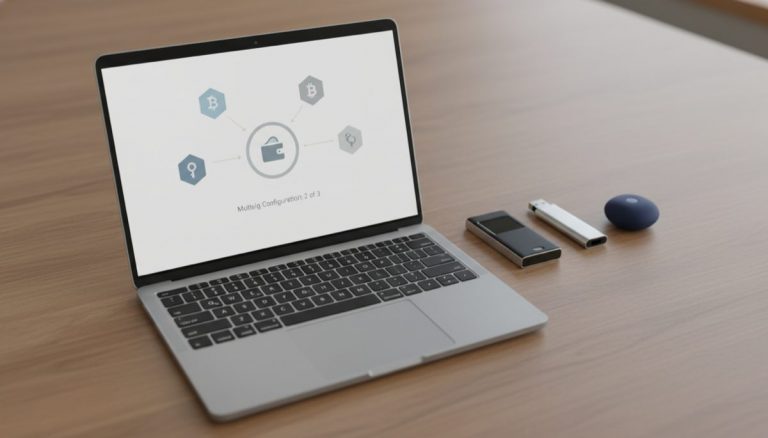
The evolution of Bitcoin wallet security represents one of the most critical aspects of cryptocurrency custody, particularly in the transition between hot and cold storage solutions. You can learn more about this in our resource on Bitcoin storage solutions. This comprehensive analysis explores the fundamental principles of wallet security, seed phrase management, and the crucial distinctions between software and hardware wallet implementations.
The foundation of any Bitcoin wallet begins with the seed phrase, a sequence of words that serves as the cryptographic root for generating private keys and addresses. This BIP-39 standard has become the universal backbone of wallet interoperability, allowing users to migrate between different wallet implementations while maintaining access to their funds. However, the security implications of seed phrase management extend far beyond mere functionality.
One of the most critical security principles in Bitcoin custody is the concept of cold storage isolation. Cold storage wallets, particularly hardware wallets, derive their security benefits from keeping private keys in an environment that never connects to the internet. For a deeper look at this topic, see our guide on Bitcoin cold storage security. This air-gap protection represents a fundamental security boundary that should never be compromised by importing seeds that have previously existed in hot wallets.
The technical architecture of Bitcoin wallets relies on hierarchical deterministic (HD) derivation paths, typically following standards like BIP-84 for native SegWit addresses. When implementing the same seed phrase across different wallets, the derivation path ensures that identical addresses and UTXOs are generated. This standardization enables seamless wallet interoperability while maintaining consistent access to funds across different implementations.
Understanding UTXO management is crucial for wallet operations. We explore this in detail in our article on Bitcoin UTXO management. Unlike traditional banking systems with account balances, Bitcoin operates on an unspent transaction output model. Wallet software doesn’t store balances directly but rather calculates them by scanning the blockchain for UTXOs associated with derived addresses. This scanning process can sometimes lead to temporary discrepancies in displayed balances, particularly when switching between wallet implementations or during initial synchronization.
The security implications of seed phrase exposure cannot be overstated. Once a seed phrase has existed in a software wallet environment, it must be considered potentially compromised from a security perspective. This exposure risk stems from the inherent vulnerabilities of internet-connected devices, including potential malware, keyloggers, or other attack vectors that could compromise the seed’s confidentiality.
Best practices for cold storage implementation emphasize generating new seed phrases directly on the hardware wallet device. This ensures that the private keys have never existed in a potentially compromised environment. Users transitioning to cold storage should create a new wallet on their hardware device and transfer funds from their existing hot wallet, rather than importing the hot wallet’s seed phrase.
The relationship between wallet software and blockchain data represents another crucial aspect of Bitcoin custody. Wallet applications serve as interfaces for interacting with the Bitcoin network, but the actual funds exist as UTXOs on the blockchain. This distinction becomes particularly important when troubleshooting apparent discrepancies between wallet implementations, as differences in scanning depth, network connectivity, or cache management can temporarily affect displayed balances.
Looking toward the future of Bitcoin custody, the industry continues to evolve with innovations in multisignature setups, social recovery systems, and enhanced hardware security modules. Our comprehensive guide on hardware wallet multisig setup covers this further. These developments aim to strike an optimal balance between security and usability while maintaining the fundamental principle of true self-custody that makes Bitcoin revolutionary.
In conclusion, the journey from hot to cold storage represents a critical transition in Bitcoin security posture. Understanding the technical underpinnings of seed phrases, derivation paths, and UTXO management enables users to make informed decisions about their custody solutions. This topic is explored further in our post on modern Bitcoin custody solutions. The cardinal rule of never compromising cold storage with previously exposed seeds remains paramount, ensuring that hardware wallet security benefits are fully realized in protecting digital assets.
To protect your recovery words, learn about Crypto Wallet Passphrases: Recovery Best Practices.
Proper seed phrase management matters — explore Crypto Seed Backup Solutions: 2026 Review.
Your backup strategy impacts your long-term security — see Seed Phrase Memorization: Risks and Tips.
Your backup strategy impacts your long-term security — see Hardware Wallet Seed Phrase Migration: Step by Step.
For a broader perspective, explore our hardware wallet buying guide guide.
Step-by-Step Guide
Migrating Bitcoin from a hot wallet (software wallet on an internet-connected device) to cold storage (hardware wallet kept offline) is a fundamental security operation. This guide covers the complete process, emphasizing that seeds should never transfer between environments — only funds should move.
Step 1: Purchase a hardware wallet from an authorized source. Buy directly from the manufacturer’s website or an authorized reseller. Never purchase from third-party marketplace sellers (Amazon third-party, eBay) where devices could have been tampered with. When the device arrives, verify that the packaging seals are intact and match the manufacturer’s security documentation. Popular choices include Coldcard, Trezor, Foundation Passport, and BitKey.
Step 2: Initialize the hardware wallet and generate a new seed phrase. Follow the device’s setup wizard to generate a fresh seed phrase using the device’s built-in random number generator. Never import your hot wallet’s seed phrase into the hardware wallet — this defeats the purpose of cold storage because the seed has already been exposed to an internet-connected environment. Write the seed phrase on the included paper card or directly onto a metal backup plate.
Step 3: Verify the seed phrase backup immediately. Most hardware wallets offer a verification step where you re-enter the seed words to confirm you wrote them down correctly. Complete this step before proceeding. Some devices (Coldcard, Passport) allow you to wipe and restore from your backup as a more thorough test. A single incorrect word in your backup could make your funds permanently inaccessible.
Step 4: Create a metal backup of your seed phrase. Paper seed backups are vulnerable to water, fire, and degradation over time. Transfer your seed phrase to a stainless steel or titanium backup device (Cryptosteel Capsule, Billfodl, or a DIY letter-punch steel plate). Verify every character after stamping. Store the metal backup in a secure location separate from the hardware wallet itself.
Step 5: Connect the hardware wallet to a coordinator and generate a receive address. Install companion software on your computer — Sparrow Wallet is recommended for its privacy features and broad hardware wallet support. Connect the hardware wallet via USB or air-gap (QR codes or microSD) and let the software detect the device. Generate a receive address and verify it on the hardware wallet’s screen. This verification step ensures that malware on your computer cannot substitute a different address.
Step 6: Send a small test transaction from your hot wallet to the cold storage address. Transfer a small amount (10,000-50,000 sats) from your hot wallet to the address displayed on your hardware wallet. Wait for at least one confirmation, then verify the balance appears correctly in both the coordinator software and on the hardware wallet. This confirms the full send-receive pipeline works before you commit larger amounts.
Step 7: Transfer your remaining funds to cold storage. After the test transaction confirms, send the rest of your hot wallet balance to the cold storage wallet. You can send to the same address as the test (address reuse, which is simpler but slightly reduces privacy) or generate a new address for each transaction (better privacy). Consider fee optimization: if network fees are high, you may want to consolidate in a single transaction rather than multiple sends.
Step 8: Secure the hot wallet and verify your cold storage setup. After all funds have moved and confirmed on the blockchain, you can safely delete the hot wallet application or wipe its seed. Before doing so, verify one more time that your cold storage balance matches expectations and that you have a working backup (seed phrase on metal, stored securely). Disconnect the hardware wallet and store it in a secure location. Your Bitcoin is now protected by an offline signing device that never exposed its private keys to the internet.
Common Mistakes to Avoid
1. Importing your hot wallet seed into a hardware wallet. This is the most critical mistake in the hot-to-cold migration. If your hot wallet’s seed phrase has ever existed on an internet-connected device — a phone, a laptop, a browser extension — it must be considered potentially compromised. Importing that seed into a hardware wallet does not retroactively secure it. An attacker who previously captured the seed can still sweep the funds. Always generate a new seed on the hardware wallet and transfer funds via a standard Bitcoin transaction.
2. Skipping the test transaction. Sending your entire balance to an address you have never verified on the hardware wallet’s display is gambling with your funds. Address substitution malware (clipboard hijackers) can replace the displayed address in your software with an attacker’s address. The only authoritative address is the one shown on the hardware wallet’s physical screen. A small test transaction confirms the entire pipeline is intact.
3. Storing the hardware wallet and seed backup in the same location. If both the device and the seed backup are in the same safe, a single theft, fire, or flood event destroys both your signing device and your recovery mechanism. Store the seed backup in a separate geographic location (a second safe, a safety deposit box, or a trusted family member’s secure storage). The hardware wallet can be replaced; the seed phrase cannot.
4. Not verifying the receive address on the hardware wallet’s screen. Your computer can be compromised by malware that changes the address shown in the wallet software. The hardware wallet’s display is the trusted output — it shows the address derived from the seed stored on the secure element. Always compare the address on the hardware wallet’s screen with the address in your sending wallet before confirming the transaction.
5. Rushing the process under time pressure. Migrating to cold storage is not an emergency operation. Performing it while stressed, in a hurry, or distracted increases the risk of mistakes like writing down the wrong seed word, sending to an unverified address, or forgetting to test the backup. Set aside a dedicated 1-2 hour block with no interruptions to complete the full migration and verification process.
Frequently Asked Questions
Can I use the same hardware wallet for multiple Bitcoin accounts?
Yes. Hardware wallets using BIP-39 and hierarchical deterministic (HD) derivation generate virtually unlimited addresses from a single seed. You can create multiple accounts within the same seed using different derivation paths (e.g., account 0, account 1, etc. under BIP-84). Some coordinator software like Sparrow lets you manage multiple accounts from one device. For stronger separation (e.g., separating KYC and non-KYC funds), consider using a BIP-39 passphrase to create an entirely separate hidden wallet on the same device.
What happens if my hardware wallet manufacturer goes out of business?
Your funds are secured by the seed phrase, not by the hardware device. The BIP-39 seed standard is universal — any compatible wallet (hardware or software) can restore your wallet from the 12- or 24-word seed phrase. If your hardware wallet brand disappears, purchase a device from a different manufacturer, restore your seed, and your funds will be accessible. This is precisely why backing up the seed phrase (not just the device) is essential. The wallet descriptor (for multisig setups) should also be backed up, as it contains derivation path information needed for recovery.
Is it safe to receive Bitcoin to my cold storage address without connecting the hardware wallet?
Yes. You do not need to connect or power on your hardware wallet to receive Bitcoin. The blockchain records incoming transactions to your address regardless of whether the associated private key is online. You can monitor your balance using a watch-only wallet in Sparrow (import only the xpub, not the seed) without ever connecting the hardware wallet. The hardware wallet is only needed when you want to send (sign a transaction).
How do I handle the UTXO structure when migrating to cold storage?
If your hot wallet contains many small UTXOs (from frequent receives, mining payouts, or CoinJoin outputs), consolidating them into fewer, larger UTXOs during the migration saves future transaction fees. However, consolidation links all those UTXOs together on-chain, which reduces privacy. If privacy matters, send UTXOs in separate transactions to different cold storage addresses. If fee savings matter more, consolidate in a single transaction when network fees are low (typically weekends and late-night UTC hours).
Should I add a passphrase (25th word) to my cold storage wallet?
A BIP-39 passphrase creates a completely separate wallet that is invisible without the passphrase. This provides plausible deniability (the no-passphrase wallet can hold a small decoy balance) and an additional security layer. The trade-off is added complexity: the passphrase must be backed up as carefully as the seed phrase, and forgetting it means permanent loss of the passphrase-protected funds. For most users, a standard seed phrase with a metal backup in a secure location provides sufficient security. Add a passphrase only if you have a specific threat model (such as coercion risk) that justifies the added complexity.
Related Resources
- Best Bitcoin Cold Storage Methods 2027 — Comprehensive comparison of cold storage approaches from paper wallets to multisig setups.
- Cryptosteel vs Billfodl: Best Metal Seed Backup — Detailed comparison of metal seed backup products for long-term seed phrase protection.
- Hardware Wallet Comparison Chart 2026 — Side-by-side feature comparison of all major hardware wallets to help choose the right device.
- Seed Phrase Passphrase: The 25th Word Guide — In-depth explanation of BIP-39 passphrases and when to use them with cold storage.
- Bitcoin UTXO Management Guide — Strategies for managing UTXOs during and after cold storage migration.