Foundation Passport Wallet Review 2026: The Premium Bitcoin-Only Hardware Wallet
Foundation Devices has carved out a distinct position in the hardware wallet market since its founding in Boston in 2018. While most manufacturers chase multi-chain compatibility and flashy feature lists, Foundation took a different path: build a Bitcoin-only signing device with no wireless connectivity, fully open-source code, and industrial-grade materials. The Passport is now in its third generation, and it remains one of the most intentionally designed hardware wallets available. This review covers everything you need to know before spending $299 on what Foundation calls “the most secure Bitcoin hardware wallet.”
If you are evaluating hardware wallets for the first time, our hardware wallet buying guide covers the broader landscape and helps narrow down what matters most for your situation.
Product Specifications
| Feature | Specification |
|---|---|
| Price | ~$299 |
| Manufacturer | Foundation Devices (USA) |
| Coins Supported | Bitcoin only |
| Connectivity | Air-gapped (camera + microSD), USB-C for charging only |
| Secure Element | Microchip ATECC608A |
| Processor | STM32H753 |
| Screen | Bright, sharp IPS display |
| Battery | 1200 mAh removable lithium-ion |
| Dimensions | 110.8 x 39 x 19.2 mm |
| Weight | ~142g |
| Open Source | Yes — firmware (MIT License), hardware (CERN OHL) |
Unboxing and First Impressions
The Passport ships in a sealed, tamper-evident box. Inside, you get the device itself, a USB-C charging cable, a microSD card, a getting-started card, and a set of stickers. There is no recovery seed card included — Foundation expects you to generate and back up your seed through their Envoy app or write it down yourself.
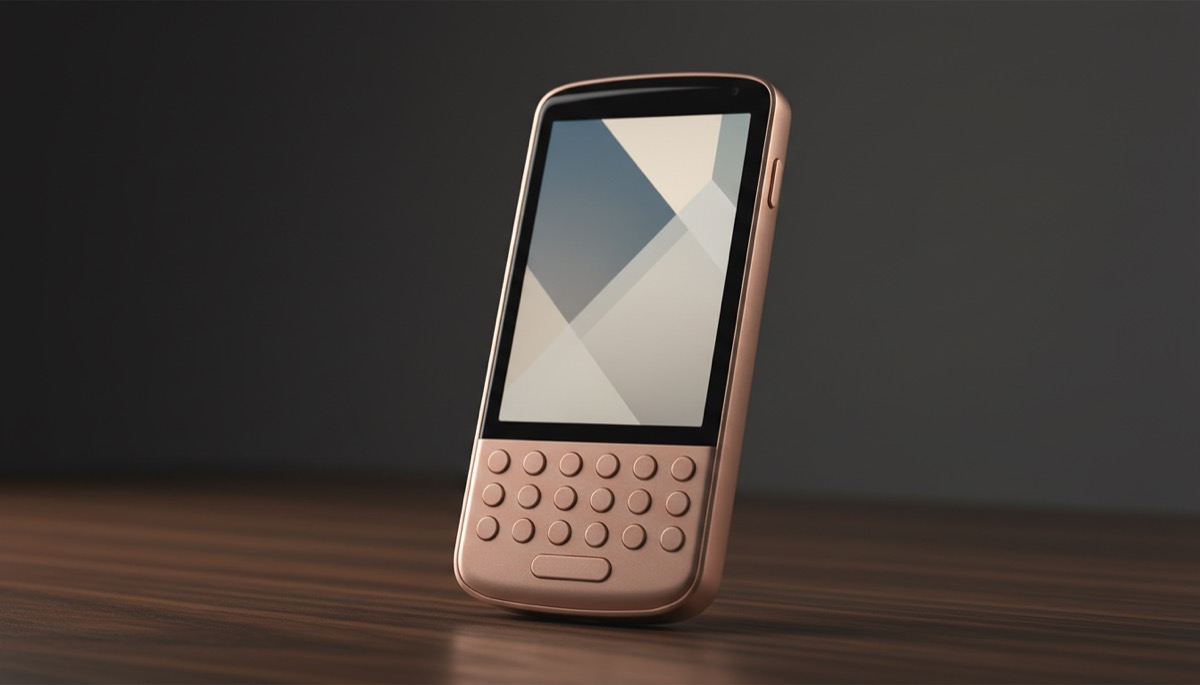
The first thing you notice is the weight. At 142 grams, the Passport feels substantial in the hand. The aircraft-grade aluminum chassis and the rounded edges give it a tool-like quality that plastic devices simply cannot match. The form factor is unusual — tall, narrow, almost like a small remote control — but it fits comfortably in a single hand, and the physical buttons have a satisfying tactile click.
The IPS display is noticeably better than what you find on most competing devices. Text is sharp, QR codes render cleanly for scanning, and viewing angles are wide enough that you do not need to hold the device at an awkward angle to read it.
Design and Build Quality
Foundation leaned hard into industrial design with the Passport. The chassis is machined from a single block of aluminum, giving the device a rigidity that inspires confidence. There is a camera module on the back for scanning QR codes, a microSD card slot on the side, and a USB-C port on the bottom that is wired for power delivery only — no data lines are connected.
The removable battery is a standout feature. Most hardware wallets either use a sealed internal battery or no battery at all. The Passport’s 1200 mAh lithium-ion cell is user-replaceable, which matters for a device you might store for years. Batteries degrade over time, and being able to swap one out without opening the case or voiding any security guarantees is a practical advantage.
The physical keypad uses a directional pad and labeled buttons rather than a touchscreen. This is a deliberate security choice — touchscreens increase the attack surface and add complexity to firmware. The tradeoff is slower text entry, but for a device where you primarily confirm transactions and scan QR codes, the keypad works well.
Setup Process
Setting up the Passport involves pairing it with Foundation’s Envoy companion app, available on iOS and Android. Envoy walks you through the process step by step, and communication between the phone and the Passport happens entirely through QR codes — no Bluetooth, no WiFi, no USB data transfer.
During setup, you can either generate a new seed phrase on the device or import an existing one. The Passport supports standard BIP39 seed phrases (12 or 24 words) as well as SeedQR, which encodes your seed as a compact QR code for faster backup and restore. If you import a seed, you can type it in using the keypad or scan a SeedQR.
The device also supports BIP39 passphrases, adding an extra word to your seed that acts as a secondary authentication layer. For a deeper explanation of how passphrases work and when they make sense, see our guide on cryptocurrency wallet passphrases and recovery best practices.
Envoy handles account discovery automatically once paired. It scans the blockchain for any existing transaction history associated with your keys and displays your balance. The entire setup takes about 10 to 15 minutes, which is reasonable given the air-gapped workflow.
Security Architecture
Security is where the Passport makes its strongest argument. The air-gapped design means the device has no mechanism for direct digital communication with any other device. There is no Bluetooth radio, no WiFi module, no NFC chip, and the USB-C port carries power only. Every piece of data that enters or leaves the device goes through either the camera (QR codes) or the microSD card slot.
This approach eliminates entire categories of remote attacks. There is no wireless protocol to exploit, no USB stack to compromise, and no network connection to intercept. The tradeoff is convenience — you need to physically scan QR codes or shuttle a microSD card to sign transactions — but for cold storage of meaningful amounts of Bitcoin, that tradeoff is usually worth making.
The Microchip ATECC608A secure element stores sensitive key material and handles cryptographic operations in a hardened environment. The STM32H753 general-purpose processor runs the firmware, handles the display, and manages user interaction. This dual-chip architecture separates key storage from general computation, reducing the risk that a firmware vulnerability could expose private keys directly.
For a broader discussion of how hardware wallets defend against physical extraction techniques, our article on side-channel attack risks in cryptocurrency hardware provides detailed technical context.
Supply chain security gets attention too. Foundation publishes the bill of materials, the PCB layout, and the firmware source code. You can compile the firmware yourself and verify that what runs on your device matches the published source. The device also validates firmware signatures before applying updates, and the secure element checks for tampering at boot.
Software and Firmware
The Envoy app serves as the primary interface for managing your Passport. It displays your balance, generates receive addresses, constructs transactions, and presents QR codes for the Passport to scan and sign. The app is open source and available on both major mobile platforms.
Envoy has a clean, focused interface that reflects the Bitcoin-only philosophy. There are no token swap features, no DeFi integrations, no NFT galleries. You get a Bitcoin wallet with coin control, fee estimation, and transaction history. It also serves as a firmware update channel — new firmware versions are downloaded through Envoy and transferred to the Passport via microSD card.
Foundation releases firmware updates regularly, addressing bugs, adding features, and patching vulnerabilities. The update process is straightforward: download the update file to a microSD card through Envoy, insert the card into the Passport, and confirm the update on the device. Understanding why keeping firmware current matters is covered in our piece on firmware updates and hardware wallet security best practices.
The firmware itself is licensed under MIT, and the hardware design files use the CERN Open Hardware License. This level of openness is rare in the hardware wallet space and allows independent security researchers to audit the full stack without NDA restrictions.
Compatible Wallets
While Envoy is the default companion app, the Passport works with a broad range of Bitcoin wallet software. Supported options include:
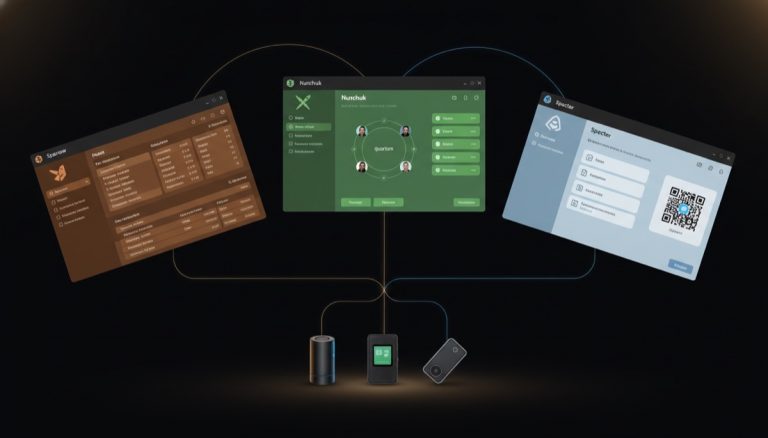
- Sparrow Wallet — Full-featured desktop wallet with excellent coin control and privacy tools. One of the most popular pairings with the Passport.
- Electrum — The long-standing Bitcoin desktop wallet with advanced scripting support.
- Specter Desktop — Designed for multisig setups and Bitcoin Core integration.
- Bitcoin Core — Direct integration via HWI (Hardware Wallet Interface) for users running their own full node.
- Nunchuk — Mobile and desktop wallet with strong multisig support and collaborative custody features.
- Blue Wallet — Mobile Bitcoin wallet with watch-only wallet support for PSBT signing.
- BTCPay Server — For merchants accepting Bitcoin, the Passport can sign payouts from a BTCPay instance.
- Casa — Managed multisig service that supports the Passport as a signing device.
This broad compatibility means you are not locked into Foundation’s software ecosystem. If Envoy ever stops being developed, or if you simply prefer a different interface, your keys remain accessible through any of these alternatives. Our overview of Bitcoin wallet architecture explains why this kind of interoperability matters for long-term custody.
Multisig Support
The Passport works well as a signing device in multisig configurations. It exports xpubs via QR code or microSD, supports PSBT (Partially Signed Bitcoin Transactions) workflows, and integrates with the coordinator software you would use to manage a multisig quorum — Sparrow, Specter, Nunchuk, and Casa all handle this smoothly.
In a typical 2-of-3 multisig setup, you might use a Passport as one signing device alongside a Coldcard and a software wallet, or pair multiple Passports together. The air-gapped QR workflow actually makes multisig signing more ergonomic than you might expect — you scan the partially signed transaction, review it on the Passport’s screen, approve it, and display a QR code containing your signature for the coordinator to collect.
If you are considering moving from a single-key setup to multisig, our technical guide on transitioning from single signature to multisig wallets walks through the process and tradeoffs involved.
Pros and Cons
Pros
- Fully air-gapped with no wireless connectivity of any kind
- Premium build quality with aircraft-grade aluminum chassis
- Fully open-source firmware and hardware schematics
- Removable, replaceable battery for long-term storage
- Bitcoin-only focus eliminates unnecessary attack surface
- Excellent companion app (Envoy) with clean UX
- Wide third-party wallet compatibility
- Strong multisig support via PSBT and QR workflows
- USA-based company with transparent supply chain
- SeedQR support for fast seed backup and restore
Cons
- $299 price point is significantly higher than most competitors
- No multi-chain support — Bitcoin only, which limits utility for altcoin holders
- Physical keypad makes text entry slower than touchscreen alternatives
- Unusual form factor may not appeal to everyone
- MicroSD-based firmware updates require more steps than USB-connected devices
- Camera quality can struggle in low-light conditions when scanning QR codes
- No passphrase entry on a full keyboard — limited to on-device keypad
Who Should Buy This Wallet
The Passport is built for a specific type of Bitcoin user. If you hold Bitcoin as a long-term store of value, care deeply about open-source verifiability, and want to eliminate wireless attack vectors entirely, the Passport belongs on your shortlist.
Bitcoin maximalists will appreciate the single-asset focus. Privacy-conscious users will value the air-gapped architecture and the absence of telemetry or tracking. Open-source advocates will find the MIT-licensed firmware and CERN-licensed hardware designs meaningful — this is not “open source in spirit” but genuinely auditable top to bottom. Our article on open source values in Bitcoin hardware security covers why this matters beyond marketing.
For users who want a multi-chain device, who need Bluetooth for mobile signing, or who are price-sensitive, the Passport is not the right fit. It does one thing and does it well, but it does not try to be everything to everyone.
Comparison with Alternatives
Passport vs Coldcard MK4
Both are Bitcoin-only, air-gapped, and open-source. The Coldcard uses a more utilitarian design with a numeric keypad and a smaller screen. It is cheaper at around $150, supports NFC for PSBT transfer (which can be disabled), and has a longer track record. The Passport wins on build quality, screen size, and the companion app experience. The Coldcard appeals to users who prioritize a proven security track record and lower cost over design refinement.
Passport vs Blockstream Jade
The Jade is dramatically cheaper at around $65 and uses a unique virtual secure element model instead of a traditional hardware chip. It supports Bluetooth (which the Passport deliberately avoids) and can operate in an air-gapped QR mode. The Jade is a better choice for budget-conscious buyers or users who want a secondary signing device. The Passport is aimed at users willing to pay a premium for build quality, a dedicated secure element, and a fully air-gapped design with no wireless radios on the board.
Passport vs Keystone 3 Pro
The Keystone supports over 5,500 cryptocurrencies and features a large 4-inch touchscreen with fingerprint authentication. It appeals to multi-chain users who interact with DeFi protocols and want air-gapped security across multiple blockchains. The Passport is the better choice for Bitcoin-only users who prefer the reduced attack surface of a single-asset device and value open-source hardware schematics, which Keystone does not fully provide.
Verdict
The Foundation Passport is the best hardware wallet available for Bitcoin users who value open-source transparency, air-gapped security, and premium build quality. It is not cheap, and it is not trying to be. The $299 price reflects real costs — aluminum machining, a quality display, a removable battery, and USA-based manufacturing and support.
The security architecture is sound: no wireless connectivity, a proper secure element, open-source firmware with reproducible builds, and a supply chain you can actually verify. The Envoy companion app is polished and focused. The third-party wallet compatibility means your setup is not dependent on any single software vendor.
If you are securing a meaningful amount of Bitcoin for the long term — whether in a single-key or multisig configuration — the Passport earns a strong recommendation. It delivers on what it promises and does not compromise on the things that matter most for cold storage security.
Rating: 9/10
For guidance on how to properly store the seed phrase generated by your Passport or any other hardware wallet, see our comprehensive resource on seed phrase storage best practices and risk mitigation.
Ledger vs Trezor: Best Hardware Wallet from the
Bitcoin Wallets & Self-Custody course.
Frequently Asked Questions
Can the Foundation Passport be used completely without a phone or computer?
No. The Passport is a signing device, not a standalone wallet. It needs a companion application — either Envoy on a phone, or a desktop wallet like Sparrow — to construct transactions, broadcast them to the Bitcoin network, and display your balance. The Passport handles key generation, key storage, and transaction signing. Think of it as a secure vault for your private keys that approves transactions prepared by other software. The air-gapped QR workflow means the Passport never connects directly to the companion device, but it does depend on that software to function as a complete wallet.
Is the Passport compatible with multisig setups using devices from other manufacturers?
Yes. The Passport uses standard PSBT (BIP174) formatting and exports xpubs in standard derivation paths. You can combine a Passport with a Coldcard, a Jade, a Trezor, or a software signer in a multisig quorum managed by Sparrow, Specter, Nunchuk, or Casa. The QR-based signing workflow is compatible with any coordinator software that supports animated QR PSBTs. For users building a multisig setup with mixed hardware, our article on hardware diversity in multisig security discusses why using devices from different manufacturers strengthens your security model.
What happens if Foundation Devices goes out of business?
Your Bitcoin remains fully accessible. The Passport uses standard BIP39 seed phrases, which can be restored on any compatible hardware or software wallet. The firmware and hardware designs are open source, so the community could maintain and build the software independently. Your keys are not locked to Foundation’s infrastructure in any way — there is no proprietary key derivation, no cloud dependency, and no licensing server. This is one of the strongest arguments for the fully open-source approach Foundation has taken.
How does the Passport handle firmware updates securely without an internet connection?
Firmware updates are downloaded through the Envoy app or from Foundation’s website and transferred to the Passport via microSD card. Before applying any update, the Passport verifies the firmware signature using keys embedded in the secure element during manufacturing. If the signature does not match, the update is rejected. This means even if someone modified a firmware file on the microSD card, the Passport would refuse to install it. You can also compile the firmware from source and compare hashes to verify that the official release matches the published code. The process adds a few extra steps compared to USB-connected updates, but it maintains the air-gapped security boundary at all times.
You may also find our Bitcoin seed phrase security guide useful.
{“@context”: “https://schema.org”, “@type”: “FAQPage”, “mainEntity”: [{“@type”: “Question”, “name”: “Can the Foundation Passport be used completely without a phone or computer?”, “acceptedAnswer”: {“@type”: “Answer”, “text”: “No. The Passport is a signing device, not a standalone wallet. It needs a companion application — either Envoy on a phone, or a desktop wallet like Sparrow — to construct transactions, broadcast them to the Bitcoin network, and display your balance. The Passport handles key generation, key storage, and transaction signing. Think of it as a secure vault for your private keys that approves transactions prepared by other software. The air-gapped QR workflow means the Passport never connects dire…”}}, {“@type”: “Question”, “name”: “Is the Passport compatible with multisig setups using devices from other manufacturers?”, “acceptedAnswer”: {“@type”: “Answer”, “text”: “Yes. The Passport uses standard PSBT (BIP174) formatting and exports xpubs in standard derivation paths. You can combine a Passport with a Coldcard, a Jade, a Trezor, or a software signer in a multisig quorum managed by Sparrow, Specter, Nunchuk, or Casa. The QR-based signing workflow is compatible with any coordinator software that supports animated QR PSBTs. For users building a multisig setup with mixed hardware, our article on hardware diversity in multisig security discusses why using de…”}}, {“@type”: “Question”, “name”: “What happens if Foundation Devices goes out of business?”, “acceptedAnswer”: {“@type”: “Answer”, “text”: “Your Bitcoin remains fully accessible. The Passport uses standard BIP39 seed phrases, which can be restored on any compatible hardware or software wallet. The firmware and hardware designs are open source, so the community could maintain and build the software independently. Your keys are not locked to Foundation’s infrastructure in any way — there is no proprietary key derivation, no cloud dependency, and no licensing server. This is one of the strongest arguments for the fully open-source a…”}}, {“@type”: “Question”, “name”: “How does the Passport handle firmware updates securely without an internet connection?”, “acceptedAnswer”: {“@type”: “Answer”, “text”: “Firmware updates are downloaded through the Envoy app or from Foundation’s website and transferred to the Passport via microSD card. Before applying any update, the Passport verifies the firmware signature using keys embedded in the secure element during manufacturing. If the signature does not match, the update is rejected. This means even if someone modified a firmware file on the microSD card, the Passport would refuse to install it. You can also compile the firmware from source and compar…”}}]}