What Is 2-of-3 Multisig?
A 2-of-3 multisig wallet requires two out of three private keys to authorize any bitcoin transaction. You distribute three keys across different locations, devices, or people. Any two keys can spend the funds, but no single key holder has unilateral control.
This scheme has become the gold standard for personal bitcoin custody because it solves the two biggest risks simultaneously: theft (an attacker must compromise two separate keys) and loss (you can lose one key entirely and still access your funds with the remaining two).
Compared to single-signature wallets, multisig adds complexity in setup and spending. But for amounts worth protecting seriously — typically anything above 6–12 months of expenses — the security upgrade justifies the extra steps. This guide covers the concept, key distribution strategies, coordinator software choices, and backup planning for a solid 2-of-3 configuration.
How Multisig Works Under the Hood
Bitcoin’s scripting language natively supports multisignature transactions. A 2-of-3 multisig address encodes a script that says: “To spend from this address, provide valid signatures from at least 2 of these 3 public keys.” The Bitcoin network enforces this rule at the protocol level — no trusted third party is involved.
When you create a 2-of-3 wallet, the coordinator software combines the extended public keys (XPUBs) from all three signers to derive a set of multisig addresses. Each address is a hash of the combined script containing all three public keys plus the spending policy. The multisig wallet configuration guide dives deeper into the script mechanics.
Address Types for Multisig
- P2SH (Legacy) — Addresses starting with
3. Broadly compatible but higher transaction fees. - P2SH-P2WSH (Nested Segwit) — Also starts with
3. Lower fees than legacy, compatible with most wallets. - P2WSH (Native Segwit) — Addresses starting with
bc1q. Lowest fees. Recommended for new setups.
Use Native Segwit (P2WSH) unless you have a specific compatibility requirement. Transaction fees for multisig are higher than single-sig because the script and signatures are larger, so using the most efficient address type matters.
Key Distribution Strategy
The security of your multisig depends entirely on how you distribute and store the three keys. The goal is geographic separation with no single point of failure.
Option A: Three Personal Locations
| Key | Device | Location |
|---|---|---|
| Key 1 | Coldcard MK4 | Home safe |
| Key 2 | Foundation Passport | Bank safe deposit box |
| Key 3 | Trezor Safe 3 | Trusted family member’s safe |
This arrangement protects against fire, theft, and natural disaster at any single location. You can spend with your home key plus either of the other two. A thief would need to compromise two separate locations.
Option B: Collaborative Custody (1 key with a service)
| Key | Holder | Purpose |
|---|---|---|
| Key 1 | You (primary device) | Daily access |
| Key 2 | You (backup device) | Recovery |
| Key 3 | Custody service (Casa, Unchained) | Emergency co-signer |
In this model, you hold two keys and a professional service holds one. Under normal circumstances, you sign with your two keys and the service key is never used. If you lose one key, the service co-signs with their key after verifying your identity. The service alone cannot spend your bitcoin because they hold only 1 of the 3 required keys.
Option C: Distributed Trust
| Key | Holder | Purpose |
|---|---|---|
| Key 1 | You | Primary signer |
| Key 2 | Trusted person A (spouse, business partner) | Co-signer |
| Key 3 | Trusted person B (attorney, family member) | Recovery / Inheritance |
This works for shared funds or business treasury. No single person can spend unilaterally. This is also a natural fit for inheritance planning, which the bitcoin inheritance guide covers extensively.
Choosing a Multisig Coordinator
The coordinator is the software that combines XPUBs, generates multisig addresses, creates transactions, and collects signatures. It does not hold any private keys.
Sparrow Wallet (Desktop)
Open-source, connects to your own node, supports all major hardware wallets via USB, QR, and SD card. The most transparent and flexible option. Requires a computer to use, which limits mobile access. Covered in detail in our Sparrow multisig tutorial.
Nunchuk (Desktop + Mobile)
Available on iOS, Android, and desktop. Manages multisig across platforms with key sharing via QR codes and NFC. The mobile app makes signing more convenient. Offers both free self-custody and paid collaborative custody tiers.
Electrum (Desktop)
Long-established Bitcoin wallet with multisig support. Less polished UI than Sparrow for multisig operations, but fully functional. Connects to your own Electrum server or public servers.
Casa (Managed Service)
Combines a mobile app with collaborative custody. Casa holds one key, you hold two. Guided setup process with less technical overhead. Monthly subscription fee. Your keys remain on your own hardware; Casa cannot spend your funds alone.
Unchained Capital (Collaborative Custody)
Similar model to Casa with emphasis on institutional-grade custody. Unchained holds one key, you hold two. Offers lending services against your multisig bitcoin holdings.
Hardware Wallet Selection
Using hardware wallets from different manufacturers is a core security principle for multisig. A firmware vulnerability in one vendor’s product does not compromise your funds if the other two devices are unaffected. The hardware wallet buying guide reviews current options.
Recommended combinations for a 2-of-3 setup:
- Coldcard MK4 + Foundation Passport + Trezor Safe 3 — All open-source firmware, different architectures.
- Coldcard MK4 + Keystone Pro + BitBox02 — Mix of air-gapped and USB communication methods.
- Foundation Passport + Jade + Trezor Safe 3 — Budget-friendly combination without sacrificing diversity.
Ensure every device supports the multisig address type you choose (P2WSH is universally supported on current-generation hardware wallets).
Setting Up Your 2-of-3 Wallet: General Process
- Initialize each hardware wallet independently. Generate a fresh 24-word seed on each device. Never import or share seeds between devices.
- Record each device’s master fingerprint. This 8-character hex identifier lets you track which key is which.
- Back up each seed phrase on metal. Store backups in separate geographic locations. Use a Cryptosteel or Billfodl for fire and corrosion resistance.
- Export extended public keys from each device. Methods vary: microSD (Coldcard), QR code (Passport), USB (Trezor).
- Import XPUBs into your coordinator software. Create a new multisig wallet with 2-of-3 policy.
- Register the multisig wallet on each hardware device. This allows each device to verify receiving addresses independently.
- Verify addresses match across all devices and the coordinator. The first receiving address must be identical everywhere.
- Send a small test transaction. Deposit, then spend back to yourself using two different signing devices. If the transaction confirms, your setup is correct.
Backup and Recovery Planning
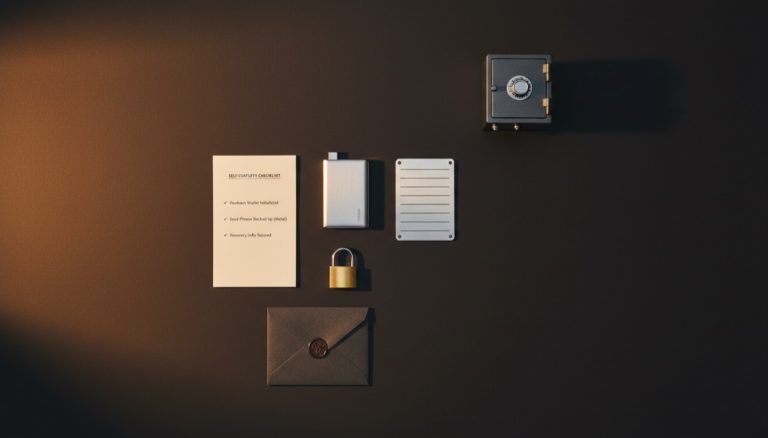
Multisig backups are more involved than single-sig. You must preserve three separate pieces of information to guarantee future recovery.
1. Seed Phrases (3 separate backups)
Each seed phrase is backed up individually on metal and stored in a different location. Losing one seed phrase is acceptable — you still have two keys to spend. Losing two seed phrases means losing access to your funds.
2. Wallet Descriptor / Configuration File
The wallet descriptor contains all three XPUBs, the derivation paths, the script type, and the policy (2-of-3). Without this information, recovering the wallet from seeds alone requires knowing the exact derivation paths and the order of cosigners. Most coordinator software exports this as a JSON or text file.
Store the wallet configuration file in multiple locations, ideally alongside at least two of the three seed backups. The descriptor is not sensitive — it contains public keys only and cannot be used to spend funds. The multisig backup maps guide details optimal distribution.
3. Device-to-Key Mapping
Document which hardware wallet holds which key, along with its master fingerprint and physical storage location. This map is essential for your heirs or for yourself if years pass between wallet accesses.
Security Analysis: What Multisig Protects Against
Understanding the specific threat model helps you appreciate why multisig exists and where it has limits.
Threats Multisig Defeats
- Physical theft of one device — A burglar who steals your home hardware wallet gets one key. They cannot spend your bitcoin without a second key from a different location.
- Supply chain compromise — If a manufacturer ships backdoored firmware that leaks the private key, only one key is affected (assuming hardware diversity). Your funds remain safe because the attacker has only 1 of 3 keys.
- Loss of a single backup — Fire, flood, or damage destroying one seed phrase backup leaves you with two working keys and full access to your bitcoin.
- Wrench attack with limited access — An attacker who coerces you at home can only access the key stored there. The second key is in a different location they do not control. This does not make you immune to physical attacks, but it buys time and adds friction.
- Insider threat at a custody service — In collaborative custody models, the service holds one key. A rogue employee cannot spend your funds because the service has only 1 of the required 2 signatures.
Threats Multisig Does Not Defeat
- Compromised coordinator software — If your coordinator (Sparrow, Nunchuk) is compromised, it could display wrong addresses. This is why address verification on hardware device screens is critical.
- Two simultaneous location compromises — If an attacker gains access to two of your three key locations, they can spend your funds. This is rare but possible for targeted attacks.
- Loss of two or more seed backups — Losing two of three seed phrases means permanent loss of access. Redundant backup storage mitigates this risk.
- Social engineering across multiple holders — In distributed trust models, an attacker who manipulates two of three key holders can authorize transactions.
No custody solution is perfect. Multisig dramatically raises the bar for both theft and accidental loss compared to single-sig, which is why it has become the recommended approach for significant bitcoin holdings. The multisig security analysis explores these trade-offs in more depth.
Common Mistakes to Avoid
- Storing two or more seed backups in the same location. This eliminates the geographic separation that makes multisig secure.
- Not registering the multisig wallet on hardware devices. Without registration, a compromised coordinator could display a fake address. Always verify addresses on the hardware device screen.
- Using the same hardware wallet model for all three keys. Diversity is the point. A single vendor vulnerability should not compromise your funds.
- Forgetting to back up the wallet configuration. Seeds alone are not enough to reconstruct a multisig wallet. You need the XPUBs and policy.
- Skipping the test transaction. Always verify the full send-and-receive cycle before depositing significant amounts.
- Over-complicating the setup. A 2-of-3 is the sweet spot for personal custody. Going to 3-of-5 or higher adds operational burden without proportional security gains for most individuals.
Operational Considerations
How Often Will You Access the Wallet?
If you plan to spend from your multisig wallet frequently (weekly or monthly), the multi-device signing process becomes a meaningful operational consideration. Each spend requires physically accessing two hardware wallets, potentially at different locations. For frequent access, consider keeping two keys in relatively convenient locations (home and office, for example) while the third key remains in a more secure but less accessible location like a bank vault.
For true cold storage that you access only a few times per year, geographic separation is more important than convenience. Optimize for security, not speed of access.
Firmware Updates and Device Lifecycle
Hardware wallets require periodic firmware updates. In a multisig setup, update one device at a time and verify the wallet still works correctly after each update. Never update all three devices simultaneously — if an update introduces a bug, you want at least two working devices available at all times.
Hardware wallets eventually reach end-of-life when manufacturers stop producing firmware updates. Plan for device replacement every 3–5 years. When replacing a device, create a new multisig wallet with the replacement and transfer funds from the old wallet. Do not reuse the old device’s seed phrase on the new device — generate a fresh seed for the strongest security posture. Firmware update best practices apply to each device in the setup.
Record Keeping
Maintain a secure document (separate from your seed backups) that records the complete setup details: the date each wallet was created, the coordinator software version used, the script type selected, the derivation paths, each device’s master fingerprint and serial number, and the physical location of each key. Store this document digitally (encrypted) and physically (printed) in separate locations from the seed phrases. Update it whenever any aspect of the setup changes.
When to Upgrade from Single-Sig to Multisig
There is no universal threshold, but consider multisig when:
- Your bitcoin holdings exceed 6–12 months of personal expenses.
- You want to include your bitcoin in estate planning.
- You travel frequently and worry about the physical security of a single device.
- You run a business that holds bitcoin in treasury.
The singlesig to multisig migration guide walks through the transition process step by step.
Multisig Wallets Explained from the
Advanced Bitcoin Security & Privacy course.
Frequently Asked Questions
What happens if one key is compromised?
An attacker with one key cannot spend your bitcoin — they need two. Move your funds immediately to a new multisig wallet that replaces the compromised key. You still have two valid keys to authorize the transfer.
Can I change from 2-of-3 to 3-of-5 later?
Not in place. You create a new 3-of-5 wallet with five keys and transfer your funds from the old 2-of-3 wallet. The old wallet remains valid until you sweep all funds out.
Is multisig compatible with Lightning Network?
Lightning channels use their own 2-of-2 multisig between channel partners, but your on-chain multisig wallet cannot directly open Lightning channels in most implementations. You would send funds from your multisig cold storage to a hot wallet connected to your Lightning node.
How much more do multisig transactions cost in fees?
A 2-of-3 P2WSH spend is roughly 2–2.5x the size (in virtual bytes) of a single-sig P2WPKH spend. At a fee rate of 10 sat/vB, a typical multisig spend costs around 2,000–3,000 sats compared to 1,000–1,500 for single-sig. For long-term cold storage with infrequent transactions, this is a negligible cost.
Do I need technical knowledge to maintain a multisig wallet?
Setup requires following precise steps, but ongoing maintenance is minimal. You need to keep firmware updated on your hardware wallets, verify your backups periodically, and ensure the coordinator software remains installed and accessible. Services like Casa and Unchained reduce the technical burden significantly with guided processes and support.
Can I use a phone as one of the three signers?
It is possible with wallets like Nunchuk or Blue Wallet that support multisig signing on mobile. However, a phone is significantly less secure than a dedicated hardware wallet. If you use a phone as one signer, ensure the other two are hardware wallets and treat the phone key as the least trusted of the three.
For a broader perspective, explore our Bitcoin seed phrase security guide.
{“@context”: “https://schema.org”, “@type”: “FAQPage”, “mainEntity”: [{“@type”: “Question”, “name”: “What happens if one key is compromised?”, “acceptedAnswer”: {“@type”: “Answer”, “text”: “An attacker with one key cannot spend your bitcoin — they need two. Move your funds immediately to a new multisig wallet that replaces the compromised key. You still have two valid keys to authorize the transfer.”}}, {“@type”: “Question”, “name”: “Can I change from 2-of-3 to 3-of-5 later?”, “acceptedAnswer”: {“@type”: “Answer”, “text”: “Not in place. You create a new 3-of-5 wallet with five keys and transfer your funds from the old 2-of-3 wallet. The old wallet remains valid until you sweep all funds out.”}}, {“@type”: “Question”, “name”: “Is multisig compatible with Lightning Network?”, “acceptedAnswer”: {“@type”: “Answer”, “text”: “Lightning channels use their own 2-of-2 multisig between channel partners, but your on-chain multisig wallet cannot directly open Lightning channels in most implementations. You would send funds from your multisig cold storage to a hot wallet connected to your Lightning node.”}}, {“@type”: “Question”, “name”: “How much more do multisig transactions cost in fees?”, “acceptedAnswer”: {“@type”: “Answer”, “text”: “A 2-of-3 P2WSH spend is roughly 2–2.5x the size (in virtual bytes) of a single-sig P2WPKH spend. At a fee rate of 10 sat/vB, a typical multisig spend costs around 2,000–3,000 sats compared to 1,000–1,500 for single-sig. For long-term cold storage with infrequent transactions, this is a negligible cost.”}}, {“@type”: “Question”, “name”: “Do I need technical knowledge to maintain a multisig wallet?”, “acceptedAnswer”: {“@type”: “Answer”, “text”: “Setup requires following precise steps, but ongoing maintenance is minimal. You need to keep firmware updated on your hardware wallets, verify your backups periodically, and ensure the coordinator software remains installed and accessible. Services like Casa and Unchained reduce the technical burden significantly with guided processes and support.”}}, {“@type”: “Question”, “name”: “Can I use a phone as one of the three signers?”, “acceptedAnswer”: {“@type”: “Answer”, “text”: “It is possible with wallets like Nunchuk or Blue Wallet that support multisig signing on mobile. However, a phone is significantly less secure than a dedicated hardware wallet. If you use a phone as one signer, ensure the other two are hardware wallets and treat the phone key as the least trusted of the three. For a broader perspective, explore our Bitcoin seed phrase security guide.”}}]}