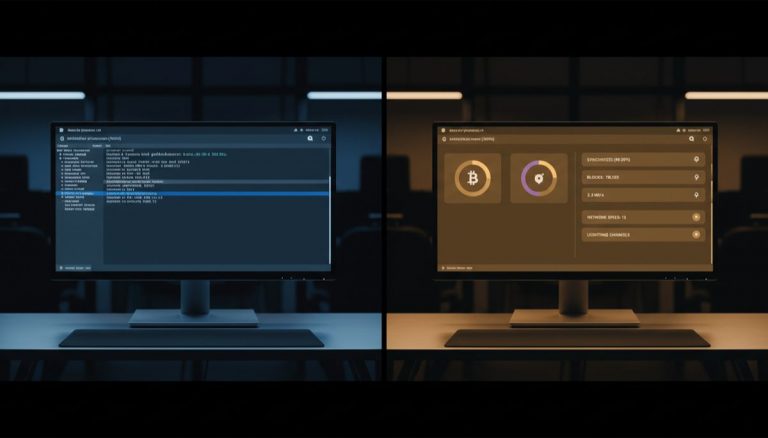
The evolution of Bitcoin self-custody solutions has created a complex ecosystem where understanding the distinction between server-side and client-side applications becomes crucial for maintaining security and functionality. This analysis explores the fundamental architecture of Bitcoin nodes, wallet integration, and the importance of proper setup for maintaining true self-custody.
The relationship between Bitcoin nodes and wallet software represents a critical intersection in the self-custody landscape. A Bitcoin node serves as the backbone of the network, validating transactions and maintaining a copy of the blockchain, while wallet software provides the interface through which users interact with their bitcoin. Understanding this separation of concerns is essential for implementing secure self-custody solutions.
Server applications, such as Bitcoin Core and Electrum Server implementations, are designed to run continuously on dedicated hardware, providing services to multiple clients while maintaining consistent network connectivity. These services form the foundation of a self-sovereign Bitcoin infrastructure, enabling users to validate transactions and interact with the network without relying on third-party servers.
Client applications, by contrast, are designed to run on personal computers and mobile devices, providing user interfaces and handling sensitive operations like transaction signing. This separation serves both security and practical purposes. Wallet software needs direct access to hardware devices and local system resources, which is more appropriate for client machines than servers.
The implementation of air-gapped cold storage adds another layer of complexity to this architecture. Cold storage solutions deliberately maintain physical separation between signing devices and networked computers, requiring careful consideration of how these components interact. This security model relies on the ability to transfer unsigned transactions and signed messages between air-gapped devices and networked clients.
When setting up a self-custody solution, it’s critical to understand the proper placement of different components. The node and associated services should run on dedicated server hardware, while wallet software should operate on personal computing devices. This separation maintains security boundaries while enabling proper access to necessary system resources.
Electrum Server implementations like electrs play a vital role in this architecture by indexing the blockchain and providing efficient access to transaction data. However, these services operate at the protocol level and should not be confused with user-facing wallet applications. The distinction becomes particularly important when implementing hardware wallet solutions.
Hardware wallets represent the gold standard for securing private keys, but their integration requires direct physical connection or air-gapped transfer mechanisms. This necessitates running wallet software on machines with appropriate hardware interfaces, typically personal computers rather than headless servers.
The future of Bitcoin self-custody continues to evolve, with emerging solutions seeking to balance security, usability, and sovereignty. Innovations in hardware security modules, multisignature schemes, and network protocols are expanding the possibilities for secure bitcoin storage while maintaining the fundamental principles of self-custody.
As the ecosystem matures, maintaining clear boundaries between server and client components becomes increasingly important. This separation enables specialized solutions for different aspects of Bitcoin interaction while preserving the security properties that make self-custody effective. Understanding these distinctions helps users implement robust solutions that align with their security needs and technical capabilities.
For more on this topic, see our guide on Lightning Network Cross-Platform Transfers.
For more on this topic, see our guide on Bitcoin Chain Analysis: How Tracking Works. Full sovereignty starts with your own node — explore Self-Hosted Bitcoin Infrastructure Security.
Node operators can benefit from understanding DIY Bitcoin Node: Build Your Own Setup.
Running your own node strengthens this approach — learn about Bitcoin Node Privacy and Accessibility.
Verifying transactions yourself requires a node — see Bitcoin Node Network Discovery and Access.
Running your own node strengthens this approach — learn about Bitcoin Full Node Setup: Best Practices.
Node operators can benefit from understanding Bitcoin Node Infrastructure: Security Setup.
For a broader perspective, explore our running your own Bitcoin node guide.
Step-by-Step Guide
Follow this process to set up a proper self-custody Bitcoin stack with separate node and wallet components.
1. Choose Your Node Hardware
Dedicate a machine for running your Bitcoin node. A Raspberry Pi 4 with 8GB RAM and a 2TB SSD works for budget setups. For better performance, use an Intel NUC, old laptop, or mini PC with at least 16GB RAM. The node runs 24/7, so choose hardware with low power consumption. Avoid running your node on your daily-use computer — it needs to stay online continuously and the initial sync uses significant resources.
2. Install Node Software
Choose between a plug-and-play solution (Umbrel, Start9, RaspiBlitz) or a manual Bitcoin Core installation. Plug-and-play options include a web interface and one-click app installation for Electrum Server, Lightning, and other services. Manual installation gives you more control but requires command-line skills. Regardless of method, enable Tor for all connections during initial setup to protect your IP address from the Bitcoin network.
3. Wait for Initial Block Download (IBD)
Your node must download and verify the entire Bitcoin blockchain — approximately 600 GB as of 2026. On a Raspberry Pi, this takes 3-7 days. On faster hardware, 12-48 hours. Do not attempt to use the node before IBD completes. Monitor progress through your node’s dashboard or by checking the debug log. A partially synced node cannot reliably verify transactions.
4. Install and Configure Electrum Server
Install electrs (Rust implementation) or Fulcrum (C++ implementation) on your node. These index the blockchain so wallet software can efficiently query address balances and transaction history. electrs uses less RAM but is slower to sync; Fulcrum is faster but needs 8+ GB RAM. The Electrum Server provides the bridge between your node and your wallet software through a standard protocol.
5. Set Up Wallet Software on Your Personal Computer
Install Sparrow Wallet on your laptop or desktop. In Sparrow’s preferences, configure the server connection to point to your node’s Electrum Server. If your node runs Tor, connect through the .onion address. If on the same local network, use the local IP. Test the connection — Sparrow should display a green checkmark and show the current block height matching your node.
6. Connect Your Hardware Wallet
Plug your hardware wallet (Coldcard, Trezor, Ledger, or Passport) into your personal computer via USB, or use air-gapped transfer via QR codes or microSD. In Sparrow, create a new wallet and select your hardware device. Import the public key (xpub) — the private keys remain on the hardware device. Sparrow uses your Electrum Server to look up address balances and broadcast transactions, while the hardware wallet handles signing.
7. Verify the Full Stack Works End-to-End
Send a small test transaction to your new wallet. Watch it appear in Sparrow as unconfirmed, then confirmed. Verify the transaction in your node’s mempool and block explorer. Create a test outgoing transaction, sign it on the hardware wallet, and broadcast through your node. Confirm the transaction propagates to the network. Once this round-trip works, your self-custody stack is fully operational.
Common Mistakes to Avoid
1. Running Wallet Software on the Node Server
Installing Sparrow Wallet or Electrum directly on your headless node server defeats the security architecture. Wallet software needs to interact with your hardware wallet, which requires physical USB access or a display for QR codes. Headless servers have neither. Keep the node as a server-only machine and run wallet software on your personal computer where you can physically connect signing devices.
2. Exposing Your Electrum Server Port to the Internet
The default Electrum Server port (50001/50002) should never be accessible from the public internet without authentication. An exposed port allows anyone to query your server, potentially revealing which addresses you monitor. Use Tor hidden services for remote access or restrict connections to your local network. Firewall rules should block all external access to Electrum Server ports.
3. Skipping Tor Configuration During Initial Setup
Without Tor, your Bitcoin node announces your home IP address to every peer on the network. Your ISP can see that you run a Bitcoin node. Chain analysis firms maintain lists of node IP addresses and correlate them with transaction timing. Configure Tor before your node connects to any peers. Retroactively adding Tor helps for future connections but does not erase the peer records from your non-Tor period.
4. Using Public Electrum Servers as a Fallback
When your personal node is temporarily offline, it is tempting to switch Sparrow to a public Electrum server to check your balance. This sends every address in your wallet to the public server operator, who can now see your complete transaction history and current holdings. Wait for your node to come back online, or accept that you cannot check your balance until it does. The privacy cost of using a public server is too high for a single convenience check.
5. Neglecting Node and Software Updates
Running outdated Bitcoin Core or Electrum Server versions can expose you to security vulnerabilities and consensus bugs. Check for updates monthly. Read the release notes before updating — major version changes sometimes require a resync. Keep your node software, Electrum Server, and wallet software all within their supported version ranges to avoid compatibility issues.
Frequently Asked Questions
Can I run a Bitcoin node and wallet on the same machine?
Yes, if the machine is your personal desktop that you use directly (not a headless server). Running Bitcoin Core with its built-in wallet on your desktop works fine for users who do not need hardware wallet support. However, for a dedicated node that runs 24/7, keep it separate from your wallet machine. The node stays online serving the network, while your wallet machine connects only when you need to transact.
What happens if my node goes offline while I have pending transactions?
Your pending transactions exist in the Bitcoin mempool, which is shared across all nodes on the network. Your transaction will confirm regardless of whether your personal node is online. When your node comes back, it syncs the missed blocks and updates your wallet’s view. You will not lose funds or miss confirmations — you just temporarily cannot see updated balances until your node catches up.
Do I need a static IP address to run a Bitcoin node at home?
No. Most home internet connections use dynamic IP addresses, and Bitcoin nodes handle this gracefully. If you use Tor (recommended), your node gets a stable .onion address that works regardless of your IP changes. For local network access, use your router’s DHCP reservation to assign a consistent local IP to your node. External connections through Tor do not depend on your public IP at all.
How much bandwidth does a Bitcoin node use per month?
A Bitcoin node that serves blocks to other peers (a “listening” node) typically uses 200-500 GB per month. If you disable incoming connections and only use the node for your own wallet queries, bandwidth drops to approximately 20-40 GB per month. You can limit upload bandwidth in Bitcoin Core’s configuration to reduce usage while still contributing to the network. Monitor your bandwidth for the first month and adjust settings as needed.