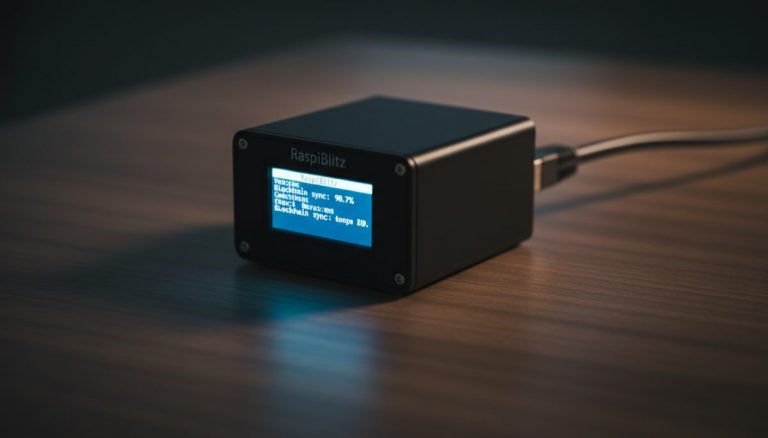
The Lightning Network represents one of the most significant developments in Bitcoin’s scaling journey, offering users the ability to conduct near-instant, low-cost transactions while maintaining the security guarantees of the base layer. Understanding how to set up and operate Lightning infrastructure has become increasingly important for Bitcoin users seeking to maximize their sovereignty and participation in this growing payment network.
The foundation of any Lightning Network participation begins with running a Bitcoin full node, which serves as the bedrock for trustless verification and network security. This fundamental infrastructure allows users to independently verify transactions and maintain complete sovereignty over their funds while participating in the Lightning Network‘s second layer ecosystem.
Lightning nodes build upon this foundation by establishing payment channels with other network participants. These channels function as state channels, allowing users to conduct numerous transactions without immediately recording them on the Bitcoin blockchain. This architectural design enables the Lightning Network to achieve its remarkable scaling properties while maintaining security through cryptographic guarantees and game theory.
Setting up a Lightning node requires careful consideration of several technical components. The choice of implementation – whether Core Lightning, LND, or Eclair – affects the user experience and available features. Each implementation offers distinct advantages, from Core Lightning’s focus on efficiency and minimal resource requirements to LND’s extensive tooling and widespread adoption among developers.
Channel management represents one of the most crucial aspects of running a Lightning node. Successful operation requires understanding concepts like channel capacity, inbound liquidity, and routing fees. Node operators must carefully consider their channel partners, balancing factors like reliability, connectivity, and fee structures to optimize their network position.
Security considerations take on additional dimensions when operating Lightning infrastructure. While the Lightning Network inherits Bitcoin’s fundamental security properties, the hot wallet nature of Lightning nodes introduces new operational security requirements. Proper backup procedures, watchtower services, and careful key management become essential components of a comprehensive security strategy.
Mobile integration through applications like Blue Wallet demonstrates the practical utility of Lightning Network infrastructure. These applications can connect to personal nodes, allowing users to maintain sovereignty while enjoying the convenience of mobile payments. Understanding the connection methods and security implications of these integrations helps users make informed decisions about their Lightning setup.
The economic aspects of Lightning Node operation extend beyond simple payment functionality. Well-managed nodes can participate in routing payments, potentially earning fees while contributing to network liquidity and reliability. This economic layer adds complexity to node management but also creates opportunities for participants to support network growth while potentially generating returns.
Looking toward the future, Lightning Network infrastructure continues to evolve with innovations like dual-funded channels, splicing, and channel factories. These developments promise to enhance network efficiency and user experience while maintaining the decentralized nature that makes Lightning valuable. Node operators who understand these emerging technologies can better position themselves to adapt and contribute to the network’s growth.
The journey from basic Bitcoin user to Lightning Network participant represents a significant step in technical sophistication, but one that increasingly defines the frontier of cryptocurrency adoption. As the Lightning Network matures, the ability to operate personal infrastructure becomes more accessible while remaining crucial for maintaining the decentralized ethos of Bitcoin.
Step-by-Step Guide: Setting Up a Personal Lightning Node
This guide walks through deploying a personal Lightning node using a pre-built solution, connecting a mobile wallet, and making your first payment.
Step 1: Choose your node platform. For a beginner-friendly experience, use a pre-built node solution: Start9 (most polished UI, runs on mini PCs and Raspberry Pi), Umbrel (simple app-store interface, popular community), or RaspiBlitz (most customizable, best for learners who want to understand each component). All three include Bitcoin Core and a Lightning implementation (LND or CLN) with web-based management interfaces.
Step 2: Prepare the hardware. You need a Raspberry Pi 4 (8GB model) or an x86 mini PC, a 1TB+ SSD (NVMe preferred), and a reliable power supply. For the Raspberry Pi route, purchase the official power supply (5V 3A USB-C) to avoid undervoltage issues. Connect the SSD via USB 3.0 (or directly for NVMe on mini PCs). Use an ethernet cable — WiFi is unreliable for a device that needs 24/7 connectivity.
Step 3: Flash and boot the node software. Download the OS image for your chosen platform from the official website. Flash it to a microSD card (for Pi) or SSD using Balena Etcher or Raspberry Pi Imager. Insert the storage device, connect ethernet and power, and boot the device. Access the web interface from your browser at the address shown during initial boot (typically http://start9.local, http://umbrel.local, or the device IP).
Step 4: Wait for Bitcoin Core to sync. The initial blockchain sync takes 3-7 days on a Raspberry Pi or 1-2 days on a mini PC. Monitor progress through the web dashboard. Do not open Lightning channels until Bitcoin Core is fully synced — the Lightning implementation needs a complete and current view of the blockchain to operate safely.
Step 5: Create your Lightning wallet and fund it. Once Bitcoin Core is synced, your Lightning implementation initializes automatically. Back up the Lightning seed phrase displayed during setup — store it on metal alongside your other backups. Generate an on-chain funding address through the dashboard and send Bitcoin to it. Start with a modest amount (0.01-0.05 BTC) while learning the system.
Step 6: Open your first channels. Use your node’s web interface (RTL or ThunderHub, typically pre-installed) to open channels. Connect to 2-3 well-established peers — ACINQ (for broad connectivity), Voltage nodes, or WalletOfSatoshi’s node. Allocate at least 500,000 sats per channel for practical usability. After opening channels, wait for the funding transactions to confirm (typically 3 confirmations).
Step 7: Connect a mobile wallet to your node. Install Zeus (iOS/Android) or BlueWallet (iOS/Android) on your phone. In your node’s dashboard, find the connection credentials (usually under “Connect Wallet” or similar). Most platforms provide a QR code for easy pairing. Scan the QR code in your mobile wallet app. You can now send and receive Lightning payments from your phone, backed by your own node — no third-party server involved.
Warning: Do not use a microSD card as your primary storage for the blockchain. MicroSD cards are slow and prone to failure under the constant read/write operations of a Bitcoin node. Always use an SSD. A failed microSD card can corrupt your Lightning state, potentially causing loss of channel funds.
Common Mistakes to Avoid
Using WiFi instead of ethernet. WiFi connections drop intermittently, and Lightning nodes interpret connectivity loss as potential channel breach attempts. Frequent disconnections cause your peers to force-close channels, losing you on-chain fees and routing reputation. A simple ethernet cable eliminates this entire category of problems.
Opening channels before Bitcoin Core finishes syncing. Your Lightning node needs accurate, current blockchain data to verify channel states and detect fraud. Operating Lightning on a partially-synced Bitcoin node can lead to missed breach attempts and incorrect channel balance information. Wait for full sync before committing funds.
Allocating too much Bitcoin to Lightning. Lightning channels are hot wallets. The funds are protected by cryptographic guarantees, but the signing keys are on an always-online device. Start small, learn the system, and gradually increase your allocation as you gain confidence in your operational procedures. A good rule: keep no more than 10-20% of your total holdings in Lightning channels.
Not backing up the Lightning wallet seed. Your Lightning seed phrase is separate from your Bitcoin Core wallet. Losing this seed means losing the ability to recover on-chain funds from closed channels. Treat it with the same security discipline as your hardware wallet seed — metal backup, secure storage, geographic redundancy.
Ignoring system updates. Node software updates often include critical security patches. Most platforms notify you through the web dashboard when updates are available. Apply them promptly, especially for the Lightning implementation and Bitcoin Core.
Frequently Asked Questions
Do I need technical skills to run a personal Lightning node?
Modern node platforms (Start9, Umbrel, RaspiBlitz) have significantly lowered the barrier to entry. If you can flash an SD card and navigate a web interface, you can run a node. The initial setup takes 1-2 hours of active work plus 3-7 days of passive blockchain sync time. Managing channels and connectivity requires periodic attention — perhaps 30 minutes per week — but is not technically demanding.
Why run my own node instead of using a custodial Lightning wallet?
A custodial Lightning wallet (like Wallet of Satoshi) holds your funds on their servers. If they get hacked, go bankrupt, are seized by regulators, or simply shut down, your Bitcoin is gone. Running your own node means you control the private keys — your funds exist in channels you manage, backed up by seeds you store. You also gain privacy: no third party can see your payment history or block your transactions.
How much does it cost to run a personal Lightning node?
Hardware: $50-150 for a Raspberry Pi setup, or $200-400 for a mini PC. Electricity: $5-15 per year for a Pi, $15-40 for a mini PC. Internet: your existing broadband connection is sufficient — Lightning uses minimal bandwidth after initial sync. Channel opening fees: 2,000-10,000 sats per channel at typical fee rates. Total first-year cost: roughly $100-500 depending on hardware choice.
Can I receive Lightning payments on my personal node?
Yes, but you need inbound liquidity — funds on your peers’ side of the channel. When you open a channel, all funds start on your side (outbound). To receive, you need peers to have balance toward you. The easiest way to get inbound liquidity is to spend through your channels (which converts outbound to inbound) or to use services that open channels to you (like Lightning Loop or liquidity marketplaces).
Related Resources
- Lightning Network Channel Management Best Practices
- Lightning Node Operation: Channel Management and Privacy
- Bitcoin Node Synchronization: Technical Challenges
- Running Bitcoin Nodes at Home: Privacy and Practical Considerations
- Privacy and Liquidity Challenges in the Lightning Network
The Lightning layer adds fast settlement — read about Lightning Network Architecture: Privacy Guide.
The Lightning layer adds fast settlement — read about Lightning Network Scaling: Challenges Ahead.
The Lightning layer adds fast settlement — read about Lightning Network Cross-Platform Transfers.
The Lightning layer adds fast settlement — read about Lightning Non-Custodial Trading: Privacy.
For a broader perspective, explore our hardware wallet buying guide guide.