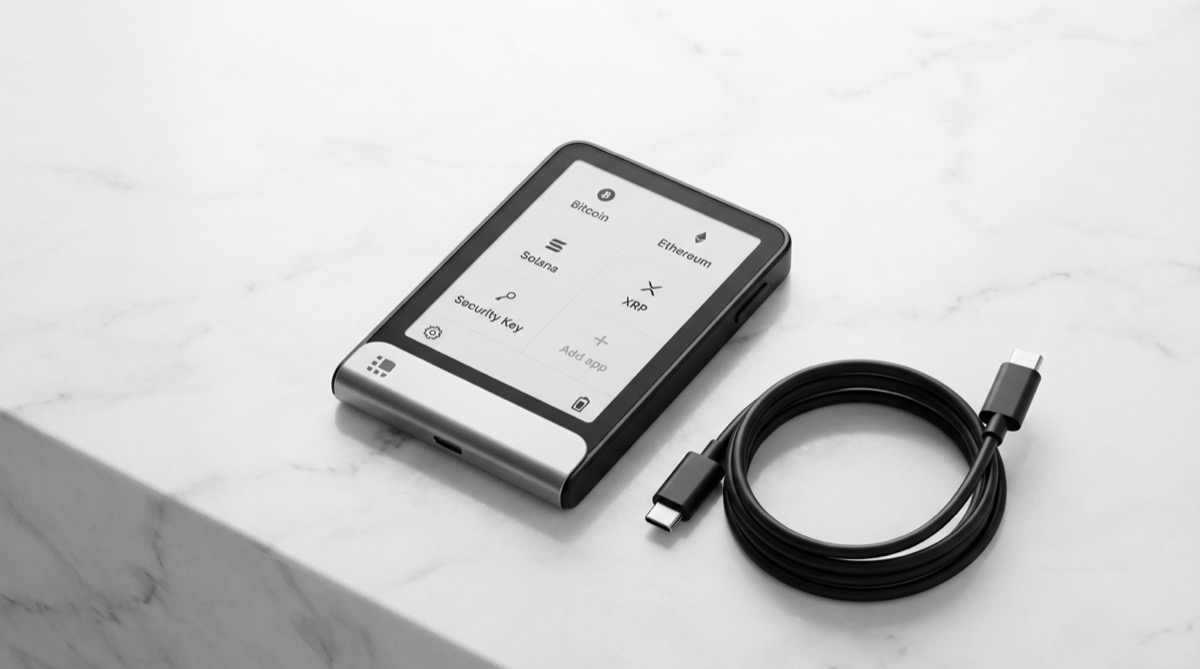
The Ledger Flex is Ledger’s mid-range touchscreen hardware wallet, priced at $249 and positioned between the aging Nano line and the premium Stax. It brings a 2.84-inch E-ink touchscreen, an upgraded EAL6+ secure element, and the same Ledger Live ecosystem that supports over 5,500 digital assets. For anyone frustrated by the tiny screens on older Ledger devices, the Flex solves that problem decisively. But does it justify the price jump over a Nano, and how does it stack up against competing touchscreen devices from Trezor?
Ledger vs Trezor: Best Hardware Wallet from the
Bitcoin Wallets & Self-Custody course.
Ledger Flex Specifications
| Feature | Details |
|---|---|
| Price | $249 |
| Release year | 2024 |
| Screen | 2.84″ E-ink touchscreen (240×400), 16 grayscale shades |
| Connectivity | USB-C and Bluetooth 5.2 |
| Secure element | ST33K1M5 (CC EAL6+) |
| Battery | Built-in lithium polymer (weeks of standby) |
| Coin support | 5,500+ cryptocurrencies |
| Dimensions | 78.4mm × 56.5mm × 7.7mm |
| Weight | 57.5g |
| Firmware | Closed source (BOLOS OS) |
| Companion app | Ledger Live (desktop + mobile) |
| Screen driven by | Secure Element directly (trusted display) |
Key Features
E-Ink Touchscreen: The Biggest Upgrade
The Flex’s 2.84-inch E-ink screen is the single best reason to choose this device over the Nano line. You can see full Bitcoin addresses on screen without scrolling, making transaction verification dramatically faster and less error-prone. E-ink technology also means the screen is perfectly readable in direct sunlight and consumes almost no power — the battery can last weeks on standby. The touchscreen is responsive and handles PIN entry, address verification, and transaction approval without physical buttons.
Trusted Display Architecture
Unlike many hardware wallets where the screen is driven by a separate microcontroller, the Flex’s E-ink display is driven directly by the secure element. This matters because it means the information you see on screen is rendered by the same chip that handles your private keys. There’s no possibility of a compromised secondary chip feeding you false information while the secure element processes a different transaction. Ledger calls this a “trusted display,” and it’s a genuine security improvement.
EAL6+ Secure Element
The ST33K1M5 chip carries a CC EAL6+ certification, one step above the EAL5+ found in the Nano X. EAL6+ means the chip was designed, tested, and verified using semi-formal methods — a higher assurance level that the chip’s security properties hold under attack. In practice, both EAL5+ and EAL6+ provide strong protection, but the Flex’s chip represents the newer generation. For more on secure elements, see our hardware wallet firmware security guide.
Bluetooth and Mobile Support
Like the Nano X, the Flex supports Bluetooth for wireless pairing with the Ledger Live mobile app. Combined with the better screen, mobile management becomes genuinely pleasant — you’re not squinting at a tiny OLED while trying to verify an address on your phone. The Flex uses Bluetooth 5.2, which offers improved connection stability and lower power consumption compared to the older Bluetooth in the Nano X.
Pros and Cons
Pros
- Excellent E-ink touchscreen — full address verification without scrolling, readable in any lighting
- Trusted display — screen driven directly by the secure element, eliminating a class of display-tampering attacks
- EAL6+ certification — newer and higher-assurance secure element than the Nano line
- Exceptional battery life — weeks of standby thanks to E-ink efficiency
- Bluetooth 5.2 — stable wireless connection for mobile management
- Ledger Live ecosystem — same polished app with buy, swap, stake, and DeFi integration
Cons
- $249 price tag — significantly more than the Nano X ($149) and Trezor Safe 5 ($169)
- Closed-source firmware — same trust tradeoff as all Ledger devices; the secure element code cannot be independently audited
- Ledger Recover applies here too — the firmware supports opt-in seed extraction, raising the same trust concerns
- E-ink is grayscale only — not a color display (purely aesthetic limitation, no functional impact)
- Not Bitcoin-only — no option to strip the firmware down to Bitcoin support
- Larger form factor — credit-card sized rather than USB-stick sized; less discreet to carry
Ledger Flex vs Alternatives
Flex vs Ledger Stax
The Stax ($399) adds a larger 3.7″ curved screen, wireless Qi charging, and Tony Fadell’s industrial design. Functionally, it runs the same firmware on the same EAL6+ secure element. Unless you place high value on the premium design and curved display, the Flex delivers the same security and usability for $150 less.
Flex vs Trezor Safe 5
The Trezor Safe 5 ($169) is $80 cheaper and offers fully open-source firmware — the primary argument against any Ledger device. The Safe 5’s 1.54″ color touchscreen is smaller but still shows full addresses. It also includes haptic feedback and Gorilla Glass protection. The Flex wins on screen size and battery life; the Safe 5 wins on price, transparency, and the ability to verify every line of code running on the device.
Flex vs Coldcard Q
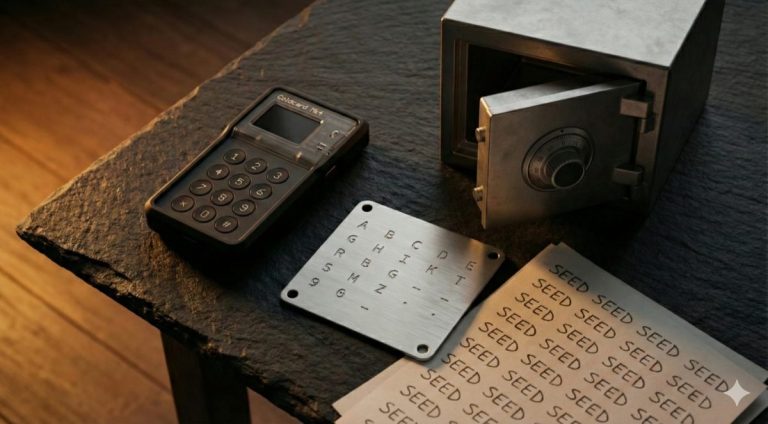
The Coldcard Q (~$249) matches the Flex’s price but takes a completely different approach. Bitcoin-only, dual secure elements, QWERTY keyboard, QR scanner, air-gapped operation, and open-source firmware. If you only hold Bitcoin and prioritize maximum verifiability, the Q is the better $249 spent. If you hold multiple cryptocurrencies and prefer Ledger’s polished software experience, the Flex makes more sense.
Who Should Buy the Ledger Flex?
The Flex is the right choice for users who are already invested in Ledger’s ecosystem and want a significantly better hardware experience. It’s also a strong pick for multi-coin holders who want the best screen available on a Ledger device without paying $399 for the Stax. If you’re coming from a Nano S Plus or Nano X, the touchscreen alone justifies the upgrade — address verification goes from tedious to effortless.
If you only hold Bitcoin and value open-source firmware, look at the Coldcard MK4 or Trezor Safe 5 instead. For a full comparison across all brands, see our hardware wallet buying guide.
Verdict
The Ledger Flex is the best device Ledger currently makes for the money. The E-ink touchscreen transforms the daily experience of using a hardware wallet, the trusted display architecture adds genuine security depth, and the battery life is outstanding. The closed-source firmware remains the elephant in the room — you’re trusting Ledger’s code without being able to verify it — but if you’ve already accepted that tradeoff, the Flex executes it better than any other Ledger device.
Rating: 8/10 — Best-in-class Ledger experience, held back only by the closed-source trust model.
Frequently Asked Questions
Is the Ledger Flex worth $100 more than the Nano X?
For most users, yes. The E-ink touchscreen eliminates the painful scrolling experience of the Nano OLED, and the EAL6+ secure element is a meaningful upgrade. If you plan to use your hardware wallet regularly for transactions and verification, the improved usability pays for itself quickly.
Can the Ledger Flex work completely offline?
The Flex connects via USB-C or Bluetooth — it does not support air-gapped operation via QR codes or microSD cards. If you want a fully air-gapped signing experience, consider the Coldcard Q or Keystone 3 Pro.
Does the Ledger Flex screen break easily?
The E-ink display is more durable than typical LCD or OLED screens. E-ink panels don’t have a backlight that can fail, and they’re inherently more resistant to pressure damage. The Flex also has a solid build quality at 57.5 grams. Normal everyday handling should not cause any screen issues.
Is the Ledger Flex better than the Trezor Safe 5?
It depends on your priorities. The Flex has a larger screen and better battery life. The Trezor Safe 5 costs $80 less and has fully open-source firmware, meaning you don’t need to trust a company’s closed code for your key security. For Bitcoin-focused users who value transparency, the Safe 5 is arguably the stronger choice. For multi-coin users who prefer Ledger’s ecosystem, the Flex wins.
Explore our complete hardware wallet comparison chart and our analysis of open-source wallets for more context.