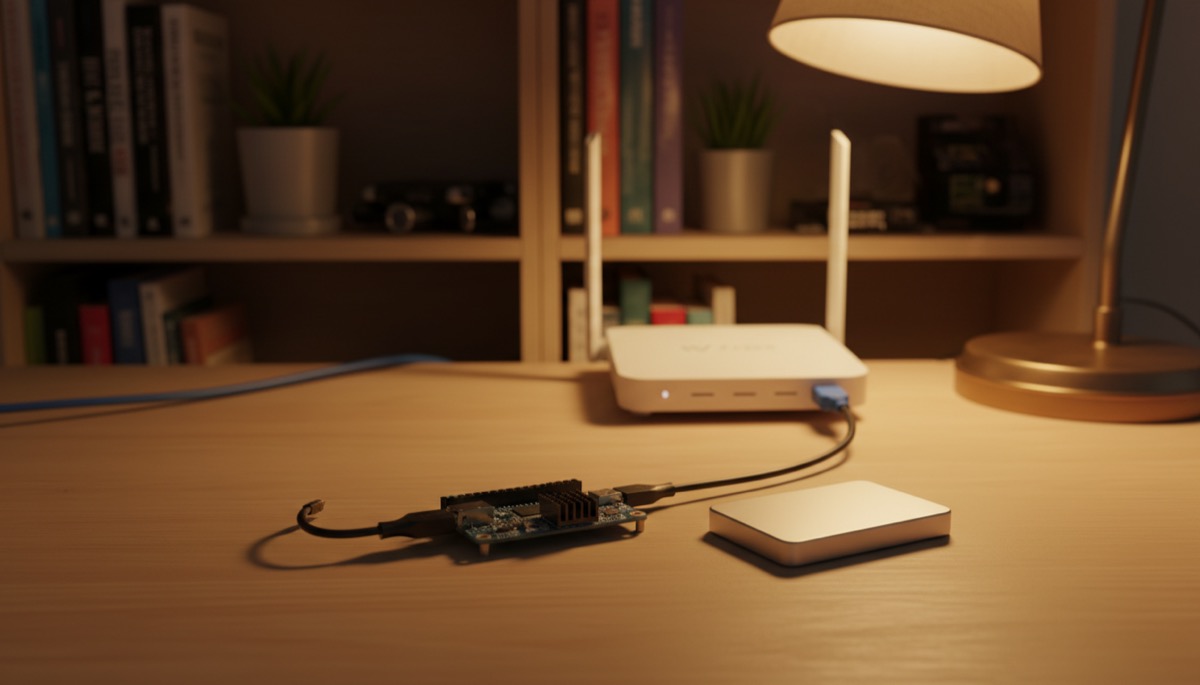
What You Need to Run a Lightning Node
Running a Lightning node at home puts you in control of your own payment infrastructure. You verify your own transactions, route payments for others, and interact with the Bitcoin network without relying on any third party. This is the practical meaning of financial sovereignty.
This guide walks you through every step — from choosing hardware to opening your first channels. No prior server administration experience required, though basic comfort with a command line helps for troubleshooting.
Hardware Requirements
Your Lightning node runs 24/7, so hardware selection matters for reliability and cost. Here are the three main tiers:
Budget Option: Raspberry Pi 4/5
| Component | Minimum | Recommended | Estimated Cost |
|---|---|---|---|
| Board | Raspberry Pi 4 (4GB) | Raspberry Pi 5 (8GB) | $55 – $80 |
| Storage | 1TB SSD (USB 3.0) | 2TB NVMe via HAT | $60 – $120 |
| Power | Official USB-C PSU | UPS-backed PSU | $10 – $50 |
| Cooling | Passive heatsink case | Active cooling case | $10 – $25 |
| MicroSD | 32GB (boot only) | 32GB Class A2 | $8 – $12 |
Total: $143 – $287
The Raspberry Pi remains the most popular choice for home nodes due to its low power consumption (5-15W) and extensive community support. The Pi 5 with its PCIe interface offers significantly better storage performance than the Pi 4’s USB 3.0, making initial blockchain sync faster.
Mid-Range Option: Mini PC
| Component | Recommended Specs | Estimated Cost |
|---|---|---|
| Mini PC | Intel N100/N95, 16GB RAM, NVMe slot | $150 – $250 |
| Storage | 2TB NVMe SSD | $80 – $120 |
Total: $230 – $370
Mini PCs like the Beelink S12 Pro or MeLE Quieter series offer more processing power than a Raspberry Pi at a modest cost increase. They include built-in NVMe slots, more RAM, and draw 10-25W under load. If you plan to run additional services alongside your node (Electrum server, BTCPay Server, Nostr relay), a mini PC provides headroom a Pi cannot match.
Repurposed Hardware
An old laptop or desktop with at least 4GB RAM and a USB 3.0 port for an external SSD works perfectly. The main concern is power consumption — a full desktop might draw 60-100W, costing $50-100/year in electricity. An old ThinkPad running Ubuntu is an excellent and cost-effective option.
Choosing Your Node Software
Two main approaches exist for running a node at home: packaged node platforms and manual installation. For most home users, packaged platforms provide the best balance of functionality and simplicity.
Packaged Node Platforms
| Platform | Lightning Implementation | Interface | Best For |
|---|---|---|---|
| Umbrel | LND (default) | Web dashboard | Beginners, app ecosystem |
| Start9 (StartOS) | LND or CLN | Web dashboard | Privacy-focused users |
| RaspiBlitz | LND or CLN | Terminal + web | Hands-on learners |
| myNode | LND | Web dashboard | Simplicity |
| Citadel | LND | Web dashboard | Umbrel alternative |
For detailed comparisons of Umbrel and Start9 specifically, see our dedicated analysis of DIY Bitcoin node platforms.
Step-by-Step Setup with Umbrel
This walkthrough uses Umbrel as the reference platform due to its widespread adoption and accessible interface. The principles apply to any platform.
Step 1: Flash the Operating System
- Download Umbrel OS from the official site (umbrel.com) or install on an existing Ubuntu/Debian system using the install script.
- For Raspberry Pi: Use Raspberry Pi Imager to flash Umbrel OS to your microSD card.
- For x86 machines: Download the amd64 image and flash to a USB drive using balenaEtcher.
- Insert the boot media and connect your SSD for blockchain storage.
Step 2: Initial Boot and Configuration
- Connect your device to your router via Ethernet (Wi-Fi is not recommended for a node).
- Power on the device and wait 2-5 minutes for initial setup.
- Navigate to
umbrel.localin your browser (or find the IP address via your router’s admin panel). - Create your account with a strong password. Umbrel generates a 24-word seed phrase — write this down on paper and store it securely.
Step 3: Bitcoin Core Sync
Before Lightning can operate, Bitcoin Core must sync the entire blockchain. This process downloads and validates approximately 600GB of data.
- Raspberry Pi 4: 3-7 days for initial sync
- Raspberry Pi 5: 2-4 days
- Mini PC (Intel N100): 1-3 days
During sync, your device is CPU and I/O intensive. Avoid interrupting the process. Monitor progress through the Umbrel dashboard. For a deeper understanding of what your node does during sync, read our guide on Bitcoin Core verification.
Step 4: Install the Lightning App
- Once Bitcoin Core is synced, navigate to the Umbrel App Store.
- Install “Lightning Node” (LND). Installation takes 1-2 minutes.
- Open the Lightning Node app. Your LND instance will initialize and create a Lightning wallet.
- Back up your Lightning wallet seed (separate from your Umbrel seed) — this is critical for channel recovery.
Step 5: Fund Your Node
- In the Lightning dashboard, click “Deposit” to generate an on-chain Bitcoin address.
- Send bitcoin from your exchange or existing wallet to this address. Start with a moderate amount — 500,000 to 2,000,000 sats is reasonable for getting started.
- Wait for 3 confirmations (approximately 30 minutes). Your on-chain balance will appear in the Lightning wallet.
Step 6: Open Your First Channels
This is the most important step. Your channel choices determine your routing capabilities and fee costs.
- Research well-connected nodes on sites like 1ML, Amboss, or LightningNetwork+ (for balanced channel swaps).
- In the Lightning dashboard, click “Open Channel.”
- Enter the node’s public key or use the node URI (pubkey@host:port).
- Set the channel capacity. Minimum viable channel size is 100,000 sats, but 1,000,000+ sats provides better routing utility.
- Set the on-chain fee rate for the funding transaction. Check mempool.space for current rates — no need to overpay during low-congestion periods.
- Confirm and wait for the funding transaction to confirm (3 confirmations required by default).
Recommended First Channels
| Node | Why Connect | Capacity Suggestion |
|---|---|---|
| ACINQ | Largest node, excellent connectivity | 1,000,000+ sats |
| WalletOfSatoshi | High traffic, good for routing | 1,000,000+ sats |
| Kraken | Exchange connectivity | 500,000+ sats |
| LightningNetwork+ peers | Balanced channels (inbound liquidity) | 500,000+ sats |
Open 3-5 channels initially. Each channel opening costs an on-chain transaction fee, so batch your opens during low-fee periods when possible.
Network Configuration
Port Forwarding
For your node to be reachable by other nodes (and earn routing fees), you should forward port 9735 (Lightning’s default port) on your router to your node’s local IP address.
- Access your router’s admin panel (typically 192.168.1.1 or 192.168.0.1).
- Find the port forwarding or NAT settings.
- Create a rule: External port 9735 → Internal IP of your node, port 9735, TCP.
- Save and verify using a port checker tool.
Tor Configuration
Alternatively, you can run your node exclusively over Tor. Umbrel and Start9 enable Tor by default. Tor nodes are reachable without port forwarding, though with higher latency. Running over Tor provides significant privacy advantages — your home IP address is never exposed to the Lightning Network.
For best results, consider a hybrid approach: clearnet with Tor enabled. Your node is reachable via both its IP address and its Tor onion address, maximizing connectivity while maintaining a Tor fallback.
Essential Node Management
Monitoring Tools
Install these Umbrel apps for better node visibility:
- ThunderHub — Advanced channel management, fee policy controls, automated rebalancing.
- Ride The Lightning (RTL) — Channel monitoring, payment history, invoice management.
- LNbits — Create Lightning wallets and apps on top of your node. Useful for sharing your node’s liquidity with family or running a point-of-sale.
Backup Strategy
Lightning channel state must be backed up continuously. Loss of channel state can result in loss of funds.
- Static Channel Backups (SCBs): LND creates these automatically. Umbrel backs them up to its internal storage. Export a copy to external storage regularly.
- Seed Phrase: Store your LND seed phrase separately from your node hardware. This recovers your on-chain funds but not channel state.
- Full Database Backup: For advanced users, periodically back up the entire LND database (
~/.lnd/data/chain/bitcoin/mainnet/channel.db). Use caution — restoring a stale database can trigger penalty mechanisms.
Keeping Your Node Online
Lightning nodes should run 24/7. Extended downtime risks:
- Peers may force-close channels after prolonged unresponsiveness.
- You cannot detect and respond to potential cheating attempts while offline.
- Routing revenue stops during downtime.
Mitigate these risks with a UPS (Uninterruptible Power Supply) for short outages and configure a watchtower service to monitor your channels when you are offline.
Getting Inbound Liquidity
When you open a channel, all capacity starts on your side (outbound). To receive Lightning payments, you need inbound liquidity — capacity on the other side of your channels.
Methods to Acquire Inbound Liquidity
- LightningNetwork+ Ring of Fire: Join a swap ring where multiple node operators open balanced channels with each other. You open a channel to one peer, and another peer opens a channel to you.
- Lightning Pool / Magma: Marketplace services where you can purchase inbound liquidity from other node operators.
- Spend through your channels: Every payment you make shifts capacity from outbound to inbound. Buy gift cards via Bitrefill or pay invoices through your node to naturally build inbound liquidity.
- Loop Out: Lightning Labs’ Loop service converts Lightning balance to on-chain bitcoin, creating inbound liquidity. This costs an on-chain transaction fee plus a service fee.
- Ask for channels: If you run a service or accept payments, other node operators may open channels to you organically because routing to your node becomes profitable.
For a thorough treatment of liquidity management, see our guide on Lightning channel management best practices.
Security Hardening
Physical Security
- Place your node in a secure, ventilated location with stable power.
- Use disk encryption (Umbrel and Start9 encrypt by default).
- Ensure your router has a strong admin password and current firmware.
Software Security
- Keep your node software updated. Check for Umbrel updates monthly.
- Do not install unnecessary apps — each additional service increases attack surface.
- If exposing services to the internet beyond Tor, use a reverse proxy with SSL.
Operational Security
- Never share your node’s seed phrase digitally.
- Limit the amount of bitcoin in Lightning channels to what you can afford to risk. Most home node operators keep the majority of their stack in cold storage.
- Enable 2FA on your Umbrel dashboard if accessible remotely.
Costs and Ongoing Maintenance
| Item | One-Time Cost | Monthly Cost |
|---|---|---|
| Hardware (Pi 5 kit) | $150 – $250 | — |
| Electricity (15W avg) | — | $1 – $3 |
| Internet (existing connection) | — | $0 |
| Channel funding | Variable | — |
| On-chain fees (channel opens) | $5 – $50 per channel | — |
| Maintenance time | — | 1-2 hours |
The total cost of running a Lightning node at home is roughly $150-300 upfront and $1-3/month for electricity. The time investment is the real cost — expect to spend a few hours initially on setup and 1-2 hours per month on maintenance, updates, and channel management.
Running a Lightning Node from the
Lightning Network & Bitcoin Nodes course.
FAQ
Can I run a Lightning node on a Raspberry Pi 4, or do I need a Pi 5?
A Raspberry Pi 4 with 4GB RAM runs Lightning perfectly fine. The Pi 5 offers faster initial blockchain sync and better performance when running multiple applications simultaneously, but a Pi 4 handles standard Lightning node operation without issues. Use a quality SSD connected via USB 3.0 — this matters more than the Pi model.
How much bitcoin do I need to start running a Lightning node?
You can start with as little as 200,000 sats (0.002 BTC) to open a couple of small channels. For meaningful routing capability, 2,000,000 to 5,000,000 sats across 3-5 channels provides a solid foundation. There is no maximum — large routing nodes may deploy 1 BTC or more across dozens of channels.
Will running a Lightning node slow down my internet connection?
Barely. Initial Bitcoin blockchain sync uses significant bandwidth (600+ GB download), but ongoing operation requires minimal bandwidth — typically under 100 MB per day. Any standard broadband connection (10+ Mbps) is sufficient. The node does not interfere with normal internet usage.
What happens if my node goes offline for a few days?
Short outages (hours to a few days) are generally safe. Your channels remain open, and peers wait before taking action. Extended downtime (weeks) risks peers force-closing channels. If you travel frequently, set up a watchtower to monitor your channels and configure your router for remote access via Tor so you can check your node from anywhere.
Can I run Lightning alongside other services on the same hardware?
Yes. Platforms like Umbrel and Start9 support running Bitcoin Core, Lightning, Electrum Server, BTCPay Server, Nostr relay, and more on the same device. On a Raspberry Pi, stick to 3-4 services to avoid memory pressure. On a mini PC with 16GB RAM, you can comfortably run a dozen services simultaneously.
For a broader perspective, explore our running a Lightning node guide.
{“@context”: “https://schema.org”, “@type”: “FAQPage”, “mainEntity”: [{“@type”: “Question”, “name”: “Can I run a Lightning node on a Raspberry Pi 4, or do I need a Pi 5?”, “acceptedAnswer”: {“@type”: “Answer”, “text”: “A Raspberry Pi 4 with 4GB RAM runs Lightning perfectly fine. The Pi 5 offers faster initial blockchain sync and better performance when running multiple applications simultaneously, but a Pi 4 handles standard Lightning node operation without issues. Use a quality SSD connected via USB 3.0 — this matters more than the Pi model.”}}, {“@type”: “Question”, “name”: “How much bitcoin do I need to start running a Lightning node?”, “acceptedAnswer”: {“@type”: “Answer”, “text”: “You can start with as little as 200,000 sats (0.002 BTC) to open a couple of small channels. For meaningful routing capability, 2,000,000 to 5,000,000 sats across 3-5 channels provides a solid foundation. There is no maximum — large routing nodes may deploy 1 BTC or more across dozens of channels.”}}, {“@type”: “Question”, “name”: “Will running a Lightning node slow down my internet connection?”, “acceptedAnswer”: {“@type”: “Answer”, “text”: “Barely. Initial Bitcoin blockchain sync uses significant bandwidth (600+ GB download), but ongoing operation requires minimal bandwidth — typically under 100 MB per day. Any standard broadband connection (10+ Mbps) is sufficient. The node does not interfere with normal internet usage.”}}, {“@type”: “Question”, “name”: “What happens if my node goes offline for a few days?”, “acceptedAnswer”: {“@type”: “Answer”, “text”: “Short outages (hours to a few days) are generally safe. Your channels remain open, and peers wait before taking action. Extended downtime (weeks) risks peers force-closing channels. If you travel frequently, set up a watchtower to monitor your channels and configure your router for remote access via Tor so you can check your node from anywhere.”}}, {“@type”: “Question”, “name”: “Can I run Lightning alongside other services on the same hardware?”, “acceptedAnswer”: {“@type”: “Answer”, “text”: “Yes. Platforms like Umbrel and Start9 support running Bitcoin Core, Lightning, Electrum Server, BTCPay Server, Nostr relay, and more on the same device. On a Raspberry Pi, stick to 3-4 services to avoid memory pressure. On a mini PC with 16GB RAM, you can comfortably run a dozen services simultaneously. For a broader perspective, explore our running a Lightning node guide.”}}]}