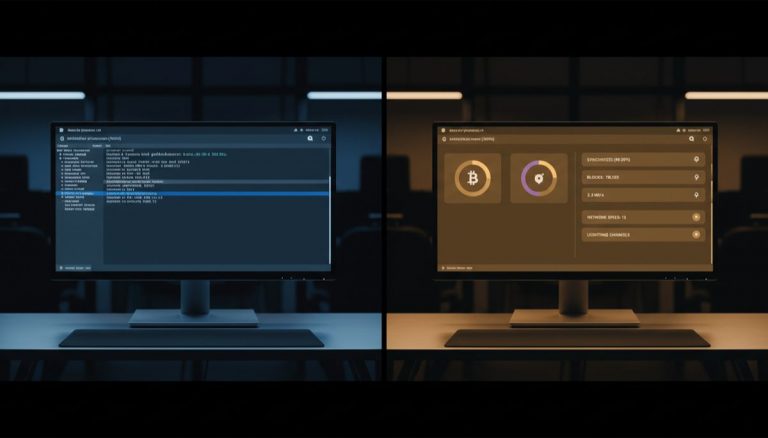
The performance and reliability of Bitcoin nodes represent a critical intersection of hardware capabilities, network infrastructure, and blockchain technology. As the Bitcoin network continues to grow, the demands placed on individual nodes have evolved significantly, making it essential to understand the technical requirements and operational considerations for running a full node effectively. Our comprehensive guide on running a Bitcoin full node covers this further.
The process of Initial Block Download (IBD) stands as one of the most resource-intensive operations in maintaining a Bitcoin node. This process involves downloading and validating the entire blockchain history, which has grown to hundreds of gigabytes over Bitcoin’s lifetime. The performance of this operation is heavily dependent on several key hardware components, with system memory (RAM) playing a particularly crucial role. This relationship between hardware specifications and node performance illustrates the intricate balance between accessibility and network security.
RAM serves as a critical component in blockchain validation because it enables the node to maintain an active UTXO (Unspent Transaction Output) set and perform rapid signature verification. With insufficient RAM, the system must rely more heavily on disk-based virtual memory, significantly slowing down the validation process. Modern nodes benefit substantially from having 16GB or more of RAM, while systems with 4GB or less may experience dramatically extended synchronization times, often stretching into weeks rather than days. For a deeper look at this topic, see our guide on Bitcoin node synchronization challenges.
Storage speed represents another crucial factor in node performance, with modern NVMe SSDs offering significant advantages over traditional hard drives or even SATA SSDs. The continuous read/write operations required during blockchain synchronization benefit tremendously from the higher IOPS (Input/Output Operations Per Second) and lower latency of NVMe storage. This becomes particularly evident during the initial synchronization process and subsequent revalidation operations.
The importance of maintaining node uptime extends beyond simple convenience. A constantly running node contributes more effectively to the Bitcoin network’s decentralization and security. When nodes frequently go offline, they must resynchronize with the network upon restart, consuming additional resources and potentially missing important network updates. This becomes especially critical for nodes that support additional services like the Lightning Network or mining operations, where continuous connectivity is essential for proper operation. You can learn more about this in our resource on Lightning Network architecture.
Data integrity represents a crucial aspect of node operation that often receives insufficient attention. We explore this in detail in our article on self-sovereign Bitcoin node operation. Blockchain corruption, while not common, can occur due to various factors including hardware failures, improper shutdowns, or filesystem issues. When corruption occurs, the node must typically re-verify the entire blockchain to ensure data consistency, a process that can be as resource-intensive as the initial download. This underscores the importance of quality hardware and proper operational procedures.
The relationship between network bandwidth and node performance presents an interesting dynamic. While adequate internet connectivity is necessary, the computational demands of transaction validation often overshadow pure download speed as the primary performance bottleneck. This explains why nodes with powerful hardware but moderate internet connections can often synchronize faster than those with excellent connectivity but limited computational resources.
Looking toward the future, the hardware requirements for running a Bitcoin node will likely continue to evolve. As the blockchain grows and transaction volumes increase, the importance of efficient hardware utilization becomes even more critical. This raises important questions about the long-term accessibility of full node operation and its implications for Bitcoin’s decentralization. However, advances in hardware technology and potential protocol optimizations may help offset these increasing demands.
The operation of a Bitcoin node represents a significant commitment to the network’s infrastructure, requiring careful consideration of hardware requirements and operational procedures. Success in maintaining a reliable node depends on understanding these requirements and implementing appropriate solutions, from selecting adequate hardware to establishing proper operational protocols. This investment in proper node operation ultimately contributes to the robustness and decentralization of the Bitcoin network as a whole.
Full sovereignty starts with your own node — explore DIY Bitcoin Node: Build Your Own Setup.
Verifying transactions yourself requires a node — see Bitcoin Node and Infrastructure Choice Guide.
Node operators can benefit from understanding Bitcoin Node Privacy and Sovereignty Impact.
Full sovereignty starts with your own node — explore Bitcoin Node Solutions: Self-Sovereign Setup Guide.
For a broader perspective, explore our running your own Bitcoin node guide.
Step-by-Step Guide
Selecting and assembling the right hardware for a Bitcoin full node involves balancing performance, cost, power consumption, and long-term reliability. This guide covers building a dedicated node from commodity hardware that can handle Bitcoin Core, an Electrum server, and optionally a Lightning node.
Step 1: Determine your use case and budget. A basic full node for personal transaction verification needs modest hardware. A node that also runs an Electrum server (Electrs or Fulcrum) for wallet connectivity requires more RAM and faster storage. Adding a Lightning node (LND or CLN) adds further CPU and memory demands. Budget approximately $150-300 for a Raspberry Pi-based build, or $300-600 for a mini-PC build with superior performance.
Step 2: Choose your processing platform. The Raspberry Pi 4/5 with 8GB RAM is the most popular option for compact, low-power nodes, consuming only 5-15 watts. For better performance during Initial Block Download and Electrum indexing, consider a mini-PC with an Intel N100, N305, or AMD Ryzen embedded processor. These x86 platforms offer 2-4x faster IBD times compared to ARM single-board computers while remaining efficient at 15-35 watts idle.
Step 3: Select storage — SSD type and capacity matter. The Bitcoin blockchain currently exceeds 600 GB and grows 50-80 GB per year. A 1 TB SSD provides comfortable headroom for several years. Choose an NVMe M.2 drive over a SATA SSD if your platform supports it — NVMe delivers 3-5x the sequential read/write speed and significantly higher IOPS, which directly reduces IBD time and Electrum indexing duration. Avoid USB-connected external drives, which introduce a bandwidth bottleneck through the USB controller.
Step 4: Install sufficient RAM. Bitcoin Core’s UTXO set cache is the primary RAM consumer. During IBD, setting dbcache=4096 (4 GB) dramatically accelerates validation. For a node also running Fulcrum, allocate at least 8 GB total system RAM (16 GB preferred). For a combined Bitcoin + Lightning + Electrum stack, 16 GB is recommended. Insufficient RAM forces the system to use disk-based swap, which can slow IBD from days to weeks on modest hardware.
Step 5: Ensure reliable power and cooling. Bitcoin nodes should run 24/7 for optimal network participation and Lightning channel reliability. Use a small UPS (uninterruptible power supply) rated at 100-200 watts to protect against brief power outages that could corrupt the blockchain database. For Raspberry Pi builds, use the official power supply rated at 5V/3A to avoid brownout-related stability issues. Ensure adequate airflow around the SSD, which generates heat under sustained write loads during IBD.
Step 6: Set up the operating system. Install a lightweight Linux distribution — Raspberry Pi OS Lite for ARM builds, or Debian/Ubuntu Server for x86 platforms. Disable the graphical desktop environment to conserve RAM and CPU. Enable SSH for remote administration and configure automatic security updates. If using a node-in-a-box solution (Umbrel, Start9, RaspiBlitz), follow their specific installation guide, which handles OS configuration automatically.
Step 7: Install and configure Bitcoin Core. Download Bitcoin Core from bitcoincore.org and verify the PGP signatures. Configure bitcoin.conf with: server=1, txindex=0 (unless you need a full transaction index), dbcache=4096 (during IBD, reduce to 450-1000 after sync), maxmempool=300, and maxconnections=40. Start Bitcoin Core and monitor IBD progress with bitcoin-cli getblockchaininfo. Expect IBD to take 1-3 days on fast x86 hardware with NVMe or 5-14 days on a Raspberry Pi.
Step 8: Validate performance and plan for growth. After IBD completes, check steady-state resource usage: CPU should be near idle (spiking briefly for each new block), RAM usage should be stable, and disk I/O should be minimal. Monitor disk usage monthly and plan to upgrade storage before reaching 80% capacity. If you add an Electrum server later, expect a one-time indexing process that may take 12-48 hours depending on hardware, after which resource usage returns to low levels.
Common Mistakes to Avoid
1. Using a USB external hard drive or HDD instead of an SSD. Traditional spinning hard drives cannot handle the random I/O patterns required during blockchain validation. IBD on an HDD can take weeks or months and may never complete due to timeout issues. Even USB-connected SSDs suffer from the USB controller bottleneck. Always use a directly connected (M.2 NVMe or SATA) SSD for blockchain storage.
2. Running with insufficient RAM and high dbcache. Setting dbcache to 4 GB on a system with only 4 GB of total RAM leaves almost nothing for the operating system, Electrum server, and filesystem cache. This causes constant swap usage, which devastates performance. The dbcache value should never exceed 50-60% of total system RAM during IBD, and should be reduced after synchronization completes.
3. Using a cheap or underpowered power supply. Raspberry Pi nodes are particularly sensitive to power supply quality. A voltage drop below 4.8V causes throttling, random crashes, and potential SD card or SSD corruption. The same principle applies to mini-PCs: use the manufacturer’s recommended power adapter, not a generic replacement. A corrupted blockchain database from an improper shutdown can require a full re-sync, wasting days.
4. Neglecting to set up automated monitoring and restarts. Hardware issues, power outages, and software crashes are inevitable over the lifetime of a 24/7 node. Without monitoring, your node could be down for days or weeks without your knowledge, affecting Lightning channel availability and wallet connectivity. Set up a watchdog service (systemd’s restart-on-failure, monit, or a simple cron health check) to automatically restart Bitcoin Core and associated services after failures.
5. Over-provisioning for current needs without considering upgradability. Buying a $2,000 server for a personal Bitcoin node is unnecessary. Conversely, buying the cheapest possible hardware with no upgrade path means replacing everything in 1-2 years. Choose a platform that allows RAM and storage upgrades: a mini-PC with socketed RAM and an M.2 slot is more cost-effective long-term than a Raspberry Pi that maxes out at 8 GB of soldered RAM.
Frequently Asked Questions
Can I run a Bitcoin node on a Raspberry Pi 3 or Zero?
While technically possible, the Raspberry Pi 3 (1 GB RAM) and Pi Zero (512 MB RAM) lack sufficient memory for a practical Bitcoin node experience. IBD would take many weeks, and running an Electrum server alongside Bitcoin Core would be extremely slow. The Raspberry Pi 4 with 8 GB RAM is the minimum ARM platform recommended for a reasonable node experience. The Raspberry Pi 5 with 8 GB offers meaningful performance improvements and is the preferred choice for ARM-based builds in 2026.
How long does Initial Block Download take on different hardware?
Approximate IBD times with a fast internet connection: Mini-PC with Intel N100, 16 GB RAM, NVMe SSD: 1-2 days. Raspberry Pi 5 with 8 GB RAM, NVMe SSD (via HAT): 3-5 days. Raspberry Pi 4 with 8 GB RAM, USB 3.0 SSD: 5-14 days. The primary bottleneck shifts from download speed to CPU and signature verification speed as you progress through the blockchain’s history. Recent blocks with complex transactions take disproportionately longer to validate.
Is it worth running a pruned node to save disk space?
A pruned node discards old block data after validation, keeping only the most recent blocks (default 550 MB) plus the UTXO set. This reduces storage requirements to about 10-15 GB. The trade-off is that a pruned node cannot serve historical blocks to peers, cannot run an Electrum server (which requires a full transaction index or the full blockchain), and cannot rescan the chain for old wallet transactions. If disk space is your primary constraint, pruning is viable for basic transaction verification, but most node operators prefer a full (unpruned) node for maximum functionality.
Do I need a static IP address to run a Bitcoin node?
No. A static IP is convenient but not required. If your IP changes (common with residential ISPs), your node will temporarily lose inbound connections until peers discover your new address. For outbound connections, dynamic IP has no impact. If you run a Lightning node, a changing IP can disrupt channel peer connections — in this case, use Tor hidden services for your node’s public identity, which provides a stable .onion address regardless of your underlying IP changes.
Related Resources
- Why Run Your Own Bitcoin Node — The privacy, verification, and sovereignty case for running your own node.
- Umbrel vs Start9: Which Node Software? — Comparison of pre-built node software stacks that simplify hardware setup and management.
- Raspiblitz Setup Tutorial 2026 — Complete guide to building a RaspiBlitz node on Raspberry Pi hardware.
- Running a Lightning Node: Complete 2026 Guide — Hardware requirements and software setup for adding Lightning to your node.
- Bitcoin Full Node: Technical Analysis — Deep technical analysis of full node implementations and their performance characteristics.