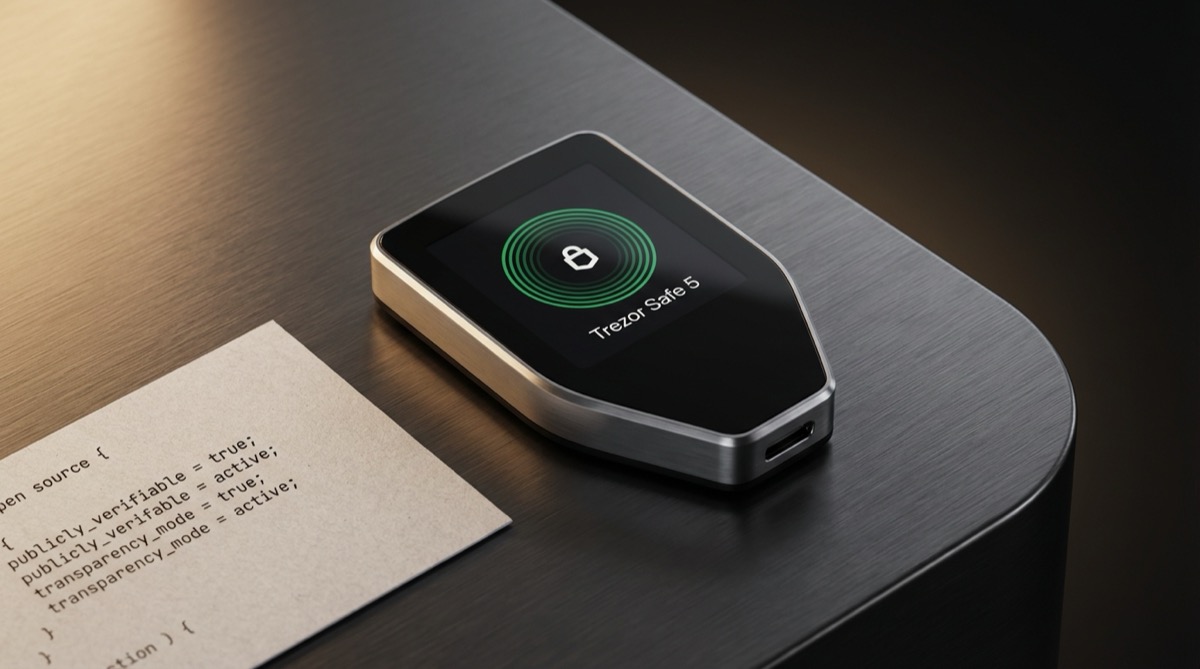
The Trezor Safe 5 is Trezor’s flagship hardware wallet for 2026, priced at $169. It combines a color touchscreen, haptic feedback, an EAL6+ secure element, and fully open-source firmware — a combination that no other hardware wallet currently matches. Since SatoshiLabs shipped the original Trezor One in 2014, they’ve been the standard-bearer for transparent, auditable hardware wallet design. The Safe 5 represents the strongest version of that philosophy yet, now with the hardware security features that critics have asked for.
Ledger vs Trezor: Best Hardware Wallet from the
Bitcoin Wallets & Self-Custody course.
Trezor Safe 5 Specifications
| Feature | Details |
|---|---|
| Price | $169 |
| Release year | 2024 |
| Screen | 1.54″ color touchscreen (240×240), Gorilla Glass 3 |
| Connectivity | USB-C |
| Secure element | Infineon Optiga Trust M (CC EAL6+) |
| Haptic feedback | Yes (Trezor Touch haptic engine) |
| Coin support | 9,000+ cryptocurrencies |
| Body | Anodized aluminum |
| Colors | Black Graphite, Violet Ore, Green Beryl |
| Firmware | Fully open source (GitHub) |
| Companion app | Trezor Suite (desktop + web) |
| Bitcoin-only firmware | Yes (available as separate install) |
| Backup standard | Standard single-share or Advanced multi-share (Shamir) |
Key Features
Open-Source Everything
This is the Trezor Safe 5’s strongest differentiator. Every line of firmware code is published on GitHub. Security researchers, developers, and anyone with the skill can audit, compile, and verify the code running on the device. In a space where you’re trusting a piece of hardware with your financial sovereignty, the ability to verify rather than trust is worth a lot. No other hardware wallet with an EAL6+ secure element offers this level of transparency.
Infineon Optiga Trust M Secure Element
Older Trezor models used a general-purpose STM32 microcontroller without a dedicated secure element — a persistent criticism, since the lack of a tamper-resistant chip made physical attacks (like voltage glitching) theoretically easier. The Safe 5 addresses this directly with the Infineon Optiga Trust M, certified to EAL6+. Notably, Infineon publishes the Optiga datasheet openly, making it one of the most transparent secure elements available. The combination of open-source firmware and an openly documented secure element is unique in the market.
Color Touchscreen with Haptic Feedback
The 1.54-inch color display is protected by Gorilla Glass 3, making it scratch-resistant and durable. Full Bitcoin addresses display clearly without scrolling. The Trezor Touch haptic engine provides physical vibration feedback when you tap, which makes the device feel more responsive and helps confirm actions during transaction signing. It’s a small detail that significantly improves the interaction quality.
Bitcoin-Only Firmware
Trezor offers a dedicated Bitcoin-only firmware variant for the Safe 5. Installing this version strips out all altcoin support, reducing the attack surface to the absolute minimum. For Bitcoin holders who want nothing running on their signing device except what’s needed to manage bitcoin, this is the leanest option from any major manufacturer. See our open-source wallet analysis for why this matters.
Trezor Suite and Tor Support
Trezor Suite is a full-featured companion app that handles portfolio management, send/receive, and coin management. The desktop version includes built-in Tor proxy support — you can route all wallet communication through Tor for enhanced privacy. For users who connect to their own Bitcoin node, Suite also supports Electrum server connections. The Coinjoin integration for privacy-focused transactions is another standout feature.
Multi-Share Backup (Shamir)
Beyond the standard 12/24-word seed phrase backup, the Safe 5 supports Shamir’s Secret Sharing (SLIP-39). This lets you split your backup into multiple shares — for example, 3-of-5 shares distributed to different locations. You need a threshold number of shares to recover, but no single share reveals anything on its own. For inheritance planning or geographic distribution of backups, this is a powerful option.
Pros and Cons
Pros
- Fully open-source firmware — every line of code is auditable on GitHub
- EAL6+ secure element with open datasheet — transparent hardware and software security
- Bitcoin-only firmware option — minimal attack surface for Bitcoin-focused users
- Color touchscreen with haptic feedback — responsive and clear address verification
- Gorilla Glass 3 and aluminum body — premium build quality
- Trezor Suite with Tor support — strong privacy features in the companion app
- Shamir backup support — advanced multi-share recovery for sophisticated security setups
- Coinjoin integration — built-in privacy mixing through Trezor Suite
Cons
- No Bluetooth — USB-C only, no wireless mobile management
- Smaller screen than Ledger Flex — 1.54″ vs 2.84″ (still shows full addresses)
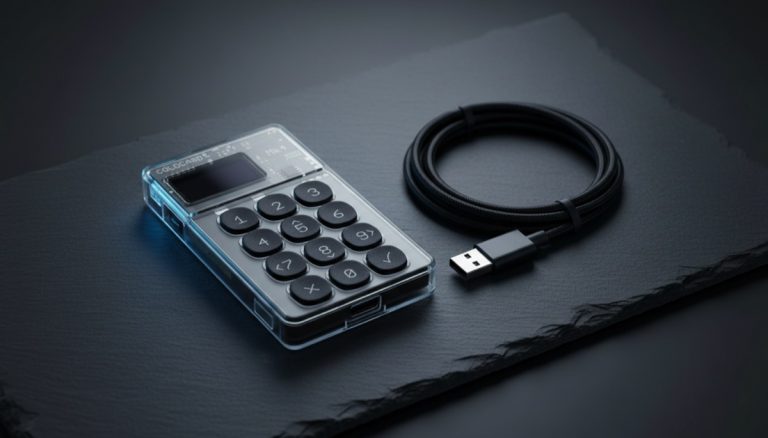
- No air-gap capability — cannot operate via QR codes or microSD like Coldcard
- $169 is the most expensive Trezor — the Safe 3 at $79 offers the same secure element for half the price
- Not as discreet to carry — larger than the old Trezor One, though still pocket-friendly
Trezor Safe 5 vs Alternatives
Safe 5 vs Trezor Safe 3
The Safe 3 ($79) includes the same Infineon Optiga secure element and runs the same open-source firmware. What you lose is the color touchscreen (replaced by a monochrome OLED), haptic feedback, and Gorilla Glass. If budget matters more than usability polish, the Safe 3 delivers the same core security at half the cost.
Safe 5 vs Ledger Nano X
The Nano X ($149) is $20 cheaper and adds Bluetooth — something no Trezor offers. But the Nano X’s firmware is closed-source, its screen is a small OLED with scrolling required for addresses, and the secure element is the older EAL5+. For Bitcoin security and transparency, the Safe 5 is the better device at a comparable price.
Safe 5 vs Coldcard MK4
The Coldcard MK4 (~$178) goes further on security with dual secure elements, air-gapped operation via microSD, and Bitcoin-only by design. It’s the choice for security maximalists. The Safe 5 counters with a better screen, easier learning curve, multi-coin support, and Trezor Suite’s privacy features. Both run open-source firmware. Your choice depends on whether you prioritize usability (Safe 5) or maximum air-gapped security (Coldcard).
Who Should Buy the Trezor Safe 5?
The Safe 5 is the best all-around hardware wallet for someone who values open-source transparency without sacrificing usability. It hits a sweet spot: you get a modern touchscreen experience, a proper secure element, and the ability to verify every line of code protecting your keys. If you want a single device recommendation for a Bitcoin holder who cares about doing things right, this is it.
The main reasons to look elsewhere: if you need Bluetooth (Ledger), if you want air-gapped operation (Coldcard), or if budget is tight (Trezor Safe 3). For a comprehensive comparison, see our hardware wallet buying guide.
Verdict
The Trezor Safe 5 fixed every legitimate criticism of older Trezor devices. It now has a proper secure element, a responsive touchscreen, and durable construction — while maintaining the fully open-source firmware that made Trezor the transparency leader since 2014. At $169, it’s priced competitively against the Ledger Nano X and well below the Ledger Flex, while offering something neither Ledger device can: verifiable code and an openly documented secure element.
Rating: 9/10 — The best balance of security, transparency, and usability in 2026.
Frequently Asked Questions
Is the Trezor Safe 5 secure enough for large Bitcoin holdings?
Yes. The EAL6+ Infineon Optiga secure element provides hardware-grade protection against physical attacks, and the open-source firmware means any vulnerabilities are quickly identified by the security community. For very large holdings, pair the Safe 5 with a multisig setup using a second device from a different manufacturer. See our multisig setup guide for details.
Does the Trezor Safe 5 work with Sparrow Wallet?
Yes. The Safe 5 is fully compatible with Sparrow Wallet, Electrum, and other third-party Bitcoin wallet software. You are not locked into Trezor Suite — you can use whatever coordinator software you prefer.
What’s the difference between Trezor Safe 5 and Trezor Safe 3?
Both share the same open-source firmware and Infineon Optiga secure element. The Safe 5 adds a 1.54″ color touchscreen (vs 0.96″ monochrome OLED), haptic feedback, Gorilla Glass 3, an aluminum body, and support for three color options. The Safe 3 uses a single physical button for navigation. If usability matters, get the Safe 5. If you want the same core security for $79, the Safe 3 delivers.
Can the Trezor Safe 5 operate air-gapped?
No. The Safe 5 requires a USB-C connection to communicate with your computer. It does not support QR code scanning or microSD-based transaction signing. If air-gapped operation is a priority, consider the Coldcard MK4 or Coldcard Q.
For more, read our hardware wallet comparison chart and our detailed self-custody guide.