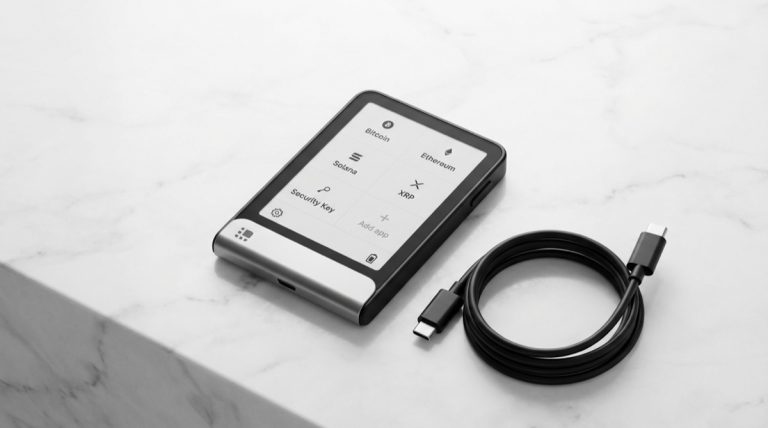
The integration of hardware wallets with software interfaces represents a critical junction in Bitcoin security, requiring careful attention to technical details and proper implementation procedures. This analysis explores the complexities of hardware wallet operations, focusing on common challenges and essential best practices for maintaining secure Bitcoin custody.
Hardware wallets serve as the cornerstone of Bitcoin security for many users, providing an air-gapped environment for private key storage and transaction signing. The interaction between these devices and software interfaces involves intricate protocols that must be precisely followed to ensure both security and functionality. Understanding these interactions is crucial for successful wallet management and transaction execution.
One of the most fundamental aspects of hardware wallet implementation is the proper handling of seed phrases and wallet creation procedures. The generation and management of separate seeds for hardware and software wallets represents a critical security boundary that should never be compromised. This separation ensures that the enhanced security benefits of hardware wallets are maintained, as crossing these boundaries would effectively nullify the security model.
The firmware ecosystem of hardware wallets presents another layer of complexity that users must navigate. Different firmware versions support varying feature sets, including specific address types and transaction signing capabilities. The implementation of newer Bitcoin protocol features, such as Taproot, requires careful consideration of firmware compatibility and upgrade paths. Users must ensure their hardware wallet’s firmware supports their intended transaction types and address formats.
Connection Protocols and Troubleshooting
Connection protocols between hardware wallets and software interfaces represent a critical consideration. USB connectivity, while convenient, can present challenges ranging from basic hardware recognition issues to more complex protocol-level communications. These connections must be properly established and maintained for successful transaction signing, with proper driver implementation and device recognition being essential prerequisites.
Alternative connection methods like Bluetooth or QR codes offer different tradeoffs between convenience and security that users must carefully evaluate based on their specific needs. While Bluetooth implementations in modern hardware wallets utilize robust encryption and security protocols, they introduce additional attack surfaces that must be considered in threat modeling.
Understanding error messages and troubleshooting procedures is vital for maintaining reliable hardware wallet operations. Common issues often relate to device recognition, signing procedures, and script compatibility. Having a systematic approach to diagnosing and resolving these issues helps ensure consistent access to funds while maintaining security. Network timeouts can occur due to various factors, including firewall settings, antivirus software interference, or issues with the underlying node connection configuration.
Companion Software and Vendor Independence
The role of companion software and wallet interfaces adds another dimension to the implementation landscape. While using manufacturer-provided software may offer seamless integration, it can potentially introduce single-point-of-failure risks. This has led to the emergence of independent wallet software solutions like Sparrow that support multiple hardware devices, providing users with greater flexibility and reducing vendor-specific risks.
The implementation of passphrases adds an additional layer of security but also increases complexity in wallet management. When using passphrases with hardware wallets, users must maintain consistent passphrase usage across different software interfaces to ensure reliable access to their funds. This highlights the importance of thorough testing and documentation of wallet configurations.
Transaction Signing and Address Verification
Transaction signing represents perhaps the most critical operation in hardware wallet usage. The signing process must validate transaction details across both the hardware device and software interface, with proper user verification of addresses and amounts. This process involves multiple security checks and confirmation steps to prevent unauthorized or malicious transactions.
The interaction between different address types and script formats adds another layer of complexity. Support for various Bitcoin address formats, including legacy, SegWit, and Taproot addresses, must be properly implemented in both hardware and software components. This compatibility must be verified before attempting transactions to prevent potential issues with transaction signing.
Hot Wallet to Cold Storage Transitions
When transferring funds from a hot wallet to a hardware wallet, the software must properly construct the transaction, verify the receiving address through the hardware device, and ensure proper fee estimation before broadcasting to the network. This process involves multiple security validations and user confirmations to prevent errors or potential loss of funds. Users should always conduct test transactions with small amounts and maintain proper backups of seed phrases and wallet configurations.
Firmware Updates and Future Compatibility
Firmware updates present a particular challenge in hardware wallet management. These updates are essential for maintaining security and adding new features, but they must be handled with extreme care to prevent potential security compromises. Users must verify update authenticity and follow proper update procedures, ensuring proper backup procedures are in place before attempting updates.
Looking forward, the evolution of Bitcoin protocol features will continue to impact hardware wallet implementations. Future upgrades will require careful consideration of backward compatibility and upgrade paths, ensuring users can maintain access to their funds while benefiting from new protocol features.
For more on this topic, see our guide on Bitcoin Multisig Security: Architecture and Setup.
For more on this topic, see our guide on Bitcoin Wallet-Node Sync: How It Works. For secure signing practices, see Hardware Wallets and Node Connectivity: Setup Guide.
Hardware wallet users should also read Hardware Wallet Multisig Setup Guide.
Hardware wallet users should also read Dark Skippy Attack: Is Your Hardware Wallet Safe?.
Physical device security plays a key role — learn about Hardware Wallet Firmware Updates.
Step-by-Step Guide to Troubleshooting Hardware Wallet Integration Issues
Hardware wallet connection and signing failures can be frustrating, but most issues follow predictable patterns with straightforward solutions. This guide covers the systematic troubleshooting process for common integration problems.
Step 1: Verify hardware wallet firmware version. Open your hardware wallet settings and check the current firmware version. Compare it against the latest version listed on the manufacturer’s website. Outdated firmware is the most frequent cause of compatibility issues with newer wallet software features. Update if necessary, following the manufacturer’s official update procedure and ensuring your seed phrase backup is current before proceeding.
Step 2: Check USB cable and port functionality. Test with the manufacturer-provided USB cable first. If unavailable, use a known-good data-capable USB cable (charging-only cables lack data lines and will not work). Try different USB ports on your computer, preferring direct motherboard connections over hubs. On Linux, verify the device appears with lsusb after connecting. On macOS and Windows, check the device manager for recognition.
Step 3: Install or update required drivers and bridge software. Trezor requires the Trezor Bridge daemon running on your computer for web-based access, though Sparrow connects directly via USB HID. Ledger requires Ledger Live to be closed when connecting through third-party software like Sparrow, as the Ledger Live agent may monopolize the USB connection. Verify that any required bridge software is installed and running.
Step 4: Configure your wallet coordinator software. In Sparrow Wallet, navigate to File → New Wallet and select your hardware wallet type. Choose the correct script type (Native SegWit / bech32 is recommended). Click “Scan” or “Import” to detect the hardware wallet. If detection fails, check that the device is unlocked and on the correct screen (some devices require navigating to a specific app or menu before the coordinator can communicate).
Step 5: Verify address type compatibility. Ensure both the hardware wallet and coordinator software are configured for the same address type. Mismatched script types (e.g., the hardware wallet generating Legacy addresses while the coordinator expects Native SegWit) will result in address discrepancies and apparent balance mismatches. Check the derivation path in both the device and software settings.
Step 6: Test transaction signing with a small amount. Create a transaction sending a small amount to an address you control. Monitor each step of the signing process: transaction construction in the coordinator, data transfer to the hardware wallet, on-device review and confirmation, and signed transaction return to the coordinator. Identify exactly where any failure occurs to narrow the diagnosis.
Step 7: Check node connectivity and network settings. If the coordinator software shows connection errors during broadcasting, verify your Bitcoin node connection. In Sparrow, check Preferences → Server to confirm your node address, port, and authentication settings are correct. For public Electrum servers, try switching to a different server if the current one is unresponsive.
Step 8: Consult device-specific troubleshooting resources. If issues persist after the above steps, consult the manufacturer’s support documentation and community forums. Most common issues have documented solutions. For persistent problems, export diagnostic logs from your coordinator software and provide them when seeking help from manufacturer support or community channels.
Common Mistakes to Avoid
Using the wrong wallet software version for your firmware. Hardware wallet firmware updates sometimes change communication protocols in ways that require corresponding updates to wallet coordinator software. Always update both the hardware wallet firmware and the coordinator software to their latest stable versions before troubleshooting. Running mismatched versions is a frequent source of cryptic error messages.
Entering the passphrase in the wrong application. When using a BIP39 passphrase, some coordinator software applications prompt for passphrase entry on the computer rather than the hardware wallet. Entering your passphrase on the computer exposes it to potential keyloggers. Configure your setup so the passphrase is always entered directly on the hardware wallet’s physical interface.
Ignoring derivation path settings during initial setup. The derivation path determines which addresses your wallet generates. If you set up the same seed on two devices using different derivation paths, they will show different addresses and balances. Document your derivation path (e.g., m/84’/0’/0′ for native SegWit) during initial setup and verify it during any recovery or migration.
Force-quitting during firmware updates. Interrupting a firmware update can brick your hardware wallet. Ensure your device has sufficient battery charge (or is connected to reliable power) before starting any update. If an update appears frozen, wait at least 15 minutes before taking any action. Most apparent freezes resolve as the device completes internal verification steps.
Frequently Asked Questions
Why does my hardware wallet show a different balance than my coordinator software?
Balance discrepancies most commonly result from the coordinator software not fully scanning all addresses. This can happen when the software uses a different gap limit (the number of consecutive empty addresses it checks before stopping). Increase the gap limit in your coordinator settings and rescan. In Sparrow, go to Settings → Advanced and increase the gap limit, then re-import the wallet.
Can I use multiple coordinator applications with the same hardware wallet?
Yes, the hardware wallet stores your private keys independently of any coordinator software. You can use Sparrow, Electrum, Nunchuk, or any other compatible application with the same device. Each coordinator imports the wallet’s public key information to generate addresses and construct transactions. The hardware wallet only signs transactions when physically prompted by the user.
My hardware wallet is not detected via USB. What should I try first?
First, try a different USB cable and port. Second, check that no other application (especially the manufacturer’s companion software) is already connected to the device. Third, on Linux, verify your user has permission to access USB HID devices by adding the appropriate udev rules. Fourth, try restarting both the hardware wallet and your computer. If none of these work, test the device on a different computer to rule out hardware failure.