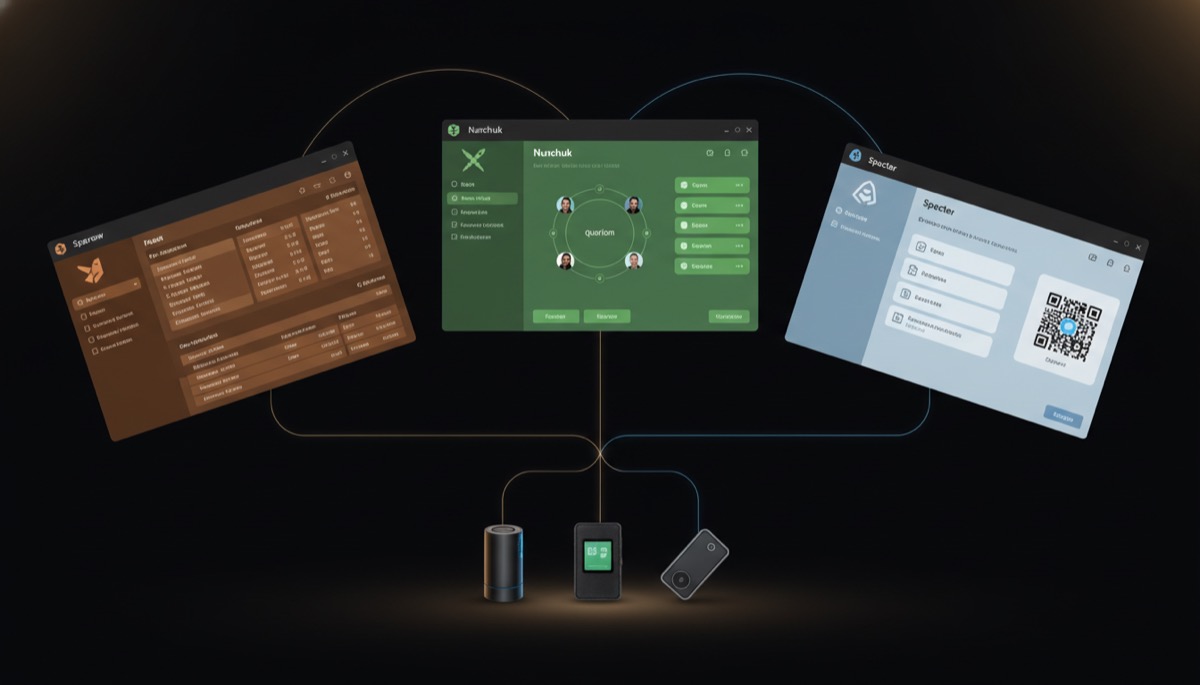
Multisig Bitcoin storage requires a coordinator — software that manages the wallet creation, address generation, PSBT handling, and signing workflow across multiple hardware wallets. The three leading coordinators are Sparrow Wallet, Nunchuk, and Specter Desktop. Each takes a fundamentally different approach to the same problem.
This comparison tests all three against real multisig use cases: creating a 2-of-3 vault, signing with mixed hardware wallets, collaborating with co-signers, and recovering from a lost device. If you’re building a multisig setup, the coordinator you choose determines your daily experience and your recovery options.
What Is a Multisig Coordinator
A multisig coordinator is not a wallet in the traditional sense. It doesn’t hold keys. It holds the wallet configuration — the xpubs, derivation paths, script type, and quorum requirements — and orchestrates the signing process between multiple independent signers.
When you create a 2-of-3 multisig wallet, the coordinator:
- Collects extended public keys (xpubs) from each of the three signing devices
- Constructs the multisig descriptor that defines the wallet
- Generates receive addresses from the combined key material
- Creates Partially Signed Bitcoin Transactions (PSBTs) when you want to spend
- Passes the PSBT to each required signer for approval
- Combines the signatures and broadcasts the final transaction
The coordinator sees your balances and transaction history, but cannot spend funds without the required number of hardware wallet signatures. This separation of concerns — coordinator watches, signers authorize — is the foundation of multisig security.
Choosing a coordinator matters because it determines: which hardware wallets you can use, whether co-signers can participate remotely, how air-gapped your signing process can be, and how recoverable your setup is if the coordinator software disappears.
Sparrow Wallet Deep Dive
Sparrow is a desktop-only Bitcoin wallet built by Craig Raw, focused on transparency and power-user features. It’s the most technically detailed coordinator of the three, exposing transaction structure, UTXO management, and fee control at a granular level.
Architecture
Sparrow is a Java application that runs on Windows, macOS, and Linux. It connects to Bitcoin Core (directly or via an Electrum server) for blockchain data. It stores wallet files locally in an encrypted format. There is no cloud component, no account system, and no server dependency beyond the Bitcoin network connection.
Multisig Setup
Creating a multisig wallet in Sparrow involves going to File → New Wallet, selecting the script type (typically P2WSH for native segwit multisig), setting the quorum (e.g., 2-of-3), and then adding each cosigner. For a step-by-step walkthrough, see our Sparrow multisig tutorial.
Each cosigner can be added by:
- Connecting a hardware wallet directly via USB
- Scanning a QR code containing the xpub (air-gapped flow)
- Importing an xpub from a file or clipboard
- Using a software signer (seed phrase stored in Sparrow — less secure but useful for testing)
Sparrow supports all major descriptor formats and will display the exact output descriptor for your wallet. This descriptor is your recovery blueprint — with it and your keys, you can reconstruct the wallet in any compatible software.
Signing Workflow
When spending, Sparrow constructs a PSBT and presents it for signing. You sign with each required device — USB-connected or via QR code exchange for air-gapped devices like Coldcard and Passport. Sparrow displays the PSBT state after each signature, showing exactly which cosigners have signed.
Strengths
- Maximum transparency: Every transaction detail is visible — inputs, outputs, change addresses, fee rate, PSBT hex. You see exactly what you’re signing.
- Broadest hardware support: Works with Coldcard, Trezor, Ledger, Passport, Jade, Keystone, SeedSigner, and more.
- Full air-gap support: QR-based signing workflow with animated QR codes for larger PSBTs.
- UTXO management: Manual coin selection, UTXO labeling, freeze/unfreeze individual UTXOs.
- Privacy tools: Built-in CoinJoin (Whirlpool), payjoin support, Tor integration.
- Node connection: Connects to your own Bitcoin Core, Electrum server, or public servers.
Weaknesses
- Desktop only: No mobile version. You need a computer to manage your multisig.
- No collaborative features: Each cosigner needs their own Sparrow instance with the wallet imported. There’s no built-in way to share PSBTs with remote co-signers — you export files or QR codes manually.
- Steeper learning curve: The interface exposes everything, which can overwhelm new users.
- Single developer: Sparrow is primarily maintained by one developer. Bus factor of one.
Nunchuk Deep Dive
Nunchuk is a mobile-first multisig coordinator focused on collaborative custody. It’s designed for scenarios where multiple people (family members, business partners) need to co-sign transactions without being in the same room. For a detailed look at the mobile experience, see our Nunchuk review.
Architecture
Nunchuk runs on iOS, Android, and desktop (Windows, macOS, Linux). The mobile apps are the primary interface. Nunchuk offers both a free self-hosted mode and a paid subscription tier (Nunchuk Pro / Byzantine) that adds cloud-assisted key management features, inheritance planning, and emergency recovery.
In free mode, Nunchuk is fully self-custodial with no server dependency for core wallet operations. The subscription tiers add server-assisted features but the keys always remain on your devices.
Multisig Setup
Nunchuk’s multisig creation is the most guided of the three coordinators. You create a wallet, set the quorum, and add keys from hardware wallets via NFC (for Coldcard and Tapsigner), QR code, or USB. Nunchuk supports a concept called “software keys” — keys generated and stored on your phone, encrypted with your device’s secure enclave. These are less secure than hardware wallets but useful for convenience keys in a 2-of-3 where one key is meant to be readily accessible.
Collaborative Signing
This is Nunchuk’s defining feature. When you create a multisig wallet, you can invite co-signers by sharing a wallet link. Co-signers install Nunchuk, join the wallet, and add their key. When a transaction needs signing:
- Any cosigner can create a transaction proposal
- Other cosigners receive a notification on their device
- Each signs with their hardware wallet through the Nunchuk app
- Once the quorum is reached, the transaction broadcasts automatically
No file passing, no QR code relay, no coordination calls. This is the closest thing to a seamless multi-party signing experience that exists in Bitcoin.
Strengths
- Mobile-first: Manage multisig from your phone. Practical for day-to-day operations.
- Collaborative multisig: The best co-signing experience in the market. Remote cosigners can participate without technical setup.
- NFC support: Tap-to-sign with Coldcard and Tapsigner directly from your phone.
- Inheritance planning: Byzantine tier includes inheritance protocols and emergency key recovery workflows.
- Cross-platform: Mobile and desktop apps that sync wallet state.
- Group chat: Built-in encrypted messaging between cosigners for transaction coordination.
Weaknesses
- Subscription model: Advanced features (Byzantine, inheritance) require paid plans. The free tier is functional for basic multisig but limited.
- Less transparent: The interface hides technical details that Sparrow exposes. Power users may feel constrained.
- Server dependency for collaboration: The collaborative signing feature relies on Nunchuk’s relay servers. If those servers go down, you lose the convenient co-signing flow (though you can still export PSBTs manually).
- Smaller hardware wallet support: Works with major devices (Coldcard, Tapsigner, Ledger, Trezor, Jade, Keystone) but fewer models than Sparrow.
- Closed source components: Some parts of the Nunchuk stack are not open source.
Specter Desktop Deep Dive
Specter Desktop is a web-based coordinator that runs locally and connects directly to your Bitcoin Core node. It was built specifically for multisig and hardware wallet management, with a strong focus on air-gapped workflows.
Architecture
Specter runs as a local web server (Python/Flask) that communicates with Bitcoin Core’s RPC interface. You access it through your browser at localhost. It can run on the same machine as Bitcoin Core or on a separate device on your network. Specter is also available as an Umbrel and Start9 app.
Specter is fully open source (MIT license) and community-maintained. Development has slowed compared to its peak in 2022-2023, but the software remains functional and receives maintenance updates.
Multisig Setup
Specter’s setup flow starts with adding “devices” — each device represents a signing key. You add each hardware wallet by connecting via USB or uploading the xpub. Once all devices are registered, you create a wallet using those devices, selecting the quorum and script type.
Specter was one of the first coordinators to support the air-gapped Coldcard workflow via SD card. You export PSBTs to an SD card, plug it into the Coldcard, sign, and plug it back. The same workflow works with Passport and SeedSigner.
Strengths
- Direct Bitcoin Core integration: No Electrum server needed. Talks directly to your full node’s RPC. Simplest architecture of the three.
- Air-gap focused: Excellent support for SD card and QR code signing workflows.
- Fully open source: MIT licensed, auditable, community-maintained.
- Node platform integration: Available as an app on Umbrel, Start9, and RaspiBlitz.
- Multi-device management: Clean interface for managing multiple hardware wallets and multiple multisig configurations.
- HWI integration: Uses Bitcoin Core’s Hardware Wallet Interface for broad device compatibility.
Weaknesses
- Requires Bitcoin Core: Unlike Sparrow and Nunchuk, Specter cannot connect to public Electrum servers. You must run your own full node.
- Development pace: Updates have slowed. The project is maintained but not as actively developed as it once was.
- No mobile app: Browser-only interface. Works on mobile browsers but not optimized for it.
- No collaborative features: Like Sparrow, co-signing is manual — export PSBT, send to co-signer, import signed PSBT.
- Setup complexity: Requires Bitcoin Core to be running and properly configured for RPC access. More moving parts than Sparrow or Nunchuk.
- No built-in privacy tools: No CoinJoin integration, no coin control in the GUI (though Bitcoin Core itself provides this).
Head-to-Head Comparison
| Feature | Sparrow | Nunchuk | Specter |
|---|---|---|---|
| Platform | Desktop (Win/Mac/Linux) | Mobile + Desktop | Browser (local web server) |
| HW Wallet Support | Broadest (10+ devices) | Major devices (7+) | Broad via HWI (8+ devices) |
| Air-Gapped Support | QR codes (animated) | QR + NFC | QR + SD card |
| Collaborative Multisig | No (manual PSBT passing) | Yes (built-in relay) | No (manual PSBT passing) |
| PSBT Support | Full (create, sign, combine, finalize) | Full (streamlined UI) | Full (create, sign, combine, finalize) |
| Tor Support | Built-in | Via system Tor | Via system/node Tor |
| Node Requirement | Optional (public servers available) | Optional (public servers available) | Required (Bitcoin Core) |
| UX Rating | Power user (detailed) | Consumer-friendly | Functional (utilitarian) |
| License | Apache 2.0 | Partially open source | MIT |
| CoinJoin | Yes (Whirlpool) | No | No |
| Coin Control | Full (labels, freeze, selection) | Basic | Limited in GUI |
| Wallet Descriptor Export | Yes | Yes | Yes |
Best For Each Use Case
Solo Self-Custody (One Person, Multiple Keys)
Best choice: Sparrow
When you control all keys yourself, collaborative features don’t matter. Sparrow gives you the most control over your multisig: full UTXO management, detailed transaction inspection, and the broadest hardware wallet compatibility. The desktop-only limitation is actually an advantage here — you’re likely sitting at a desk when doing serious Bitcoin operations anyway.
For setting up a solo 2-of-3 multisig, Sparrow’s transparent workflow lets you verify every step of the process.
Family or Business Multisig (Multiple People, Distributed Keys)
Best choice: Nunchuk
When co-signers are in different locations, Nunchuk’s collaborative signing is transformative. Instead of coordinating PSBT file transfers over secure channels, co-signers simply approve transactions on their phones. The inheritance planning features (Byzantine tier) add genuine value for family setups. The subscription cost is justified by the reduction in operational complexity.
Node Operator Multisig (Running Full Node, Sovereignty Focus)
Best choice: Specter
If you’re already running Bitcoin Core on Umbrel, Start9, or bare metal, Specter integrates directly without additional infrastructure. The full open-source license and direct RPC connection align with the sovereignty ethos of running your own node. No Electrum server required, no cloud dependencies.
Privacy-Focused Multisig
Best choice: Sparrow
Sparrow’s built-in Tor support, Whirlpool CoinJoin integration, and connection to your own Electrum server provide the most private multisig experience. Combine this with proper privacy techniques and coin control to maintain transaction privacy in a multisig context.
Mobile-First Multisig
Best choice: Nunchuk
Nunchuk is the only coordinator with a purpose-built mobile app. If managing your multisig from a phone is a requirement — for quick approvals, checking balances on the go, or simply preferring mobile interfaces — Nunchuk is the only real option.
Maximum Hardware Wallet Flexibility
Best choice: Sparrow
If you use uncommon hardware wallets or want to mix devices from different manufacturers, Sparrow’s broad device support and flexible import methods give the most options. Check our hardware wallet comparison to choose compatible devices for your multisig setup.
Recovery and Portability
A critical consideration that’s often overlooked: what happens if your coordinator software stops working?
All three coordinators use standard Bitcoin descriptors and derivation paths. A wallet created in any one of them can be reconstructed in the others — or in Bitcoin Core directly — using the output descriptor and your keys. This portability is essential for long-term multisig setups.
What you need to recover a multisig wallet:
- The wallet descriptor (output descriptor or XPUB set with quorum configuration)
- The seed phrases for each signing device
- Knowledge of the derivation paths used (standard paths like m/48’/0’/0’/2′ for native segwit multisig are used by default)
Store the wallet descriptor alongside your seed phrase backups. Without it, recovery requires trying multiple descriptor combinations. Our multisig inheritance planning guide covers this in detail.
All three coordinators export wallet descriptors in standard formats. Test your recovery process: export your descriptor, delete the wallet from the coordinator, and restore it from the descriptor. Do this before putting real funds in the wallet.
Multisig in Practice from the
Advanced Bitcoin Security & Privacy course.
Frequently Asked Questions
Can I use different coordinators for different operations on the same wallet?
Yes. Since all three use standard descriptors, you can create a wallet in Sparrow, import it into Specter for use on your node, and also import it into Nunchuk for mobile access. The wallet configuration (xpubs and quorum) is the same everywhere. Just be aware that transaction labels and UTXO annotations don’t sync between coordinators.
Which coordinator is best for a first-time multisig setup?
Nunchuk offers the most guided experience for beginners. If you’re comfortable with desktop software and want to learn how multisig works at a deeper level, Sparrow’s transparency is educational. Specter is best saved for users who already run their own Bitcoin node.
Do I need to trust the coordinator with my funds?
The coordinator never has your private keys — those stay on your hardware wallets. The coordinator holds extended public keys (xpubs), which can derive your addresses and track your balance. This is a privacy consideration (the coordinator sees your full transaction history) but not a security risk for your funds. Even if the coordinator software were compromised, it cannot spend your Bitcoin without hardware wallet signatures.
What happens if Nunchuk’s servers shut down?
The collaborative signing features would stop working, but your wallet and funds remain safe. You can export the wallet descriptor and import it into Sparrow or Specter to continue managing your multisig. Your hardware wallets don’t depend on Nunchuk’s infrastructure. This is the advantage of standard Bitcoin descriptors — no vendor lock-in for your funds.
Can I mix hardware wallets from different manufacturers?
Yes, and you should. Using different hardware wallets in your multisig (e.g., Coldcard + Passport + Keystone) provides supply chain diversification — a vulnerability in one manufacturer’s firmware doesn’t compromise your entire multisig. All three coordinators support mixed-device setups, though Sparrow handles the widest variety of device combinations.
Is a 2-of-3 or 3-of-5 better?
For most personal setups, 2-of-3 provides the best balance of security and convenience. You can lose one key and still spend. 3-of-5 is more appropriate for institutional custody where higher security thresholds justify the added operational complexity. The coordinator choice doesn’t change this calculus — all three support arbitrary quorums — but Nunchuk’s collaborative features become more valuable as the number of cosigners increases.
{“@context”: “https://schema.org”, “@type”: “FAQPage”, “mainEntity”: [{“@type”: “Question”, “name”: “Can I use different coordinators for different operations on the same wallet?”, “acceptedAnswer”: {“@type”: “Answer”, “text”: “Yes. Since all three use standard descriptors, you can create a wallet in Sparrow, import it into Specter for use on your node, and also import it into Nunchuk for mobile access. The wallet configuration (xpubs and quorum) is the same everywhere. Just be aware that transaction labels and UTXO annotations don’t sync between coordinators.”}}, {“@type”: “Question”, “name”: “Which coordinator is best for a first-time multisig setup?”, “acceptedAnswer”: {“@type”: “Answer”, “text”: “Nunchuk offers the most guided experience for beginners. If you’re comfortable with desktop software and want to learn how multisig works at a deeper level, Sparrow’s transparency is educational. Specter is best saved for users who already run their own Bitcoin node.”}}, {“@type”: “Question”, “name”: “Do I need to trust the coordinator with my funds?”, “acceptedAnswer”: {“@type”: “Answer”, “text”: “The coordinator never has your private keys — those stay on your hardware wallets. The coordinator holds extended public keys (xpubs), which can derive your addresses and track your balance. This is a privacy consideration (the coordinator sees your full transaction history) but not a security risk for your funds. Even if the coordinator software were compromised, it cannot spend your Bitcoin without hardware wallet signatures.”}}, {“@type”: “Question”, “name”: “What happens if Nunchuk’s servers shut down?”, “acceptedAnswer”: {“@type”: “Answer”, “text”: “The collaborative signing features would stop working, but your wallet and funds remain safe. You can export the wallet descriptor and import it into Sparrow or Specter to continue managing your multisig. Your hardware wallets don’t depend on Nunchuk’s infrastructure. This is the advantage of standard Bitcoin descriptors — no vendor lock-in for your funds.”}}, {“@type”: “Question”, “name”: “Can I mix hardware wallets from different manufacturers?”, “acceptedAnswer”: {“@type”: “Answer”, “text”: “Yes, and you should. Using different hardware wallets in your multisig (e.g., Coldcard + Passport + Keystone) provides supply chain diversification — a vulnerability in one manufacturer’s firmware doesn’t compromise your entire multisig. All three coordinators support mixed-device setups, though Sparrow handles the widest variety of device combinations.”}}, {“@type”: “Question”, “name”: “Is a 2-of-3 or 3-of-5 better?”, “acceptedAnswer”: {“@type”: “Answer”, “text”: “For most personal setups, 2-of-3 provides the best balance of security and convenience. You can lose one key and still spend. 3-of-5 is more appropriate for institutional custody where higher security thresholds justify the added operational complexity. The coordinator choice doesn’t change this calculus — all three support arbitrary quorums — but Nunchuk’s collaborative features become more valuable as the number of cosigners increases.”}}]}