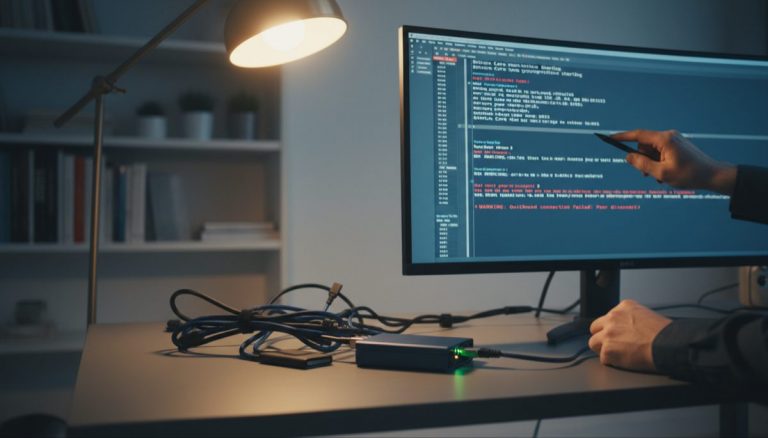
The landscape of personal Bitcoin node deployment has evolved significantly over recent years, presenting both opportunities and technical challenges for individuals seeking to participate directly in the Bitcoin network. This comprehensive analysis explores the current state of DIY node implementations, hardware considerations, and the broader implications for Bitcoin’s decentralization.
The foundation of Bitcoin’s decentralized nature relies heavily on individuals running their own nodes, yet the technical requirements for operating these nodes have become increasingly demanding. The growth of the blockchain, particularly the UTXO set size, has created new challenges for lower-powered hardware solutions that were once considered adequate. This evolution necessitates a careful examination of hardware choices and their implications for node operation.
One of the most significant developments in recent years has been the impact of blockchain bloat on node operation requirements. The UTXO set’s expansion, accelerated by phenomena like ordinal inscriptions, has pushed memory requirements beyond what many entry-level solutions can handle efficiently. This has created a particular challenge for systems with limited RAM, where the inability to hold the entire UTXO set in memory results in significantly increased I/O operations during Initial Block Download (IBD) and ongoing operation.
The hardware ecosystem for personal nodes has traditionally centered around single-board computers (SBCs) due to their accessibility and low power consumption. However, these solutions increasingly face technical limitations that impact their viability for serious node operation. Memory constraints, storage interface limitations, and power delivery challenges create potential stability issues that can compromise the reliability of node operation.
Storage considerations have become particularly crucial in node deployment. The choice between solid-state storage options presents a complex trade-off between performance, reliability, and cost. Traditional microSD storage, while offering reliable interface characteristics with SBCs, faces endurance challenges under the heavy write loads of node operation. Conversely, USB-attached SSDs can offer better performance and endurance but introduce potential stability issues through interface limitations and power delivery constraints.
The evolution of node software solutions has paralleled these hardware challenges. Modern node implementation platforms must balance user accessibility with technical robustness, often leading to differing approaches in handling hardware limitations. This has resulted in a diverse ecosystem of solutions, each with its own approach to managing the inherent challenges of node operation on consumer hardware.
Looking forward, the trajectory of node hardware requirements suggests a continuing trend toward more demanding specifications. The growth of the blockchain, combined with increasing transaction volumes and novel use cases, indicates that future node operators will need to carefully consider their hardware choices. This trend may push the ecosystem toward more powerful computing solutions, potentially affecting the accessibility of node operation for casual users.
The implications for Bitcoin’s decentralization are significant. As hardware requirements increase, the balance between network security through full node operation and accessibility becomes more delicate. This evolution may influence the future development of both hardware and software solutions for node operation, potentially driving innovation in areas like efficient UTXO handling and storage optimization.
For individuals considering node deployment, these technical considerations necessitate a thorough evaluation of available options. The choice between different hardware platforms should account not only for initial costs but also for long-term reliability and performance requirements. This may increasingly favor more robust computing solutions over traditionally popular SBC options.
In conclusion, the current state of DIY Bitcoin node implementation reflects a complex interplay between technical requirements, hardware capabilities, and user accessibility. As the Bitcoin network continues to evolve, the solutions for personal node operation will likely need to adapt, potentially leading to new approaches in both hardware and software design. This ongoing evolution underscores the importance of staying informed about technical developments and carefully considering hardware choices in node deployment.
Step-by-Step Guide
Building your own Bitcoin node from scratch involves selecting components, assembling the hardware, installing software, and completing initial block download. The following steps walk through the full process from parts selection to a fully synchronized node.
- Select your hardware platform. Choose between a mini PC (such as an Intel NUC or equivalent) and a single-board computer. For reliability and performance, a mini PC with at least 8 GB RAM and a quad-core processor is recommended. If budget allows, 16 GB RAM significantly reduces IBD time and handles the growing UTXO set without excessive disk swapping. Avoid Raspberry Pi 3 or older models, as they lack the memory bandwidth to keep pace with current blockchain requirements.
- Choose and prepare your storage drive. Purchase a 1 TB or larger NVMe or SATA SSD. The blockchain currently exceeds 600 GB, so plan for future growth. If using an SBC, connect the SSD via a USB 3.0-to-SATA adapter with its own power supply to avoid power delivery issues. Format the drive with ext4 (Linux) or APFS (macOS). Avoid microSD cards as primary storage — their write endurance is insufficient for the constant database writes Bitcoin Core performs.
- Install the operating system. Flash a minimal Linux distribution (Ubuntu Server LTS or Debian) to your boot drive. Disable the graphical desktop environment to free system resources. Configure a static IP address on your local network so your node remains reachable after reboots. Enable SSH for remote management, and disable password authentication in favor of SSH key pairs.
- Download and verify Bitcoin Core. Obtain the latest Bitcoin Core release from bitcoincore.org. Download the release binary, the SHA256SUMS file, and the corresponding PGP signatures. Verify the SHA256 hash of the downloaded binary matches the published hash. Import the signing keys from the Bitcoin Core repository and verify the PGP signature on the SHA256SUMS file. Never skip verification — running unverified node software defeats the purpose of self-sovereignty.
- Configure Bitcoin Core. Create a
bitcoin.conffile in the data directory. Setdbcache=4096(or higher if your system has sufficient RAM) to speed up IBD by caching more UTXO data in memory. Setmaxconnections=40to balance network participation with system resources. Enabletxindex=1if you plan to run block explorers or Lightning implementations that require a full transaction index. Configurerpcuserandrpcpasswordor userpcauthfor any wallet software that will connect to your node. - Open port 8333 on your router. Forward TCP port 8333 from your router to your node’s static IP address. This allows inbound connections from other nodes, contributing to network health. Without port forwarding, your node still validates blocks and transactions but only connects outward, limiting its contribution to the network. Verify the port is open using a port-checking service after configuration.
- Start Initial Block Download and monitor progress. Launch Bitcoin Core and let IBD begin. On a system with 8 GB RAM and an SSD, IBD typically takes 1-3 days depending on your internet connection speed. Monitor progress using
bitcoin-cli getblockchaininfoto check the current block height against the network tip. Watch system resource usage withhtopto confirm the process is not memory-starved or swap-thrashing. Once IBD completes, your node independently validates every transaction and block from genesis. - Connect your wallet software. Point your preferred wallet (Sparrow, Specter, or Electrum via Electrs) to your node’s RPC or Electrum server interface. Verify that the wallet shows the correct block height and that balance queries return accurate results. Test by sending a small transaction and confirming your node detects it in the mempool before confirmation.
Common Mistakes to Avoid
Underpowering USB-attached drives
Many builders connect an SSD to a Raspberry Pi or similar SBC through a USB adapter without a powered USB hub. The SBC’s USB ports often cannot supply enough current to the drive under heavy write loads, causing random disconnects and potential database corruption. Always use a powered USB hub or an adapter with its own power input when connecting external storage to low-power boards.
Skipping Bitcoin Core verification
Downloading the binary and running it without checking PGP signatures and SHA256 hashes exposes you to supply-chain attacks. A compromised binary could exfiltrate private keys or feed your wallet false transaction data. The verification process takes under five minutes and eliminates this entire attack vector.
Setting dbcache too low during IBD
The default dbcache value in Bitcoin Core is 450 MB, which forces frequent writes to disk during IBD. On systems with 8 GB or more of RAM, setting dbcache=4096 or higher allows the UTXO set to remain largely in memory, reducing IBD time from weeks to days. After IBD completes, you can lower this value to reduce memory usage during steady-state operation.
Using Wi-Fi instead of Ethernet
Wi-Fi connections introduce latency, packet loss, and bandwidth variability that degrade node performance during both IBD and normal operation. A wired Ethernet connection provides consistent throughput and avoids the interference issues common in residential Wi-Fi environments. If running cable is impractical, powerline Ethernet adapters are a more reliable alternative than Wi-Fi for node connectivity.
Neglecting UPS protection
Unexpected power loss during database writes can corrupt Bitcoin Core’s chainstate database, potentially requiring a full re-index that takes many hours. A basic uninterruptible power supply (UPS) rated for 15-30 minutes of runtime gives your node time to shut down gracefully during power outages. Configure your operating system to trigger automatic shutdown when the UPS battery reaches a low threshold.
Frequently Asked Questions
How much does it cost to build a DIY Bitcoin node?
A reliable DIY node setup costs between $150 and $400 depending on hardware choices. A used mini PC with 8 GB RAM can be found for $100-$150, and a 1 TB SATA SSD costs approximately $60-$80. New mini PCs with 16 GB RAM and NVMe storage cost $250-$350. SBC-based setups are cheaper upfront ($80-$120 total) but may require replacement or upgrades sooner as blockchain requirements increase. Power consumption runs $10-$30 per year for most setups.
How long does Initial Block Download take?
IBD duration depends heavily on CPU speed, available RAM for dbcache, storage I/O performance, and internet bandwidth. A mini PC with 16 GB RAM, NVMe SSD, and a 100 Mbps connection typically completes IBD in 12-24 hours. An 8 GB system with a SATA SSD takes 2-4 days. A Raspberry Pi 4 with 4 GB RAM and USB SSD can take 1-2 weeks. Allocating more RAM to dbcache has the single largest impact on IBD speed.
Can I run a Bitcoin node on a Raspberry Pi in 2026?
The Raspberry Pi 4 with 8 GB RAM can still run a Bitcoin node, though performance during IBD is significantly slower than on x86 hardware. The Raspberry Pi 5 improves this with faster I/O and better memory bandwidth. The primary concern is the growing UTXO set — if it exceeds available RAM, the node must frequently read from disk, slowing block validation. For a node that runs continuously and stays synced, a Pi 4 or Pi 5 with 8 GB RAM and a quality SSD remains functional, but new node operators should expect longer setup times.
Do I need a static public IP address to run a node?
No. A static public IP is not required. Most residential internet connections use dynamic public IPs that change infrequently. Your node connects outbound to peers regardless of your public IP. Port forwarding on your router allows inbound connections even with a dynamic IP. If your IP changes, your node simply re-establishes connections. A static local IP (configured on your router or the node itself) is recommended so port forwarding rules remain valid after device reboots.
What ongoing maintenance does a DIY node require?
Routine maintenance involves updating Bitcoin Core when new releases are published (every few months), monitoring disk space as the blockchain grows, and checking that the node remains synced with the network tip. Set up a simple monitoring script or service that alerts you if the node falls behind by more than a few blocks. Operating system security updates should be applied regularly. Storage drives should be monitored for SMART errors using tools like smartctl to catch potential drive failures before they cause data loss.
Related Resources
- The Evolution and Challenges of DIY Bitcoin Nodes
- Self-Custody Bitcoin: Node Architecture and Wallet Integration
- Bitcoin Core: Node Software Security and Verification
- The Evolution and Practical Implementation of Bitcoin Full Nodes
- Hardware Wallet Buying Guide 2026
For more on this topic, see our guide on Lightning Network Cross-Platform Transfers.
For more on this topic, see our guide on Bitcoin Address Privacy: Best Practices. Full sovereignty starts with your own node — explore Bitcoin Node Setup with Umbrel and Start9.
For more on this topic, see our guide on Hardware Wallet Buying Guide 2026. Running your own node strengthens this approach — learn about Bitcoin Node Time Sync: Why It Matters.
Running your own node strengthens this approach — learn about Bitcoin Node Operation: Self-Sovereign Setup Guide.
Node operators can benefit from understanding Bitcoin Node Privacy and Sovereignty Impact.
Full sovereignty starts with your own node — explore Bitcoin Node Solutions: Self-Sovereign Setup Guide.
Verifying transactions yourself requires a node — see Bitcoin Node Sync: Solve Technical Challenges.