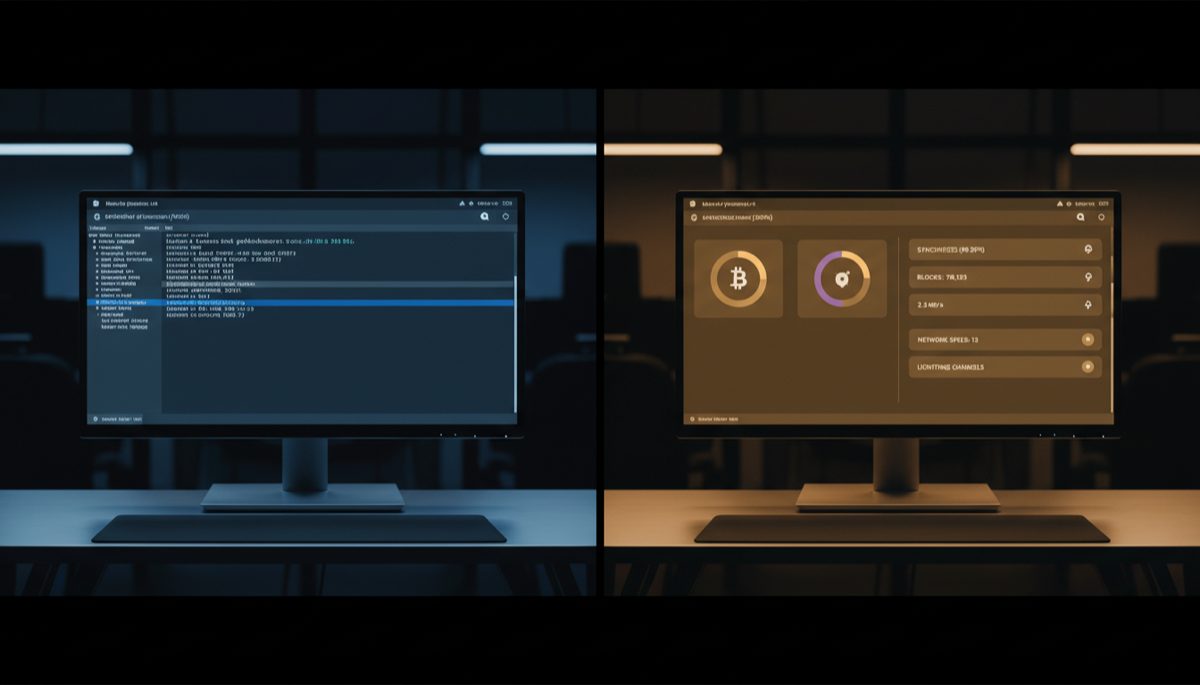
The landscape of Bitcoin node software implementation and maintenance represents a critical intersection of decentralized network infrastructure and user accessibility. As the Bitcoin network continues to mature, the complexity of running and maintaining full nodes has emerged as a crucial consideration for the network’s long-term sustainability and decentralization goals.
The development of user-friendly node implementations has been instrumental in broadening Bitcoin’s accessibility to non-technical users. Solutions like Umbrel have transformed what was once a complex command-line operation into a more approachable process, complete with graphical interfaces and streamlined management tools. This evolution reflects the broader tension between maintaining Bitcoin’s technical robustness while reducing barriers to participation.
Node software architecture has become increasingly sophisticated, incorporating various components that must work in harmony. The upgrade process for these systems involves careful orchestration of multiple elements, including the Bitcoin Core client, database management systems, and various auxiliary services. This complexity introduces multiple potential points of failure during upgrades, requiring robust error handling and recovery mechanisms.
The challenge of maintaining node software highlights the delicate balance between security and user experience. While automated updates can simplify maintenance, they also introduce risks if not properly implemented. Failed upgrades can lead to synchronization issues, database corruption, or even temporary network participation interruption. These technical challenges underscore the importance of robust testing and failover mechanisms in node software design.
Operating system compatibility presents another significant consideration in node software development. Different platforms – from dedicated hardware solutions like Raspberry Pi to general-purpose computers running various operating systems – each present unique challenges for node software implementation. This diversity requires careful consideration of platform-specific requirements and limitations during the development process.
The evolution of node software also reflects broader trends in Bitcoin’s technical development. As the network grows and new features are implemented, node software must adapt while maintaining backward compatibility and network consensus. This includes supporting protocol upgrades, implementing new features like Taproot, and maintaining compatibility with various Lightning Network implementations.
Security considerations in node software have become increasingly critical as Bitcoin’s value and importance have grown. Update mechanisms must be designed to prevent supply chain attacks, ensure software integrity, and maintain proper validation of blockchain data. This has led to the implementation of various security measures, from signed releases to reproducible builds.
The community aspect of node operation cannot be overlooked. The existence of support forums, documentation, and troubleshooting resources has become vital for maintaining a healthy network of nodes. This social layer helps ensure that technical issues can be resolved efficiently and that best practices are widely shared among node operators.
Looking forward, several key challenges and opportunities emerge in the evolution of Bitcoin node software. The push toward greater decentralization may lead to new approaches in node implementation, possibly incorporating peer-to-peer update mechanisms or more resilient database structures. The growing importance of Lightning Network integration may also drive new requirements for node software capabilities.
The future of Bitcoin node software will likely continue to balance competing priorities: maintaining decentralization, improving user experience, ensuring security, and supporting network evolution. Success in this domain will require continued innovation in software architecture, security practices, and user interface design, all while preserving the fundamental principles that make Bitcoin valuable as a decentralized monetary network.
For more on this topic, see our guide on Bitcoin Privacy Tool Costs: Full Analysis.
For more on this topic, see our guide on Hardware Wallet Buying Guide 2026. Verifying transactions yourself requires a node — see Bitcoin Node Operation: Self-Sovereignty.
Full sovereignty starts with your own node — explore Bitcoin Node: Trust vs Verification Balance.
Verifying transactions yourself requires a node — see Bitcoin Node Privacy and Sovereignty Impact.
Running your own node strengthens this approach — learn about Bitcoin Core Node: Software Verification.
Full sovereignty starts with your own node — explore Bitcoin Wallet Infrastructure: Nodes and Security.
Verifying transactions yourself requires a node — see Bitcoin Node Operation: Self-Sovereign Setup Guide.
For a broader perspective, explore our Bitcoin seed phrase security guide.
Step-by-Step Guide
Choosing, installing, and maintaining Bitcoin node software involves evaluating multiple options and understanding their trade-offs. This guide walks through the complete process from software selection to long-term maintenance.
Step 1: Evaluate your node software options based on your technical level. Bitcoin Core is the reference implementation and the most battle-tested option—it connects directly to the Bitcoin peer-to-peer network, validates all consensus rules, and serves as the backend for most other Bitcoin services. For a managed experience, node operating systems package Bitcoin Core with additional services: Umbrel provides a polished web dashboard with one-click app installs, RaspiBlitz offers a scriptable terminal interface with extensive configuration options, Start9 focuses on dependency management and service isolation, and myNode provides a streamlined interface optimized for Raspberry Pi. Each wraps Bitcoin Core differently, so the core validation logic is identical—the difference is in management tooling, update mechanisms, and auxiliary service integration.
Step 2: Prepare your hardware and verify software authenticity. After selecting your software, download it from the official source only. For Bitcoin Core, download the release from bitcoincore.org and verify the GPG signatures using the signing keys listed on the site. For node operating systems, verify the SHA256 checksum of the downloaded image against the published hash. Flash the verified image to your SSD (for node OS) or install Bitcoin Core following the official documentation. Never skip signature verification—this is your primary defense against supply chain attacks that could steal your Bitcoin by replacing legitimate software with trojanized versions.
Step 3: Complete initial blockchain synchronization. On first start, your node must download and validate the entire Bitcoin blockchain (approximately 550GB+). This Initial Block Download (IBD) takes 2-7 days depending on your hardware and internet connection. During IBD, your node validates every transaction and block since Bitcoin’s genesis block in January 2009. Monitor progress through Bitcoin Core’s debug log or your node OS dashboard. Ensure your system has adequate cooling during this CPU-intensive process—thermal throttling on Raspberry Pi devices can significantly extend sync time. Do not interrupt the sync process, as this can corrupt the chainstate database.
Step 4: Configure network settings and peer connections. After initial sync, optimize your node’s network configuration. In bitcoin.conf, set maxconnections to a reasonable value (default 125 is fine for most setups) to balance network contribution with resource usage. Enable listen=1 and configure your firewall to allow inbound connections on port 8333 if you want to serve blocks to other nodes—this is optional but strengthens network decentralization. Configure Tor if you want to run your node privately: set proxy=127.0.0.1:9050 and onlynet=onion for a Tor-only configuration that hides your node’s IP address from peers.
Step 5: Install and configure auxiliary services. With Bitcoin Core synced, install the additional services that make your node useful for wallet operations. Install an Electrum server (Electrs or Fulcrum) for wallet connectivity, a block explorer (BTC RPC Explorer or mempool) for transaction inspection, and optionally a Lightning node (LND or Core Lightning) for payment channel operations. On managed node platforms, these install through the app store with one click. On manual installations, follow each project’s documentation carefully, ensuring each service is configured to connect to your local Bitcoin Core instance rather than external services.
Step 6: Establish an update and maintenance routine. Create a regular maintenance schedule: check for Bitcoin Core updates monthly, review node logs weekly for errors or warnings, and monitor disk space quarterly. Before applying any update, read the release notes carefully—some updates require specific migration steps. On managed platforms, updates are typically applied through the dashboard, but always backup your Lightning channel state and wallet data before updating. Set up monitoring alerts using tools like Telegraf or simple cron scripts that check service health and notify you of issues. Keep a maintenance log documenting every update, configuration change, and issue encountered.
Common Mistakes to Avoid
Applying major updates without reading release notes. Bitcoin Core and node operating system updates occasionally include breaking changes, database migrations, or configuration deprecations. Blindly clicking “update” without reviewing what changed can lead to service outages, failed startups, or in worst cases, database corruption requiring a full re-sync. Always read the release notes before updating. Pay particular attention to any mentions of database format changes, deprecated configuration options, or changes in default behavior that might affect your setup.
Running node software without adequate storage headroom. The Bitcoin blockchain grows by approximately 50-80GB per year. Users who provision exactly enough storage for the current blockchain find their nodes crashing within months when disk space runs out. A full disk during block validation can corrupt the chainstate database, requiring a complete re-synchronization that takes days. Always provision at least 200GB of free space beyond the current blockchain size, and monitor disk usage with automated alerts that warn you well before reaching capacity.
Using beta or unverified alternative node implementations for real funds. While alternative Bitcoin implementations (btcd, Knots, libbitcoin) serve important purposes in the ecosystem, using them without understanding their differences from the reference implementation can lead to consensus issues. Some alternative implementations may validate blocks differently or lack full support for recent protocol upgrades. For production use with real funds, Bitcoin Core remains the safest choice. If you want to experiment with alternatives, run them alongside Bitcoin Core and compare their behavior before relying on them exclusively.
Ignoring Lightning channel backup requirements during node updates. If you run a Lightning node alongside Bitcoin Core, failing to backup your channel state before updates can result in permanent loss of Lightning funds. Static Channel Backups (SCBs) should be created before every update and stored in a separate location. Some node operating systems automate this, but verify that backups are actually being created and are accessible. A Lightning node that restarts with outdated channel state can broadcast revoked commitment transactions, causing your channel counterparty to claim all funds as a penalty.
Frequently Asked Questions
What is the difference between Bitcoin Core and node operating systems like Umbrel?
Bitcoin Core is the actual node software that connects to the Bitcoin network, validates transactions and blocks, and maintains the blockchain database. Node operating systems like Umbrel, RaspiBlitz, and Start9 are management layers built on top of Bitcoin Core. They package Bitcoin Core with additional services (Electrum server, block explorer, Lightning node) and provide a user-friendly interface for installation, configuration, and monitoring. Under the hood, all of these systems run the same Bitcoin Core software—the difference is in how that software is managed, updated, and integrated with other services.
How often should I update my Bitcoin node software?
For Bitcoin Core, apply security-critical updates immediately when released and minor version updates within a few weeks of release. Major version upgrades (e.g., from v26 to v27) can be applied at your convenience after reading the release notes and confirming community feedback is positive. For node operating systems, check for updates monthly. Avoid updating immediately on release day—wait 48-72 hours for the community to identify any issues with the new version. Never skip multiple major versions when updating, as database migrations may depend on sequential upgrades.
Can my Bitcoin node run on a NAS or always-on server I already own?
Yes, as long as the device meets minimum requirements (4GB+ RAM, SSD storage, reliable network connection). Many users successfully run Bitcoin Core in Docker containers on Synology NAS devices, home servers, or virtual machines. The key requirement is SSD storage—NAS devices using only spinning hard drives will perform poorly. Also ensure the device has sufficient CPU power for the initial blockchain sync, which is the most computationally intensive phase. After initial sync, ongoing operation requires minimal CPU resources.
What happens if my node goes offline for an extended period?
When your node comes back online, it automatically downloads and validates all blocks it missed during the offline period. If you were offline for a few days, this catch-up takes minutes. If offline for months, it may take hours. Your Bitcoin Core wallet and connected services continue to function correctly after catching up—no data is lost. However, if you run a Lightning node, extended offline periods are more problematic: your channels may be force-closed by counterparties, and you might miss penalty transactions if your channel state is outdated. For Lightning nodes, uptime reliability is significantly more important than for base-layer-only nodes.
Should I run Bitcoin Core with pruning enabled to save disk space?
Pruning reduces disk usage by discarding old block data after validation, keeping only the UTXO set and recent blocks. A pruned node still validates everything—security is identical to a full archival node. However, pruned nodes cannot serve historical blocks to other peers (reducing your contribution to network health) and cannot be used as a backend for Electrum servers, which need the full blockchain to build their address index. If disk space is limited, pruning is an acceptable trade-off for personal validation. If you plan to run an Electrum server or serve the network, maintain the full unpruned blockchain.