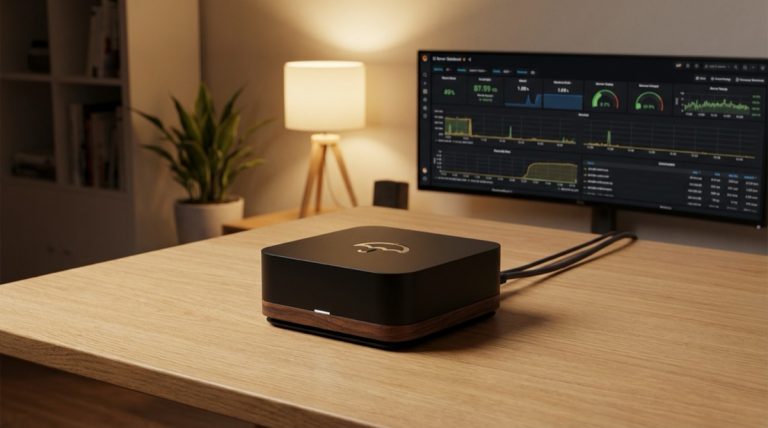
The journey toward running a Bitcoin node represents one of the most fundamental steps in achieving true financial sovereignty in the digital age. This comprehensive analysis explores the technical landscape of Bitcoin nodes, their crucial role in the network, and the various implementation options available to users seeking greater control over their financial infrastructure.
The foundation of Bitcoin’s decentralized nature rests upon its network of nodes, each maintaining a complete copy of the blockchain and validating transactions according to consensus rules. This distributed architecture ensures that no single entity can control or manipulate the network, making node operation a crucial element in preserving Bitcoin’s core value proposition of censorship resistance and monetary sovereignty.
Running a full node provides several distinct advantages that extend beyond mere network participation. It offers users the ability to independently verify transactions, maintain privacy, and contribute to the network’s resilience. Rather than trusting third parties to provide accurate information about the state of the blockchain, node operators can verify everything themselves, embodying the crypto-anarchist principle of ‘don’t trust, verify.’
The technical implementation of a Bitcoin node has evolved significantly since the network’s inception. While early adopters were limited to running Bitcoin Core on general-purpose computers, today’s ecosystem offers a rich variety of specialized hardware solutions and software distributions. These range from DIY setups using single-board computers like Raspberry Pi to premium plug-and-play devices that emphasize ease of use and reliability.
The emergence of node packages and operating systems specifically designed for Bitcoin has dramatically lowered the technical barriers to entry. Solutions like Umbrel, Start9, and myNode have created user-friendly interfaces that abstract away much of the underlying complexity while still maintaining the security and sovereignty benefits of running a full node. These platforms typically offer additional services beyond basic node operation, including Lightning Network capabilities, block explorers, and wallet interfaces.
The Lightning Network represents a crucial extension of node functionality, enabling fast, low-cost transactions while maintaining the security guarantees of the base layer. Running a Lightning node alongside a Bitcoin full node opens up new possibilities for payment processing, channel management, and participation in the growing Lightning economy. This second-layer solution has become increasingly important as Bitcoin scales to meet global demand.
Integration with services like BTCPay Server has expanded the utility of personal nodes beyond personal use into the realm of commerce and business applications. Self-hosted payment processing allows merchants to accept Bitcoin payments without relying on third-party services, maintaining financial sovereignty while reducing costs and increasing privacy. This integration represents a crucial step toward a truly peer-to-peer electronic cash system as envisioned in the Bitcoin whitepaper.
The role of Electrum servers in the node ecosystem deserves special attention. By running an Electrum server alongside a full node, users can provide trusted blockchain data to their own Electrum wallets, eliminating the need to rely on third-party servers that could potentially compromise privacy or manipulate transaction data. This setup represents the gold standard in wallet sovereignty and security.
Hardware considerations play a crucial role in node implementation decisions. While a Raspberry Pi might suffice for basic node operation, more demanding applications like Lightning Network routing or high-volume BTCPay Server installations may require more robust hardware. Storage requirements continue to grow with the blockchain, making storage planning and management an important aspect of node operation.
The future of Bitcoin node operation points toward increasing integration of services and improved user interfaces while maintaining the fundamental principles of sovereignty and decentralization. Development efforts continue to focus on reducing technical barriers while expanding functionality, making node operation accessible to a broader audience while preserving the critical role nodes play in maintaining network security and resilience.
In conclusion, running a Bitcoin node represents both a technical challenge and a philosophical statement. It embodies the principles of self-sovereignty and network participation that lie at the heart of the Bitcoin revolution. As the ecosystem continues to mature, the tools and platforms available for node operation will likely become even more sophisticated and user-friendly, while maintaining the essential characteristics that make Bitcoin nodes crucial to the network’s operation and security.
For more on this topic, see our guide on Hardware Wallet Buying Guide 2026.
Running your own node strengthens this approach — learn about Bitcoin Node Network Discovery and Access.
Verifying transactions yourself requires a node — see Bitcoin Node Time Sync: Why It Matters.
Full sovereignty starts with your own node — explore Bitcoin Node Deployment: Architecture Guide.
Verifying transactions yourself requires a node — see Bitcoin Wallet Infrastructure: Nodes and Security.
Verifying transactions yourself requires a node — see DIY Bitcoin Node: Build Your Own Setup.
Full sovereignty starts with your own node — explore Self-Hosted Bitcoin Infrastructure Security.
For a broader perspective, explore our running your own Bitcoin node guide.
Step-by-Step Guide
Setting up a complete Bitcoin node from scratch involves hardware selection, software installation, network configuration, and service integration. This guide provides a sequential walkthrough for building a production-ready node that supports both base-layer validation and Lightning Network operation.
Step 1: Choose and Prepare Your Hardware. Select hardware based on your performance requirements and budget. For a reliable setup, use a mini-PC (Intel NUC, Beelink, or similar) with at least a quad-core processor, 8 GB RAM, and a 2 TB NVMe SSD. The 2 TB drive provides headroom for blockchain growth beyond the current approximately 600 GB of full archival data. If budget is constrained, a Raspberry Pi 5 with 8 GB RAM and a 1 TB external SSD connected via USB 3.0 works but with slower initial sync times. Flash your chosen operating system—Ubuntu Server or Debian minimal—to the boot drive and complete the basic system configuration including SSH access and firewall setup.
Step 2: Install and Configure Bitcoin Core. Download the latest Bitcoin Core release and verify the GPG signatures against the published signing keys. Extract the binary and create a dedicated system user for running the daemon. Create your bitcoin.conf configuration file with essential settings: server=1 to enable RPC, txindex=1 if you plan to run an Electrum server, dbcache=4096 to allocate RAM for faster initial sync (reduce to 450 after sync completes), and your rpcauth credentials. Start Bitcoin Core and begin the Initial Block Download. Monitor progress with bitcoin-cli getblockchaininfo, checking the verificationprogress field.
Step 3: Install an Electrum Server for Wallet Connectivity. Once your node is fully synchronized, install an Electrum protocol server to enable wallet software connections. Fulcrum and Electrs are the two primary options: Fulcrum is faster but requires more RAM (4+ GB), while Electrs uses less memory but indexes more slowly. Configure the Electrum server to connect to your Bitcoin Core RPC interface. The initial address indexing process scans the entire blockchain and typically takes 12-48 hours depending on hardware. After indexing completes, verify the connection by pointing a Sparrow Wallet instance to your server’s address and confirming it displays the correct block height.
Step 4: Set Up the Lightning Network Daemon. Install LND (Lightning Network Daemon) or Core Lightning alongside your full node. Configure it to use your local Bitcoin Core for blockchain data rather than an external source. Generate a new Lightning wallet seed and back it up immediately on metal storage. Fund your first channel by sending an on-chain transaction to your Lightning wallet’s funding address. Open a channel with a well-connected routing node—check 1ML or Amboss for nodes with high uptime, good connectivity, and reasonable fee policies. Start with a channel capacity between 1,000,000 and 5,000,000 satoshis for useful routing capability.
Step 5: Install Node Management and Monitoring Tools. Deploy a web-based management interface to monitor and control your node stack. ThunderHub or Ride The Lightning provide comprehensive dashboards for Lightning channel management, payment history, and node configuration. Mempool.space can be self-hosted to give you a private block explorer and mempool visualizer. BTCPay Server enables you to accept Bitcoin payments directly through your node if you run a business. Access these services through Tor hidden services or a reverse proxy with HTTPS to prevent exposing your node’s management interfaces on the clearnet.
Step 6: Configure Automated Backups and Maintenance. Set up automated backups for critical data: your Lightning channel state (SCB file), wallet files, and node configuration. Use a cron job to copy the SCB file to a remote location or encrypted cloud storage after every channel state change. Configure automatic system updates for security patches. Set up disk space monitoring with alerts when storage drops below 50 GB free. Create a maintenance schedule: check for Bitcoin Core and Lightning updates monthly, review channel health weekly, and verify backup integrity quarterly.
Common Mistakes to Avoid
1. Setting dbcache Too Low During Initial Block Download. Bitcoin Core’s database cache dramatically affects synchronization speed. The default value of 450 MB results in excessive disk I/O during IBD, stretching the process from days to weeks. Allocate at least 2048-4096 MB to dbcache during initial sync (ensure your system has sufficient RAM), then reduce it to 450-1000 MB for normal operation. This single configuration change can reduce initial sync time by 60-80%.
2. Opening Lightning Channels Before Understanding Liquidity. New node operators often open many small channels with random peers, resulting in poor routing capability and wasted on-chain fees. Before opening channels, study the network topology, identify well-connected hub nodes, and plan your channel graph to provide useful routing paths. Each channel opening costs an on-chain transaction fee, so making informed choices saves money and creates a more effective node from the start.
3. Not Enabling Transaction Indexing Before It Is Needed. The txindex=1 option must be set before or during the initial sync for optimal performance. If you enable it after synchronization, Bitcoin Core must rescan the entire blockchain to build the transaction index, which can take many hours. Plan your full software stack before starting IBD so you know which indexes you need. If you plan to run an Electrum server or block explorer, enable txindex from the start.
4. Exposing Management Interfaces to the Public Internet. ThunderHub, RTL, and BTCPay Server management panels should never be directly accessible from the internet without proper authentication and encryption. A compromised management interface provides full control over your Lightning channels and funds. Access these services exclusively through Tor hidden services, a VPN tunnel, or an SSH port forward. If you must expose them for remote access, use strong passwords, HTTPS with valid certificates, and IP allowlisting.
Frequently Asked Questions
How long does the initial blockchain synchronization take?
On a modern mini-PC with an NVMe SSD and 8+ GB RAM allocated to dbcache, initial synchronization typically completes in 12-36 hours on a fast internet connection. On a Raspberry Pi 4 with an external SSD, expect 3-7 days. The bottleneck is usually CPU performance for script validation during the early blockchain history and disk I/O for writing the UTXO set. Network bandwidth is rarely the limiting factor unless your connection is slower than 10 Mbps. You can monitor progress in real time through bitcoin-cli getblockchaininfo or your node platform’s dashboard.
Can I run a Bitcoin node on a Raspberry Pi in 2026?
The Raspberry Pi 5 with 8 GB RAM and an external SSD is viable for running a Bitcoin full node with basic Lightning capabilities. However, performance limitations become apparent when running additional services like Electrum indexers or BTCPay Server alongside the core software. Initial blockchain synchronization is significantly slower than on x86 hardware. For a minimal node that validates blocks and manages a few Lightning channels, the Pi 5 works. For a comprehensive node stack with multiple services, invest in a mini-PC with an x86 processor for noticeably better performance and reliability.
Do I need a static IP address to run a Bitcoin node?
No. A Bitcoin node works perfectly with a dynamic IP address, which is what most residential internet connections provide. The node maintains a list of peers and reconnects automatically when your IP changes. For Lightning Network operation, a stable identity is important—but this is handled through your node’s public key rather than your IP address. If you connect through Tor, your node is reachable via its .onion address regardless of your underlying IP. Port forwarding for inbound connections (port 8333) is optional and not required for basic node operation.
What is the minimum internet speed required for a Bitcoin node?
A Bitcoin node requires minimal sustained bandwidth—approximately 200 KB/s (1.6 Mbps) for basic operation with a few peers. During initial synchronization, faster speeds help but are not critical since the bottleneck is typically CPU and disk rather than network. If you enable listening mode to accept inbound connections and serve blocks to other nodes, bandwidth usage increases to 5-20 GB per day depending on the number of peers you serve. Most residential broadband connections (25+ Mbps) are more than sufficient for full node operation including Lightning.
Related Resources
- Bitcoin Node Hardware: Requirements Guide — Detailed hardware benchmarks and recommendations for node operation.
- Bitcoin Node Setup with Umbrel and Start9 — Managed platform alternatives that simplify the node setup process.
- Lightning Node Privacy: Channel Management — Advanced Lightning channel management after completing your initial node setup.
- Bitcoin Node Sync: Solve Technical Challenges — Troubleshooting common synchronization issues during initial setup.
- DIY Bitcoin Node: Build Your Own Setup — Technical analysis of custom node builds for advanced users.