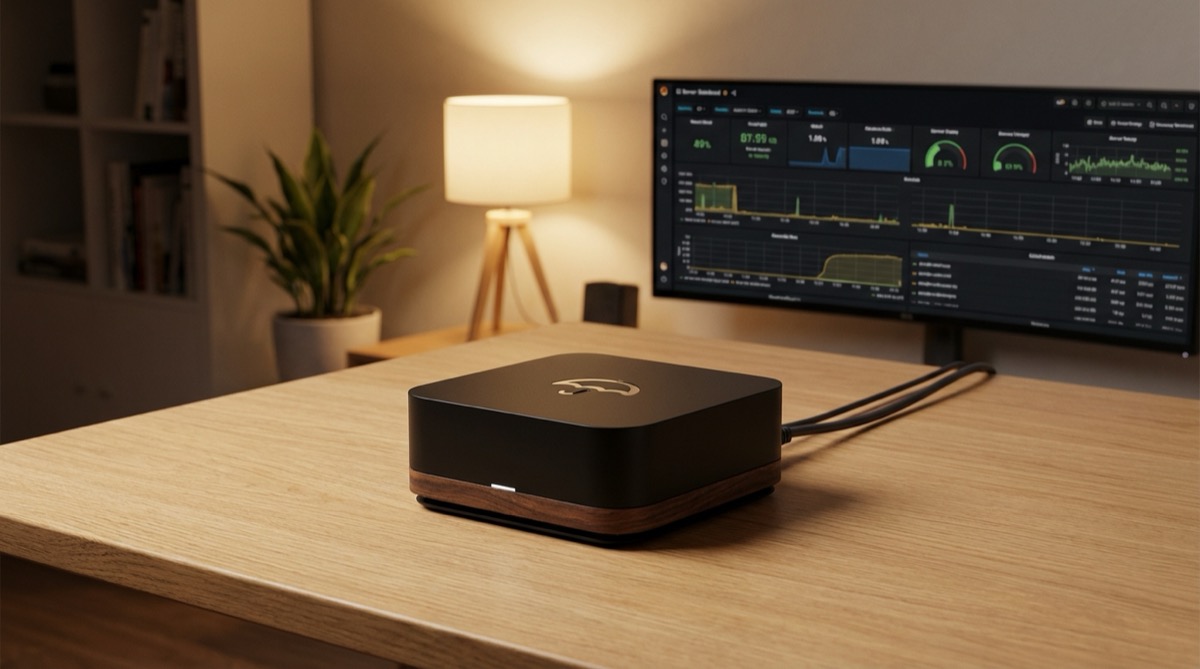
Umbrel is node-in-a-box software that turns commodity hardware into a Bitcoin and Lightning full node with a graphical interface. Since its launch in 2020, it has become the most popular home node platform, primarily because it made running Bitcoin Core, LND, and supporting applications accessible to people who don’t live in a terminal.
This review covers Umbrel as of early 2026 — the hardware requirements, the installation process, the app ecosystem, Lightning integration, and an honest assessment of its strengths and limitations compared to alternatives like Start9 and RaspiBlitz.
What Is Umbrel
Umbrel is a Linux-based operating system with a web dashboard that manages Docker containers. Each “app” on Umbrel runs in its own container. Bitcoin Core runs in one container, LND in another, and each additional service (Electrs, BTCPay, Mempool) gets its own isolated environment.
The core value proposition: you flash an SD card (or install on x86 hardware), plug in your device, open a browser, and you have a running Bitcoin node with a point-and-click app store. No command line required for basic operation.
Umbrel is not fully open source. The core OS and dashboard are source-available under a proprietary license (Umbrel License), though many of the individual apps it packages are open source projects. This is a meaningful distinction that matters for sovereignty-minded users — your node software’s source code is inspectable but not freely licensed.
Key specs:
- Web-based dashboard accessible from your local network
- Docker-based app architecture with one-click installs
- Automatic updates for core OS and individual apps
- Built-in Tor support for remote access
- Runs Bitcoin Core + LND as the default Bitcoin/Lightning stack
- Supports both ARM (Raspberry Pi) and x86 (PC/server) hardware
Hardware Options
Umbrel runs on three main hardware tiers. Your choice determines sync time, reliability, and performance.
Raspberry Pi 4 / 5
The Raspberry Pi is what put Umbrel on the map. Minimum specs:
- RPi 4: 4GB or 8GB RAM model. The 2GB model is technically supported but not recommended — Bitcoin Core’s memory usage during IBD (Initial Block Download) will strain it.
- RPi 5: 4GB or 8GB. Noticeably faster IBD and app performance over the RPi 4 thanks to the improved CPU and I/O.
- Storage: 1TB SSD minimum (NVMe via USB 3.0 adapter or, for RPi 5, native NVMe hat). Do not use an HDD — the random I/O requirements of Bitcoin Core and Electrs will make it unusable. Do not use a microSD for data storage.
- Power: Official USB-C power supply. Underpowered Pi units cause database corruption on unexpected shutdowns.
- MicroSD: 16GB+ for the OS boot partition.
Total cost: $100-180 depending on RPi model and SSD choice.
Pros: Cheap, low power consumption (~5-15W), small form factor, quiet.
Cons: Initial Block Download takes 5-10 days on RPi 4. Running Electrs indexing adds another 1-3 days. The RPi 5 cuts these times significantly but it’s still the slowest hardware option. USB-SSD adapter reliability varies — some adapters have firmware bugs that cause disconnections under heavy I/O.
Repurposed Laptop or Desktop
Any x86_64 machine with at least 4GB RAM and a 1TB SSD works. This is the best value option if you have old hardware sitting around.
- CPU: Any 64-bit Intel or AMD processor from the last 10 years is more than sufficient
- RAM: 4GB minimum, 8GB+ recommended if you plan to run many apps
- Storage: 1TB NVMe or SATA SSD. Internal drive preferred over USB for reliability.
- Network: Ethernet strongly recommended over Wi-Fi for node stability
Total cost: $0-50 if repurposing existing hardware, plus SSD if needed.
Pros: IBD completes in 1-3 days. More RAM means better performance across all apps. Easier to upgrade storage. Reliable power management.
Cons: Higher power consumption (30-100W), potentially louder, takes more physical space than a Pi.
Dedicated Mini-PC or Server
Purpose-built options like Intel NUC, Beelink mini PCs, or Umbrel’s own Home device (a pre-built Umbrel hardware unit).
- Umbrel Home: Umbrel’s official hardware — quad-core CPU, 16GB RAM, 2TB NVMe SSD. Ships with Umbrel pre-installed. Retail around $500.
- Intel NUC / Beelink: Similar specs for $200-400 depending on model. Requires manual Umbrel installation.
- Used enterprise mini-PCs: Dell OptiPlex Micro, HP ProDesk Mini, Lenovo ThinkCentre Tiny — available for $80-150 with decent specs. Excellent value.
Pros: Fast IBD (under 24 hours with good specs), reliable, purpose-built. The Umbrel Home offers a premium plug-and-play experience.
Cons: Higher upfront cost. The Umbrel Home specifically is premium-priced for what is relatively standard hardware.
Hardware Recommendation
For most users: a used mini-PC (Dell OptiPlex Micro or equivalent) with 8GB RAM and a 1TB NVMe SSD provides the best balance of cost, performance, and reliability. If you value simplicity and don’t mind the price, the Umbrel Home works out of the box. The RPi 5 with a quality NVMe setup remains a viable budget option but requires more patience during initial setup.
Installation Process
Raspberry Pi Installation
- Download the Umbrel OS image from the official site
- Flash it to a microSD card using Raspberry Pi Imager or Balena Etcher
- Insert the microSD, connect SSD, Ethernet, and power
- Wait 2-5 minutes for first boot
- Open
http://umbrel.localin your browser (or find the device’s IP on your router) - Create your account with a strong password
- Bitcoin Core begins syncing automatically
The process is genuinely straightforward. The most common installation issue is the browser not finding umbrel.local — in that case, check your router’s DHCP client list for the device’s IP address and access it directly.
x86 Installation
- Download the Umbrel x86 installer image
- Flash it to a USB drive using Balena Etcher
- Boot your target machine from the USB drive
- Follow the on-screen installation wizard — this will erase the target drive
- Remove the USB drive and reboot
- Access the dashboard at the device’s IP address
Important: The x86 install replaces whatever is on the target machine’s drive. It installs Umbrel OS as the sole operating system. If you want to run Umbrel alongside an existing Linux install, use the umbrel install script on an existing Ubuntu/Debian system instead — this installs Umbrel as a set of Docker containers without replacing your OS.
Initial Sync Times
After installation, Bitcoin Core needs to download and validate the entire blockchain. As of early 2026, the blockchain is over 600GB. Realistic sync times:
| Hardware | IBD Time | With Electrs Indexing |
|---|---|---|
| Raspberry Pi 4 (8GB) | 5-10 days | +2-4 days |
| Raspberry Pi 5 (8GB) | 3-5 days | +1-2 days |
| Old laptop (i5, 8GB) | 1-3 days | +12-24 hours |
| Mini-PC / NUC (i5+, 16GB) | 12-24 hours | +6-12 hours |
Don’t rush the sync. Let it complete fully before opening channels or installing Lightning-dependent apps. Interrupting IBD by restarting frequently can slow the process.
App Ecosystem
Umbrel’s App Store is its strongest feature. One-click installs for Bitcoin-specific and general self-hosted services. Here’s what matters for Bitcoiners:
Bitcoin Core
Pre-installed and auto-configured. Umbrel runs a full validating node — it downloads the complete blockchain and verifies every transaction. You can access Bitcoin Core’s RPC via the command line if needed: sudo docker exec -it bitcoin bitcoin-cli getblockchaininfo. The default configuration enables pruning to be off (full archival node), which is why 1TB storage is the minimum.
LND (Lightning Network Daemon)
Umbrel uses LND as its Lightning implementation. After installation, you create a Lightning wallet, fund it with an on-chain transaction, and open channels. LND on Umbrel is configured conservatively — default settings prioritize reliability over routing performance. For node operators who want to actively route payments, manual configuration tweaks through lnd.conf may be needed. Refer to our complete Lightning node guide for optimization details.
Electrs (Electrum Rust Server)
Electrs creates an Electrum-compatible index of the blockchain. This lets you connect wallets like Sparrow, BlueWallet, and Electrum directly to your own node instead of relying on third-party Electrum servers. Electrs requires a full (non-pruned) Bitcoin Core node and takes significant time to build its initial index. Once synced, it uses about 30-50GB of additional storage.
BTCPay Server
A self-hosted payment processor for accepting Bitcoin payments. On Umbrel, BTCPay connects directly to your local Bitcoin Core and LND instances. This is the most sovereign way to accept Bitcoin payments — no third party sees your transactions. Setting up BTCPay on Umbrel is orders of magnitude easier than a manual BTCPay deployment.
Mempool
A local instance of mempool.space — the popular block explorer and mempool visualizer. Running it locally means your transaction lookups don’t leak to external servers. Especially useful for checking fee estimates and monitoring your own transactions privately. This pairs well with the privacy principles in our Bitcoin privacy guide.
Lightning Terminal
Lightning Labs’ web-based Lightning management interface. Provides liquidity management via Loop (submarine swaps), Pool (liquidity marketplace), and Faraday (channel analytics). Lightning Terminal is the most powerful Lightning management tool available on Umbrel and makes advanced operations like rebalancing and liquidity acquisition accessible through a GUI.
ThunderHub and Ride The Lightning (RTL)
Both are web-based LND management dashboards. ThunderHub offers a more modern interface; RTL has broader feature coverage. Most operators install one or the other. They provide channel management, payment tracking, forwarding history, and node configuration in a graphical interface.
Non-Bitcoin Apps
Umbrel also hosts non-Bitcoin self-hosted apps: Nextcloud, Gitea, Pi-hole, Home Assistant, Vaultwarden, and dozens more. While useful, be aware that running many apps on limited hardware (especially a Raspberry Pi) competes for resources with Bitcoin Core and LND. Prioritize Bitcoin infrastructure over general-purpose apps if resources are constrained.
Lightning Integration
Umbrel’s Lightning experience works in layers. The base layer is LND running as a system service. On top of that, you choose your management interface.
Getting Started with Lightning on Umbrel
- Wait for Bitcoin Core to fully sync (this is mandatory)
- Install the Lightning Node app from the Umbrel App Store
- Create your Lightning wallet — Umbrel generates a seed phrase (back it up securely)
- Fund your Lightning wallet by sending on-chain Bitcoin to the generated address
- Wait for the funding transaction to confirm
- Open your first channel — Umbrel suggests popular nodes, or you can paste a specific node’s pubkey
For channel selection strategy and management, our channel management masterclass covers everything from peer selection to rebalancing.
Liquidity Management
Umbrel doesn’t solve Lightning liquidity by itself — that’s an operational challenge regardless of platform. However, having Lightning Terminal available makes liquidity management significantly easier than CLI-only setups. Loop In and Loop Out are one-click operations through the interface.
For receiving payments, you need inbound liquidity. Options available on Umbrel:
- Use Lightning Terminal’s Pool to buy inbound channels from liquidity providers
- Open channels from external nodes toward your Umbrel node
- Use Loop Out to push local balance on-chain, creating inbound capacity
Remote Access
Umbrel provides Tor-based remote access. Connect to your node’s Lightning interface from anywhere using the Tor .onion address. For mobile Lightning management, apps like Zeus and BlueWallet can connect to your Umbrel’s LND instance remotely through Tor or a Tailscale VPN tunnel.
Pros and Cons
Strengths
- Easiest setup in the space: Flash, plug in, open browser. No other platform matches this simplicity.
- App ecosystem breadth: The largest selection of one-click Bitcoin and self-hosted apps of any node platform.
- Active development: Regular updates, responsive to community feedback, growing app library.
- Community size: The largest user base means more community support, tutorials, and troubleshooting resources.
- Hardware flexibility: Runs on everything from a Pi to a server.
- Clean UI: The dashboard is genuinely well-designed and intuitive.
Weaknesses
- Not fully open source: The Umbrel License restricts certain uses. For sovereignty maximalists, this is a dealbreaker. You’re trusting Umbrel’s code to manage your Bitcoin node.
- Docker overhead: Every app runs in its own Docker container, consuming more RAM and storage than native installs. On a Raspberry Pi with 4GB RAM, running more than 5-6 apps simultaneously becomes problematic.
- Limited advanced configuration: Power users who need fine-grained control over LND or Bitcoin Core configuration must SSH in and edit config files manually. The GUI exposes only basic settings.
- Update dependency: App updates go through Umbrel’s app store pipeline. If an upstream project releases a critical security patch, you’re waiting for Umbrel to package and push it.
- Fragile on Pi hardware: SD card corruption, USB-SSD disconnections, and insufficient power continue to cause data loss on Raspberry Pi setups. These aren’t Umbrel bugs — they’re Pi hardware limitations — but Umbrel doesn’t mitigate them sufficiently.
- No CLN support: Only LND is supported as a Lightning implementation. If you prefer Core Lightning, Umbrel isn’t for you.
Umbrel vs Start9 vs RaspiBlitz
We’ve published a detailed Umbrel vs Start9 comparison that covers the philosophical and technical differences. Here’s the summary alongside RaspiBlitz:
| Feature | Umbrel | Start9 (StartOS) | RaspiBlitz |
|---|---|---|---|
| License | Proprietary (source-available) | Open source (MIT/Apache) | Open source (MIT) |
| Setup Difficulty | Very easy | Easy | Moderate (CLI-based) |
| App Store Size | Large (100+) | Medium (50+) | Small (20+) |
| Lightning Impl. | LND only | LND + CLN | LND + CLN |
| Hardware Support | RPi, x86 | RPi, x86, Server Pure | RPi primarily |
| Advanced Config | Limited GUI | Good GUI config | Extensive CLI config |
| Backup System | Basic | Comprehensive (built-in) | Comprehensive |
| Target User | Beginners, general users | Privacy-focused, sovereignty maximalists | Technical enthusiasts |
Choose Umbrel if: You want the easiest possible setup, the largest app selection, and a polished UI. You’re comfortable with the proprietary license.
Choose Start9 if: Open source licensing matters to you, you want CLN support, and you value the built-in backup and dependency management system.
Choose RaspiBlitz if: You’re comfortable with the command line, want maximum configurability, and prefer a community-driven project with deep technical documentation. Our RaspiBlitz setup tutorial walks through the full installation process.
Who Should Use Umbrel in 2026
Umbrel is the right choice for Bitcoiners who want a working node without becoming system administrators. If you want to validate your own transactions, connect your hardware wallet through Electrs, and maybe run BTCPay for a small business — Umbrel gets you there with minimal friction.
It’s less ideal for operators who want to run a serious routing node, need CLN, require fully open-source infrastructure, or want to customize every aspect of their setup. Those users should look at Start9 or RaspiBlitz.
The ecosystem around home nodes has matured significantly. Running your own node is no longer a niche technical exercise — it’s a practical sovereignty tool. Umbrel’s contribution to making that accessible deserves credit, even with its limitations. For the reasoning behind running your own node in the first place, see our guide on why running your own node matters.
Umbrel vs Start9 from the
Lightning Network & Bitcoin Nodes course.
Frequently Asked Questions
Can I migrate from Umbrel to another platform without losing my Lightning channels?
Direct migration of active Lightning channels between platforms is risky and not officially supported. The safest approach: close all Lightning channels cooperatively (funds return on-chain), install the new platform, then reopen channels. You keep your on-chain funds and seed phrase — it’s the channel state that doesn’t transfer. Attempting to copy LND databases between systems risks broadcasting old channel states, which your peers’ watchtowers will punish.
Does Umbrel work with a VPN?
Umbrel uses Tor by default for remote access. You can additionally set up Tailscale or WireGuard for VPN access, which provides faster connections than Tor. Some users run a VPN for Bitcoin Core’s peer connections to hide their node’s IP from the Bitcoin P2P network while keeping the local interface on the regular network.
How much does it cost to run Umbrel monthly?
Primarily electricity. A Raspberry Pi 5 setup draws about 10-15W, costing roughly $1-3/month in electricity depending on your rate. A mini-PC draws 15-40W, costing $3-8/month. Internet bandwidth during initial sync is roughly 600GB+ download. After syncing, ongoing bandwidth is modest — a few GB per day for block propagation and Lightning operations.
Can I use Umbrel with a hardware wallet?
Not directly through Umbrel’s interface, but through Electrs. Install Electrs on Umbrel, then connect your desktop wallet (Sparrow, Electrum, Specter) to your Umbrel’s Electrs server. Your hardware wallet transactions are then validated by your own node. This is the setup most hardware wallet users should target — see our hardware wallet comparison for compatible devices.
What happens if my Umbrel’s SD card fails?
On Raspberry Pi, the SD card holds the OS but blockchain data lives on the SSD. If the SD card fails, you reflash it with Umbrel OS and it should detect the existing data on the SSD. However, Lightning channel state may be lost if not backed up separately. This is why automated SCB (Static Channel Backup) exports to an external location are critical for any Lightning node setup.
Is Umbrel safe for storing large amounts of Bitcoin?
Umbrel is a hot wallet environment — the Lightning wallet private keys exist on the device. It’s appropriate for Lightning liquidity and day-to-day spending amounts, not long-term savings. Keep the bulk of your Bitcoin in cold storage using a proper cold storage setup and only fund your Lightning node with amounts you’re comfortable having in a hot wallet.
{“@context”: “https://schema.org”, “@type”: “FAQPage”, “mainEntity”: [{“@type”: “Question”, “name”: “Can I migrate from Umbrel to another platform without losing my Lightning channels?”, “acceptedAnswer”: {“@type”: “Answer”, “text”: “Direct migration of active Lightning channels between platforms is risky and not officially supported. The safest approach: close all Lightning channels cooperatively (funds return on-chain), install the new platform, then reopen channels. You keep your on-chain funds and seed phrase — it’s the channel state that doesn’t transfer. Attempting to copy LND databases between systems risks broadcasting old channel states, which your peers’ watchtowers will punish.”}}, {“@type”: “Question”, “name”: “Does Umbrel work with a VPN?”, “acceptedAnswer”: {“@type”: “Answer”, “text”: “Umbrel uses Tor by default for remote access. You can additionally set up Tailscale or WireGuard for VPN access, which provides faster connections than Tor. Some users run a VPN for Bitcoin Core’s peer connections to hide their node’s IP from the Bitcoin P2P network while keeping the local interface on the regular network.”}}, {“@type”: “Question”, “name”: “How much does it cost to run Umbrel monthly?”, “acceptedAnswer”: {“@type”: “Answer”, “text”: “Primarily electricity. A Raspberry Pi 5 setup draws about 10-15W, costing roughly $1-3/month in electricity depending on your rate. A mini-PC draws 15-40W, costing $3-8/month. Internet bandwidth during initial sync is roughly 600GB+ download. After syncing, ongoing bandwidth is modest — a few GB per day for block propagation and Lightning operations.”}}, {“@type”: “Question”, “name”: “Can I use Umbrel with a hardware wallet?”, “acceptedAnswer”: {“@type”: “Answer”, “text”: “Not directly through Umbrel’s interface, but through Electrs. Install Electrs on Umbrel, then connect your desktop wallet (Sparrow, Electrum, Specter) to your Umbrel’s Electrs server. Your hardware wallet transactions are then validated by your own node. This is the setup most hardware wallet users should target — see our hardware wallet comparison for compatible devices.”}}, {“@type”: “Question”, “name”: “What happens if my Umbrel’s SD card fails?”, “acceptedAnswer”: {“@type”: “Answer”, “text”: “On Raspberry Pi, the SD card holds the OS but blockchain data lives on the SSD. If the SD card fails, you reflash it with Umbrel OS and it should detect the existing data on the SSD. However, Lightning channel state may be lost if not backed up separately. This is why automated SCB (Static Channel Backup) exports to an external location are critical for any Lightning node setup.”}}, {“@type”: “Question”, “name”: “Is Umbrel safe for storing large amounts of Bitcoin?”, “acceptedAnswer”: {“@type”: “Answer”, “text”: “Umbrel is a hot wallet environment — the Lightning wallet private keys exist on the device. It’s appropriate for Lightning liquidity and day-to-day spending amounts, not long-term savings. Keep the bulk of your Bitcoin in cold storage using a proper cold storage setup and only fund your Lightning node with amounts you’re comfortable having in a hot wallet.”}}]}