The evolution of Bitcoin’s technical infrastructure has given rise to a complex ecosystem of nodes, wallets, and supporting software that work together to provide secure and efficient management of digital assets. Understanding how these components interact and choosing the right combination of tools has become increasingly important for Bitcoin users who prioritize security and sovereignty over their funds.
The foundation of any robust Bitcoin setup begins with running a full node, which serves as the backbone for validating transactions and maintaining network consensus. Full nodes download and verify the entire blockchain, ensuring that users can independently verify transactions without relying on third parties. This fundamental aspect of Bitcoin’s architecture embodies the principle of ‘don’t trust, verify’ that has become central to the cryptocurrency’s ethos.
Modern Bitcoin node implementations have evolved to support various additional services and software integrations. These include electrum servers for lightweight wallet connections, wallet coordinators for hardware device management, and specialized interfaces for different use cases. This modular approach allows users to customize their setup according to their specific needs while maintaining security and sovereignty.
Hardware wallets have emerged as a crucial component in the Bitcoin security landscape, providing a secure way to store private keys offline while still allowing for convenient transaction signing. The integration between hardware wallets and node software has become increasingly sophisticated, with various middleware solutions bridging the gap between cold storage and network connectivity. Our comprehensive guide on hardware wallet best practices covers this further.
When evaluating Bitcoin software solutions, version compatibility becomes a critical consideration. Different software components must work together seamlessly, and version requirements often reflect both technical dependencies and security considerations. Package maintainers may implement version constraints based on thorough testing and known compatibility issues, even if the underlying software supports broader version ranges.
The relationship between Bitcoin Core and various wallet interfaces exemplifies the importance of careful software integration. For a deeper look at this topic, see our guide on running a Bitcoin full node. While Bitcoin Core provides the fundamental node functionality, specialized wallet software can add features like multi-signature support, hardware wallet integration, and improved user interfaces. However, these additional layers must be carefully evaluated for security and reliability.
Community-maintained software packages present both opportunities and challenges. While they can provide valuable functionality and innovations, they require careful consideration of maintenance status, security implications, and compatibility requirements. Users must balance the benefits of additional features against the potential risks and maintenance overhead.
The modern Bitcoin custody landscape has evolved to support various approaches, from simple single-signature setups to complex multi-signature arrangements. We explore this in detail in our article on Bitcoin multisig security. Each approach has its own requirements in terms of software support and operational complexity. Users must carefully consider their security needs, technical capabilities, and usage patterns when choosing their setup.
Looking forward, the Bitcoin software ecosystem continues to evolve with new tools and capabilities being developed. The challenge for users and developers alike is maintaining security and reliability while expanding functionality. This requires ongoing attention to software updates, security best practices, and careful evaluation of new tools and features.
The future of Bitcoin infrastructure will likely see continued development of more user-friendly solutions that maintain high security standards while reducing technical complexity. However, the fundamental principles of self-custody and verification will remain central to Bitcoin’s value proposition, requiring users to maintain some level of technical engagement with their setup.
For more on this topic, see our guide on Lightning Network Reliability: Wallet Issues.
For more on this topic, see our guide on Bitcoin Privacy: Transparency vs Personal Freedom. Node operators can benefit from understanding Bitcoin Wallet-Node Sync: How It Works.
Full sovereignty starts with your own node — explore Bitcoin Node Guide: Decentralization 2026.
Running your own node strengthens this approach — learn about Bitcoin Node Infrastructure: Security Setup.
Verifying transactions yourself requires a node — see Bitcoin Node Privacy and Accessibility.
For a broader perspective, explore our hardware wallet buying guide guide.
Step-by-Step Guide
Building a complete Bitcoin wallet infrastructure—from node to hardware wallet to coordinator software—requires careful planning and systematic execution. Follow these steps to create a sovereign Bitcoin setup that maximizes security while remaining practical for daily use.
Step 1: Select and provision your node hardware. Choose hardware based on your budget and performance requirements. A Raspberry Pi 4 (8GB RAM) with a 1TB+ SSD provides an affordable entry point, while a mini-PC like an Intel NUC offers better performance for running multiple services. Ensure your storage uses an SSD rather than an SD card or HDD—Bitcoin Core’s database operations require fast random read access, and slower storage leads to painful sync times and potential corruption. Connect via Ethernet rather than Wi-Fi for reliability. Budget for an uninterruptible power supply (UPS) to prevent database corruption during power outages.
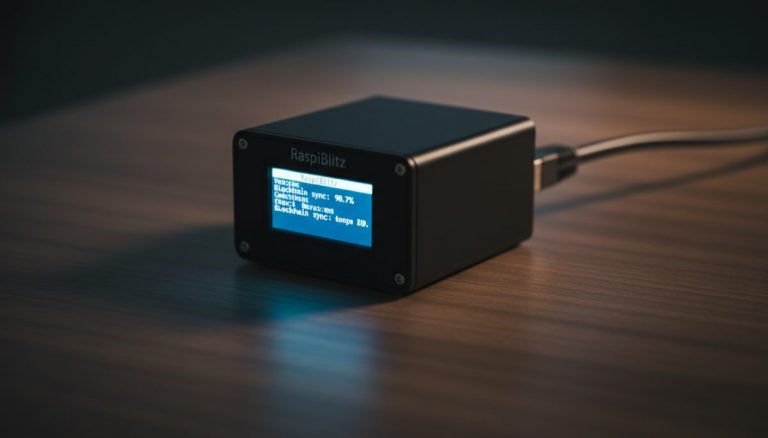
Step 2: Install your node operating system and Bitcoin Core. Choose between a dedicated node OS (Umbrel, RaspiBlitz, Start9, or myNode) or a manual Linux installation with Bitcoin Core compiled from source. Dedicated node operating systems provide a GUI dashboard, automatic service management, and one-click app installation—ideal for users who want convenience. Manual installation provides maximum control and minimizes attack surface—better for advanced users. Regardless of approach, verify the software signatures before installation to ensure you are running authentic, unmodified code. Initial blockchain synchronization takes 2-7 days depending on hardware and internet speed.
Step 3: Configure an Electrum server backend. Install either Electrs or Fulcrum as your Electrum protocol server. This component indexes the blockchain and allows lightweight wallets to query address balances and transaction history through your own node rather than third-party servers. Electrs is simpler and uses less disk space (~30GB) but queries are slower. Fulcrum requires more storage (~120GB for its index) but provides significantly faster query responses. After installation, the indexer needs to process the entire blockchain—expect 12-48 hours for initial indexing depending on hardware. Point your desktop and mobile wallets to your Electrum server’s address.
Step 4: Connect your hardware wallet through proper coordinator software. Install Sparrow Wallet on your desktop computer as your primary wallet coordinator. Connect Sparrow to your Electrum server (not to public servers) by entering your node’s local IP and Electrum server port. Then connect your hardware wallet to Sparrow via USB or, for air-gapped devices like Coldcard, via microSD card. Sparrow handles transaction construction, PSBT creation and finalization, and address verification while your hardware wallet secures the private keys. Verify that Sparrow shows the green “connected” indicator confirming it is using your own node for blockchain data.
Step 5: Establish your wallet structure and address management. Create your wallet in Sparrow—single-sig for simplicity or multisig for enhanced security. For single-sig, use native segwit (bc1q) addresses for lower transaction fees. For multisig, use P2WSH (bc1q long addresses) with a clear quorum structure. Generate your first receiving address and verify it matches on your hardware wallet screen. Set up proper labeling from the start: label each address with its purpose and each UTXO with its source. This labeling discipline makes coin control, privacy management, and tax reporting significantly easier as your transaction history grows.
Step 6: Implement backup and disaster recovery procedures. Back up your seed phrase on durable physical media—stamped metal plates resist fire and water damage that would destroy paper backups. For multisig setups, also backup the wallet descriptor alongside each seed phrase. Store backups in geographically distributed locations—a home safe, a bank safety deposit box, and a trusted family member’s secure storage. Test your recovery procedure by restoring the wallet on a separate device using only your backup materials. Document the complete recovery procedure in clear, step-by-step instructions that a trusted person could follow if you become incapacitated.
Common Mistakes to Avoid
Connecting hardware wallets to public Electrum servers. When Sparrow, Electrum, or other wallet software connects to public Electrum servers, every address query reveals your addresses and balances to the server operator. This completely undermines the privacy benefits of running your own node. Always configure your wallet software to connect exclusively to your own Electrum server. Verify the connection by checking that the server address points to your node’s local IP or Tor onion address, not to a public server pool.
Running Bitcoin Core on an SD card or HDD. Bitcoin Core’s chainstate database performs intensive random read/write operations that quickly degrade SD cards and are painfully slow on traditional hard drives. SD cards have limited write endurance and can fail without warning, potentially corrupting your blockchain data and requiring a full resync. Always use an SSD for Bitcoin Core storage. Even a basic SATA SSD provides orders of magnitude better performance and reliability than SD cards. This single hardware choice is the most impactful upgrade for node reliability.
Skipping software signature verification. Downloading and running unverified Bitcoin software exposes you to supply chain attacks where malicious actors replace legitimate software with trojanized versions. Always verify GPG signatures for Bitcoin Core releases and check SHA256 checksums for node operating system images. This verification process takes only a few minutes but protects against catastrophic compromise. If a software download doesn’t match its published signature, do not run it under any circumstances.
Neglecting node maintenance and updates. A Bitcoin node requires periodic attention—software updates, disk space monitoring, and service health checks. Bitcoin Core releases include security patches and consensus-critical fixes that should be applied promptly. Monitor your node’s disk usage, as the blockchain grows by approximately 50-80GB per year. Set up automated monitoring if possible, or establish a regular monthly maintenance schedule. An outdated or crashed node silently reverts your wallet to trusting third-party servers.
Using the same hardware wallet for both single-sig and multisig without clear separation. When a single hardware wallet participates in both a single-sig wallet and a multisig wallet, confusion between derivation paths can lead to sending funds to wrong addresses. If possible, dedicate specific hardware wallets to specific wallet configurations. If you must reuse a device, carefully label each wallet configuration and always verify the receiving address on the hardware wallet screen before accepting any incoming transaction.
Frequently Asked Questions
What are the minimum hardware requirements for running a Bitcoin full node?
The absolute minimum is a device with 2GB RAM, a 4-core processor, and 600GB+ of SSD storage (to accommodate the current blockchain plus growth). However, the recommended specification for a responsive experience is 4-8GB RAM, a modern 4-core processor, and 1TB SSD storage. A Raspberry Pi 4 (8GB) meets these requirements adequately for a single-purpose node. If you plan to run an Electrum server, Lightning node, and additional services alongside Bitcoin Core, 8GB+ RAM and a more powerful processor (Intel N100 or equivalent) provide a noticeably better experience.
Should I use Umbrel, RaspiBlitz, Start9, or install everything manually?
For most users, a dedicated node OS provides the best balance of convenience and functionality. Umbrel offers the simplest setup with an app-store-like interface but uses Docker containers that add overhead. RaspiBlitz provides more configuration options and a terminal-based interface preferred by power users. Start9 emphasizes privacy and self-sovereignty with a unique dependency-management system. Manual installation offers maximum control and the smallest attack surface but requires significant Linux knowledge for setup and ongoing maintenance. Choose based on your technical comfort level—you can always migrate later.
How do I connect my mobile wallet to my own node?
Most privacy-respecting mobile wallets support connecting to a personal Electrum server. In Sparrow-compatible mobile wallets or Electrum mobile, enter your node’s Electrum server address. If accessing from outside your home network, use a Tor onion address or VPN rather than exposing ports directly. Some node operating systems provide companion mobile apps (Umbrel’s mobile dashboard, for example) that simplify this connection. For Lightning wallets like Zeus, connect directly to your Lightning node using the REST or gRPC API endpoint provided by your LND or CLN installation.
Is it worth running a full node if I only hold a small amount of Bitcoin?
Yes, for reasons beyond just your personal holdings. Running a full node gives you trustless transaction verification—you verify your own transactions without relying on anyone else’s honesty. It also contributes to Bitcoin’s decentralization by adding another independent validator to the network. The privacy benefit alone justifies the effort: without your own node, every wallet query reveals your addresses to a third-party server operator. A basic node setup costs under $200 in hardware and minimal electricity, providing permanent sovereignty over your Bitcoin interactions regardless of the amount held.